


Chat Replay Operation Guide
Updated: 2022-10-09 18:10:22
1. Feature Overview
| Feature Info | Description |
|---|---|
| Feature Name | Chat Replay |
| Feature Overview | [Chat Replay] is one of the features for restoring the live streaming experience. While watching a replay, users can also feel the discussions of other viewers in the live room at the corresponding video content moment, creating a sense of resonance. Meanwhile, floating danmaku provides a sense of companionship, aiming to increase dwell time and revenue conversion. |
| Purpose | Use active danmaku and chat messages to give replay viewers a sense of companionship, occasionally creating resonance, thereby increasing dwell time and improving revenue conversion. |
| Use Cases | Scenario 1: During a corporate training department's live stream, the teaching assistant sends supplementary knowledge point explanations to the interactive area when the instructor covers a specific topic. The assistant wants students watching the replay to also see these explanations at the same knowledge point, enhancing understanding. Thus, the chat replay feature is used, greatly improving training effectiveness. With danmaku companionship, watching replays is no longer boring. Scenario 2: In low-cost live courses, education clients intersperse purchase links or QR codes for high-cost courses. However, during replays, such messages have already been scrolled away. Clients want to maintain high conversion rates during replays, so they decide to use the chat replay feature, ensuring sustained and stable conversion and revenue during replays. |
| Tutorial | 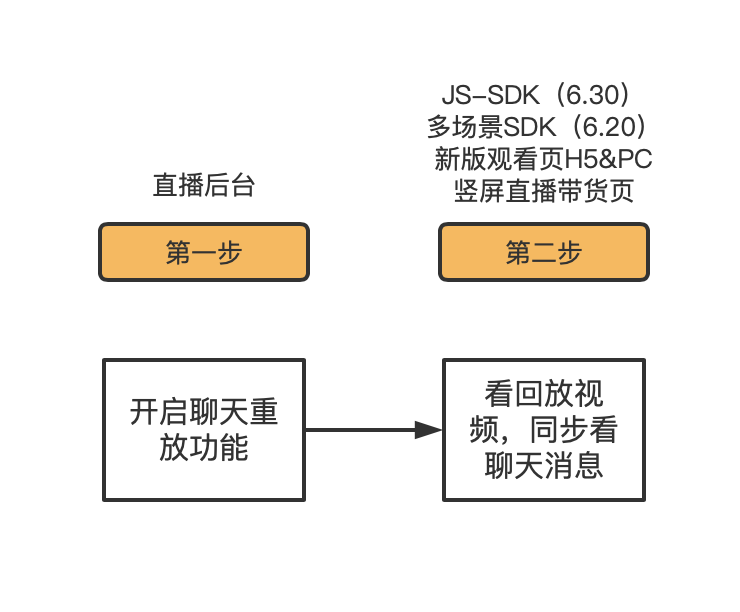 |
| Feature List | Chat message replay: While watching a replay, viewers can see the discussions from the live audience at that specific video node. Danmaku replay: Messages can also be replayed in the form of danmaku. |
| SDK Integration | 1. Only supports jssdk, multi-scenario SDK, and uni-app. Mini-program SDK, etc., are not supported for now. 2. No API is required. Customers using jssdk need to integrate the SDK demo. Customers using the multi-scenario SDK need to update to SDK version 1.9.3. |
| Pitfall Guide | 1. Merged or trimmed videos do not support chat replay. |
2. Operation Instructions
2.1 Enable the Feature
a. In the backend live list, click on the live room, go to Replay Settings, and toggle the [Chat Replay] switch on.
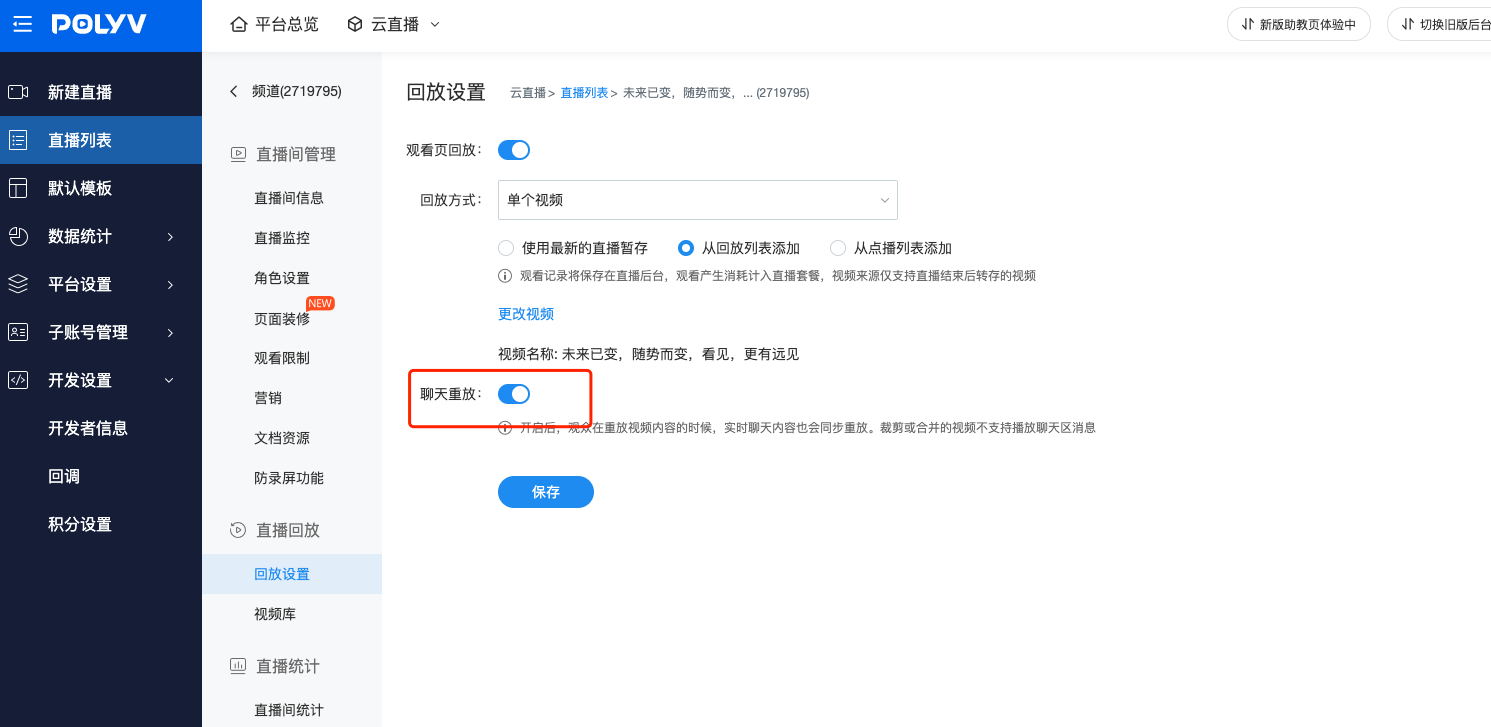
b. The feature only takes effect when associated with videos generated directly from the live stream and without trimming or merging. Otherwise, replay messages will not be visible on the viewer side.
2.2 View Replay Messages
a. Access the new viewer page (H5 & PC) or the vertical live shopping page to see the replay video. As the replay video plays, chat messages will appear in sync with the video progress bar.
