Polyv Help Center

Help Center

Registration Viewing

Updated: 2025-02-17 09:43:08

Last updated: 2025-02-14

I. Feature Overview

Feature Info
Description
Feature Name Registration Viewing
Feature Description After users meet the lead capture conditions, they fill out a form to record their identity information, thereby achieving the purpose of lead capture
Purpose Collect audience identity information in specified live streaming scenarios
Use Cases Suitable for marketing, promotion, product launches, and other scenarios
Operation Path

II. Backend Settings

1. Enable Registration Viewing Feature

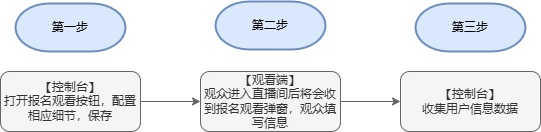
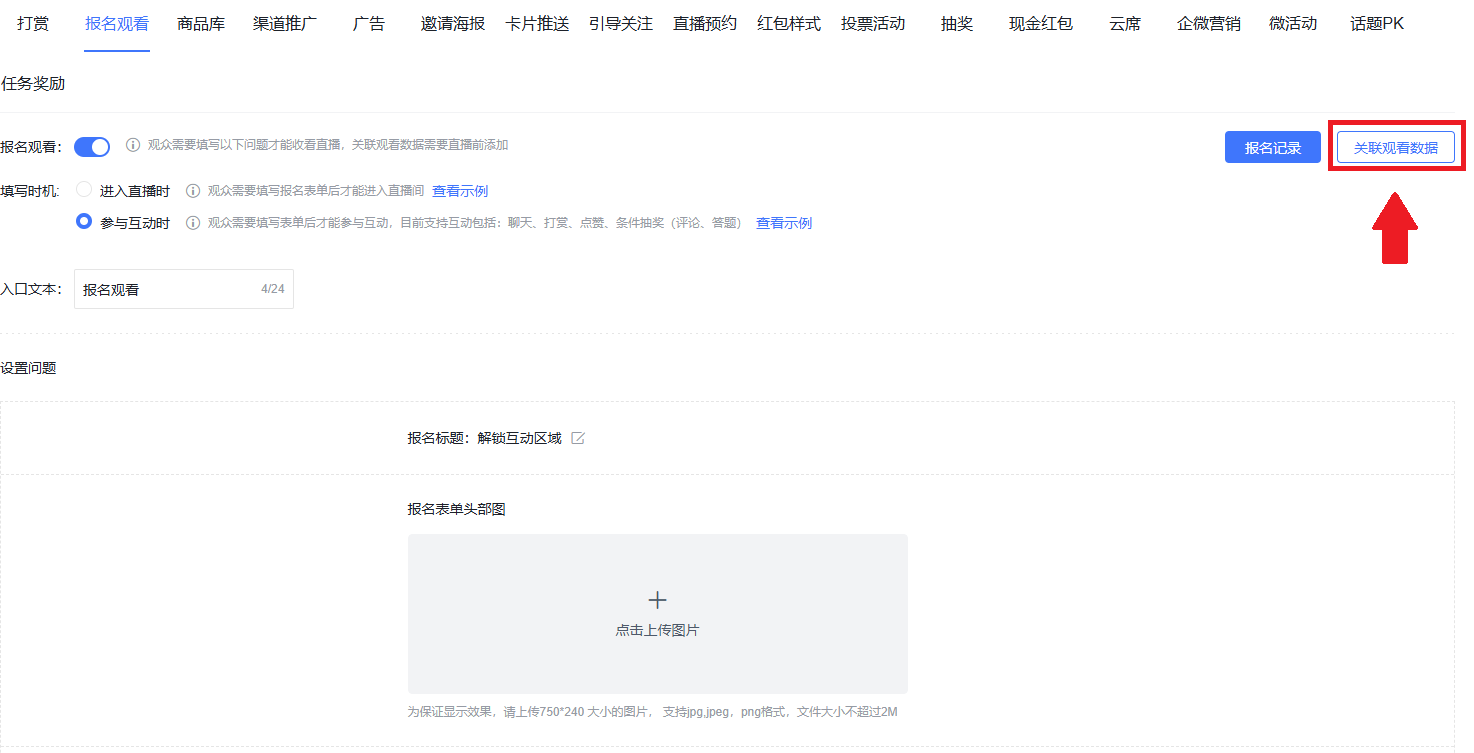
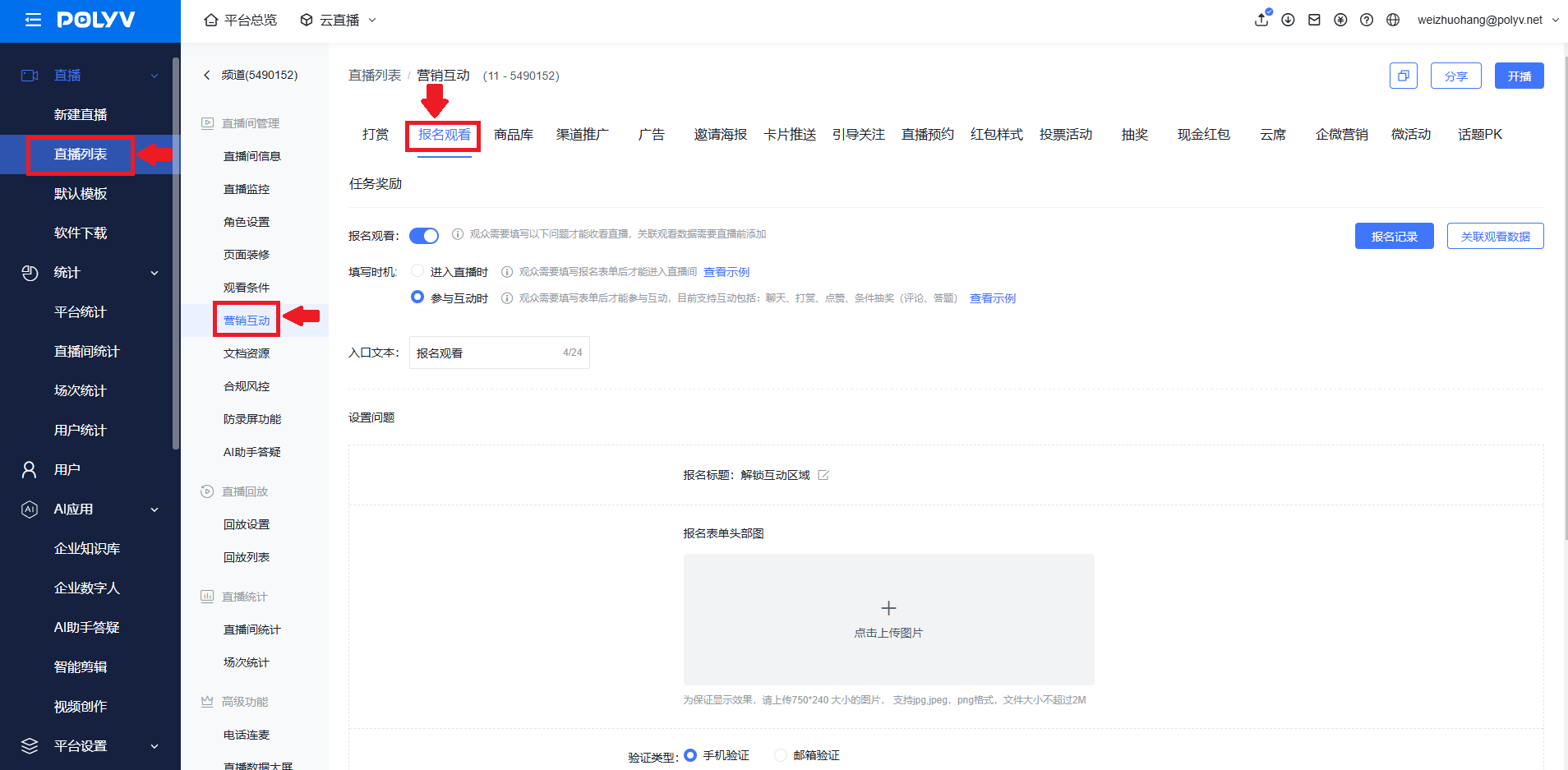
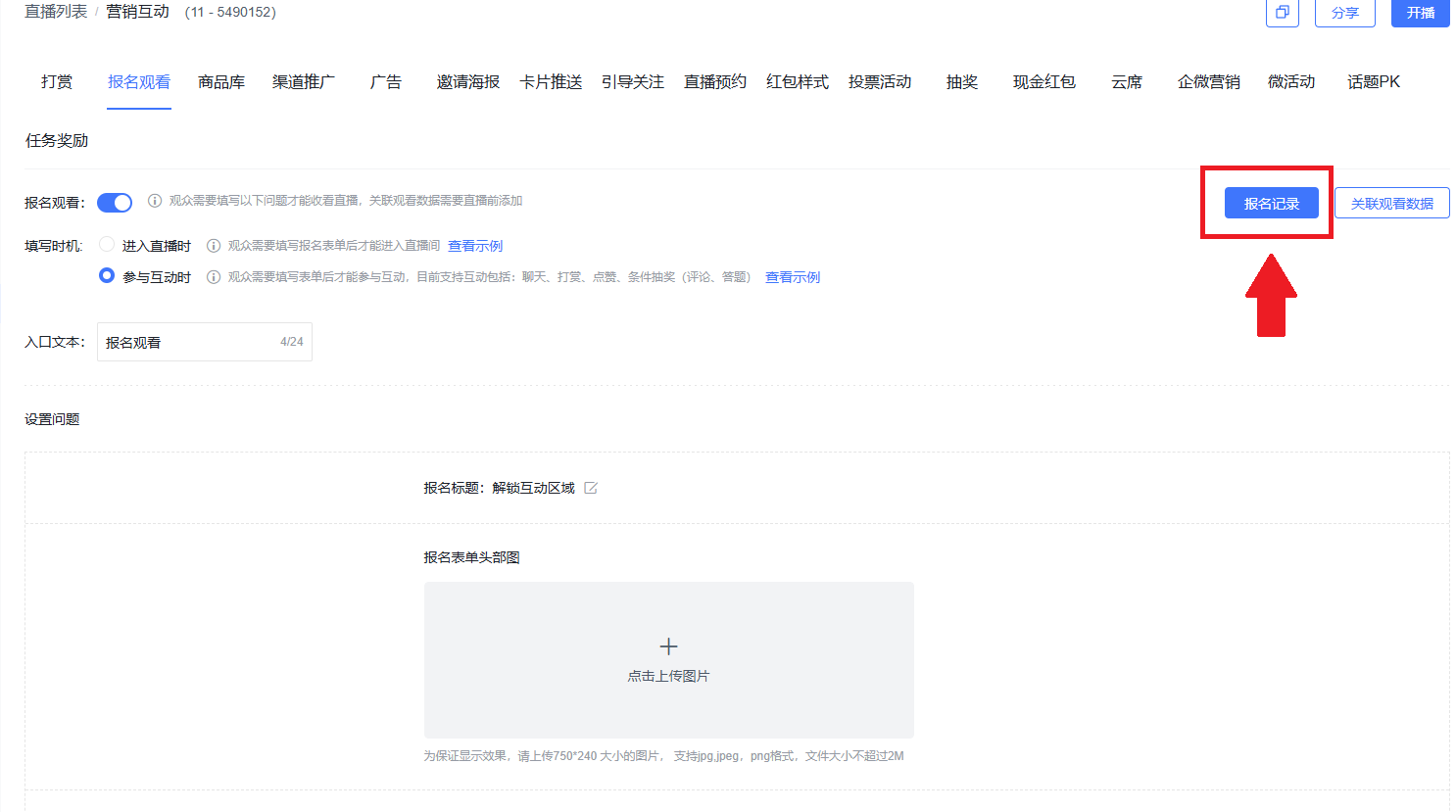
Go to the live streaming backend, find Marketing Interaction, and click Registration Viewing
2. Registration Viewing Settings

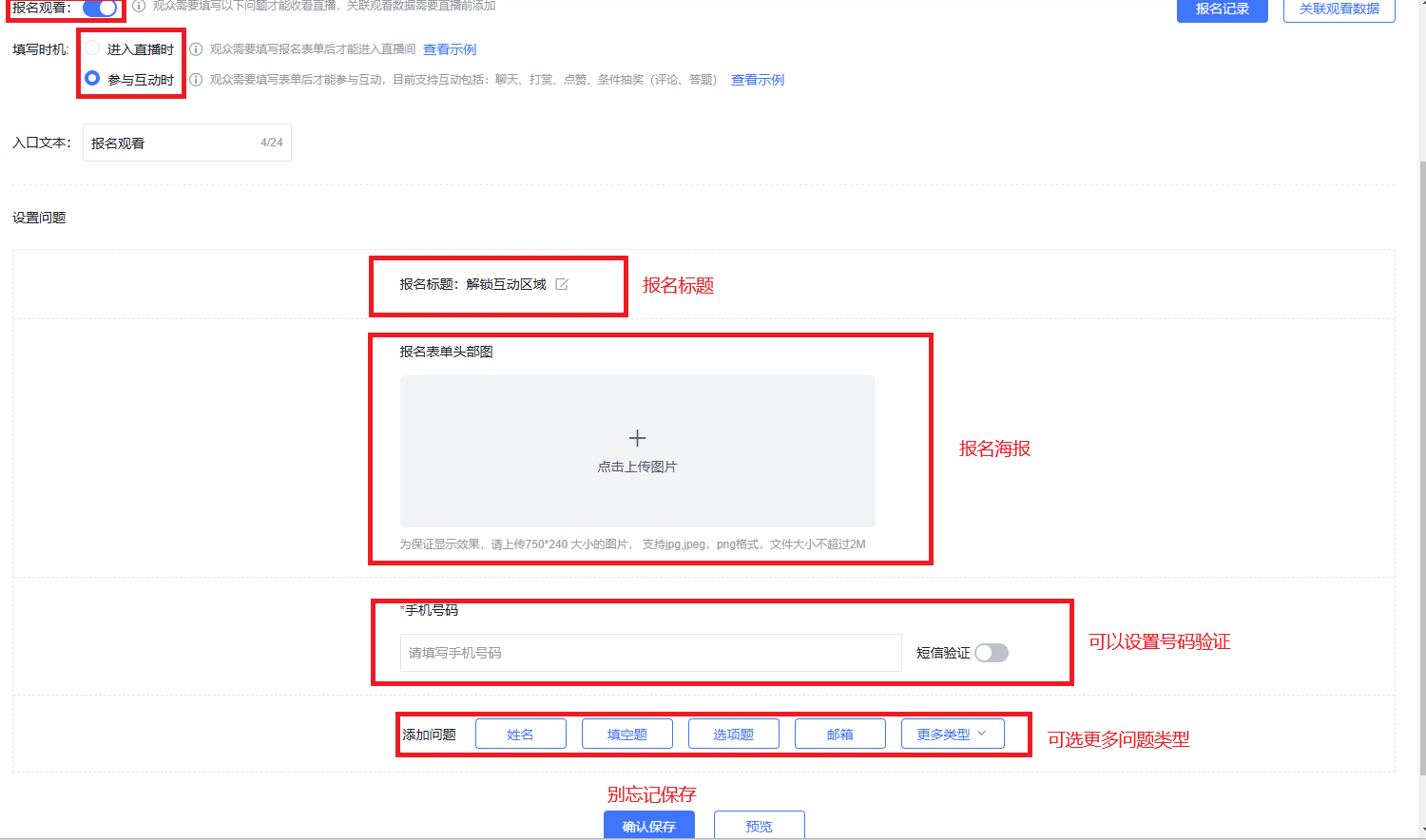
Toggle the feature switch on, set the fill-in timing, modify the entry text, set the registration title, upload the registration exhibition poster, configure phone number verification, and click "Confirm Save" after modifications
3. Registration Records

Click "Registration Records" in the upper right corner to download the import template, edit the import template for batch user import, and export the list (saved in the Data Export Center)
III. Display Effects

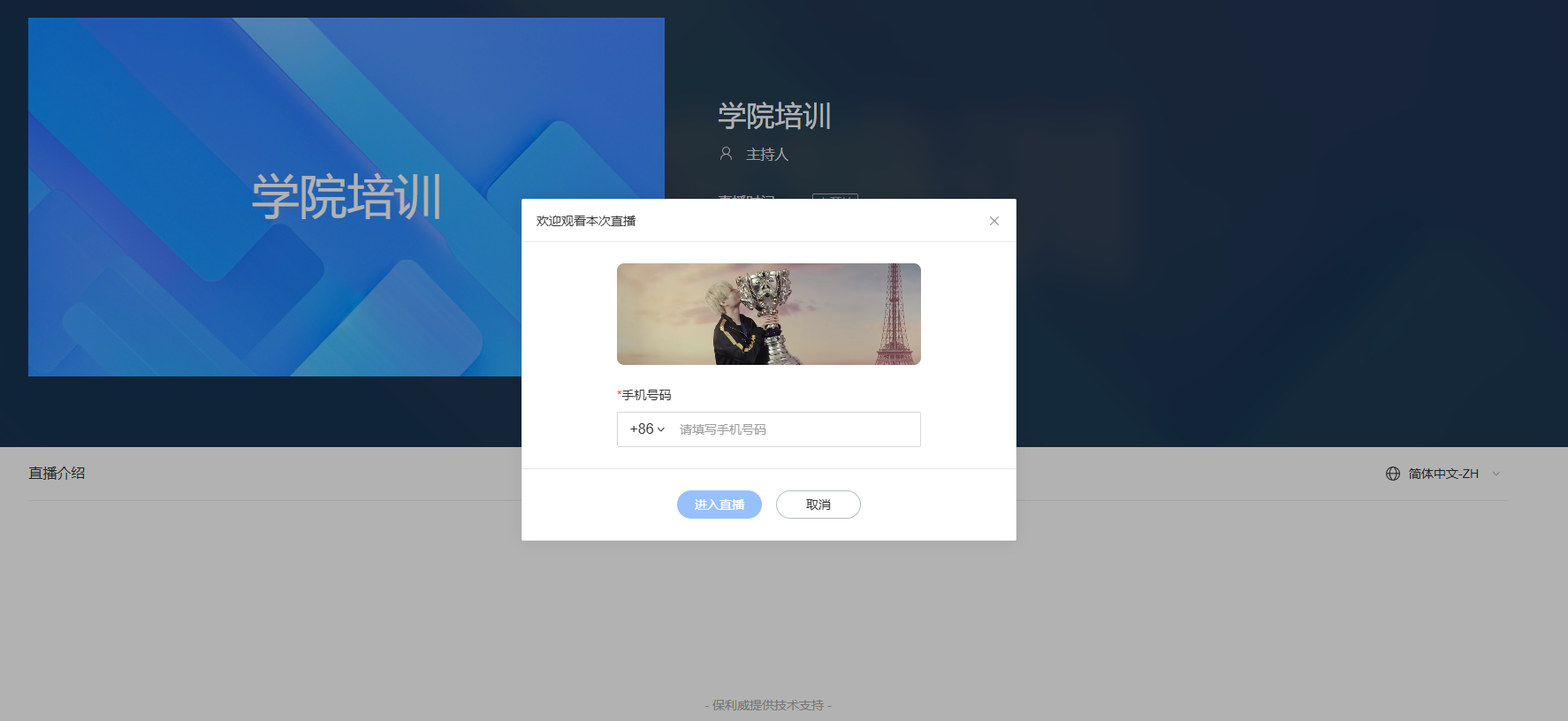
1. Web Viewing Effect
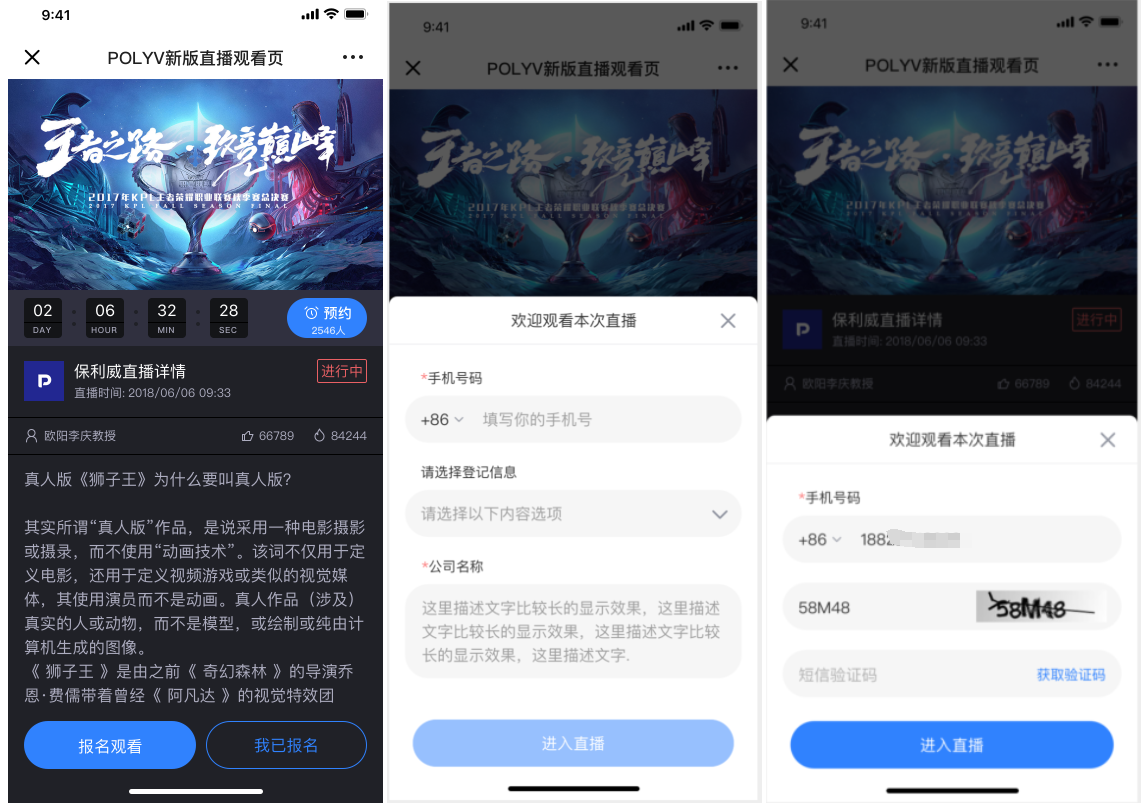
2. H5 Mobile Viewing Effect
baoming001

IV. FAQ

Q: Key highlights of Registration Viewing

A:

1. Only need to fill in registration information once; subsequent logins can be done via phone number, eliminating the awkwardness of re-registration (for phone verification login, go to Development Settings - SMS Platform Settings to enable "Polyv SMS Service")

2. Statistics add a dimension for whether viewing occurred, allowing customers to know if registered users ultimately watched the live stream.

3. Viewing behavior persists. If a user watches a live stream via registration viewing and later logs in with the same phone number, the assigned user ID remains the same as before.


Q: Registration Viewing restrictions

A:

1. No limit on the total number of registration entries

2. If both viewing conditions and registration viewing are enabled, users must pass the viewing conditions first before entering the registration viewing page

3. One phone number can only correspond to one user ID. If viewing conditions include a user ID (whitelist/external authorization/independent authorization/third-party authorization), and multiple user IDs log in with the same phone number, the final statistical correspondence will be based on the last user ID

4. Phone number is a required field and cannot be edited. Login only supports phone number login, not other methods.


Q: Relationship between Registration Viewing and Check-in Viewing

A: Registration Viewing is an upgraded version of Check-in Viewing. Check-in Viewing will gradually be phased out and replaced.

联系客服,在线咨询