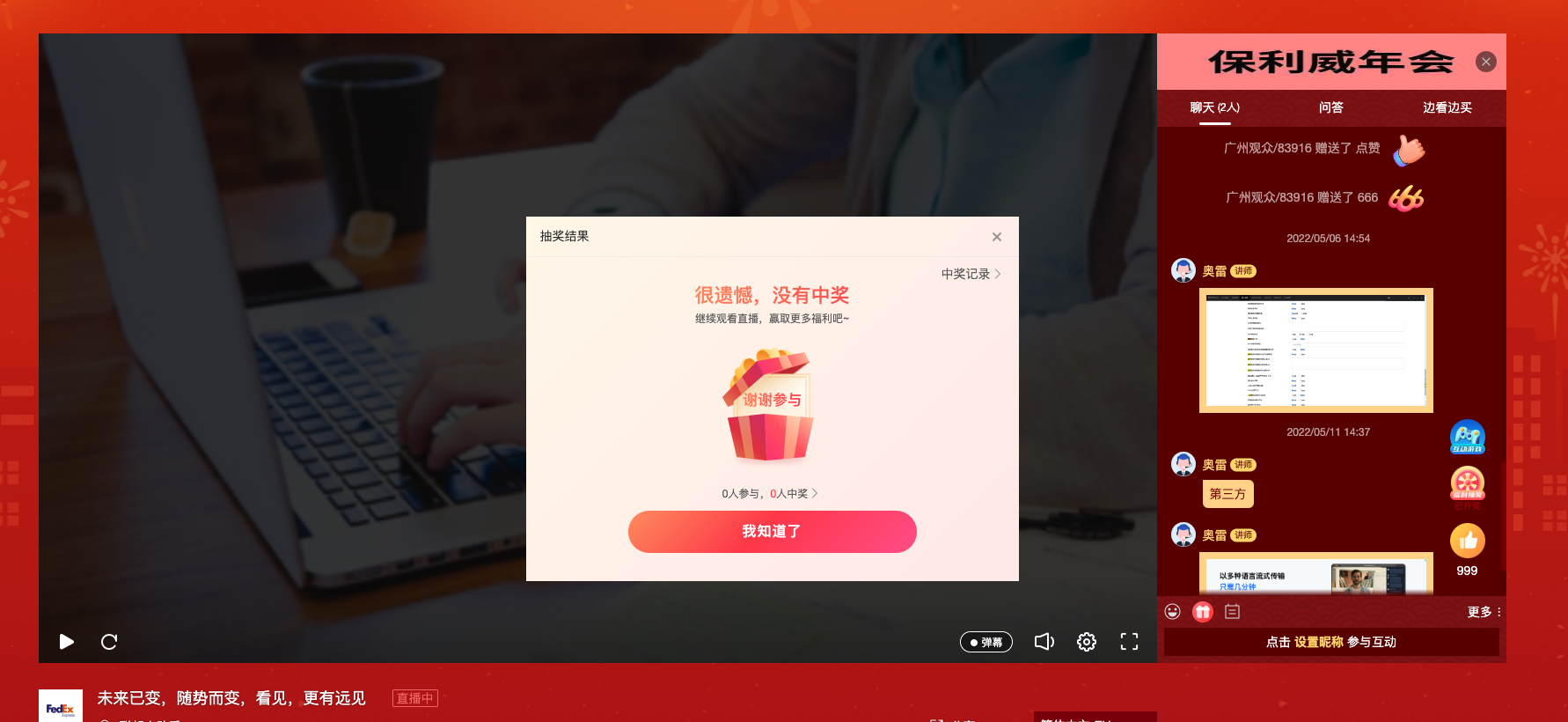
Conditional Lottery User Guide
1. Feature Overview
| Feature Info | Description |
|---|---|
| Feature Name | Conditional Lottery |
| Feature Overview | [Conditional Lottery] is a marketing feature that upgrades the lottery system by using prizes to incentivize viewers to share the livestream poster, creating a chain-like viral spread. It also supports using prizes to attract viewers to stay in the livestream, boosting room activity and effectively increasing dwell time, thereby improving overall conversion. |
| Purpose | Leverage prizes to increase viewer invitation motivation and dwell time, achieving rapid revenue growth and user acquisition. |
| Use Cases | Scenario 1: An education client wants to promote a low-priced 9.9 yuan best-selling course but faces high customer acquisition costs, requiring significant ad spend for traffic. With existing users, they use a referral program with prizes to incentivize users to help acquire new customers. Scenario 2: A company heavily invests in promoting its livestream across major platforms before a new product launch but worries about retaining viewers, leading to poor conversion. They decide to use prizes to reward viewers who stay, extending dwell time and improving conversion. |
| Tutorial | 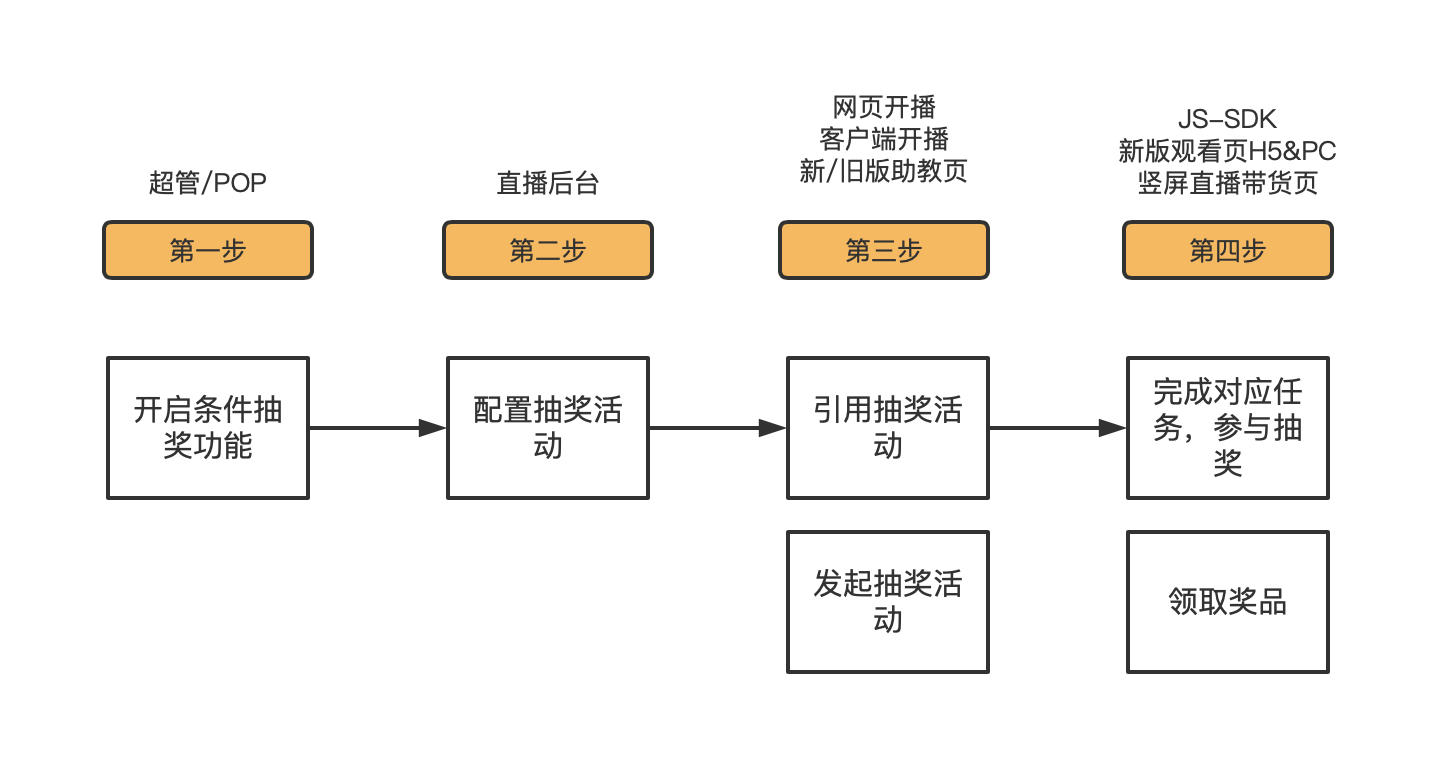 |
| Feature List | 1. Backend Preset: Supports presetting lottery activity information in the backend before the livestream, then selecting the activity to start the lottery during the livestream; Scheduled Start: During the livestream, set a timer (e.g., X minutes) to start the lottery later. 2. View Historical Winners from the Host Side: View winner lists from previous rounds on the host side. 3. Viewer Prize Record: Supports users viewing their historical prize records; unclaimed prizes from the past can be claimed again. 4. Preset Winner: Supports presetting (rigging) the winner for the current round when starting the lottery. 5. Earn Lottery Chance After Successful Invitation: Viewers must complete the invitation task to participate in the lottery. 6. Earn Lottery Chance After Watching for a Duration: Viewers must stay in the livestream for the required duration to participate. 7. Multiple Prize Claim Methods: Supports viewers claiming prizes by scanning a QR code, filling in a form, or following an external link. |
| SDK Integration Guide | 1. Only supports JS-SDK integration; multi-scenario SDK, Mini Program SDK, uni-app, etc., are not supported. 2. No interface development is needed for the watch-time condition. For the invitation condition, the client needs to provide two interfaces and enable the external invitation switch: [Get List of Qualified Viewers]: The client must develop the invitation logic, but the lottery logic is on Polyv's system. Therefore, before the draw, the list of qualified users must be sent to Polyv. After the winners are drawn, they will be displayed. [Get Current Viewer's Invitation Count]: Since the invitation logic is developed by the client, the client needs to tell Polyv how many people the current user has invited. The page will display the current user's invitation count to inform them how many more invitations are needed to meet the condition. |
2. Operation Instructions
1. Enable the Conditional Lottery Feature
a. The Conditional Lottery feature can be enabled for free via the Super Admin or POP. The switch is named [Conditional Lottery].
2. Configure Lottery Activity in the Backend
a. After enabling the Conditional Lottery feature, you need to configure the lottery activity in the backend via Livestream List -> Marketing -> Lottery.
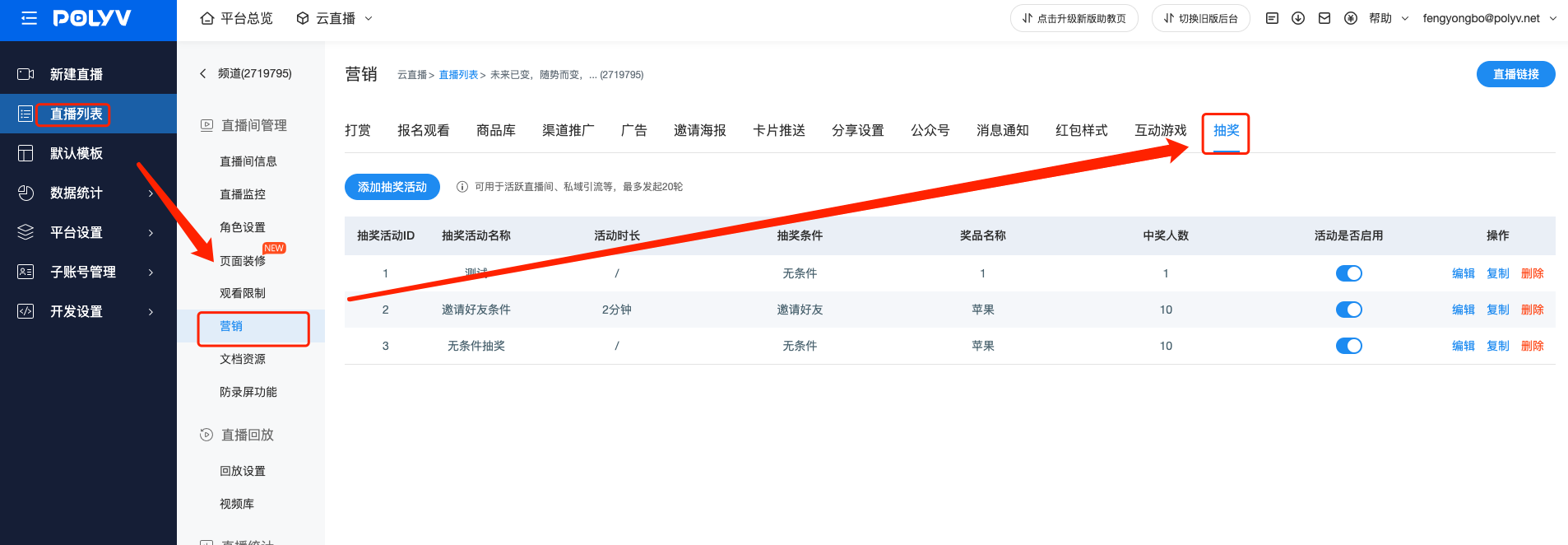
b. Click [Add Lottery Activity]. In the activity conditions, you can choose different conditions:
- Selecting "No Condition" creates an unconditional lottery where viewers can participate without any tasks.
- Selecting "Invite Friends" creates a conditional lottery requiring invitations. Viewers must continuously invite friends to the livestream within the activity duration (5 minutes). They get a lottery chance only after reaching the set [Invitation Count] (5 people).
- Selecting "Watch Duration" creates a conditional lottery requiring watch time. Viewers must stay in the livestream within the activity duration (5 minutes). They get a lottery chance only after their watch time reaches the set [Watch Duration] (2 minutes).
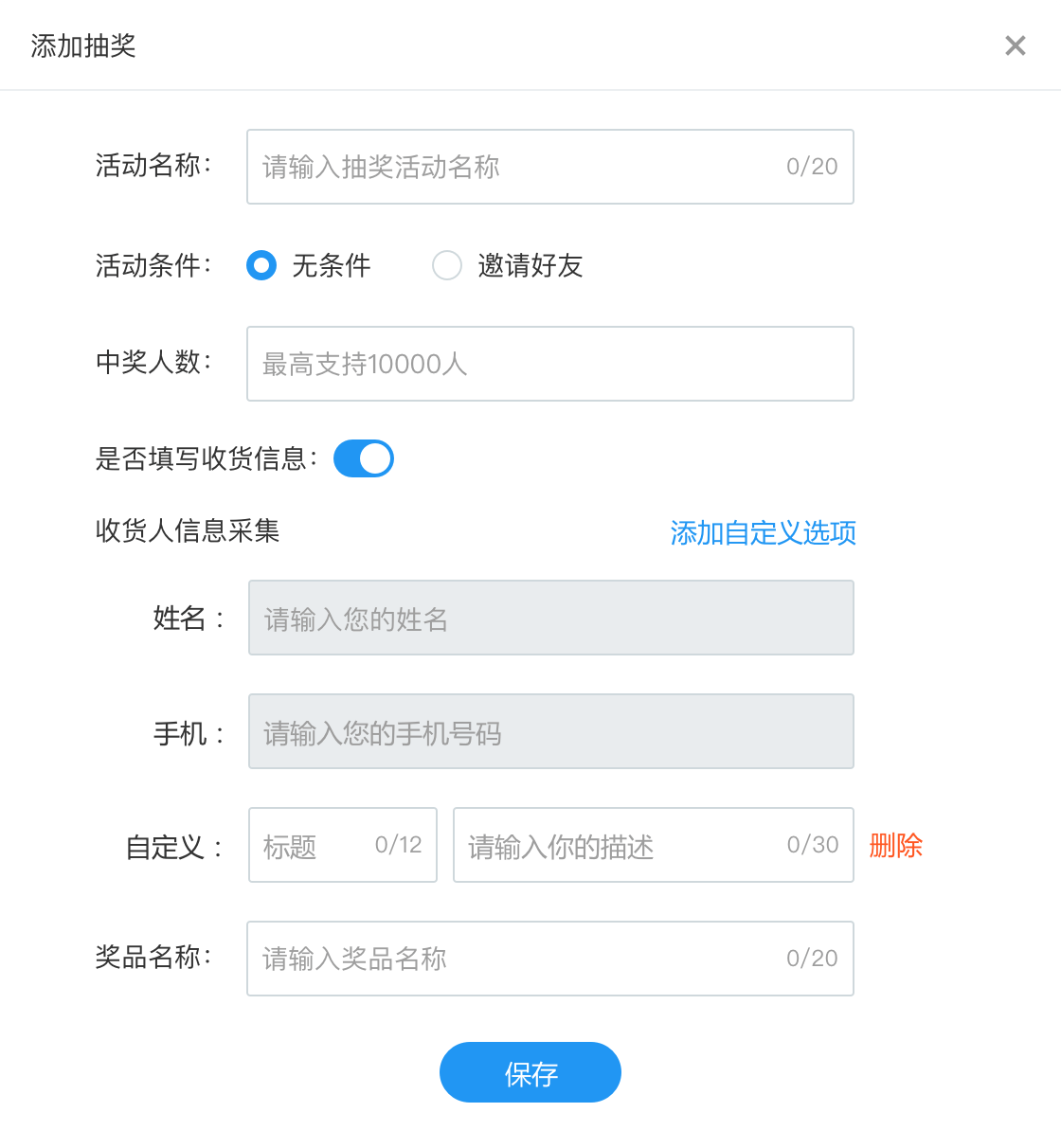
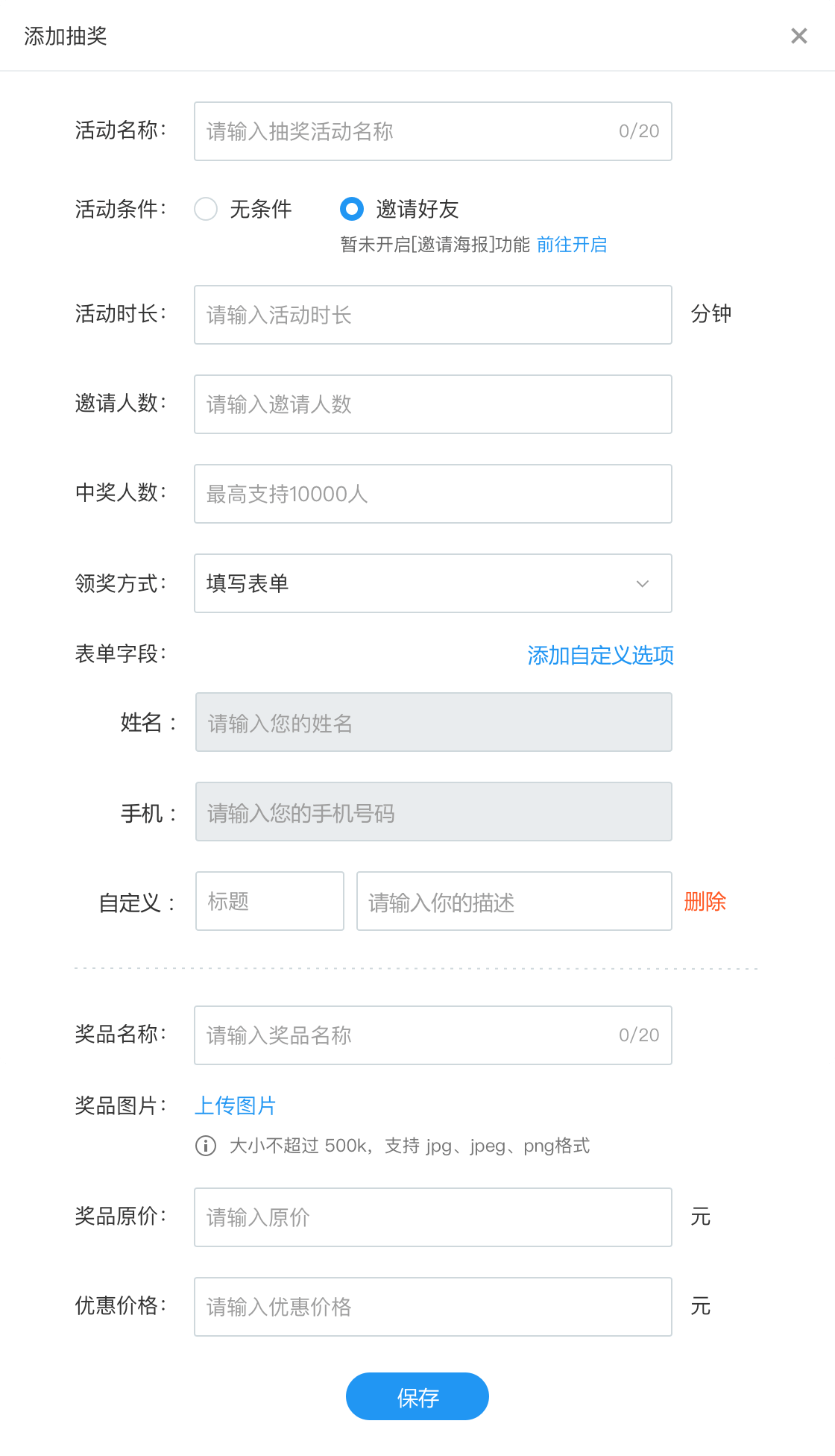
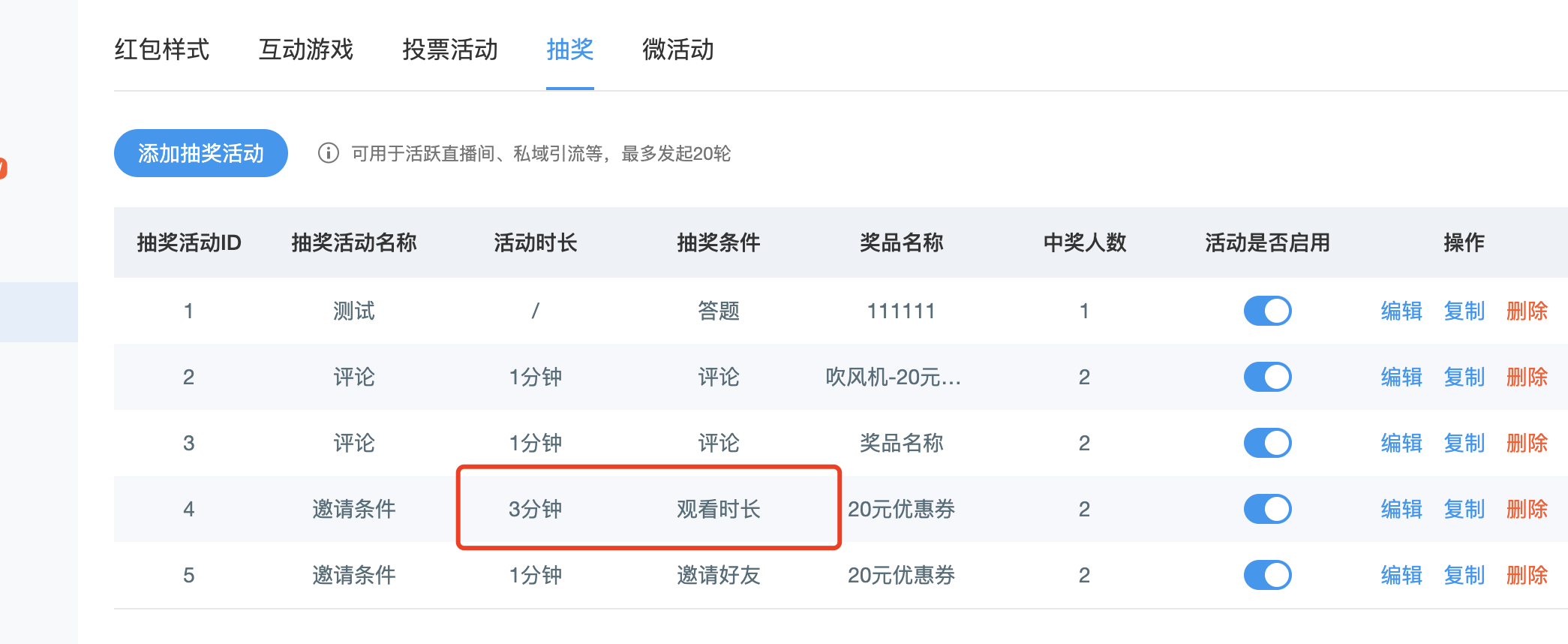
c. After configuration, click Save to generate a lottery activity. Toggle [Activity Available] to control whether the host side can select this activity for the lottery.
3. Start the Lottery
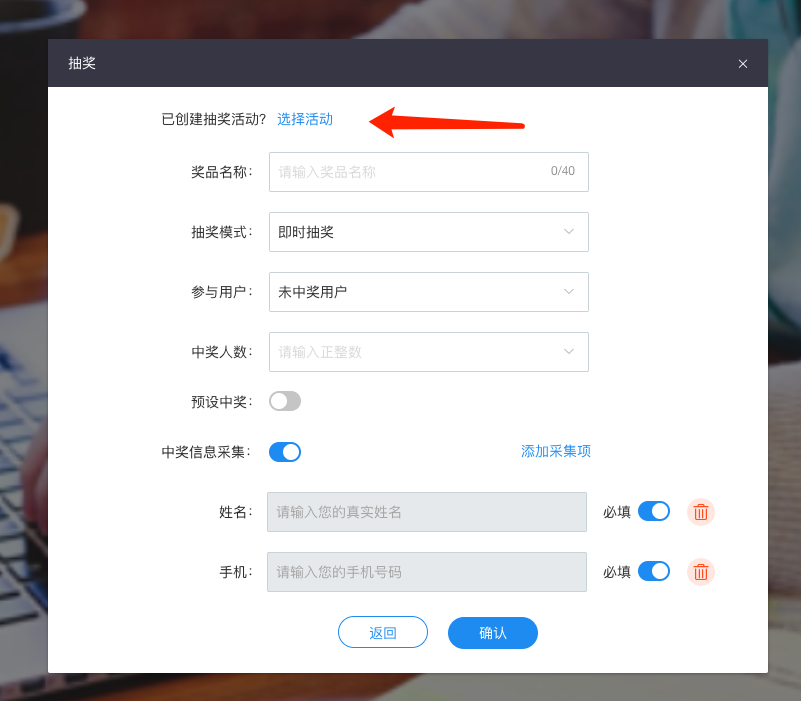
a. Open the lottery feature in the web broadcast, client broadcast, or new/old assistant page. Click [Select Activity], choose the corresponding lottery activity, and click [Confirm] to start the lottery.
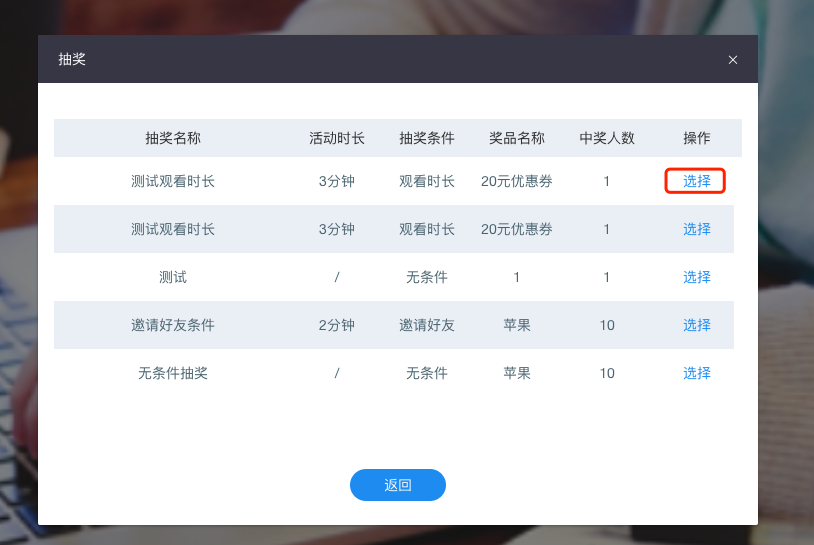
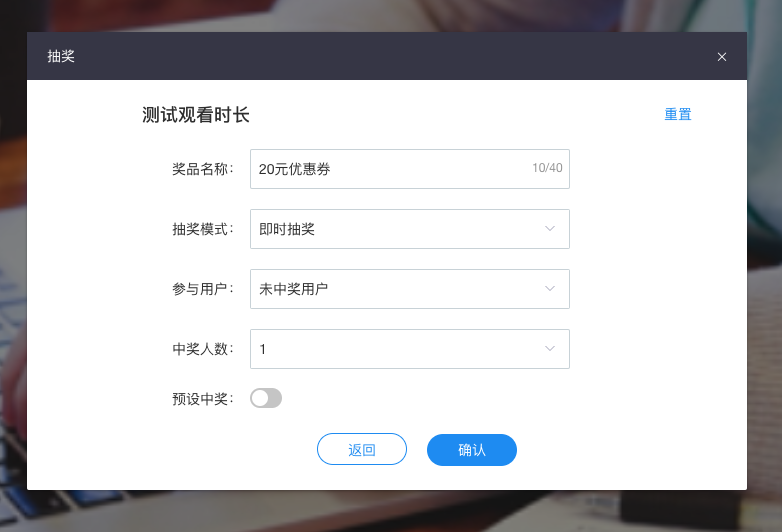
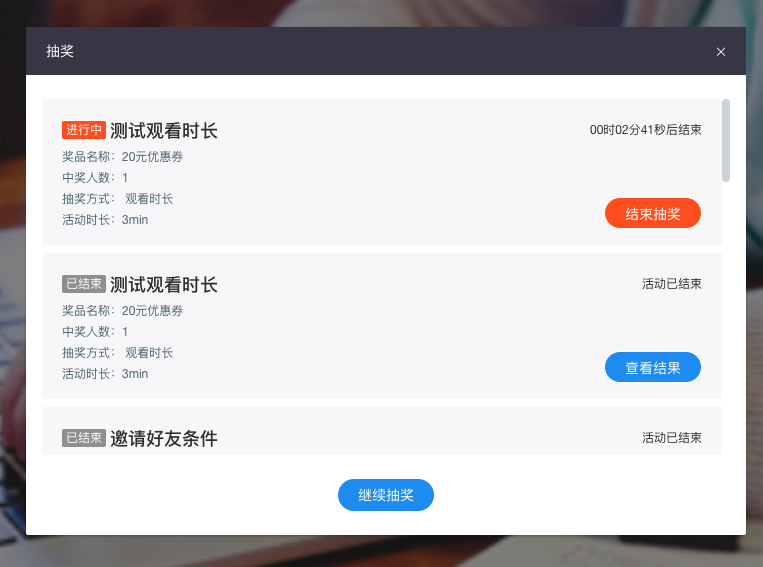
b. For a conditional lottery, the draw happens automatically after the activity duration countdown ends. During this time, you can also start an unconditional lottery by clicking [Continue Lottery].
4. Participate in the Lottery
a. On the new viewer page (H5 & PC) and the vertical livestream shopping page, you can see the conditional lottery widget.
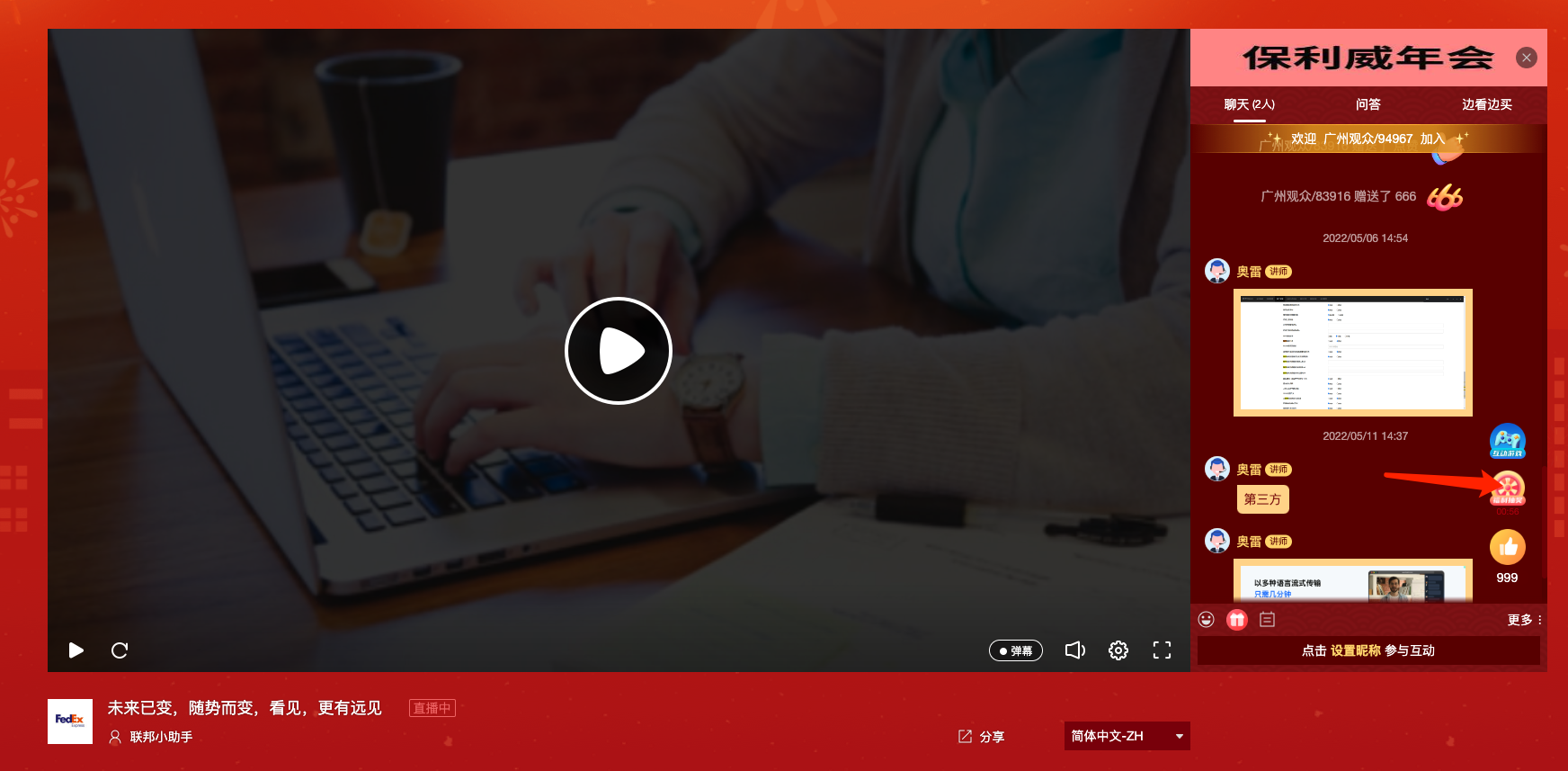
b. Click the widget to see the participation popup. Complete the corresponding tasks according to the conditions to participate in the lottery and get a chance to win.
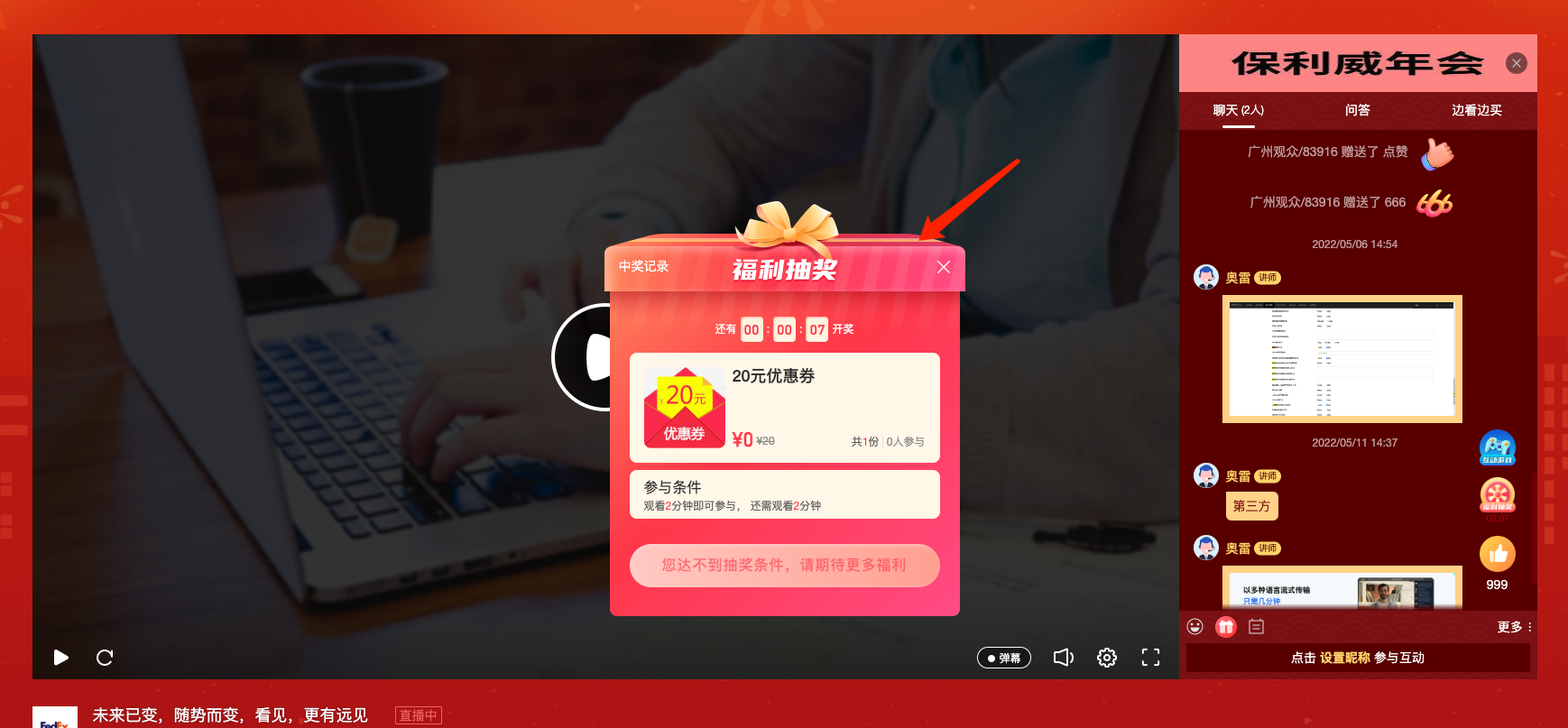
c. After the countdown ends, the results are displayed, along with the winner list. You can also click [Prize Record] to view your prize history and fill in prize claim information.