New Teaching Assistant Page
Updated: 2026-08-17 11:27:00
Feature Info |
Description |
|---|---|
| Feature Name | New Teaching Assistant Page |
| Feature Overview | The new teaching assistant page integrates core functions such as live monitoring, product listing, chat moderation, and interaction management, supporting multi-task parallel operations to improve live streaming efficiency. |
| Purpose | Helps operators efficiently monitor live stream status, handle audience interactions in real time, flexibly list and adjust product content during the broadcast, ensuring smooth streaming and enhancing viewing experience and conversion rates. |
1. Teaching Assistant Settings
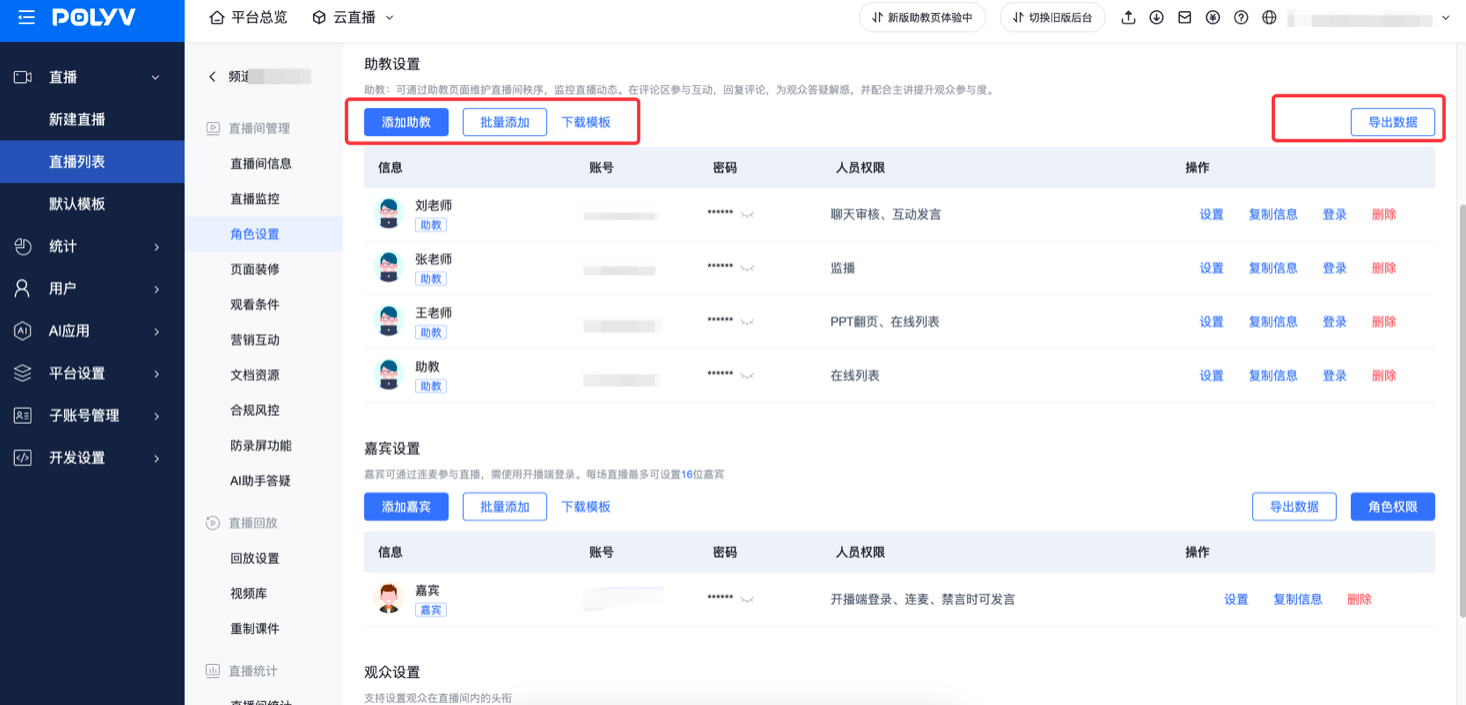
- Operation location: Channel/Default Template - Role Settings - Teaching Assistant Settings
- Add teaching assistant: Configure information when creating a new teaching assistant
- Download template: Provides a template for download; fill it in to batch add teaching assistants, improving management efficiency
- Export data: Allows exporting teaching assistant data for backup and management
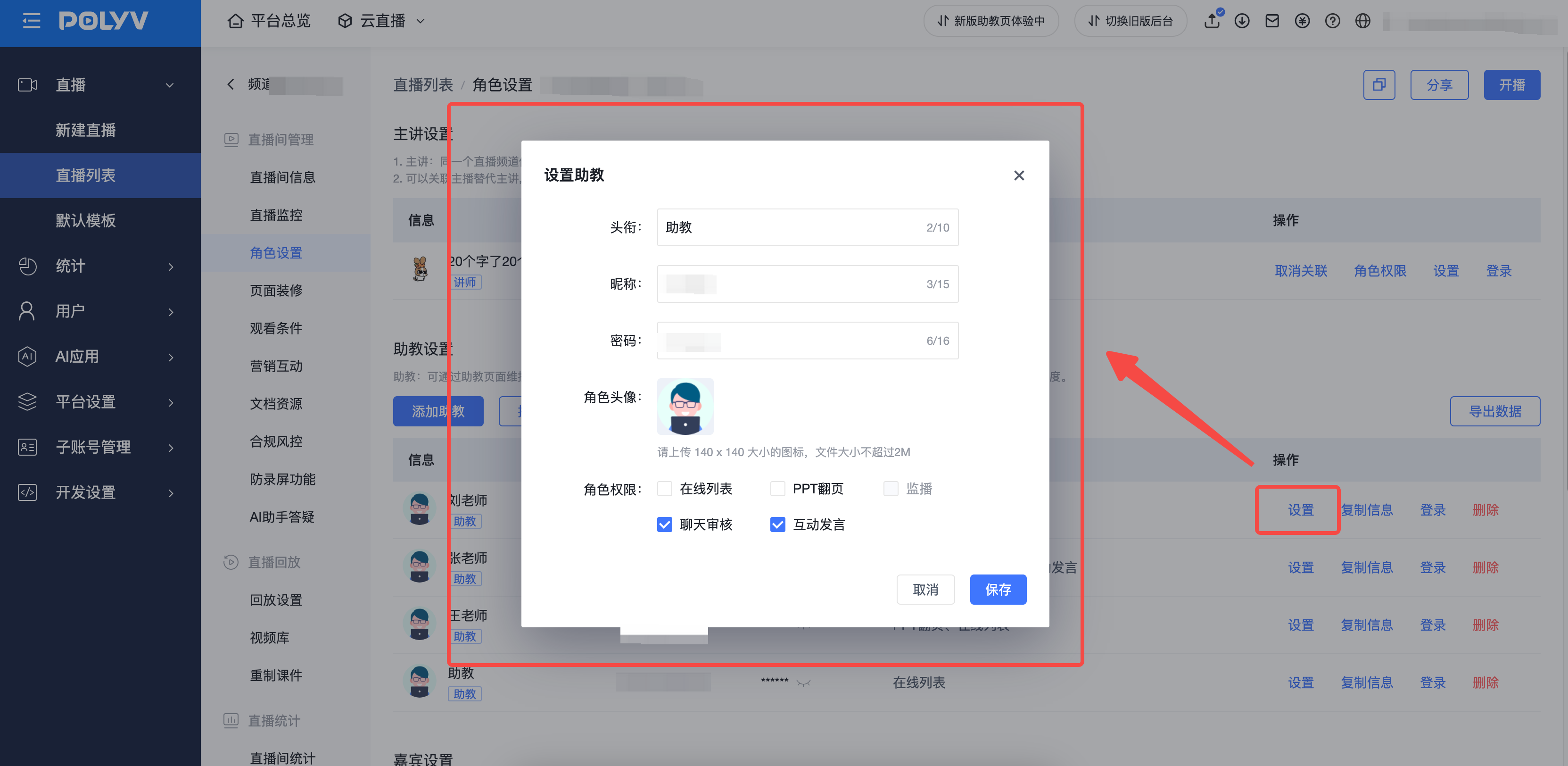
- Settings: Supports editing teaching assistant information and permissions
2. Logging into the Teaching Assistant Page
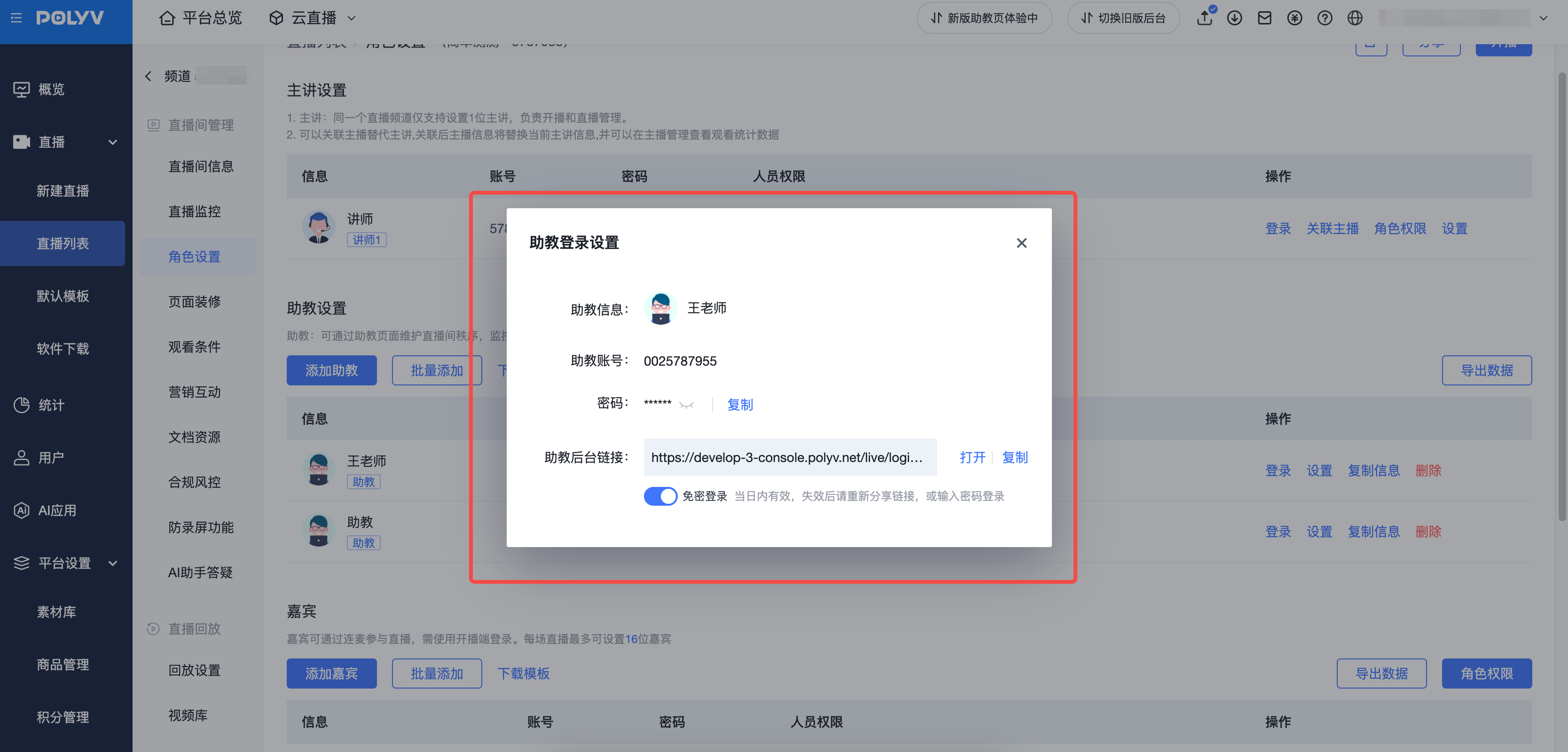
Use a teaching assistant account to log in. You can view login information and enable password-free login for the teaching assistant account.
3. Teaching Assistant Page Feature Overview
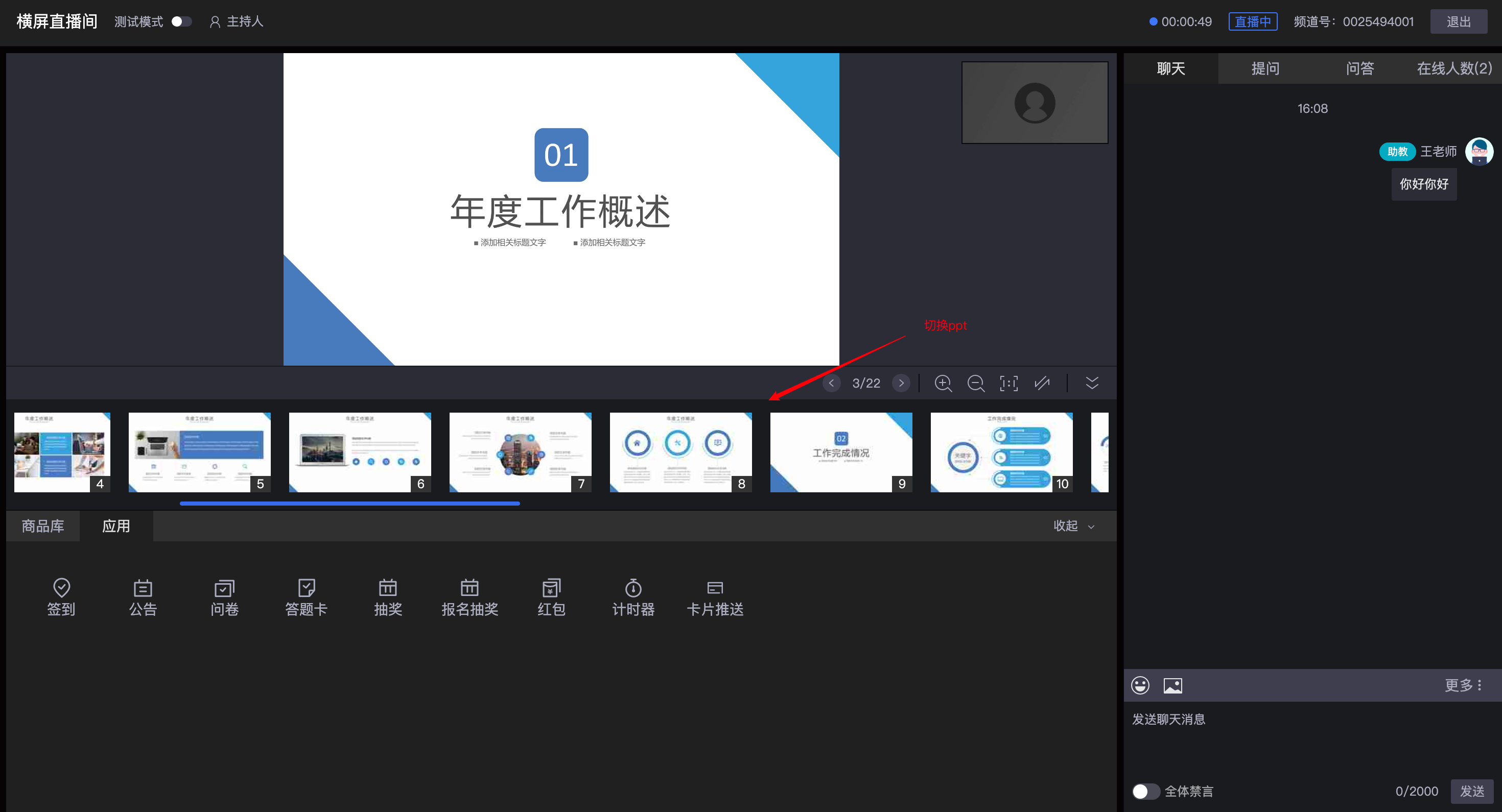
- If you have PPT page-turning permissions, you can assist the instructor in flipping slides.
Chat Moderation
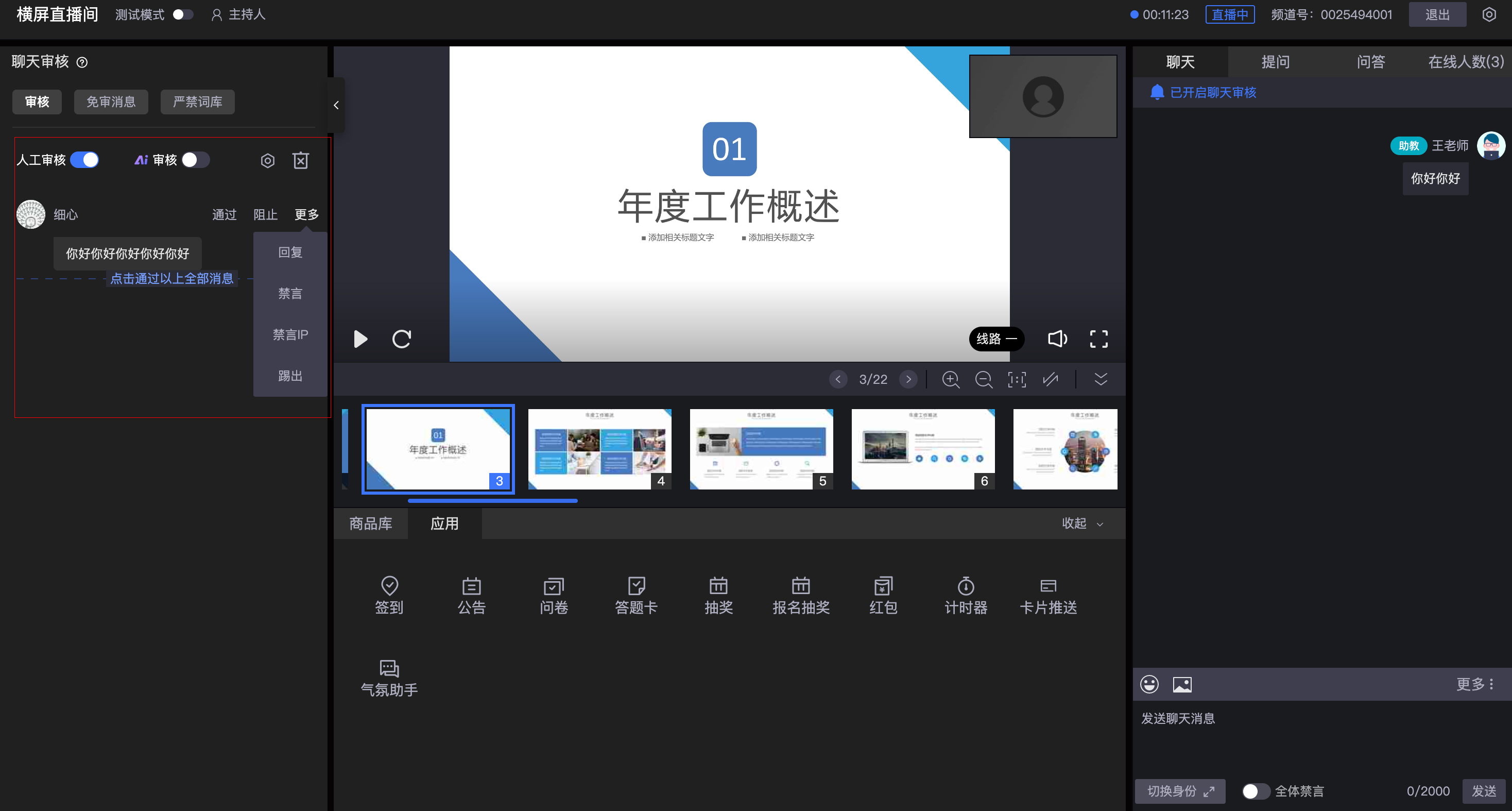
- Upload pre-approved messages or banned words to quickly control chat content; supports manual/AI moderation of chat messages.
User Management
- Mute function: Muting makes a viewer's messages visible only to themselves. IP muting is possible but may cause false positives. If so, lift the restriction in "Online List - Muted List".
- Global mute: When activated, the chat room is closed. Instructors and teaching assistants can still speak; guests with the "can speak when muted" permission can also speak.
- Kick function: Can kick out violating viewers; the viewer will see an "unauthorized to view" prompt. If kicked by mistake, the restriction can be lifted.
- Permission hierarchy (Admin > Instructor = Teaching Assistant): Deletion operations are irreversible and chat history is not retained.
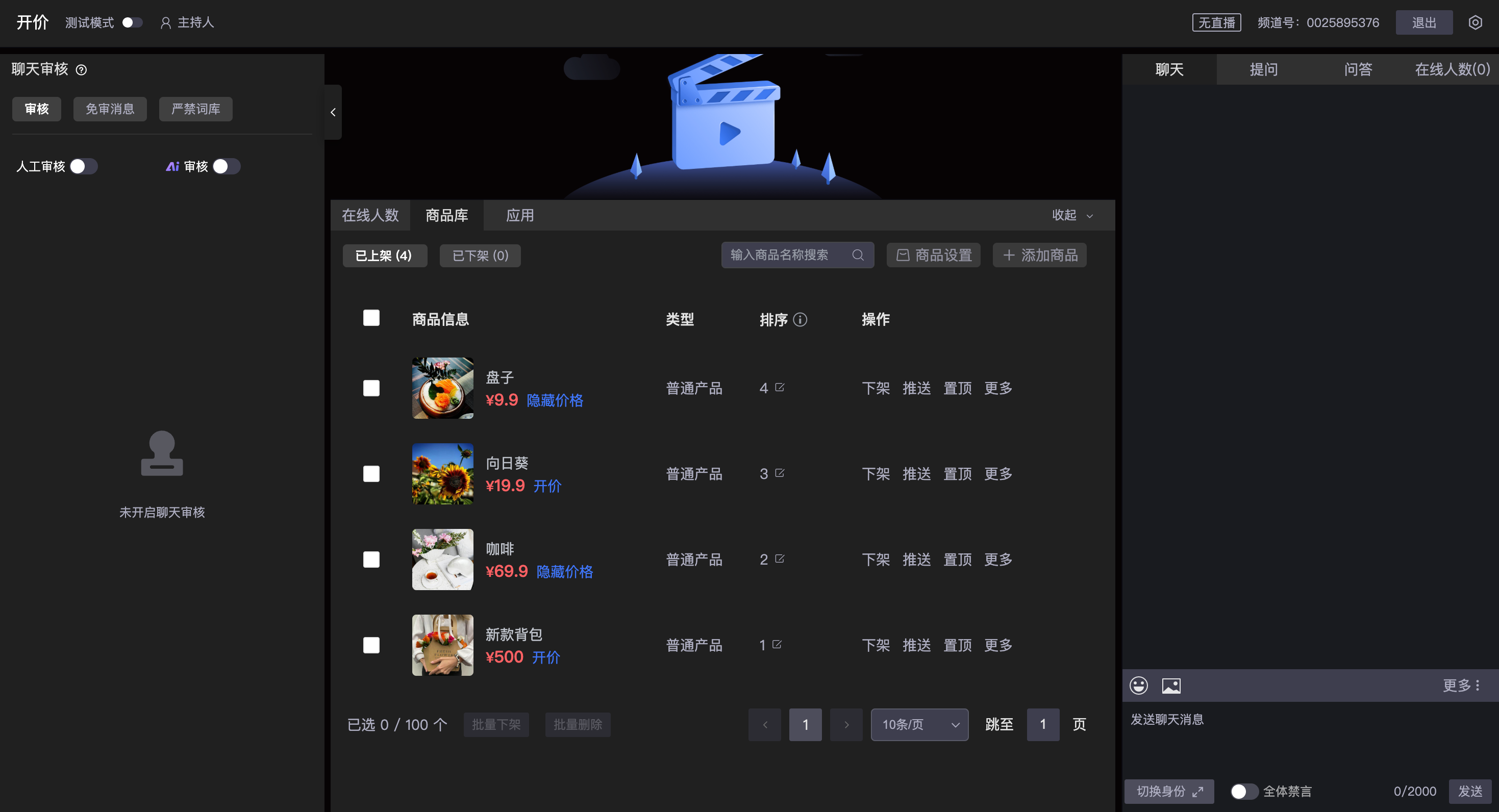
- Product Library:
- Supports teaching assistants in adding, listing, and delisting products.
- Supports teaching assistants in hiding/showing product prices (when prices are hidden, viewers cannot see prices or place orders).
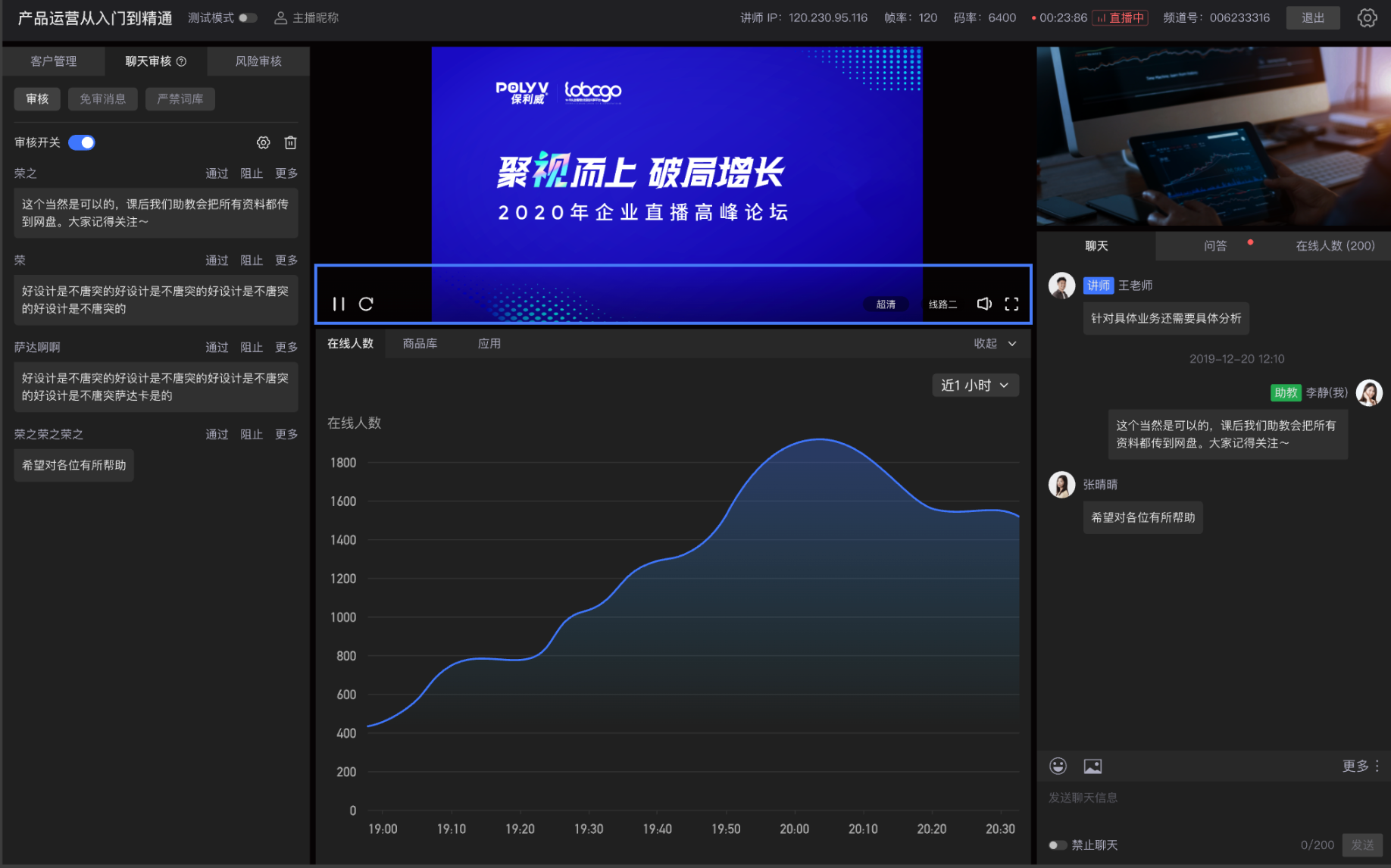
- Online User Count Graph:
- Supports teaching assistants in viewing the online user count curve (last 2 hours, last 1 hour).
- Application Feature Module
- Teaching assistants can also initiate live interactions such as check-ins, lucky draws, quizzes, and surveys.
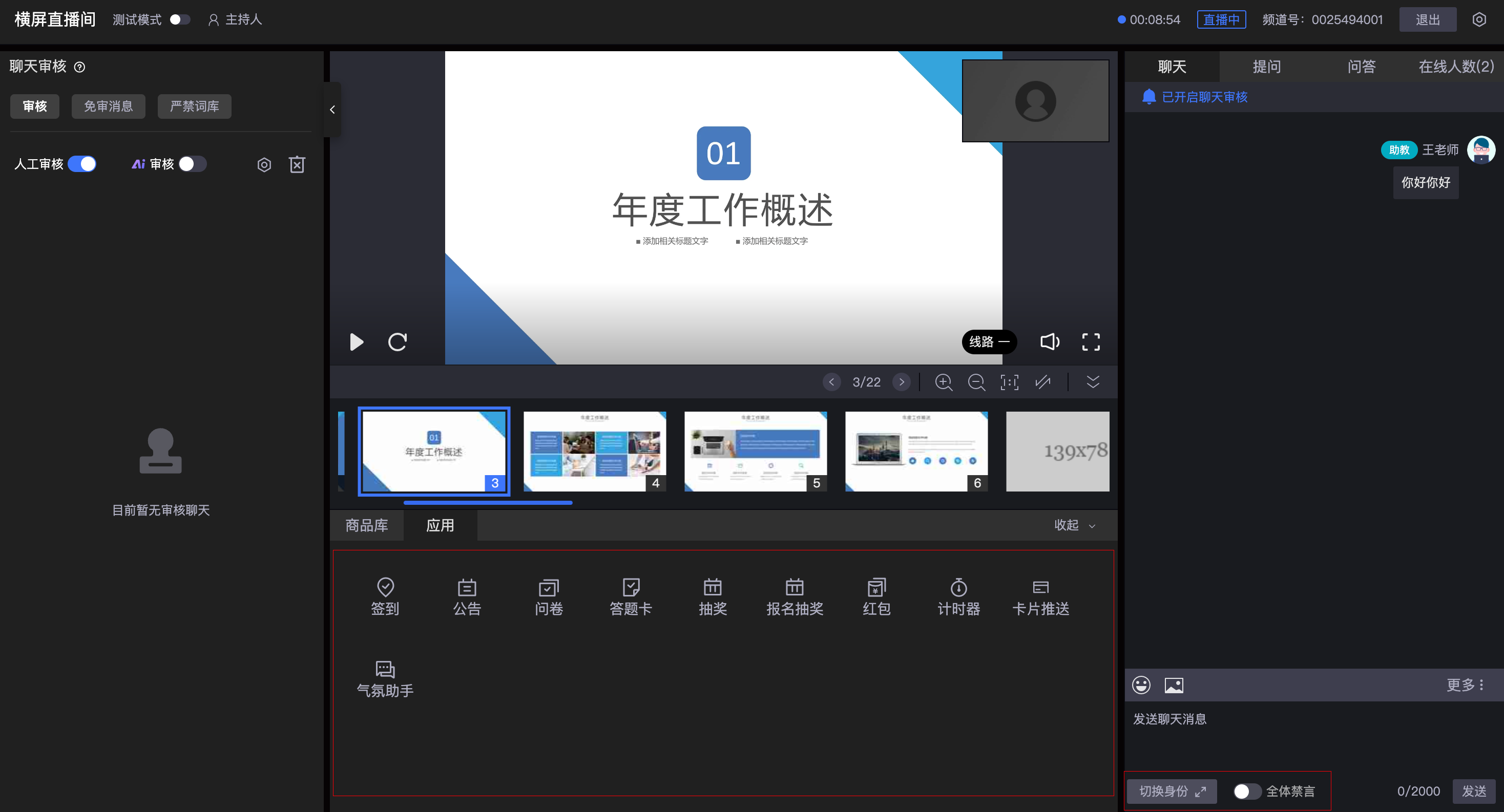
- Switch Identity
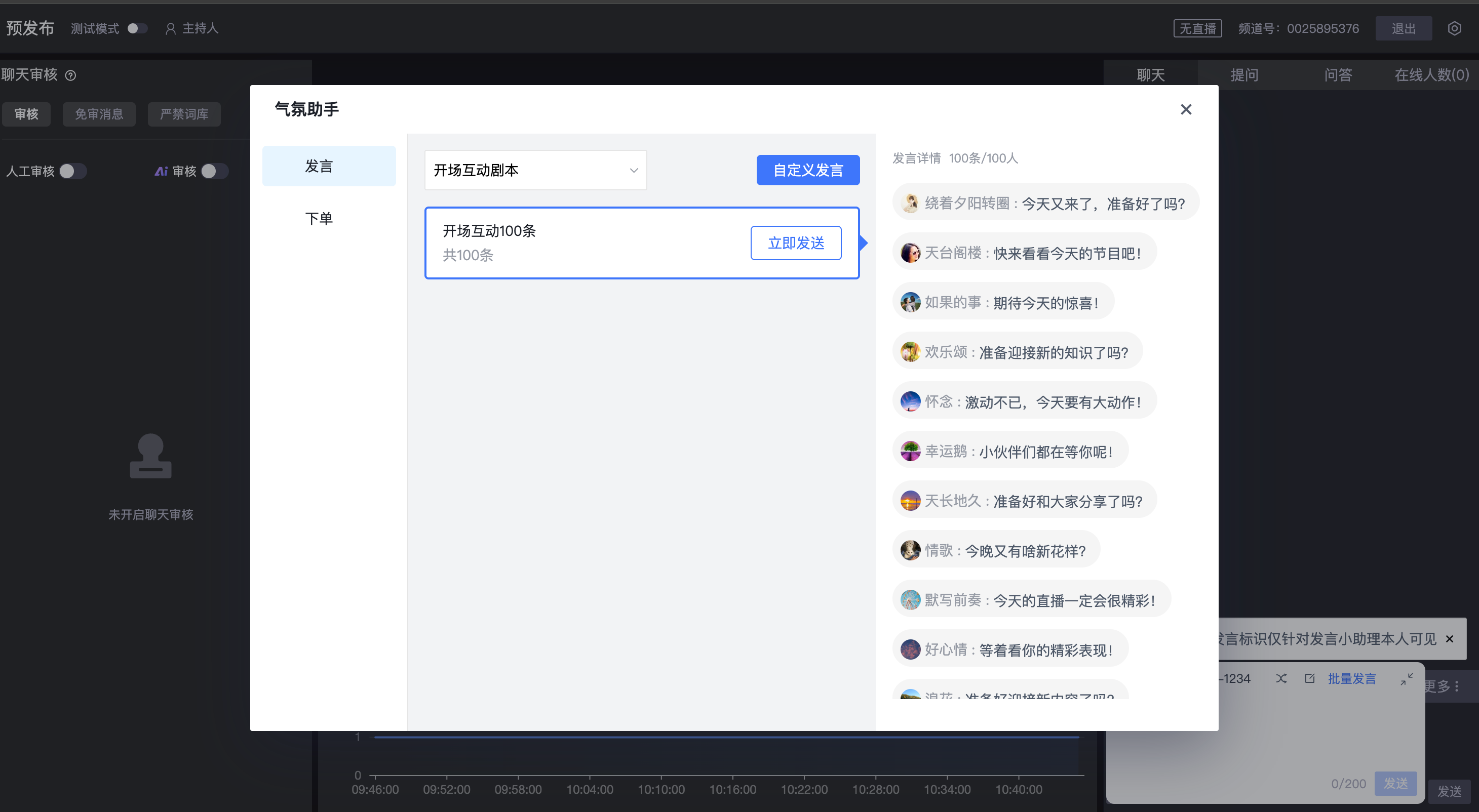
- Choose an anonymous identity to speak; supports teaching assistants using a mood assistant to send messages and create a lively atmosphere in the live room.