


Mobile Live Streaming Overview
Updated: 2024-04-23 09:51:28
POLYV Live is an app designed by Polyv for initiating live streams from mobile devices. Users can upload documents, annotate, engage in IM interactions, and connect via co-hosting on the app. It supports low-latency live streaming, making it suitable for mobile teaching and training scenarios. You can quickly start a class and complete live teaching using just your phone. For developers, multi-scenario SDKs can be integrated to enable mobile live streaming capabilities.
| Module | Feature Points | Supported |
|---|---|---|
| Live Template | Document + Video | ✔️ |
| Video Only | Coming Soon | |
| Whiteboard | Whiteboard Annotation | ✔️ |
| Multiple Whiteboards | ✔️ | |
| Document | Upload Documents from Phone | ✔️ |
| Document Annotation | ✔️ | |
| Co-hosting | Audience Raise Hand to Co-host | ✔️ |
| Guest Co-hosting | ✔️ | |
| Member Management | Member Management (Online Count, Member Search, Mute, Kick) | ✔️ |
| Interactive Apps | Announcements, Check-in, Lucky Draw, Q&A, Surveys, Red Packet Rain | Coming Soon |
| Text Interaction | Chat, Questions, Q&A | Chat Only, Others Coming Soon |
Download
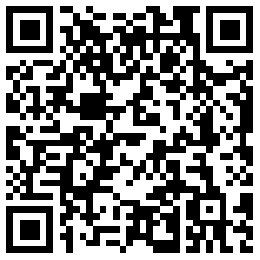
For iOS and Android downloads, scan the QR code below or visit the link https://soft.polyv.net/soft/live_mobile.html in your browser.
Usage Environment Recommendations
- Use Wi-Fi or mobile network, ensuring stable signal in the live streaming venue. Live streaming is affected by uplink bandwidth. The uplink bandwidth should be at least 2Mbps, with 4Mbps or higher recommended. Bandwidth test address: https://www.speedtest.cn;
- Avoid using public networks whenever possible, as high user density can cause network congestion, leading to packet loss, high latency, and audio/video stuttering during live streaming;
- Telecom broadband is recommended. Avoid small operators (e.g., Tianwei, Great Wall Broadband, etc.).
