Live Stream Monitoring
1. Feature Overview
Feature Info |
Description |
|---|---|
| Feature Name | Live Stream Monitoring |
| Feature Description | Live Stream Monitoring is a comprehensive management tool designed to help administrators effectively monitor and manage video content and chat interactions in live rooms. This feature is mainly divided into two modules: live room video monitoring and chat room management. Through live stream monitoring, administrators can ensure content compliance, maintain chat order, and intervene when necessary. |
| Purpose | Content Compliance: Ensure live content complies with platform standards and legal regulations through real-time monitoring and prohibited word management.Order Maintenance: Maintain chat order and prevent malicious comments and inappropriate behavior through features like muting and kicking users.Flexible Management: Through test mode and chat review features, administrators can test before going live and flexibly control content publishing during the stream. |
| Use Cases | Corporate training live streams, educational live streams, e-commerce live streams, large event live streams |
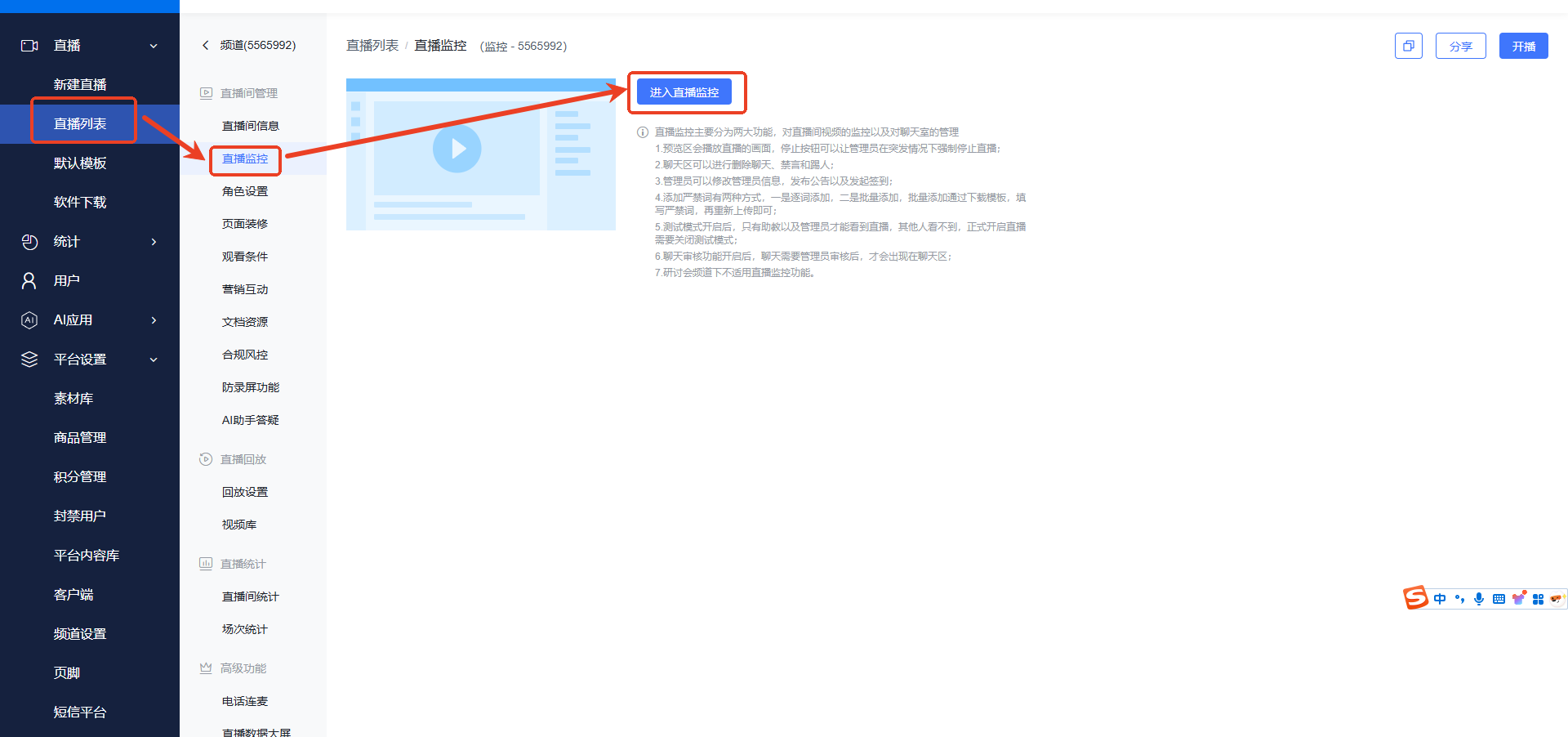
| Operation Path | 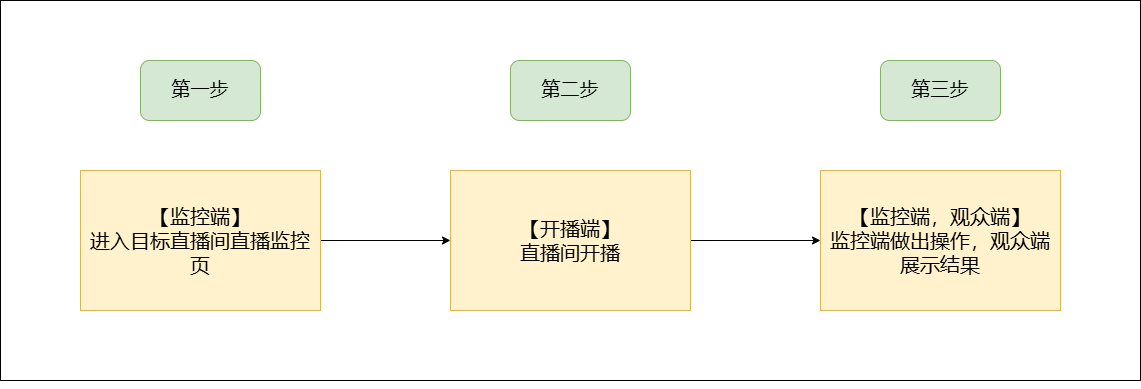 |
2. Usage Instructions
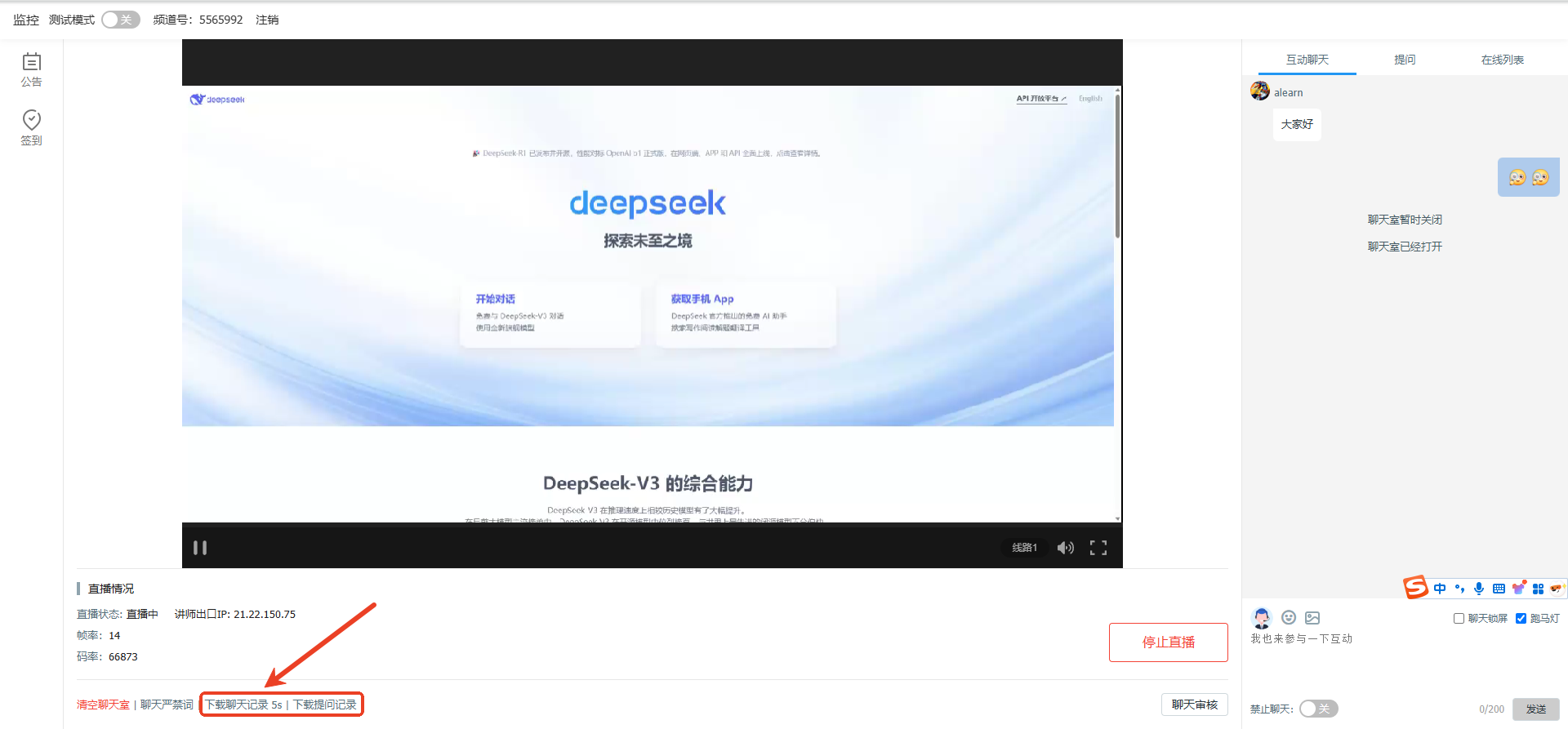
Enter the target live room management backend, find Live Stream Monitoring, and click to enter.
1. Global Preview Area
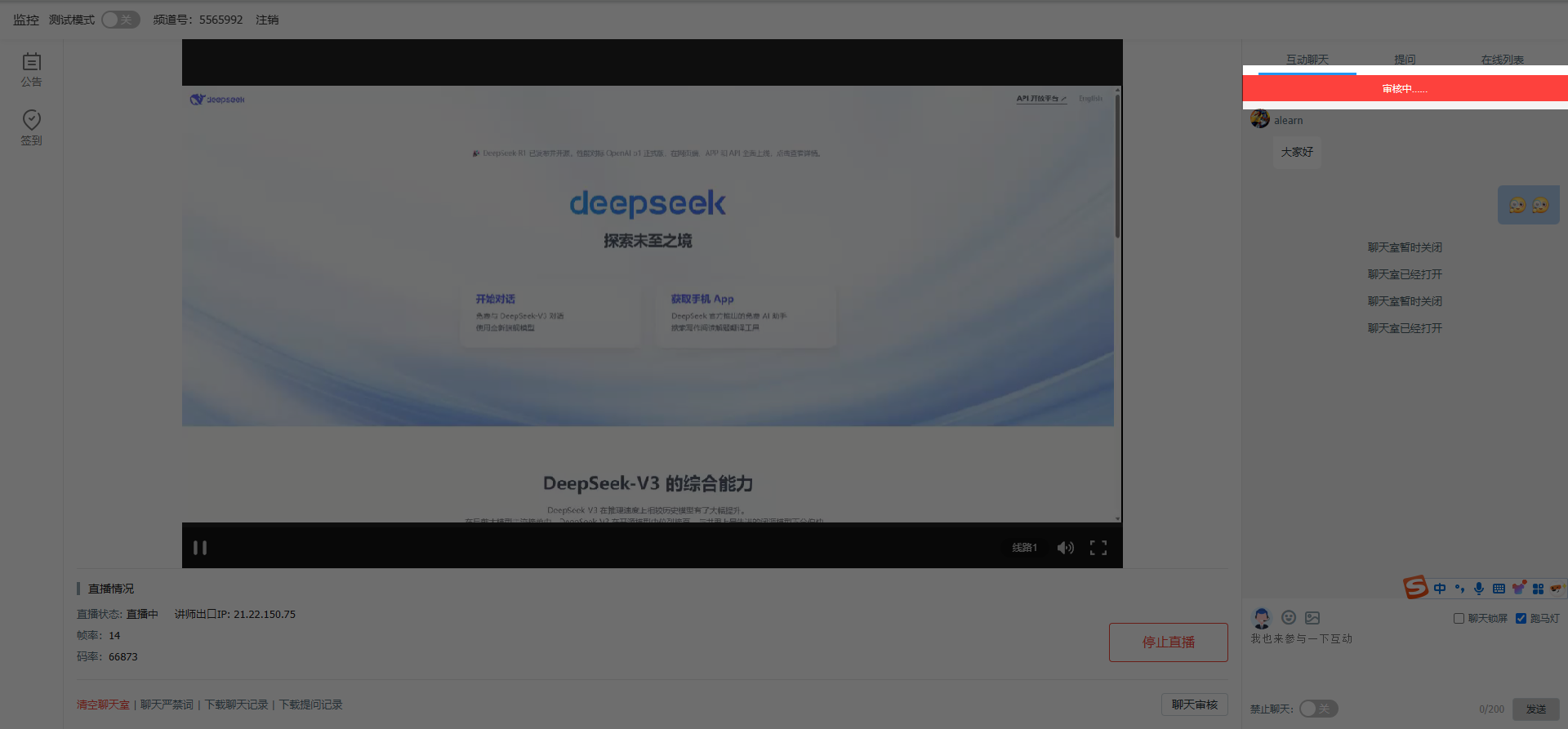
You can view the live stream video. Click the Stop Live Stream button to allow administrators to directly stop the stream in emergencies.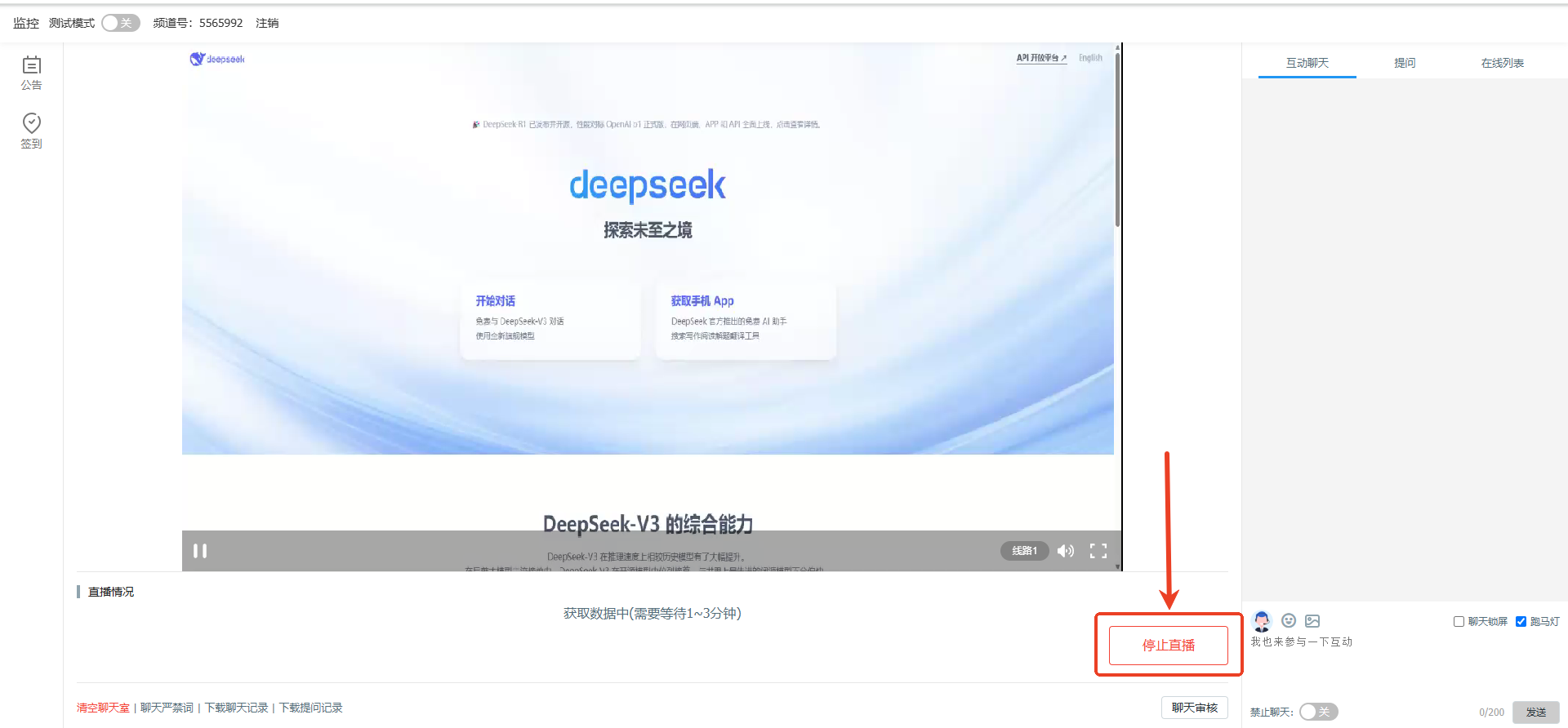
2. Message Management
In the chat area, you can delete messages, mute users, and kick users.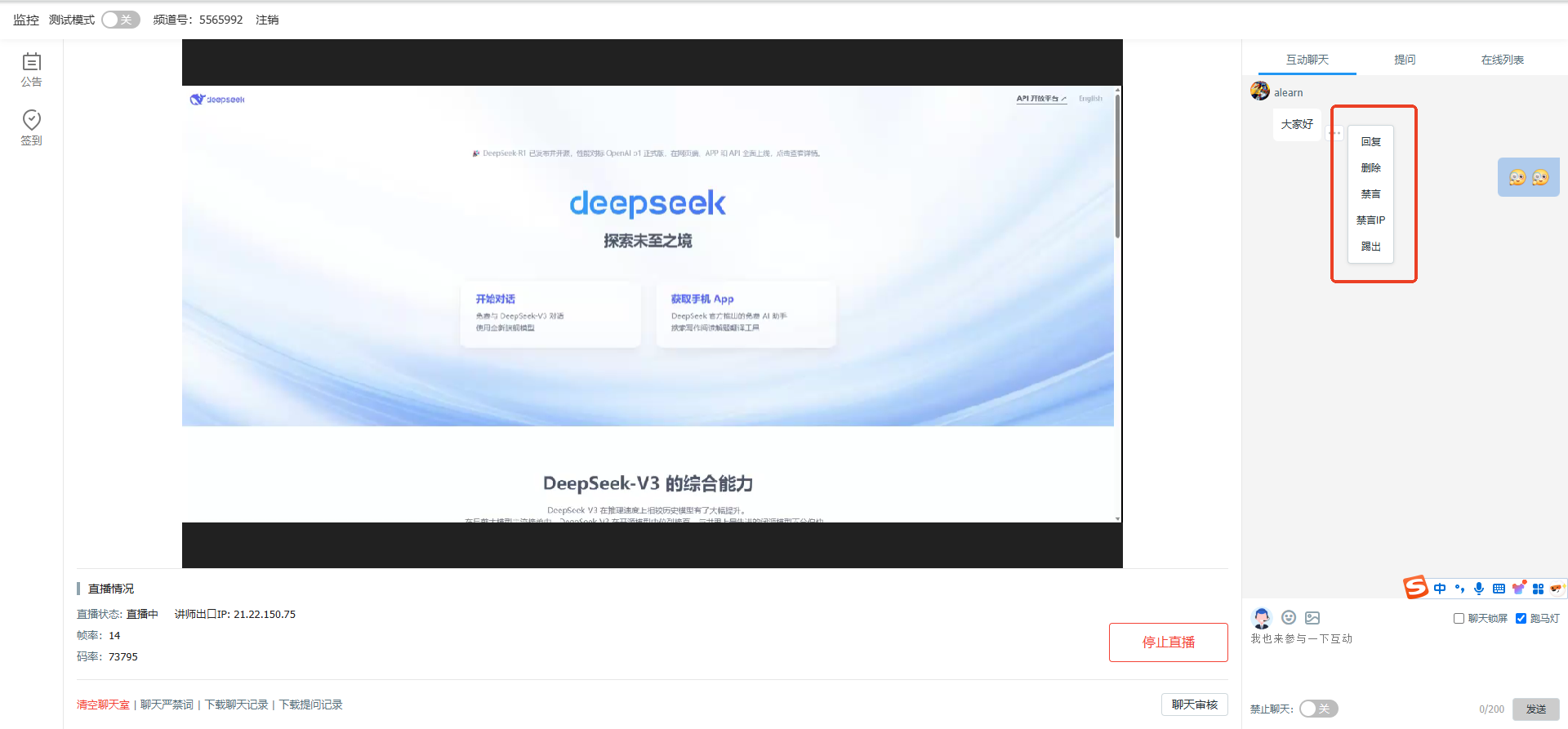
3. Modify Administrator Info
You can modify your avatar, nickname, and title.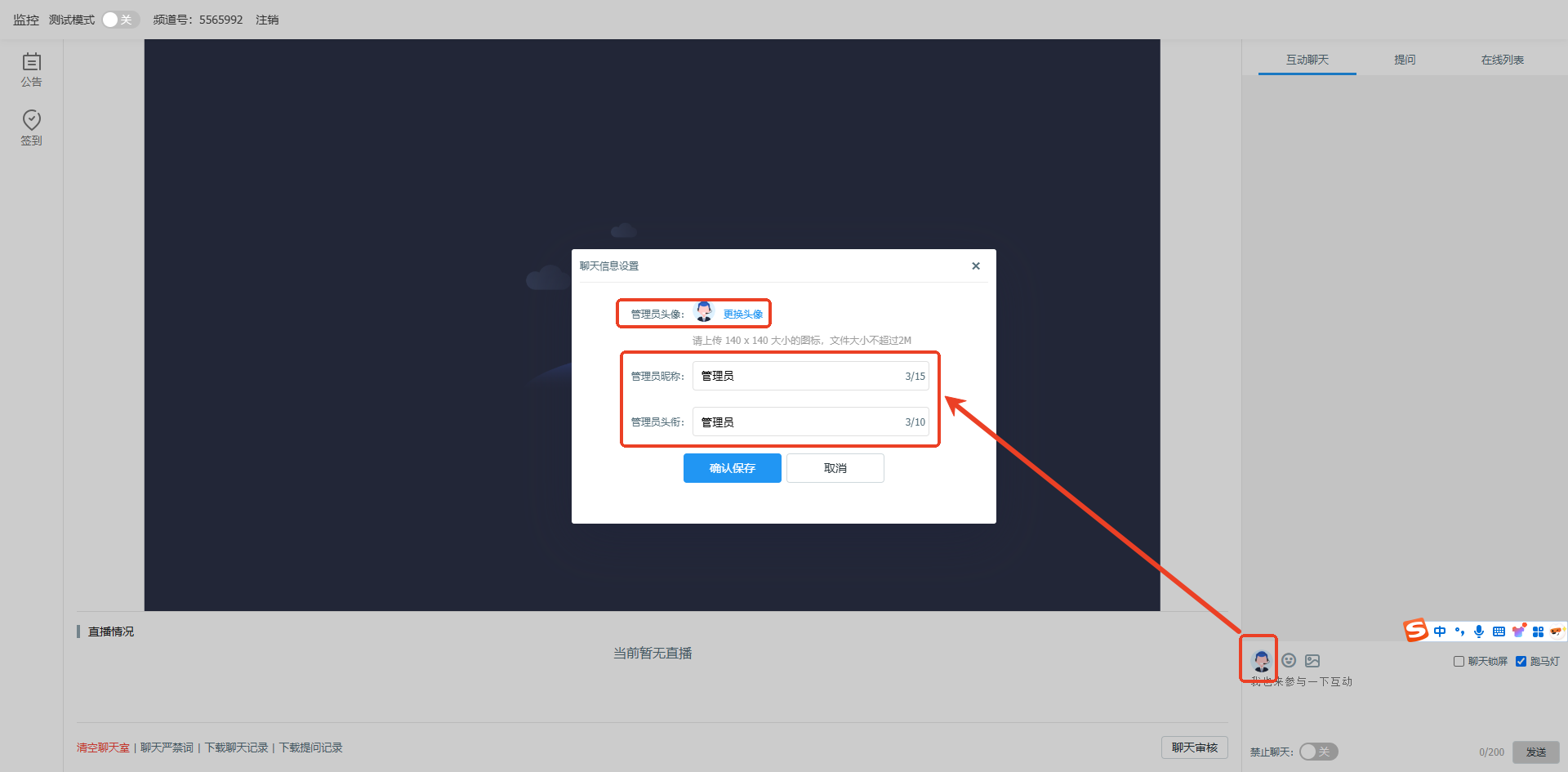
4. Publish Announcements and Initiate Check-ins
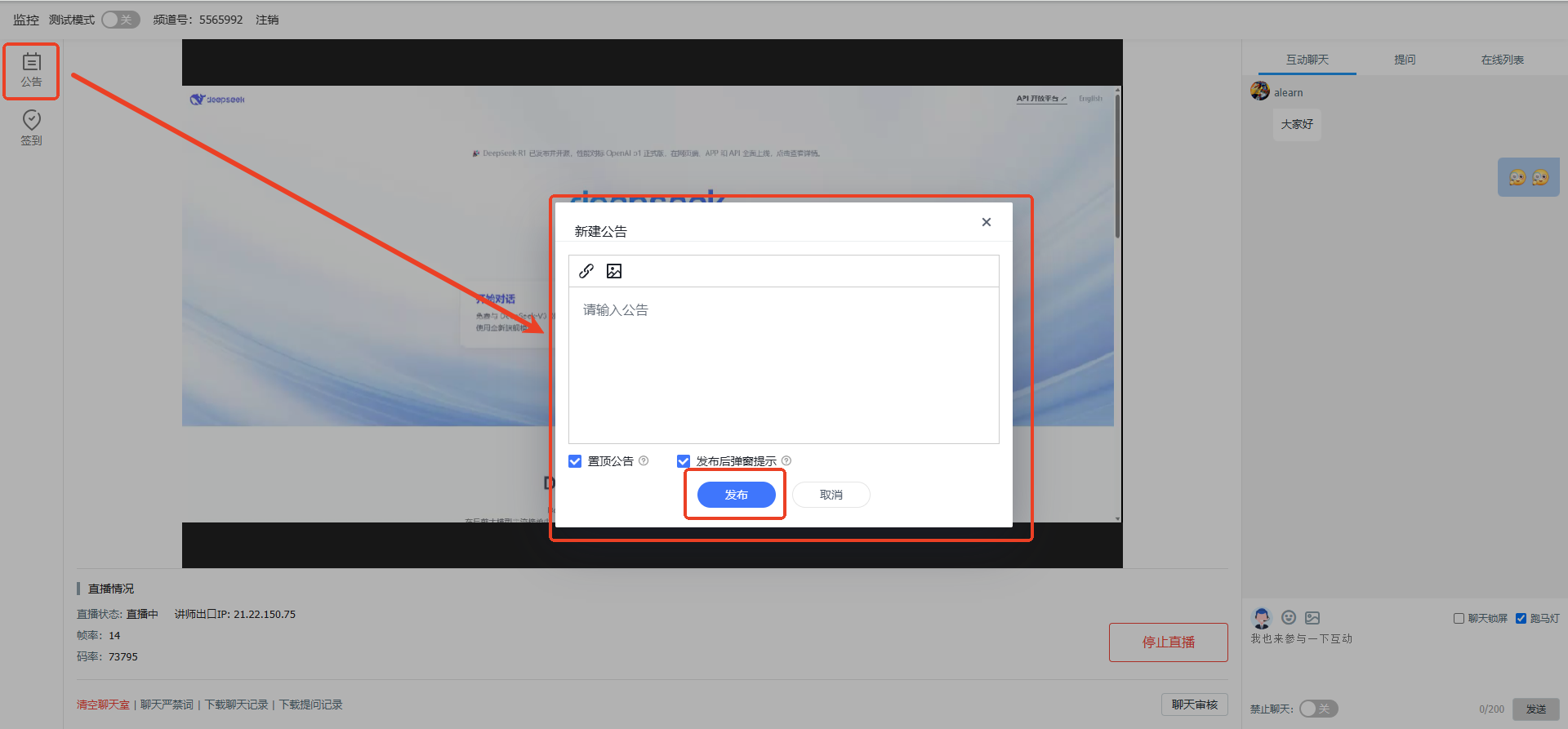
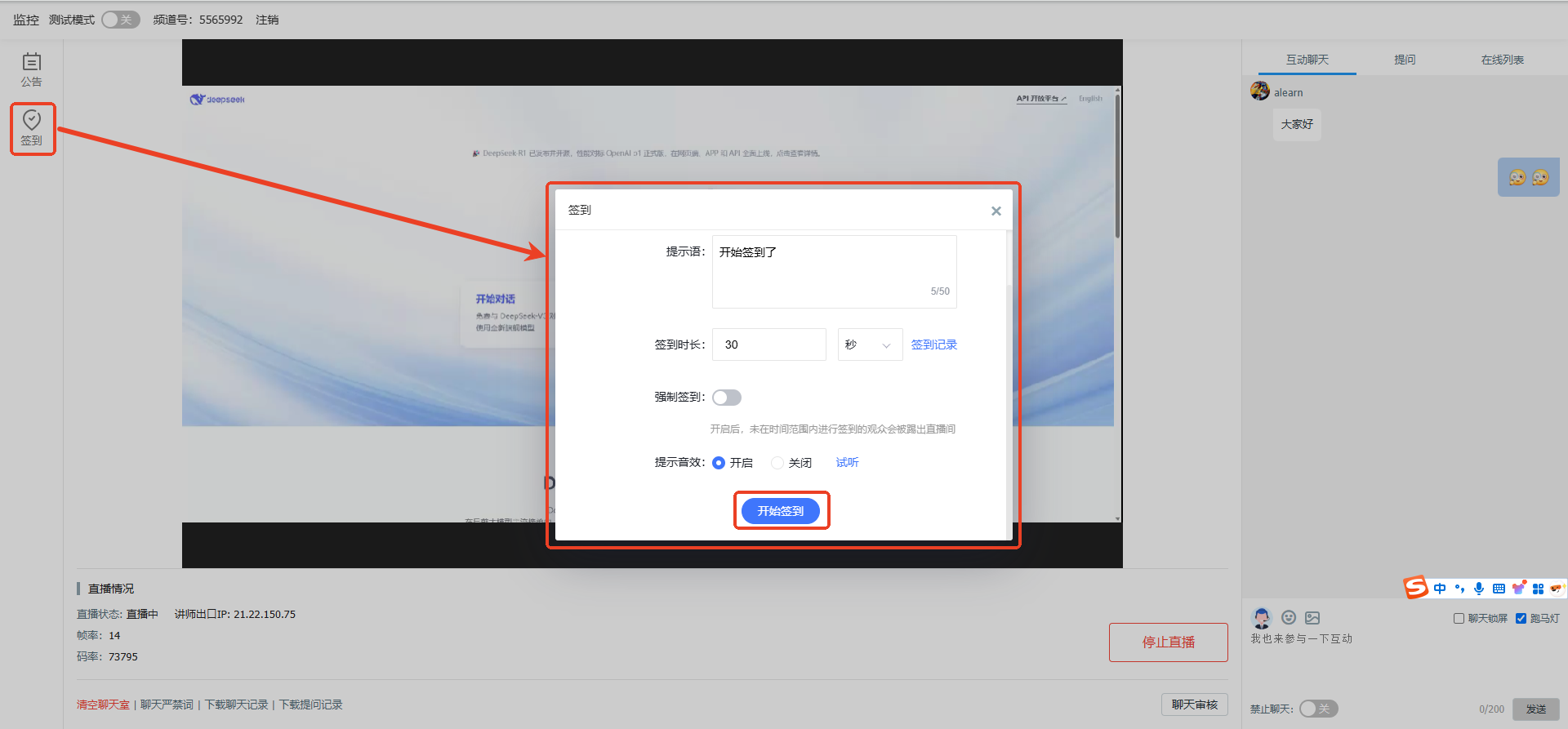
5. Chat Prohibited Word Management
There are two ways to add prohibited words: add them one by one, or add them in bulk. For bulk addition, download the template, fill in the prohibited words, and re-upload.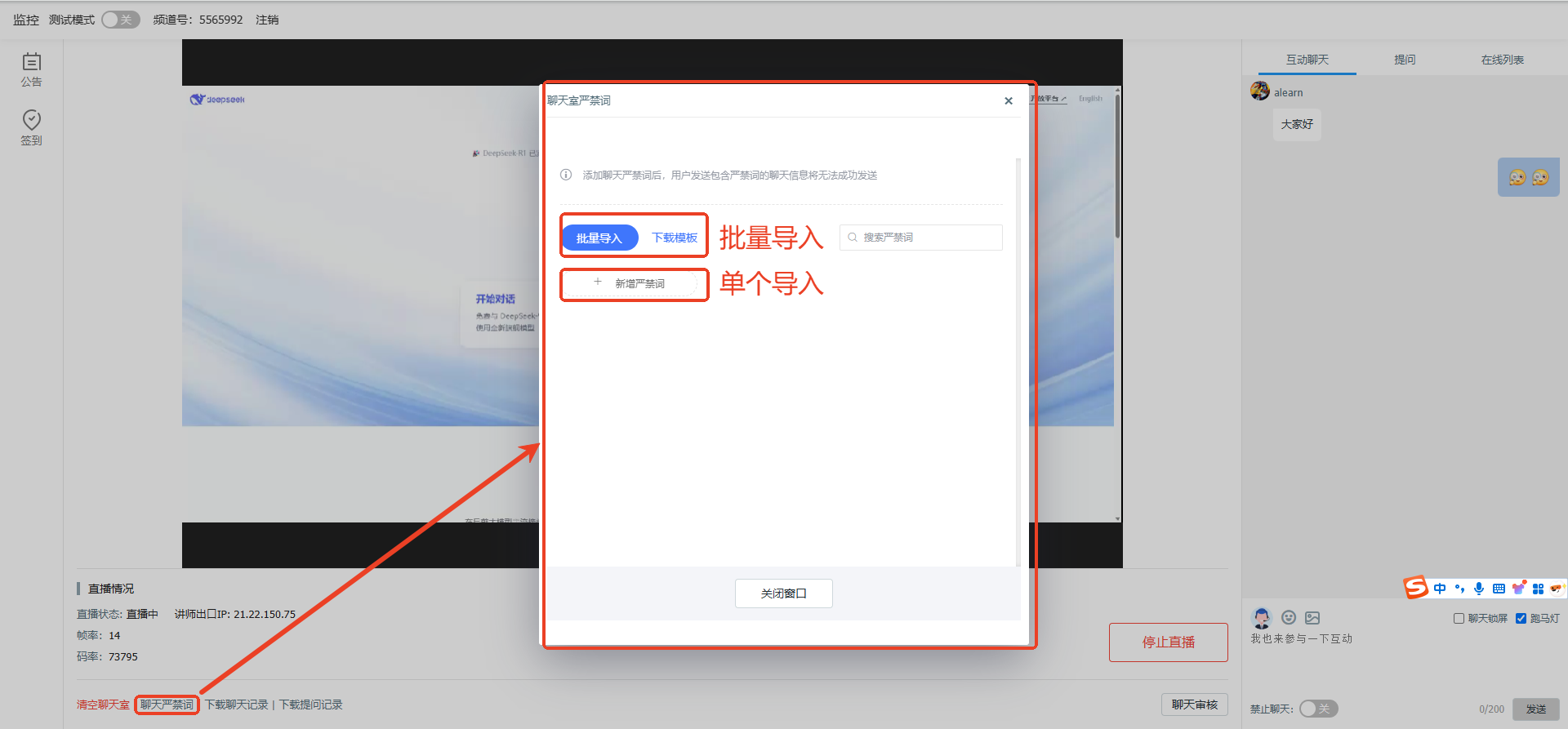
6. Test Mode
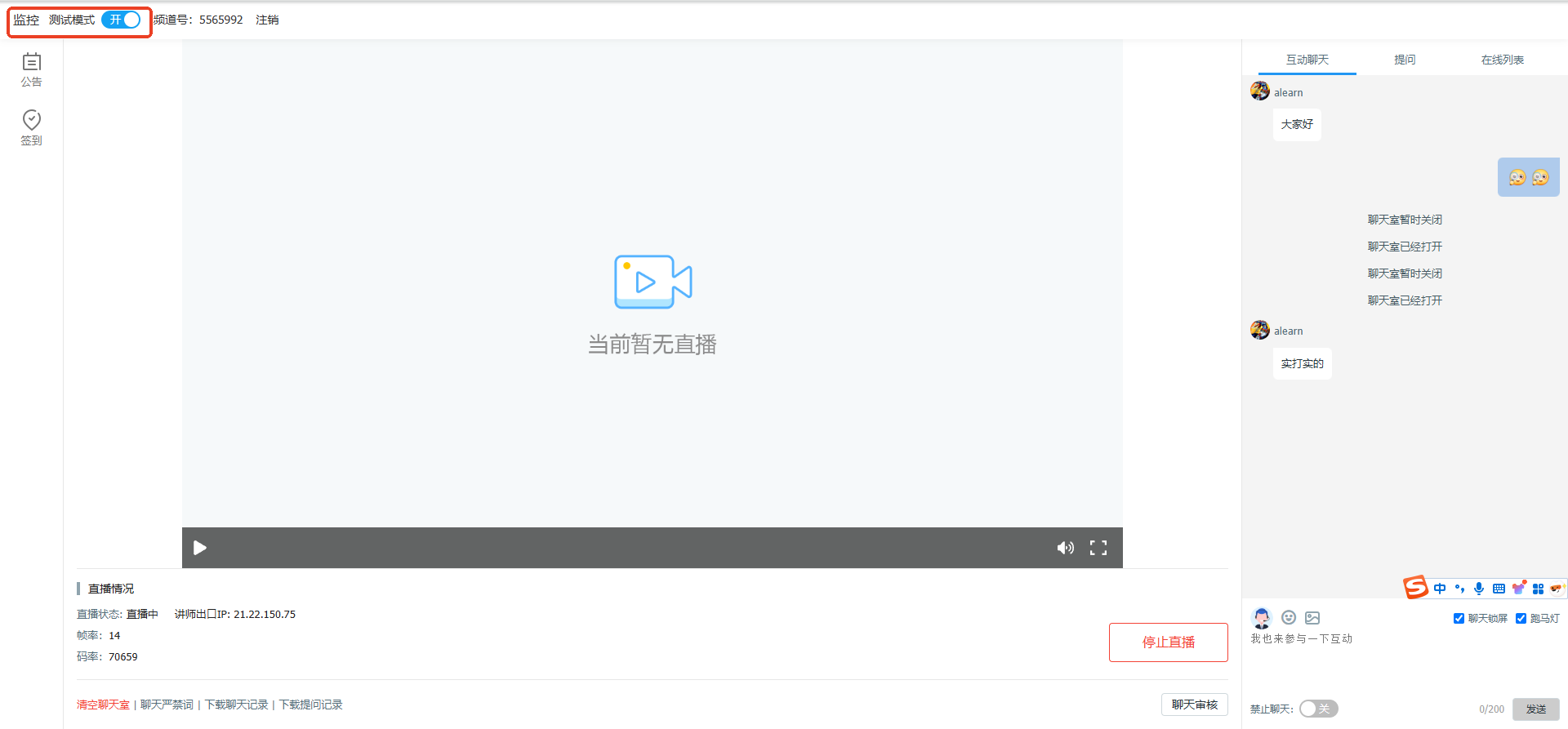
When test mode is enabled, only assistants and administrators can see the live stream; others cannot. To officially start the live stream, test mode must be disabled. The three-screen layout currently cannot use test mode.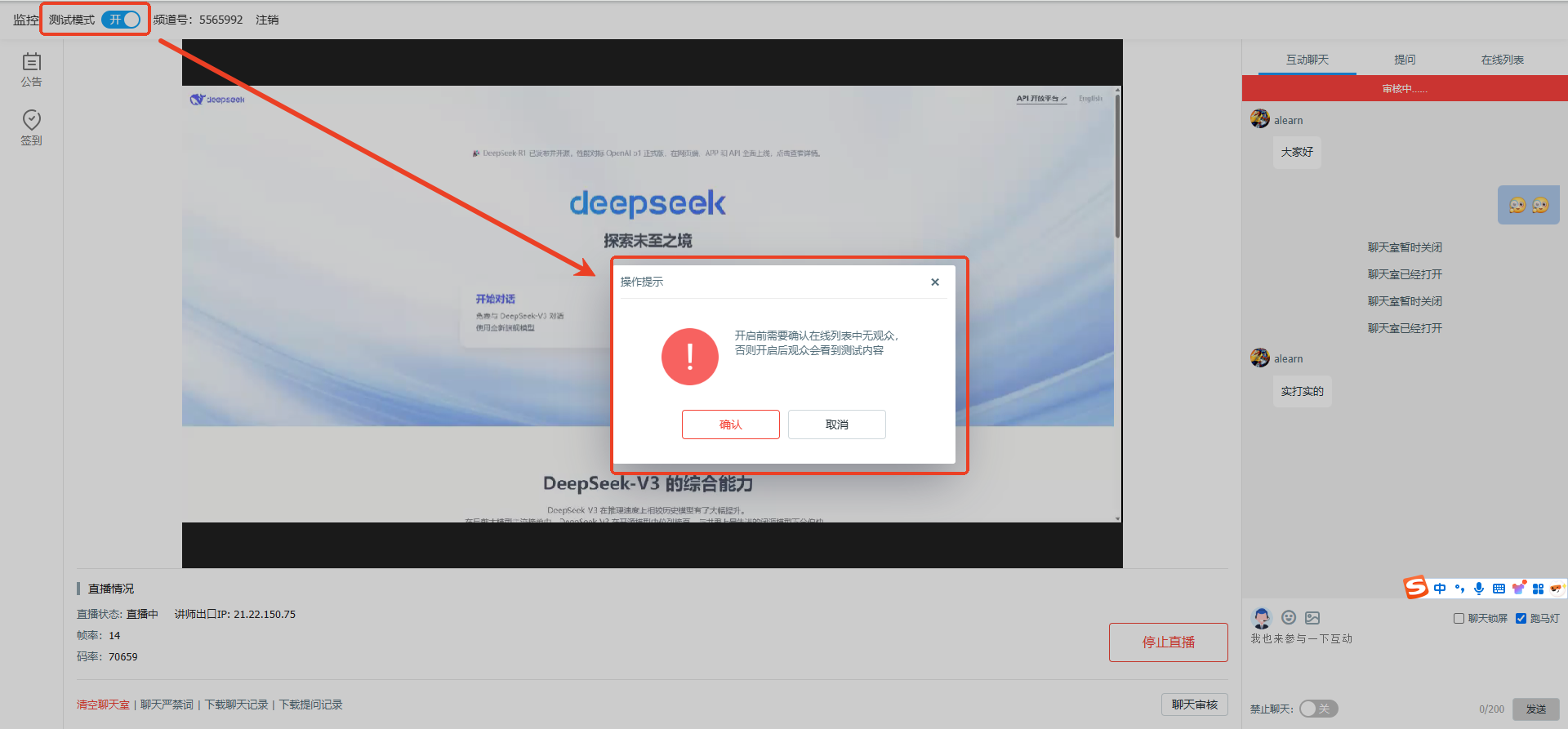
7. Chat Review
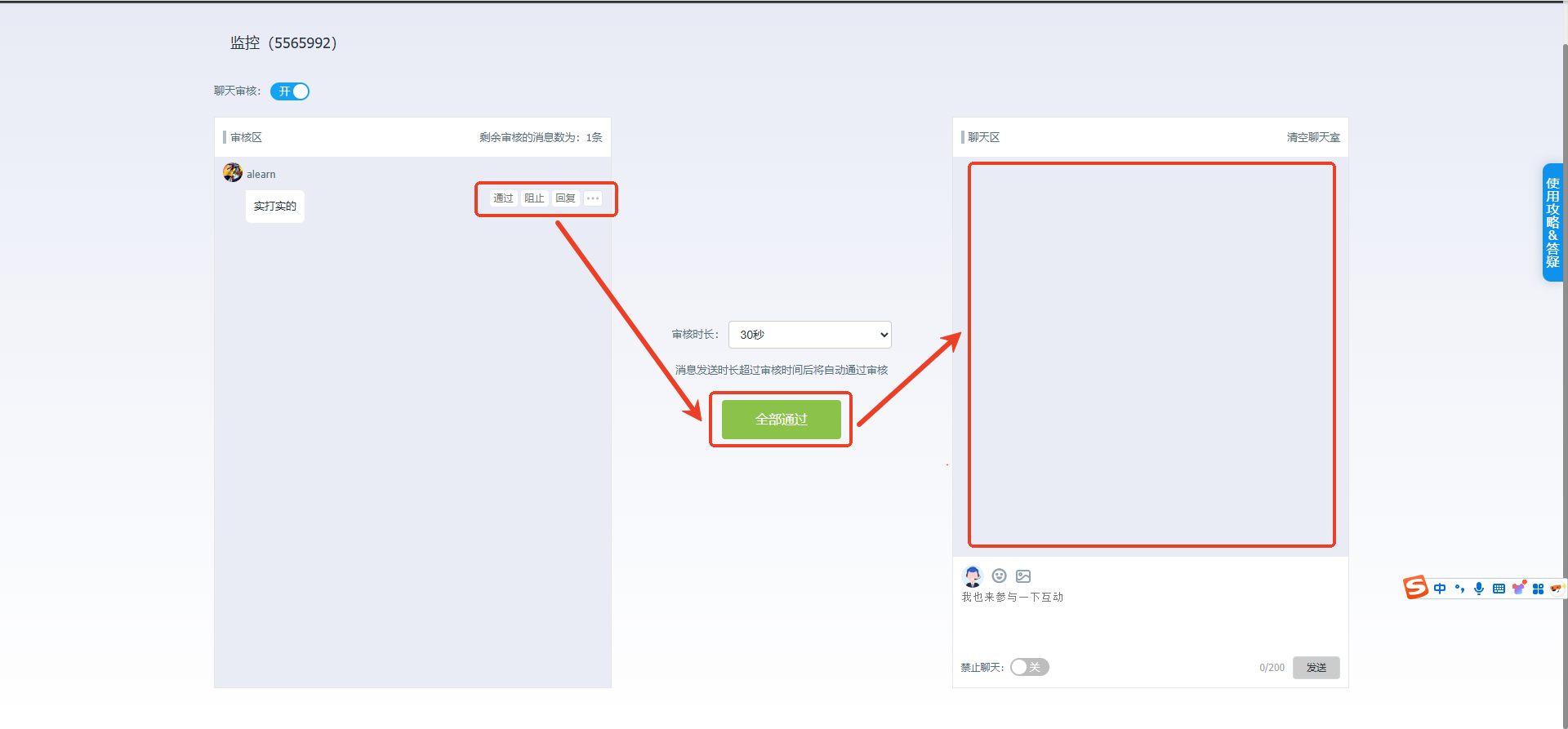
When the chat review feature is enabled, messages require administrator approval before appearing in the chat area.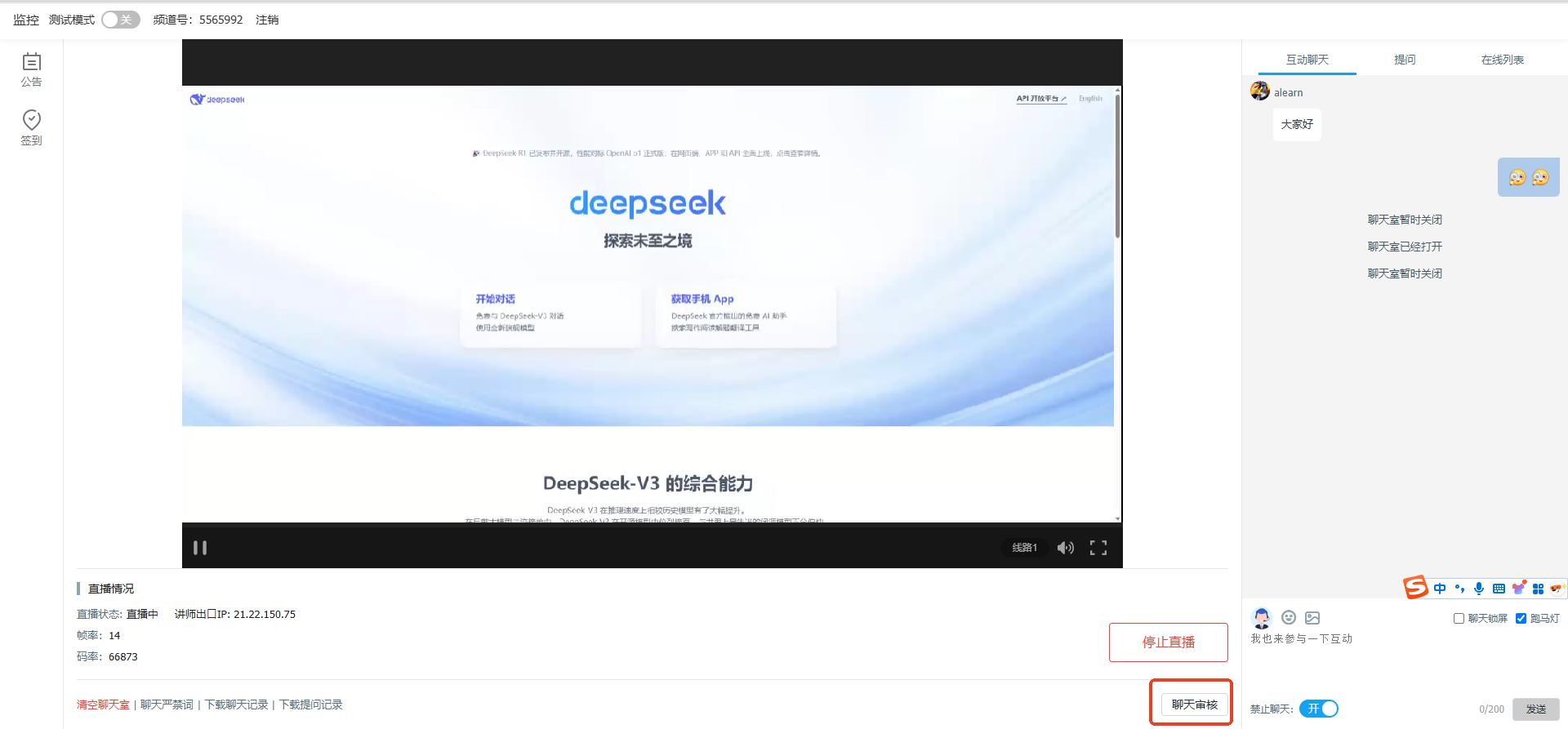
8. Download Chat Records or Question Records Locally