


直播产品 概述
Smart Course Creation
I. Feature Overview
| Feature Info | Description |
|---|---|
| Feature Name | Smart Course Creation |
| Feature Description | Smart Course Creation primarily enables the rapid synthesis of a video by uploading a PPT and associating a digital human. This video is mainly used for training and teaching scenarios. |
| Purpose | Effectively reduces the labor cost for enterprises in course recording and editing. For secondary modifications, simply edit the script and re-synthesize to quickly update the video content. It is simple and fast. |
| Use Cases | Applicable customer types: Education industry clients, Financial industry clients Applicable business scenarios: Teaching application scenarios, Training application scenarios |
| Tutorial | 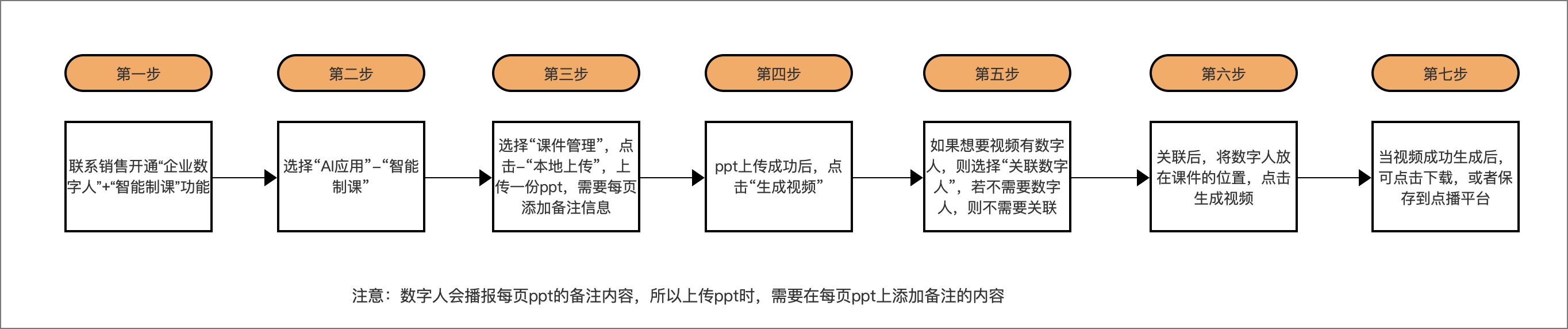 |
| Feature List | Smart Course Creation: Upload PPT courseware; Associate digital human; Generate final video |
II. Operation Instructions
1. Smart Course Creation Workflow
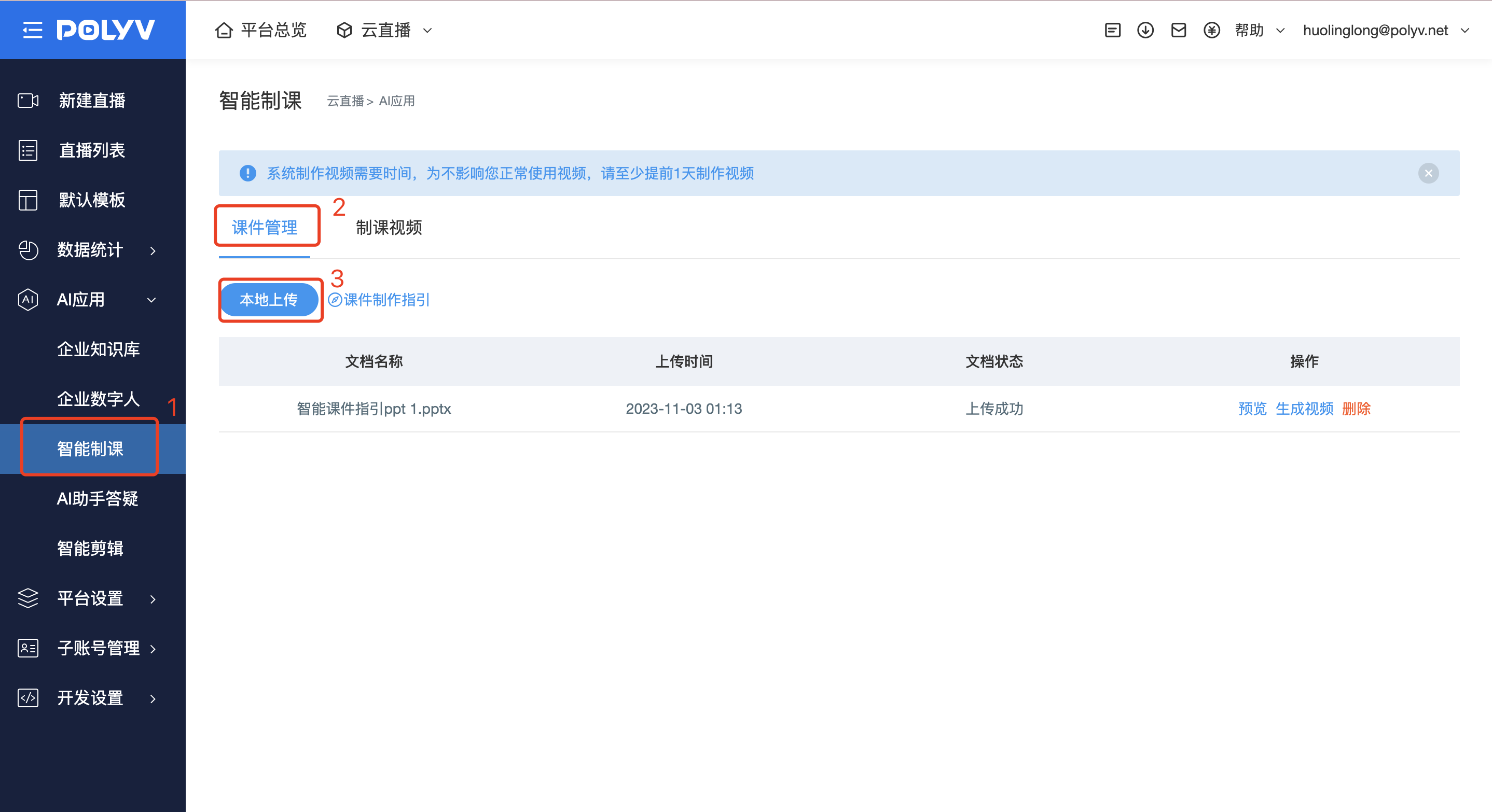
Step 1: In the operation backend, find the "Cloud Live" module, select "AI Applications" - "Smart Course Creation" - "Courseware Management" - "Local Upload".
Note: The digital human will narrate the notes content of each PPT slide. Therefore, when uploading the PPT, you must add notes to each slide; otherwise, the digital human will not be able to narrate.
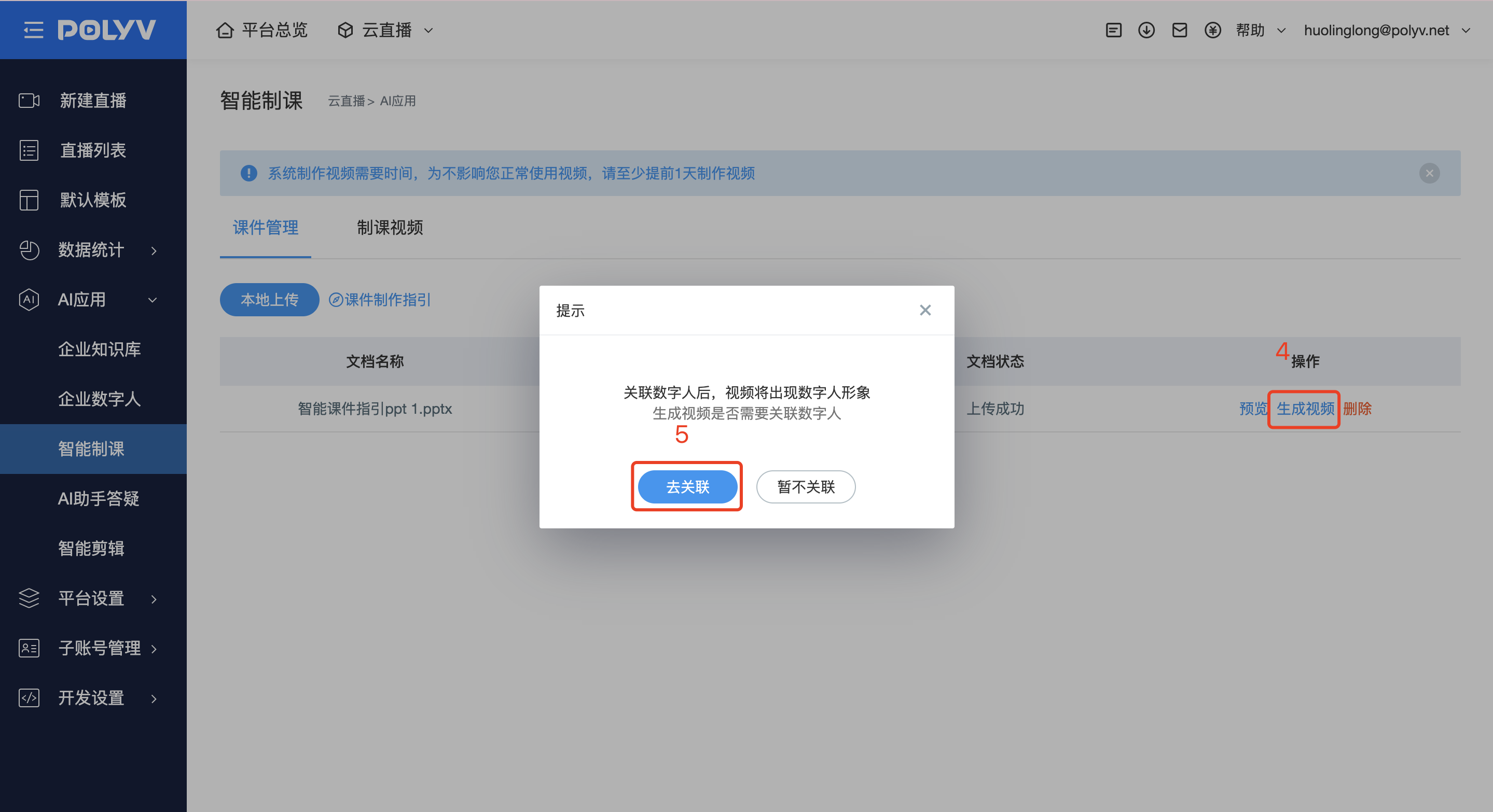
Step 2: In the successfully uploaded video section, select "Generate Video". A prompt to associate a digital human will appear. Click "Go to Associate".
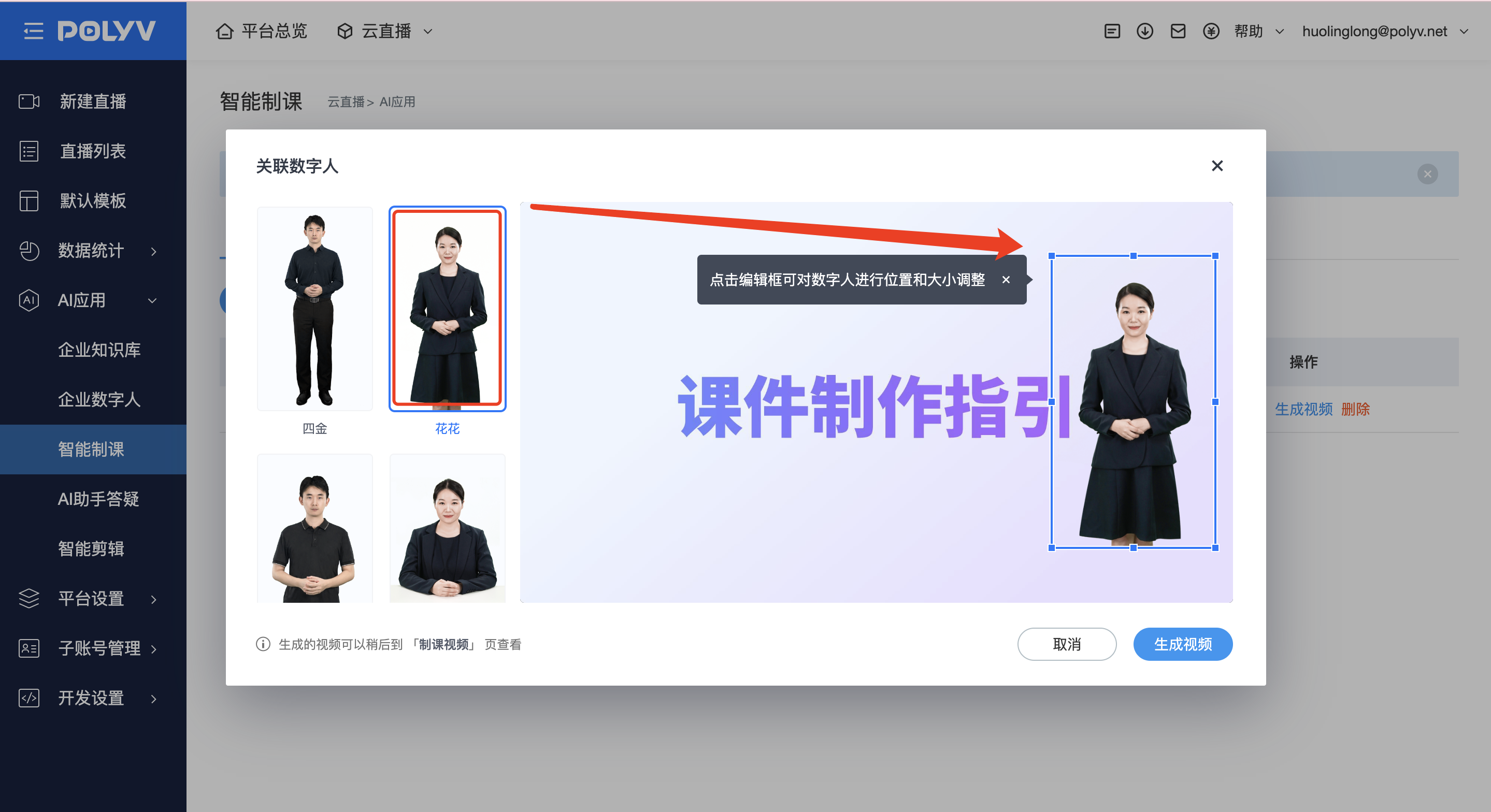
Step 3: On the editing page, select the digital human, adjust its position on the PPT slide. Supports zooming in or out. After adjusting the position, click "Generate Video".
Step 4: Once completed, you can click "Download" to save locally, or click "Save to VOD".
Video Effect Preview:
