


Aggregation Page Case - Apparel Industry
Updated: 2026-08-17 11:27:00
1. Background
A securities company conducted live training courses for its internal employees. After the sessions, employees wanted to review the replays. However, due to the large number of sessions and their disorganized order, finding specific replays became cumbersome. To address this, the company used an aggregation page to categorize and organize all live replays, making it easier for employees to locate and watch them.
2. Effect Display
PC Effect

Mobile Effect

Case link: https://live.polyv.cn/landing/bjyfga6yuy69lds2
Case QR code: 
3. Setup Process
1. Enter the aggregation page creation interface. A default layout aggregation page will be automatically generated.
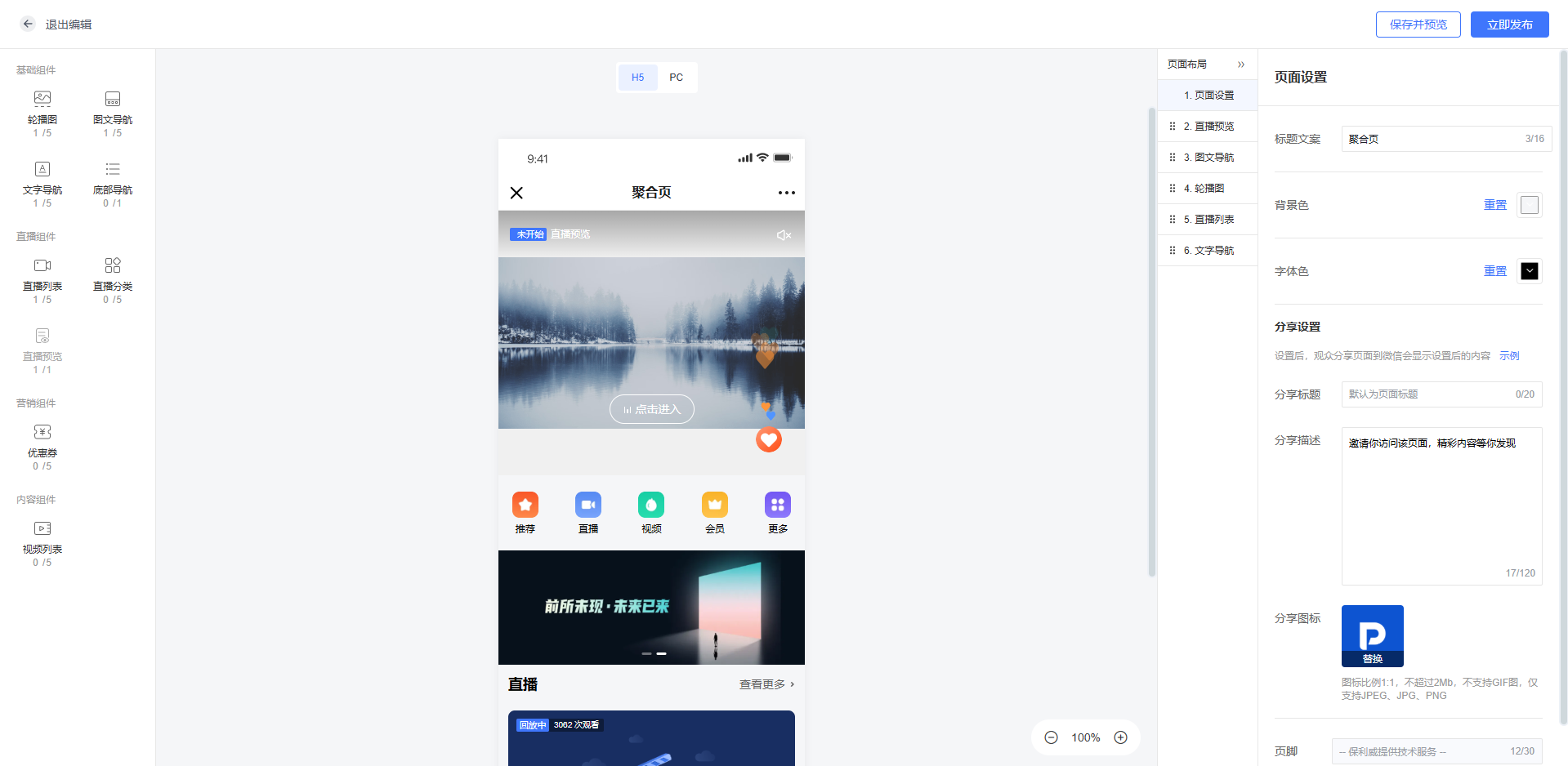
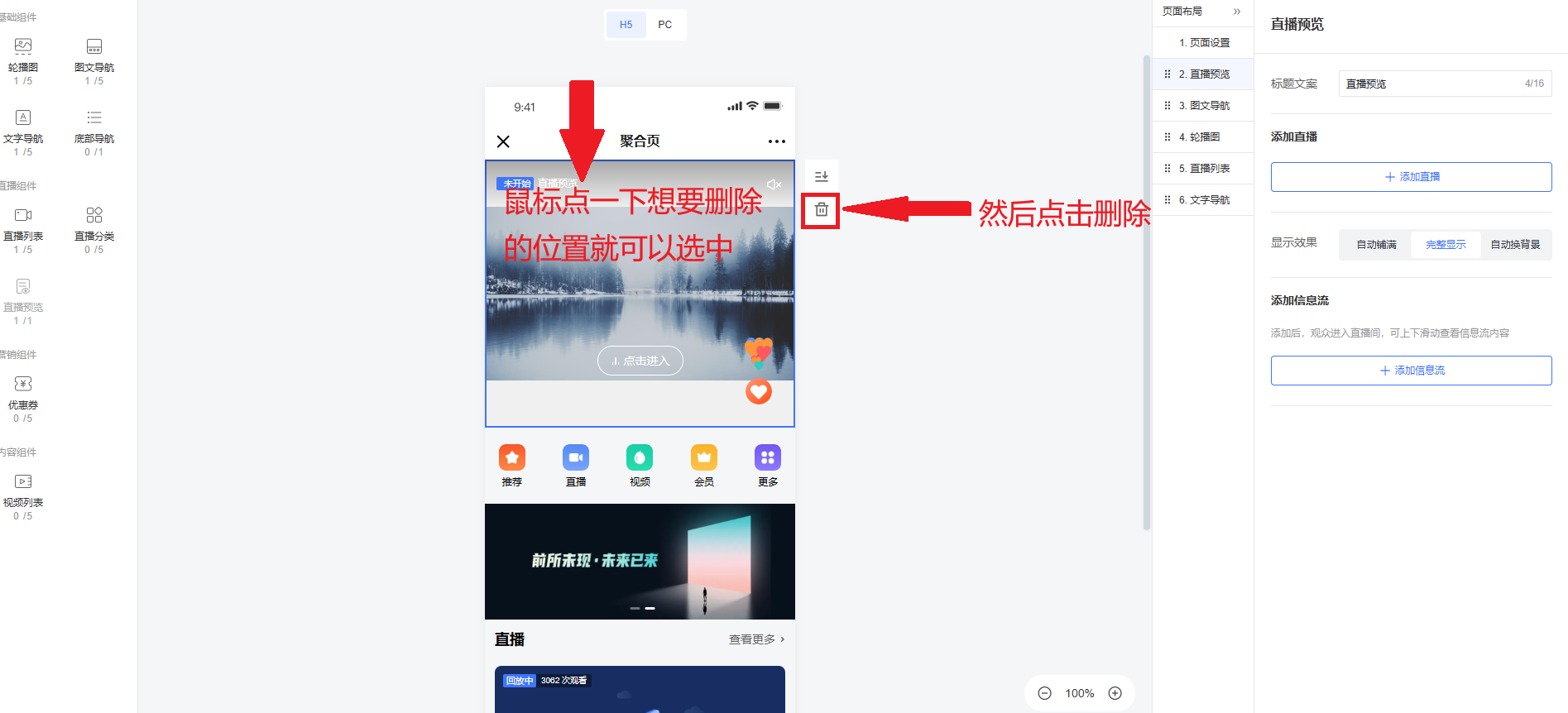
2. Delete all existing configurations.
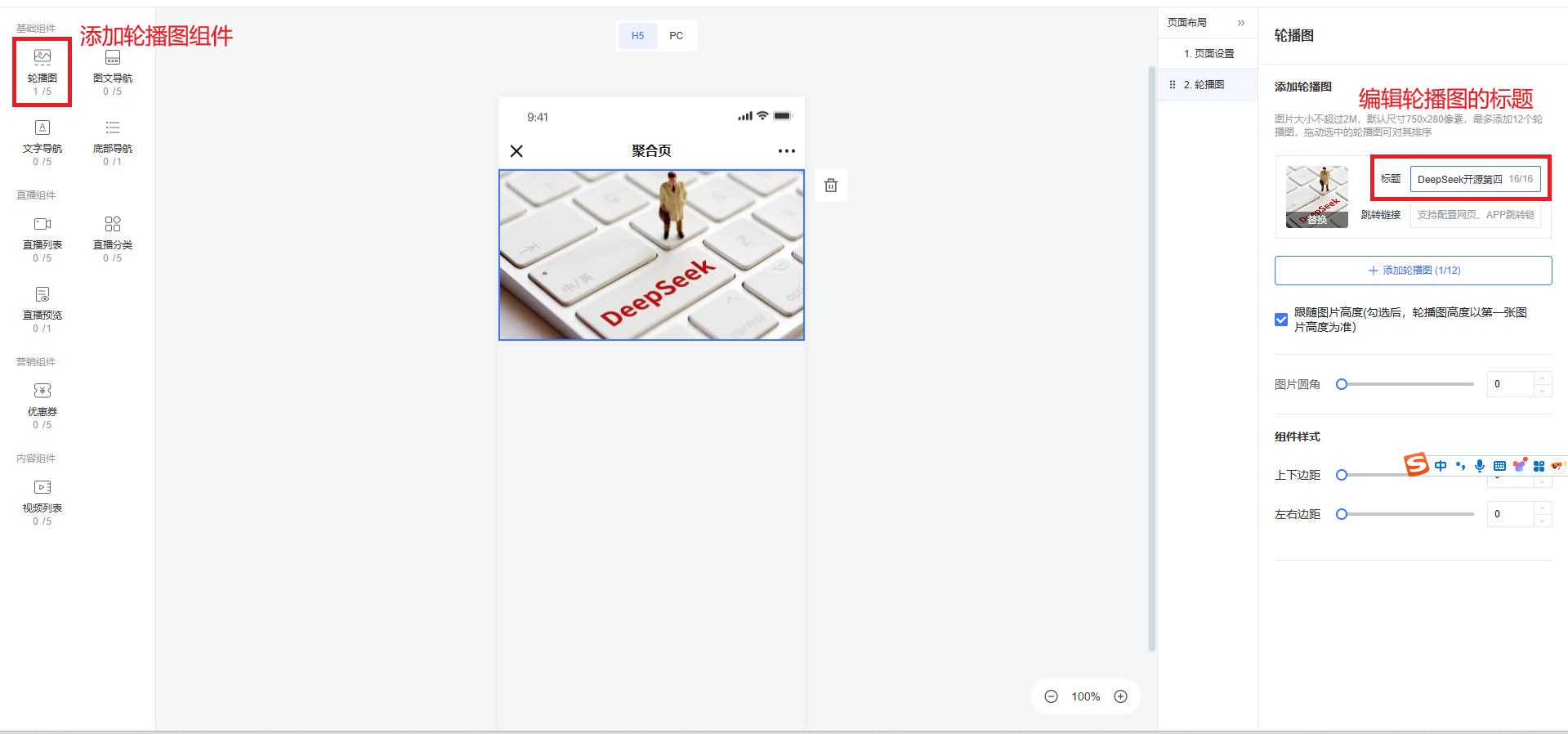
3. Add a carousel component and edit the carousel title.
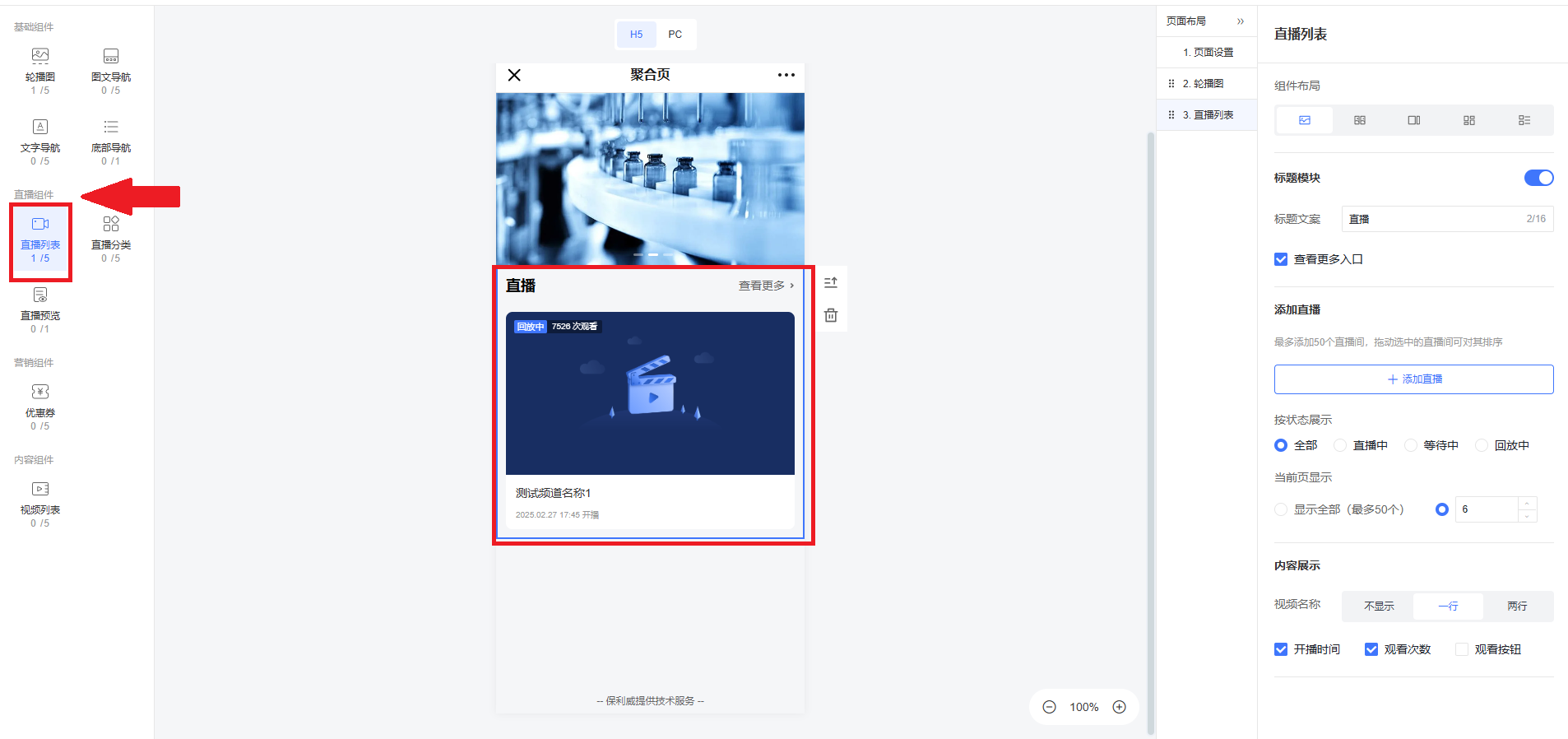
4. Add two live replay lists.
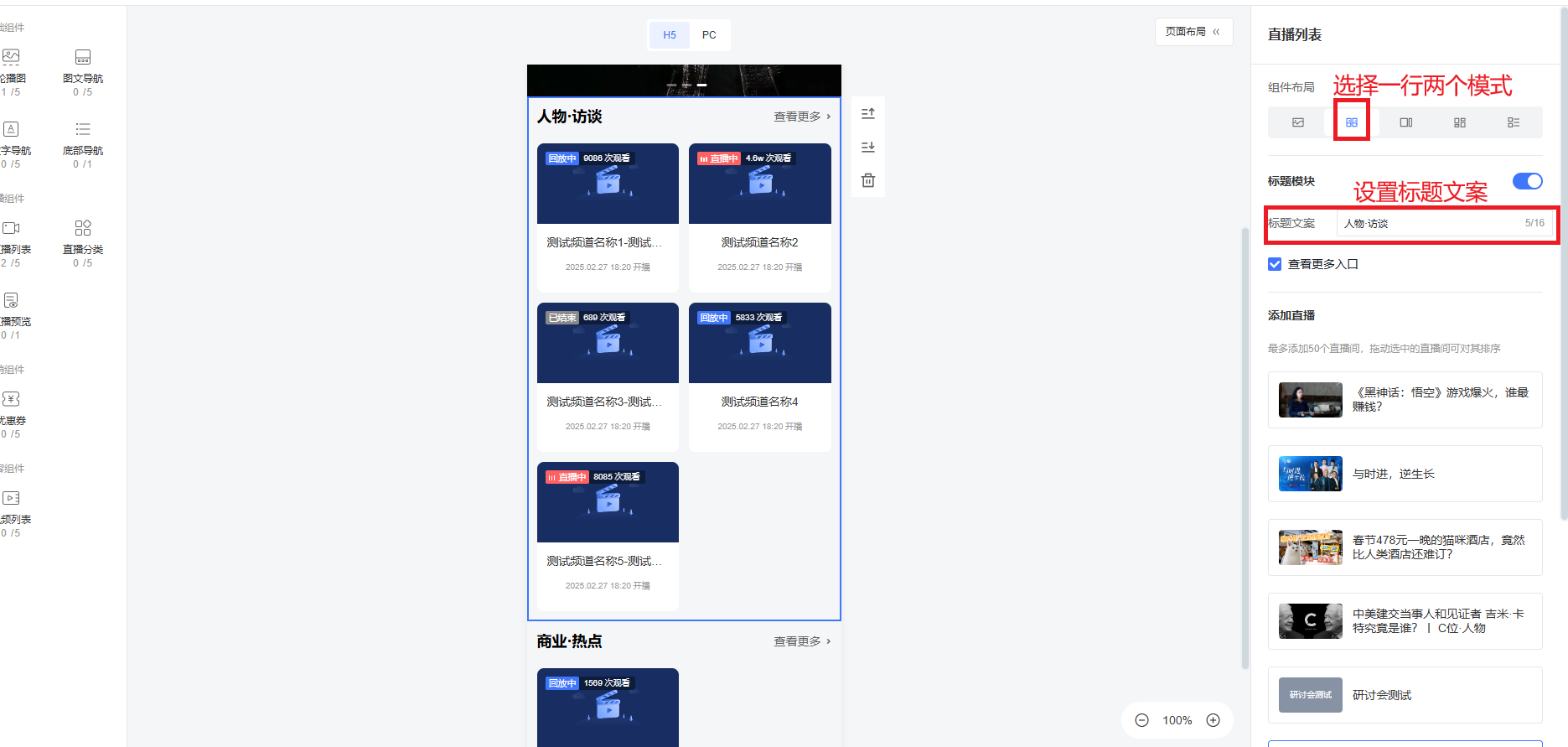
5. On the mobile end, set the layout to "Two per row" mode and configure the title text.
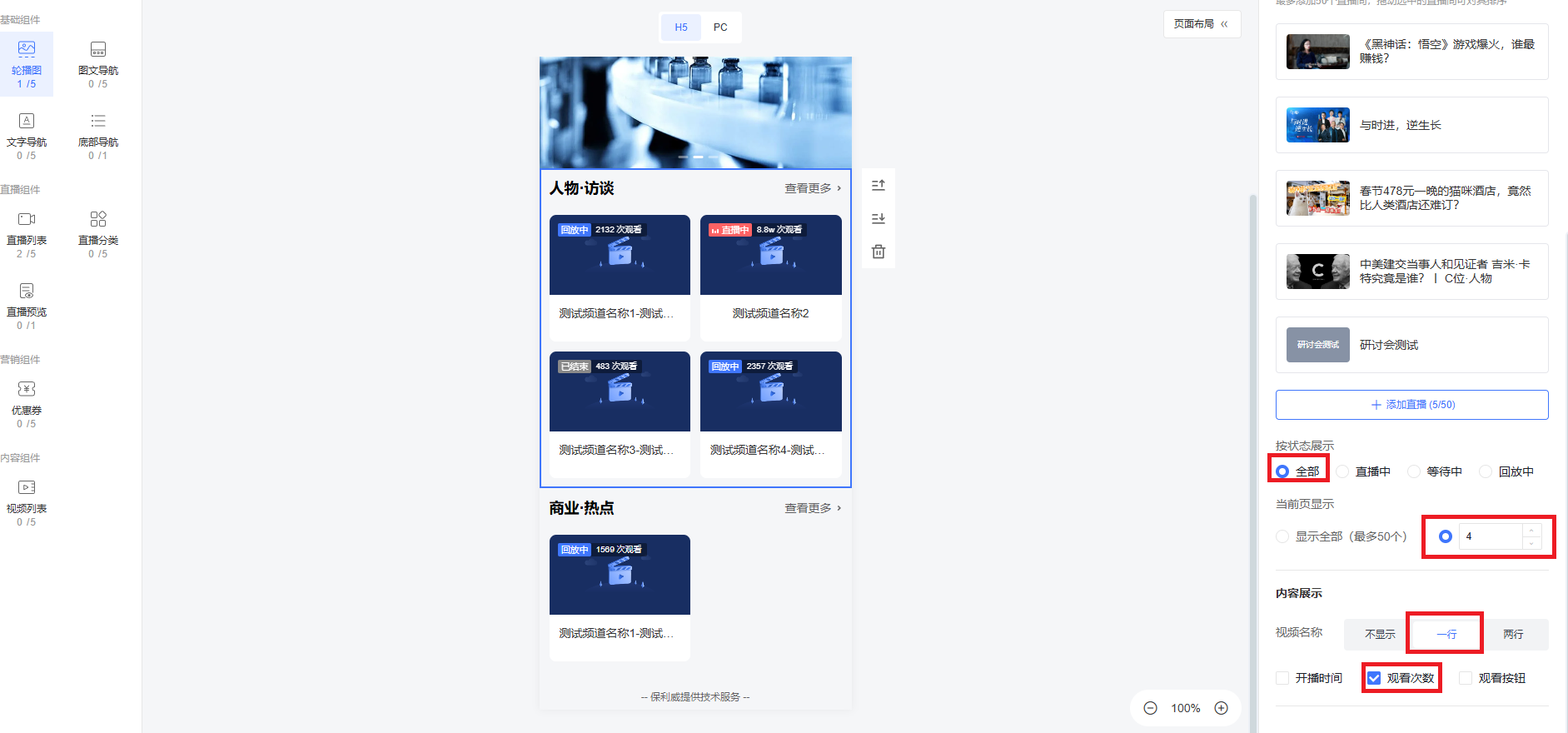
6. Configure the two live replay lists as shown: select all statuses, set the current page display to 4, set video names to one line, and check only "View count".
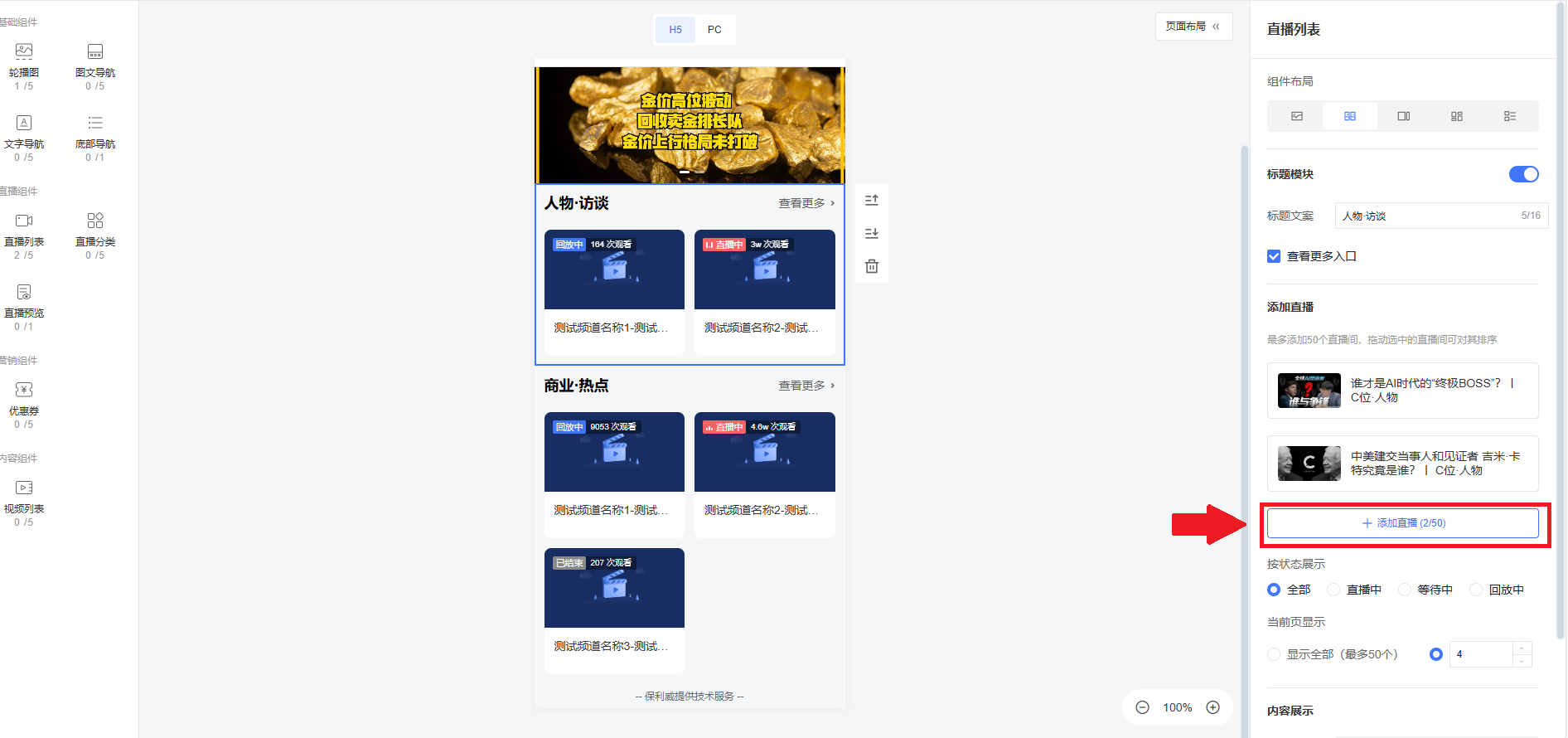
7. Upload live replays to the corresponding categories based on the titles.
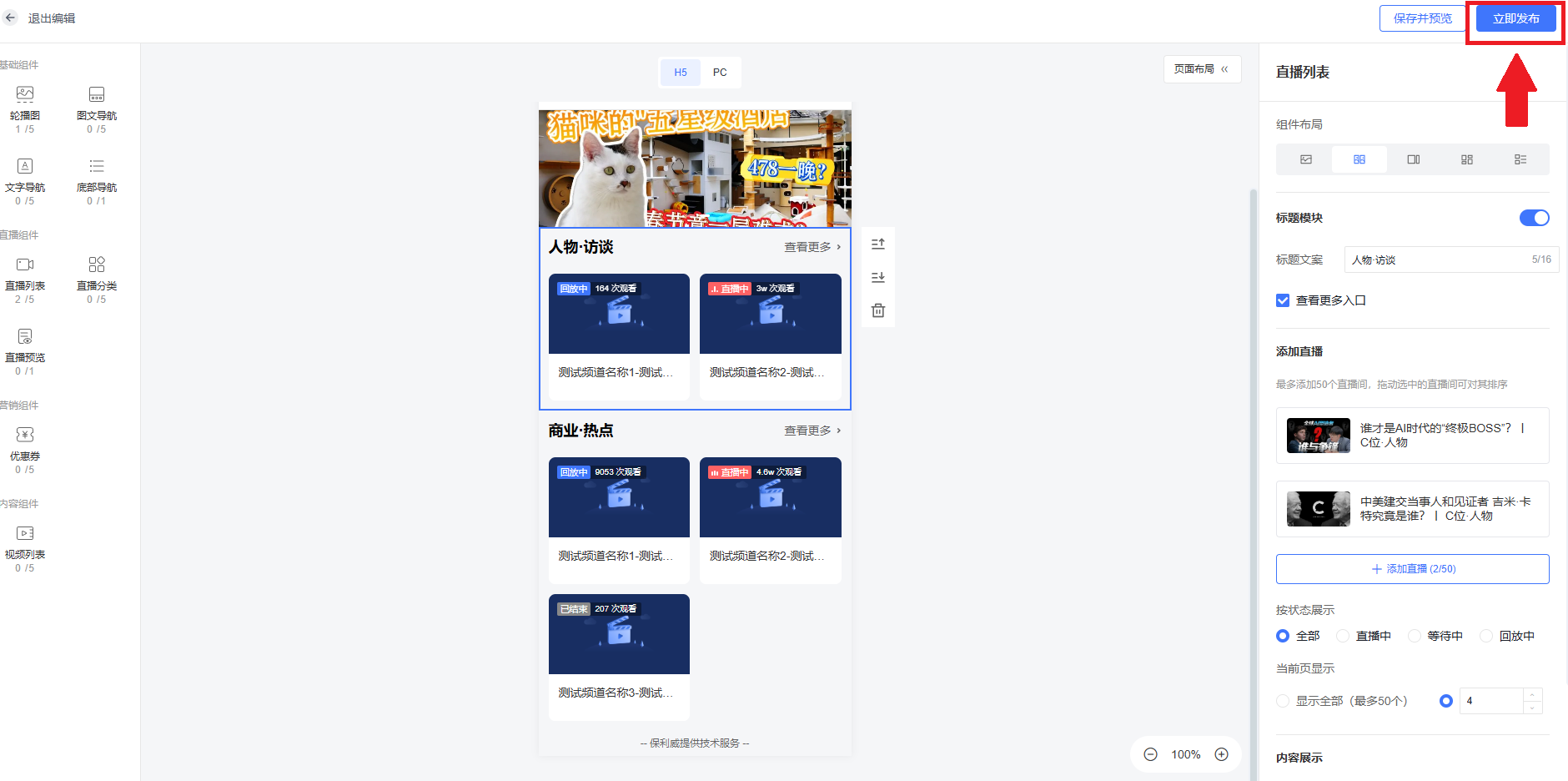
8. Click "Publish Now" in the top-right corner to publish the aggregation page.
4. Related Course Videos
Aggregation page feature tutorial: https://course.polyv.net/course/306000
Aggregation page introduction: https://course.polyv.net/course/305977
