


AI Generated Interactive Script Bullet Comments
Objective: Learn how to use the "AI Interactive Script" feature to intelligently generate synchronized bullet comments for pre-recorded videos, creating an immersive "pseudo-live" viewing experience.
1. Feature Overview
| Feature Info | Description |
|---|---|
| Feature Name | AI Interactive Script |
| Feature Description | An intelligent feature that automatically analyzes pre-recorded video content and generates a bullet comment script simulating real-time live interaction scenarios. |
| Purpose | Enhance the viewing experience and interactivity of recorded videos, creating a "pseudo-live" effect to increase audience engagement and immersion. |
| Use Cases | 1. Course Replays: Add interactive bullet comments to recorded online course videos, recreating the live learning atmosphere. 2. Product Demos: Incorporate simulated user questions and feedback bullet comments into product introduction videos, making the demo more dynamic. |
| Tutorial | Please refer to the detailed operation guide below. |
| Feature List | 1. AI One-Click Generation: Automatically creates a bullet comment script based on video content. 2. Atmosphere Customization: Offers four bullet comment density options: "Sparse", "Normal", "Dense", and "Flooding". 3. Auto Processing: Tasks are processed automatically after submission, no need to stay on the page. |
Table of Contents
2. Detailed Operation Guide
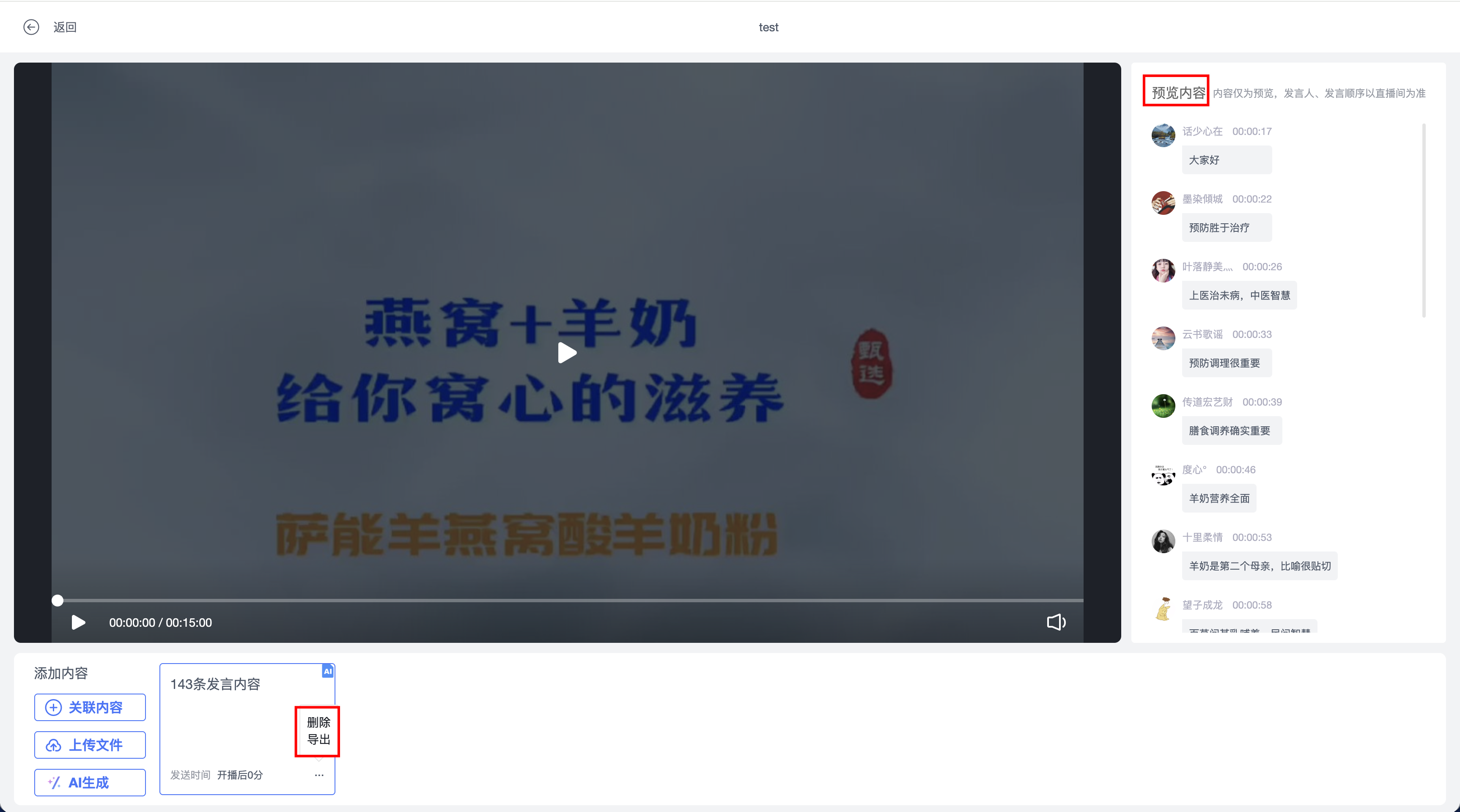
Step 1: On the script editing page of the video, locate and click the + AI 生成 button in the right-side operation area.
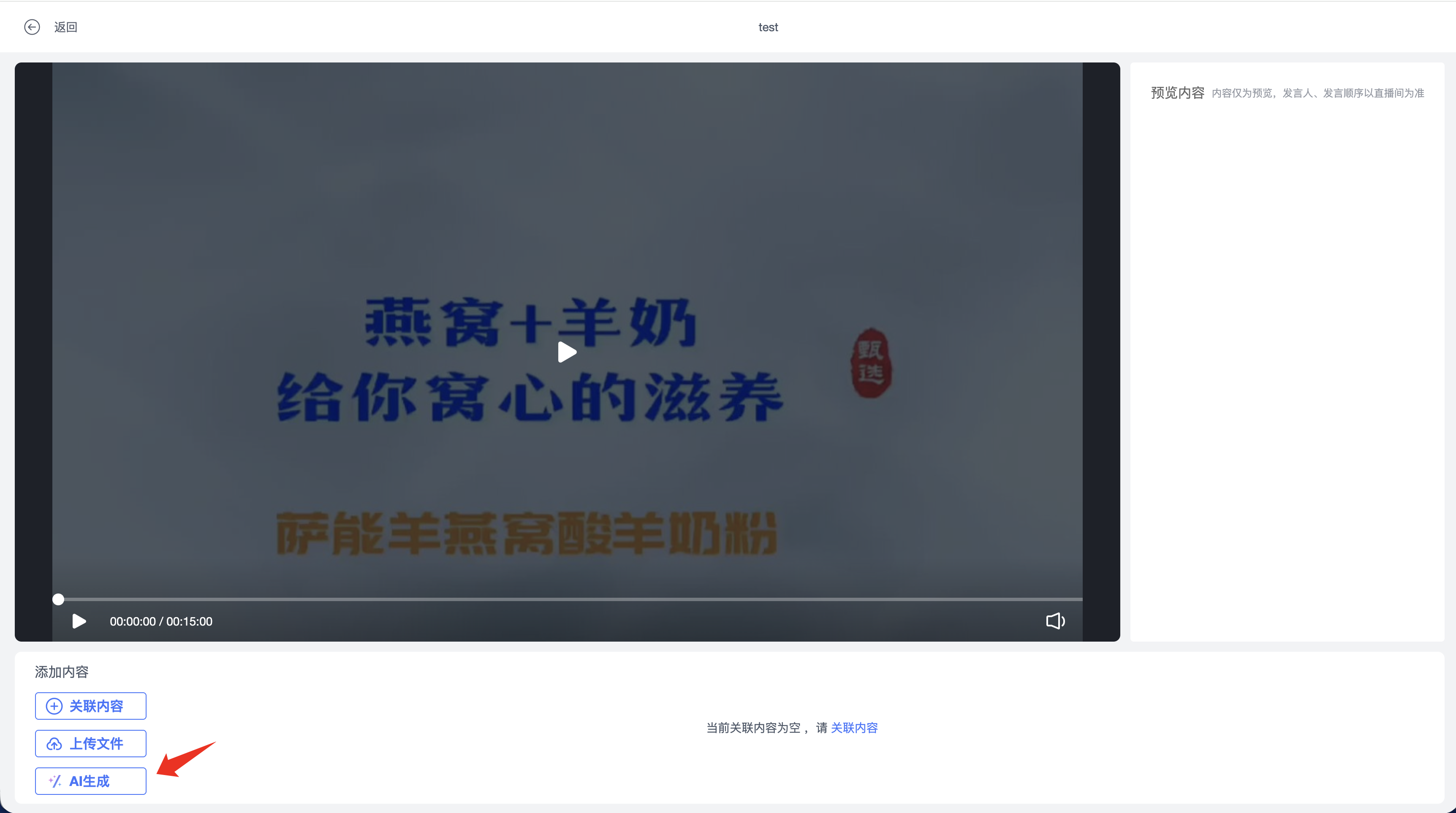
💡 Tip: If you do not see this button, it means this feature may not be enabled for you yet.
Step 2: In the pop-up "AI Generate Script" configuration window, make the relevant settings.
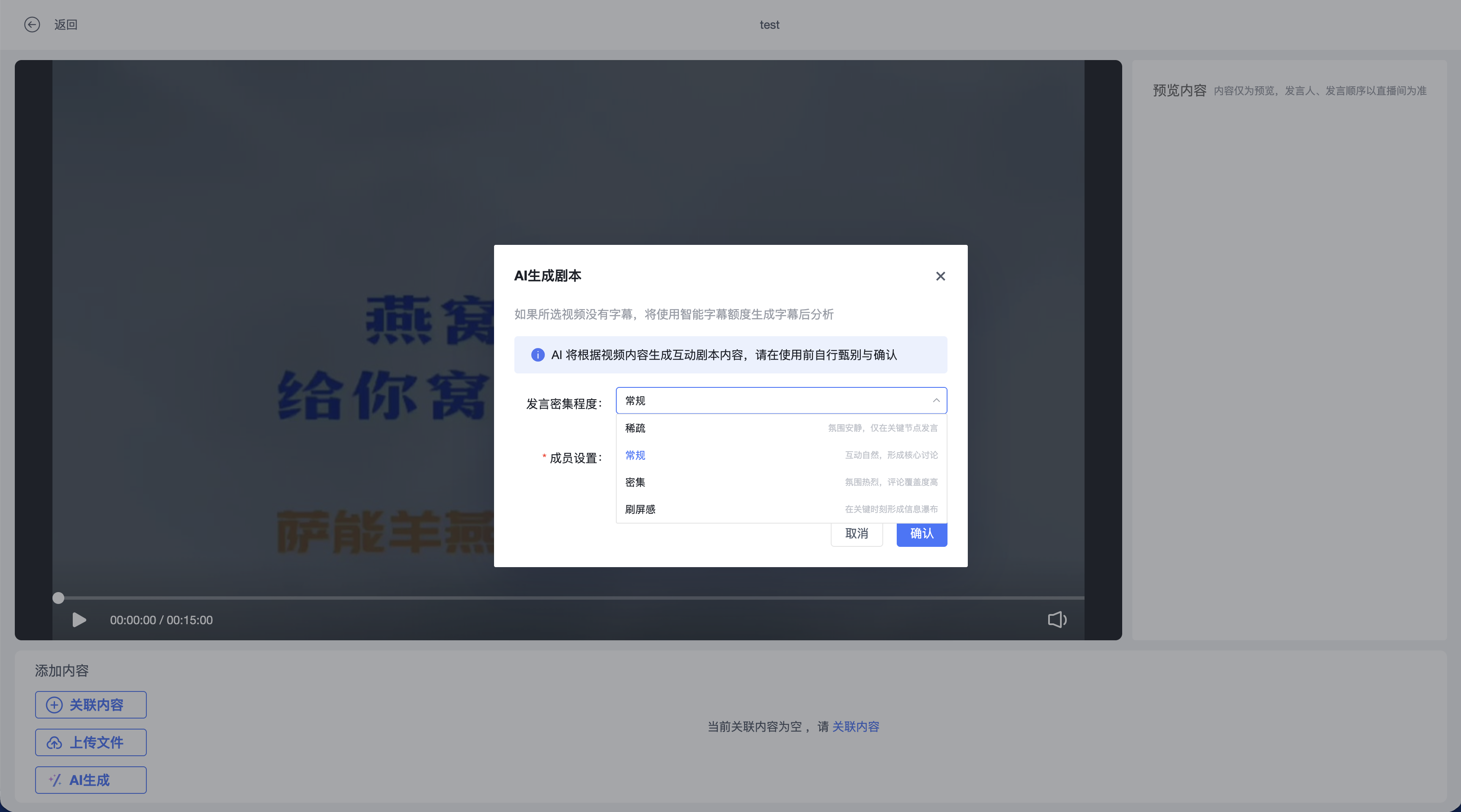
Step 3: Click the "Comment Density" dropdown menu and select an appropriate density based on the live atmosphere you wish to create.
- Sparse: Quiet atmosphere, approximately 1-5 comments/minute, generated only at key points.
- Normal (Default): Natural interaction, approximately 5-15 comments/minute, forming core discussions.
- Dense: Lively atmosphere, approximately 15-30 comments/minute, high comment coverage.
- Flooding: Creates an information waterfall at critical moments, approximately 30-60+ comments/minute.
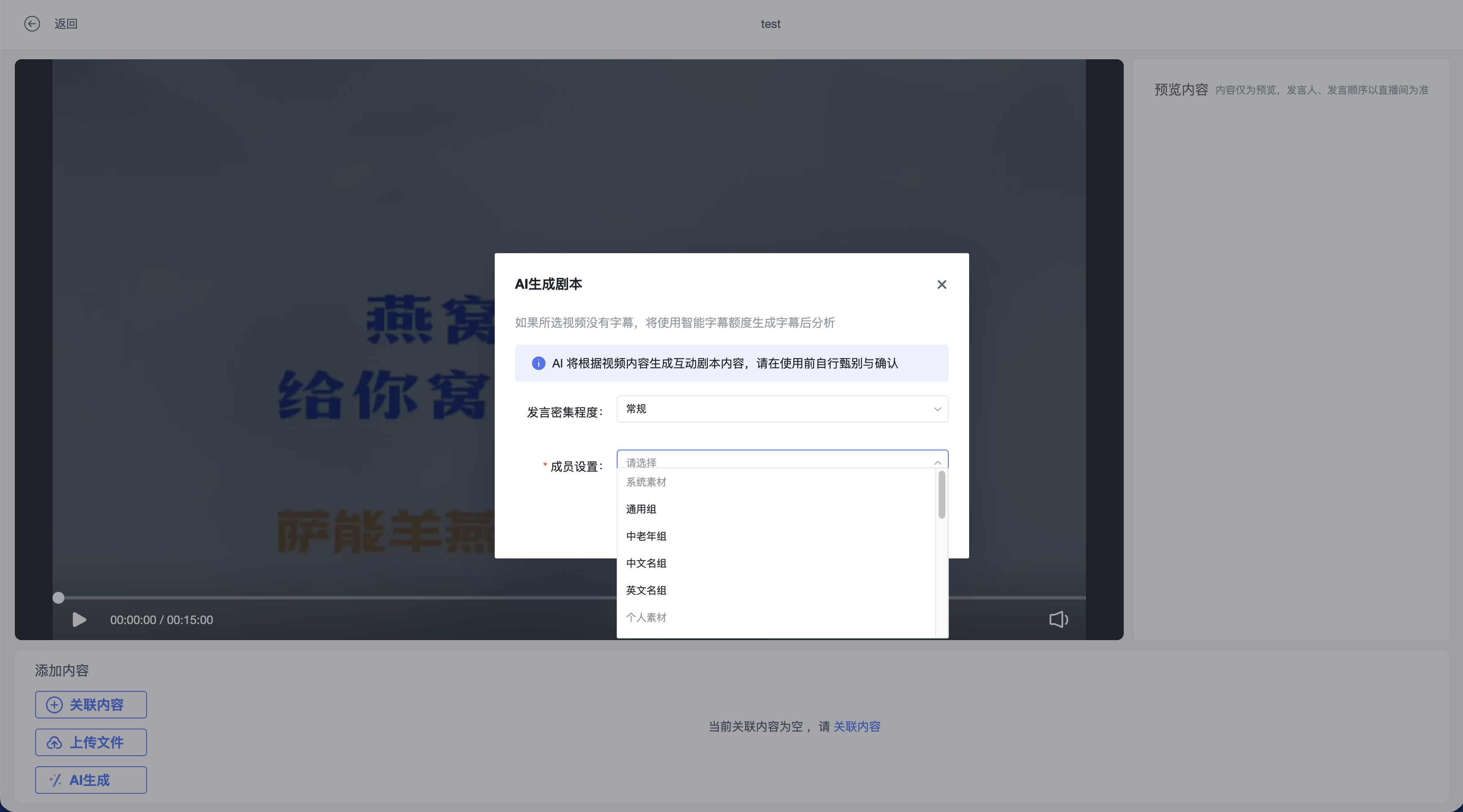
Step 4: Click the "Member Settings" dropdown menu to select the virtual audience group for generating bullet comments.
Step 5: After completing all configurations, click the 确认 button. The system will start generating the bullet comment script for you.
Step 6: After task submission, you will see the script status change to "AI Generating (Generating)". During this time, related editing functions will be temporarily disabled.
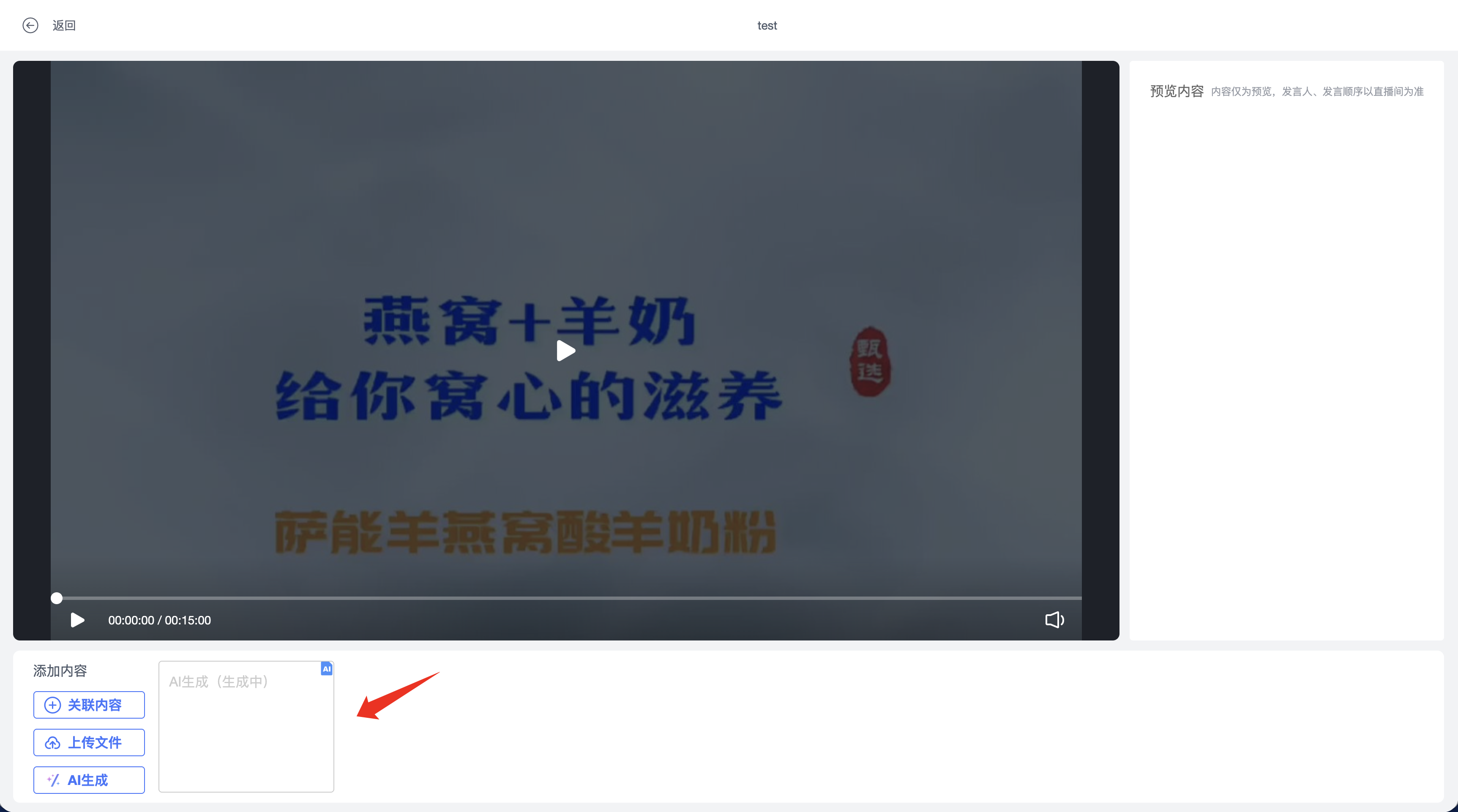
Step 7: Once generation is complete, the status indicator will disappear, and the newly generated bullet comments will appear in the preview area on the right. You can export, edit, or delete the AI-generated bullet comments.
3. Notes
3.1 Prerequisites
ꔷ Regarding Video Subtitles: To ensure the AI can generate interactive bullet comments more accurately, it is recommended to use videos with subtitles. If the video does not have subtitles, the system will first attempt to auto-generate subtitles for the video (relying on the intelligent subtitle feature) before generating bullet comments.
ꔷ Feature Visibility: If you cannot find the 'AI Generate' button on the interface, this feature may not be enabled. Please contact customer service for assistance.
3.2 Task Processing & Billing
ꔷ Task Processing: Tasks are automatically processed in the cloud after submission. You do not need to stay on the current page; the script will update automatically upon completion.
ꔷ Task Status: While in "Generating" status, the script cannot be edited. If the task fails unexpectedly, the status will update to "Generation Failed".
ꔷ Regarding Fees
Subtitle Generation: If the system needs to generate new subtitles for your video, this operation may incur charges based on the "Intelligent Subtitle" service standards.
Script Generation: The AI script generation operation will be metered for resource usage independently.
