


Instructions
Updated: 2023-04-17 16:12:50
Feature Overview
Polyv is committed to enhancing the security of video playback and protecting your video resources. Through its self-developed video copyright protection solution (VRM) and proprietary encryption algorithms, Polyv ensures maximum security for video files.
Access Permissions
- Primary account – Supports viewing and modification
- Sub-account (Admin) – Supports viewing and modification
Steps
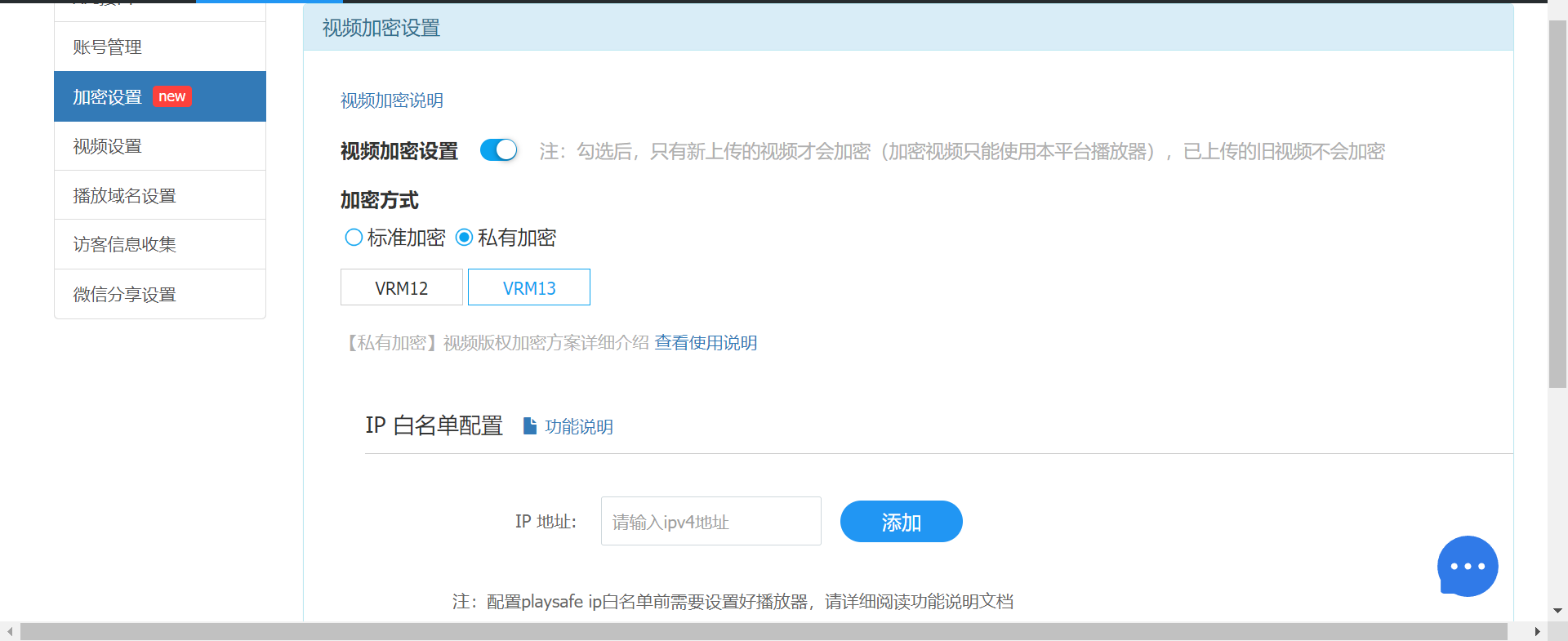
Account Settings: Go to [Cloud VOD Console] >> [Settings] >> [Encryption Settings]
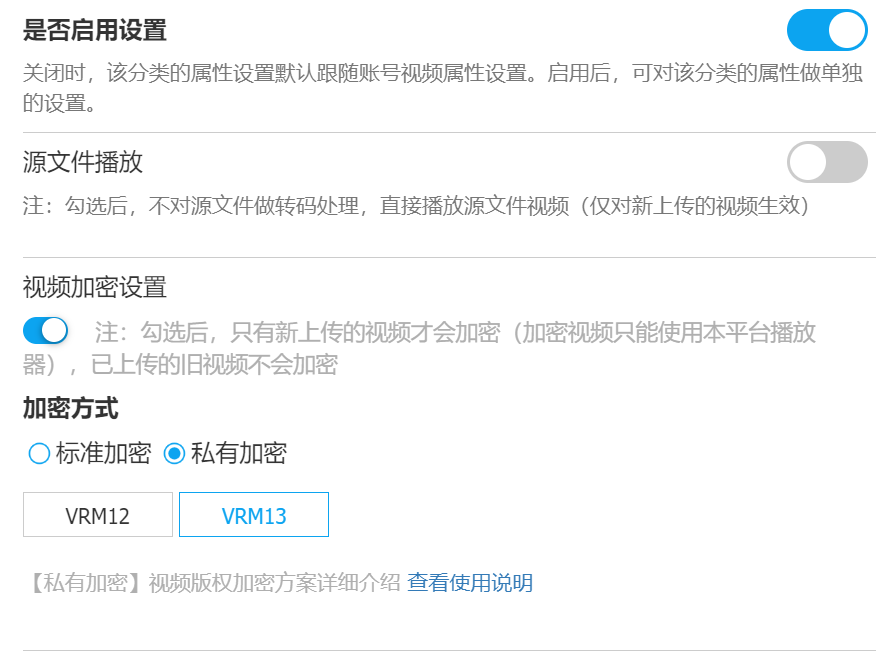
Category Settings: Go to [Cloud VOD Console] >> [Video Category Management] >> [Category Attribute Settings] >> [Video Encryption Settings]
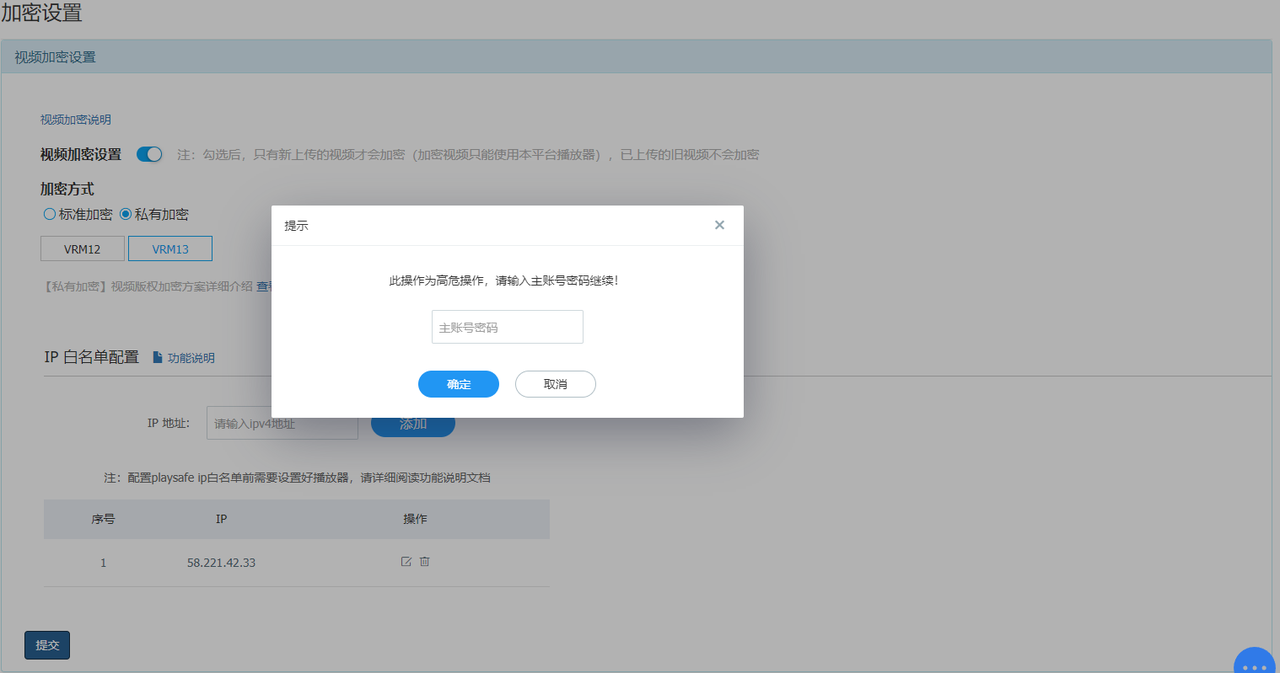
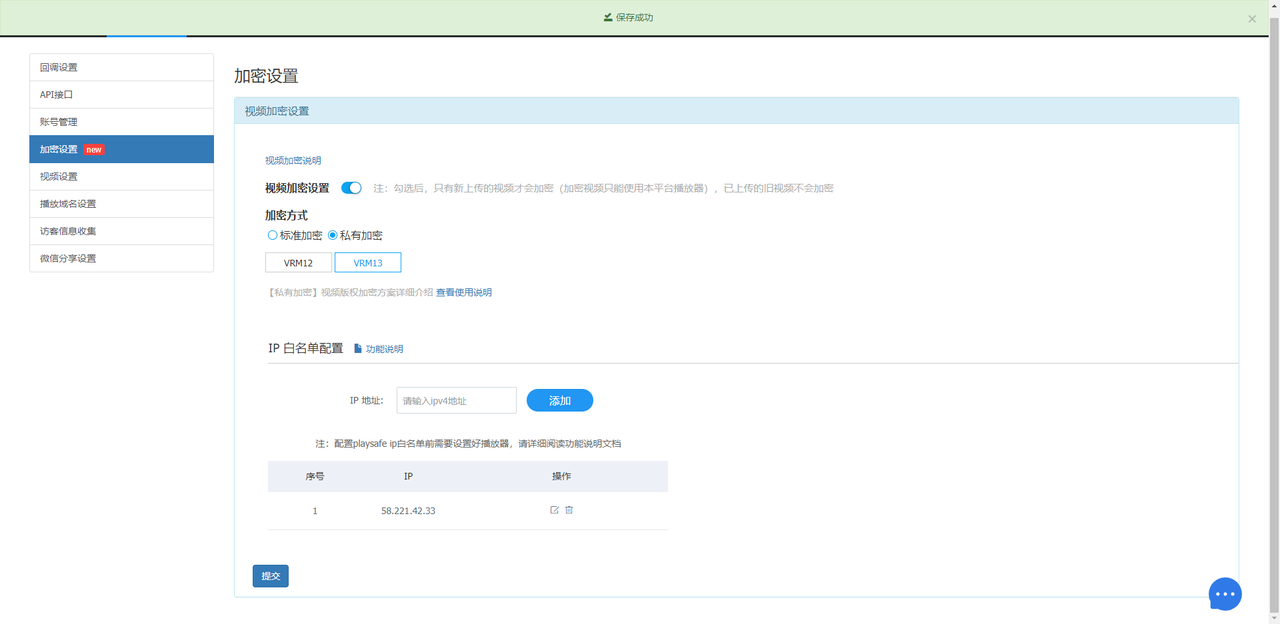
Enable [Video Encryption Settings], select Private Encryption [VRM13], and click Submit.
The player must use the latest versions as follows:
| Web | Android | iOS | C++ SDK | Mini Program |
|---|---|---|---|---|
| VOD JSSDK | VOD Android SDK | VOD iOS SDK | VOD C++ SDK | Currently only supports WebView |
Note: For player configuration, refer to Copyright Protection Best Practices.
