Video Dimensions
The "Video" feature list includes real-time data, play count, play traffic, play count ranking, play duration, watch ratio, watch hotspots, play domains, time period statistics, and watch logs.
Real-Time Data
View the real-time play count of all videos under the account (provided in line chart and bar chart statistical formats). You can also view the real-time play count of a single video by entering the video title/VID.
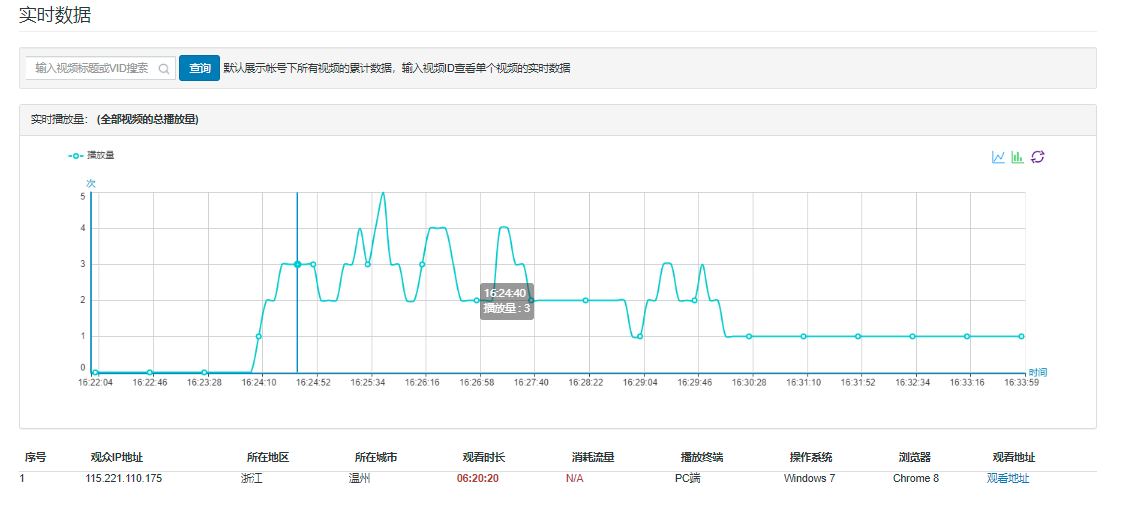
Click the search box to quickly locate target videos by filtering based on video categories.
.jpg)
Below, an overview of the audience data currently watching the video is displayed.

Play Count
View the play count of all videos under the account (provided in line chart statistical format). You can also search by entering the video title/VID or selecting a category to view the play count of single/multiple videos over different time periods.

Specific data display effect:
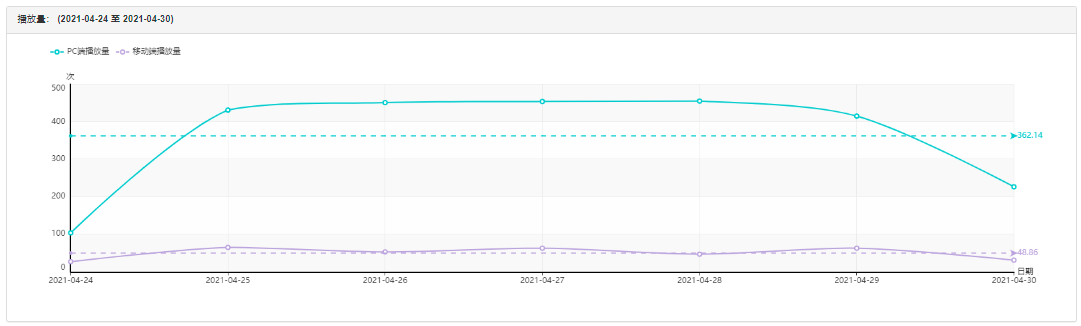
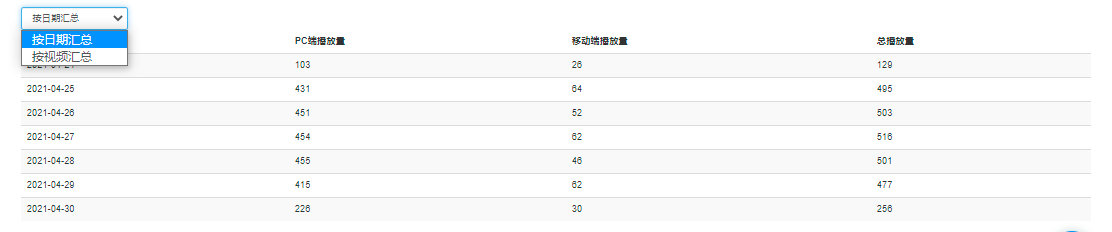
Below, you can split the specific play count by PC and mobile based on video or date, displaying detailed data. The specific effect is as follows:
.jpg)
Play Traffic
View the traffic usage of all videos under the account (provided in line chart statistical format). You can also search by entering the video title/VID to view the play count of a single video over different time periods.

Specific data display effect:
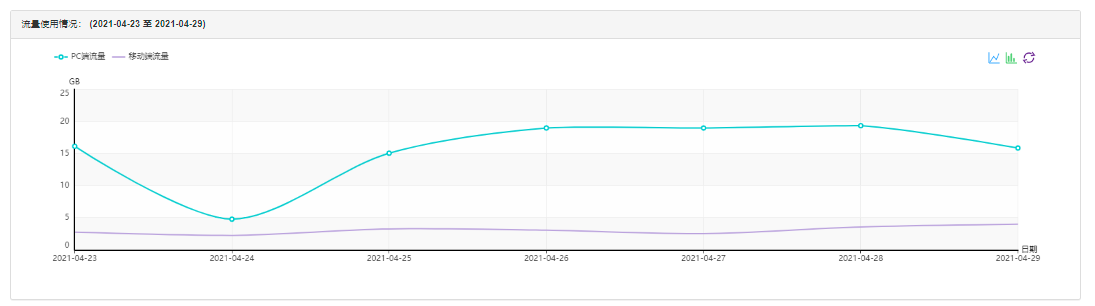
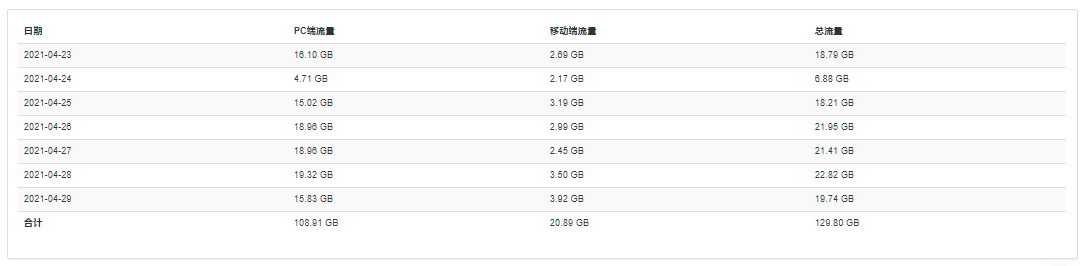
Below, detailed data on specific traffic for PC and mobile is provided by date:
Play Count Ranking
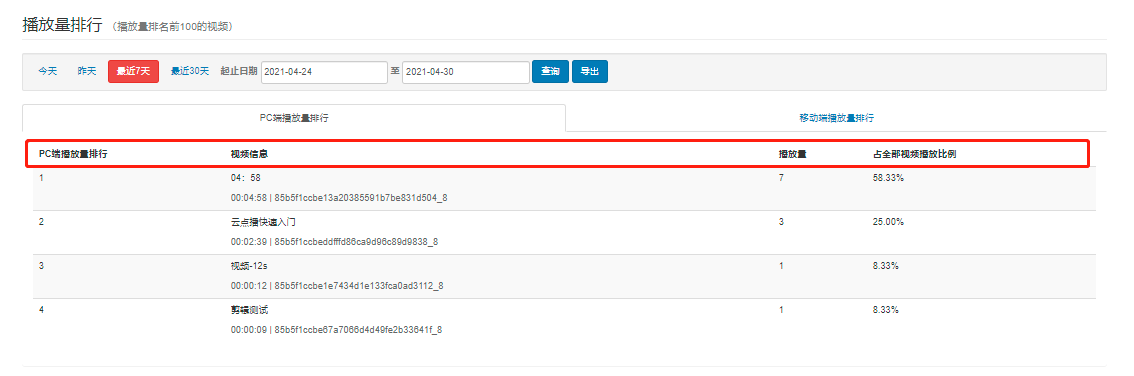
Query the play statistics of the Top 1000 videos for the day (you can also select a custom time period). The Top video list is sorted by default based on play count.

Play Duration
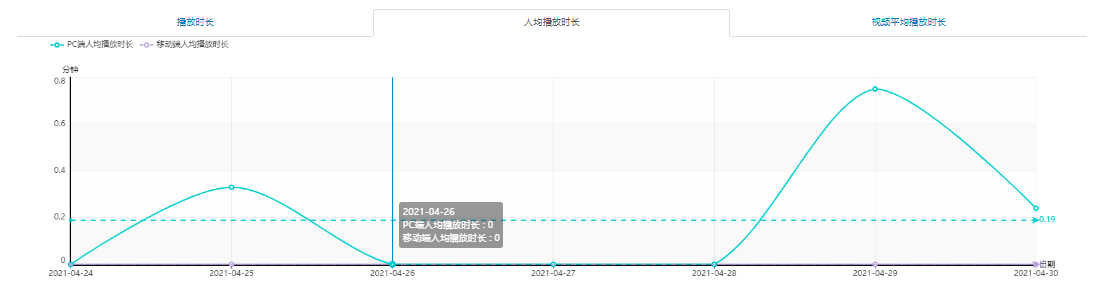
View the play duration of all videos under the account (provided in line chart statistical format). You can also search by entering the video title/VID to view the play count of a single video over different time periods.

Provides three types of play duration statistics: total play duration, average play duration per user, and average video play duration. The effect is as follows:
Below, detailed duration data is provided by date:

Watch Ratio
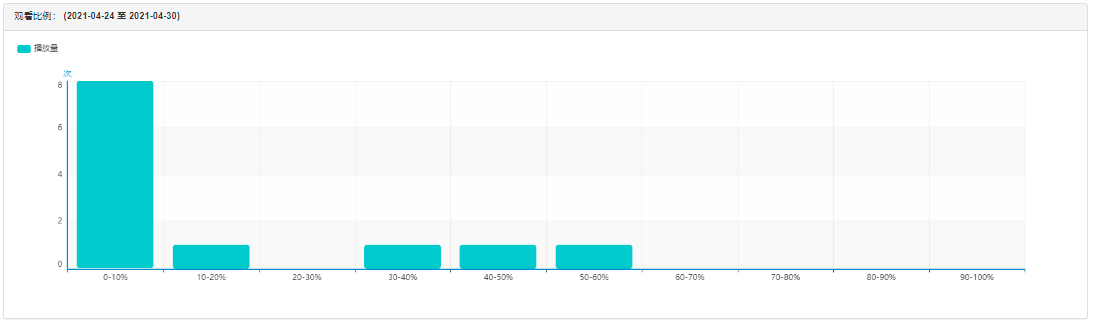
View the watch ratio of all videos under the account (provided in bar chart statistical format). You can also search by entering the video title/VID to view the play count of a single video over different time periods.

Divide the total video play time into 10 intervals proportionally and count the play count for each interval.
Play Domains
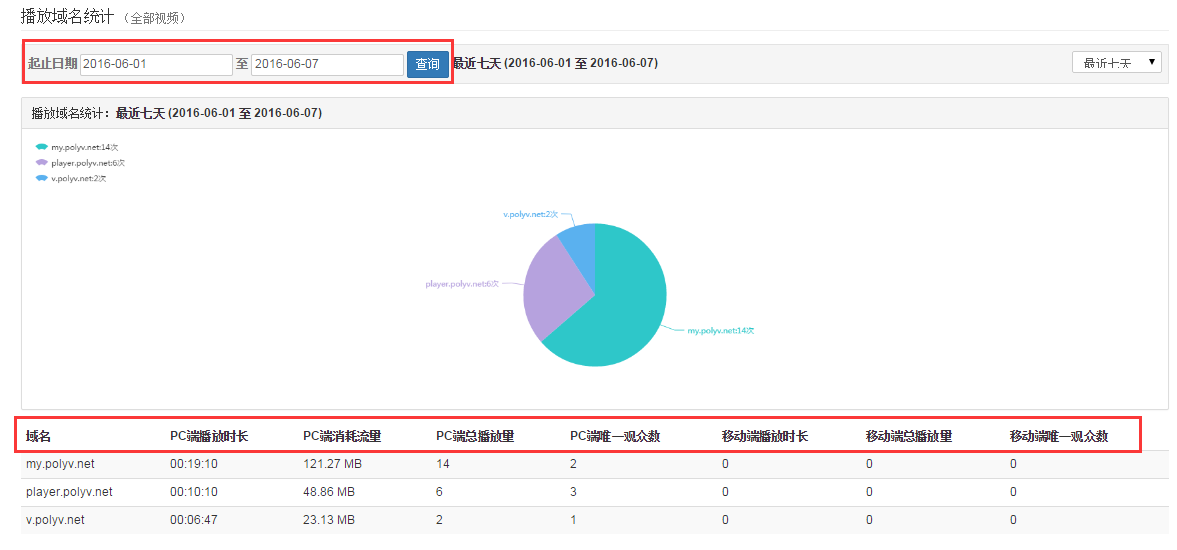
Select any time period to view video play domains, and check the play duration, play count, and audience situation for each domain, as shown in the figure below:
Time Period Statistics
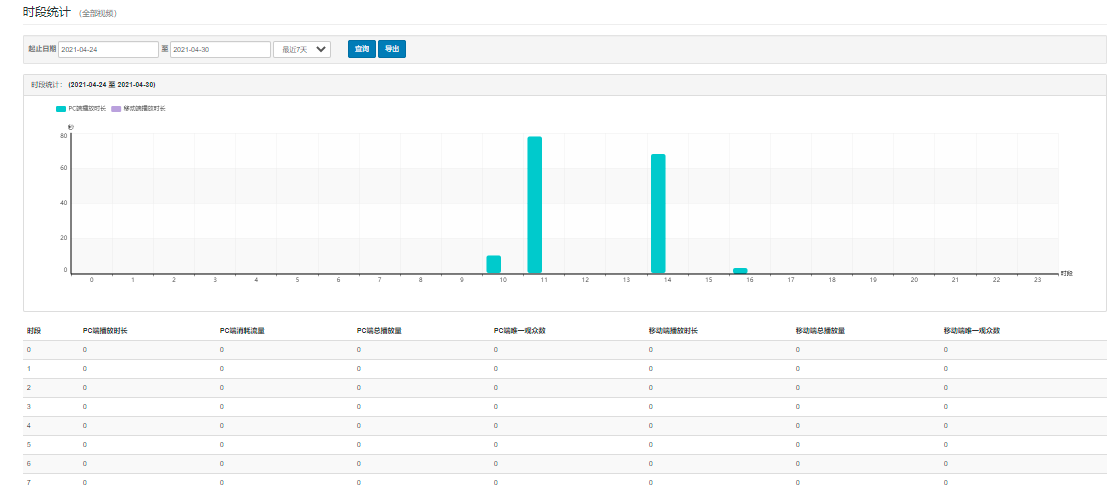
Select any time period to view the play situation during that period, and check the play duration, consumed traffic, and audience situation for each time period, as shown in the figure below:
Watch Logs
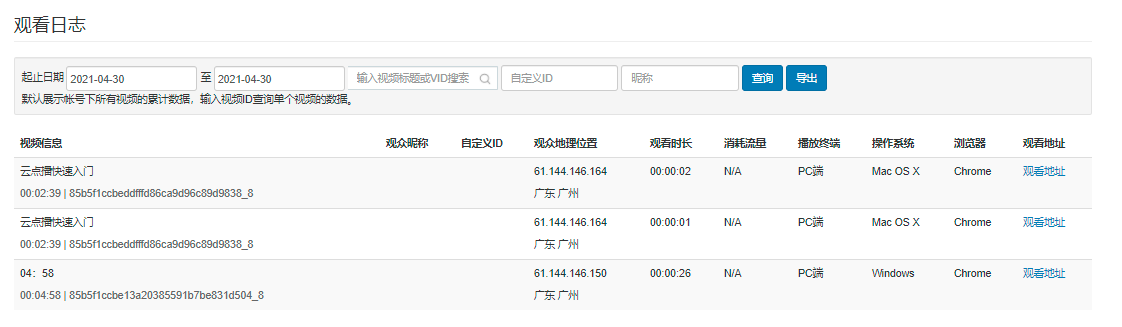
By default, displays the cumulative data of all videos under the account. Enter a video ID to query data for a single video. The specific data is as follows: