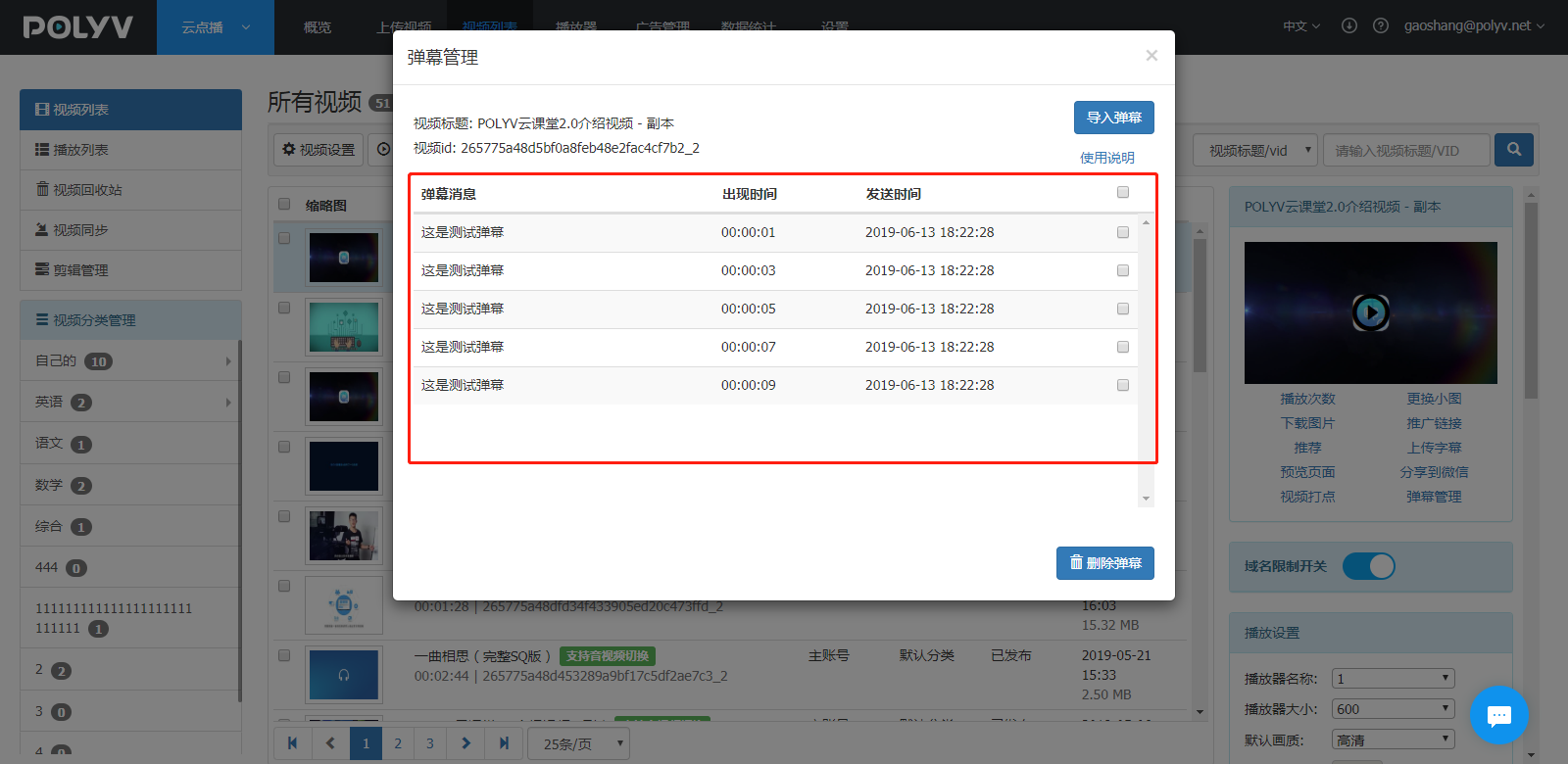
Danmaku Management
Updated: 2021-05-21 15:08:10
In the top function list, click "Video List" — enter the video list interface — select a video — find "Danmaku Management" in the small window on the right, as shown below:
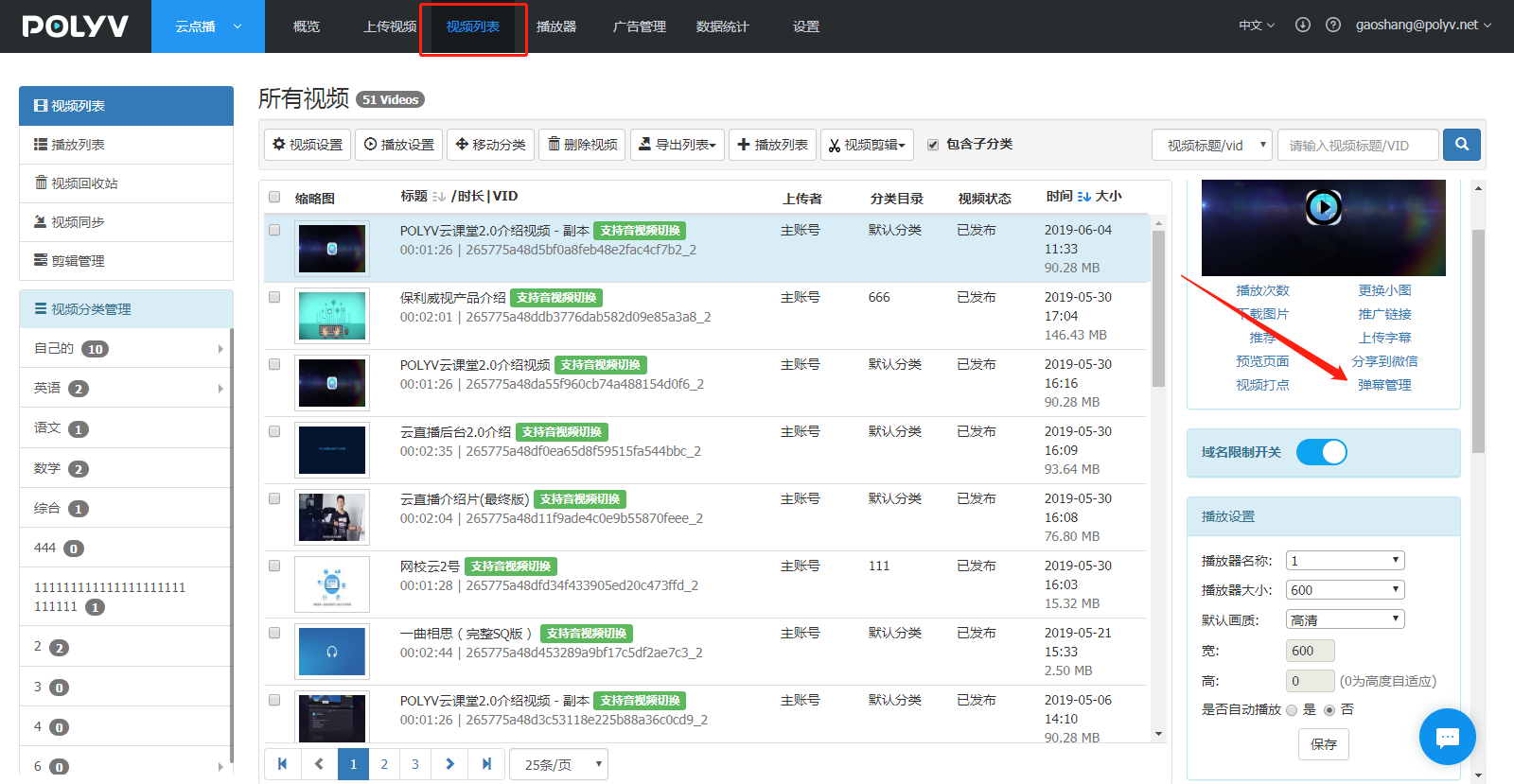
The specific usage steps are as follows:
- Click "Danmaku Management" to open a popup window, as shown below:
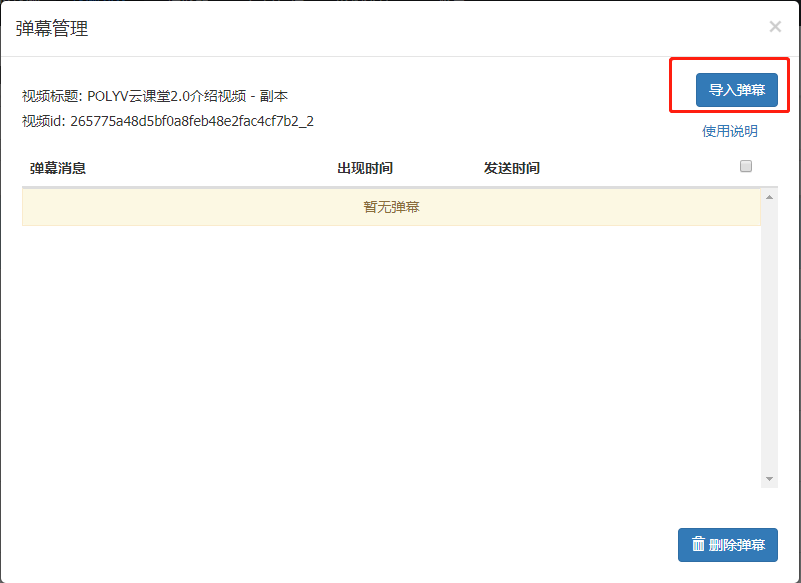
It is recommended that you use third-party subtitle generation software to quickly create and generate files.
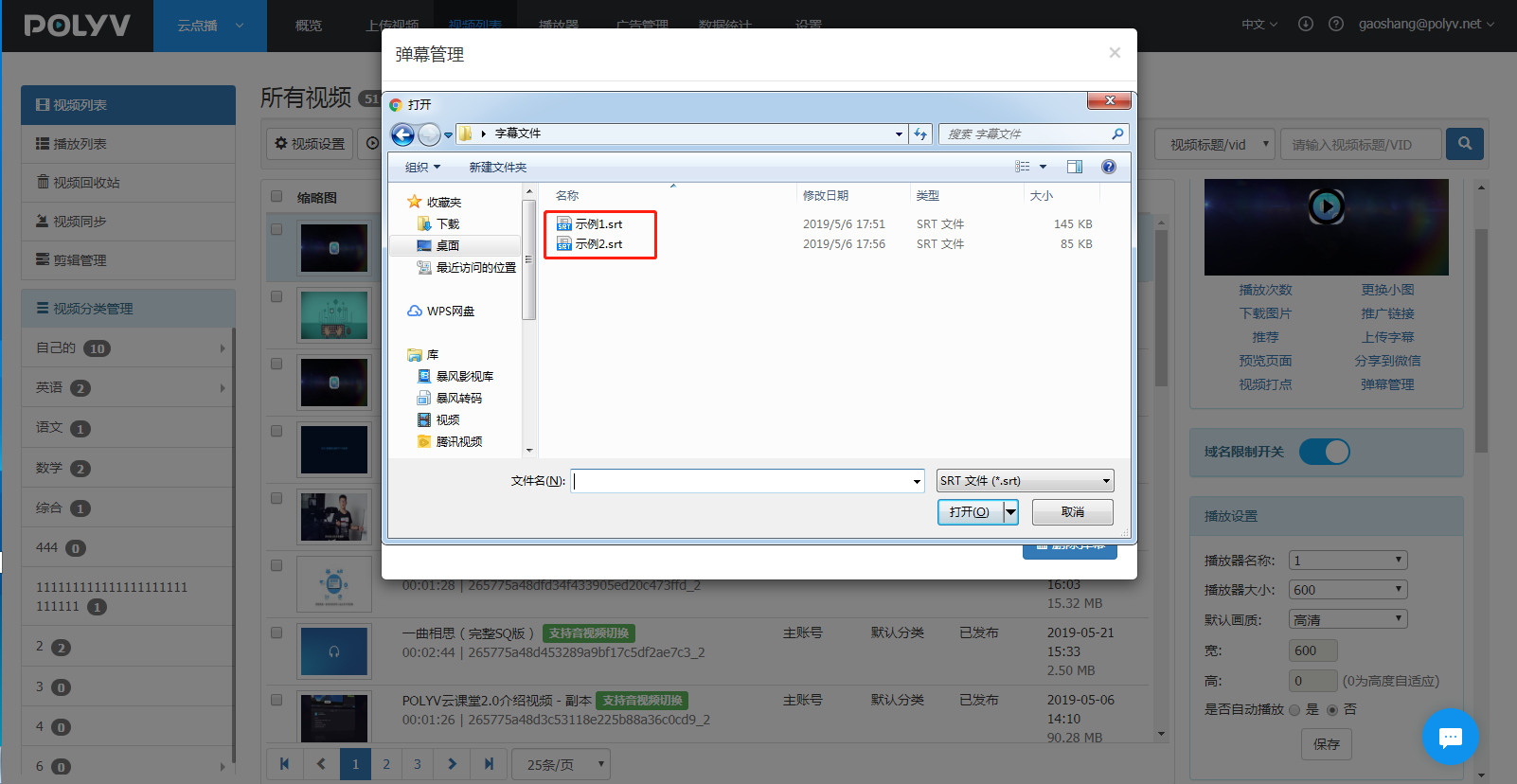
- Click the "Import Danmaku" button and select a file, as shown below:
- After successful import, the danmaku information will be displayed in the list below, as shown below: