


Smart Subtitles
Feature Overview:
The Smart Subtitles feature transcribes the audio from a video file into text and generates subtitles in SRT format. The subtitle file can be directly linked to the video, enabling subtitles to sync with the video content.
Use Cases
When a video lacks a subtitle file but subtitles are desired during playback.
Scope
Main account — Supports viewing and editing
Sub-account (Admin) — Supports viewing and editing
Workflow for Creating a Subtitle Task

Note: You can enable automatic publishing of smart subtitles in System Settings > Video Settings. Once enabled, subtitle tasks will be published automatically upon creation, without requiring manual review and publication.
Select Video File
Select a video file by searching or by choosing a video category. When the auto-publish toggle is on, smart subtitles will skip the review step and be published directly.
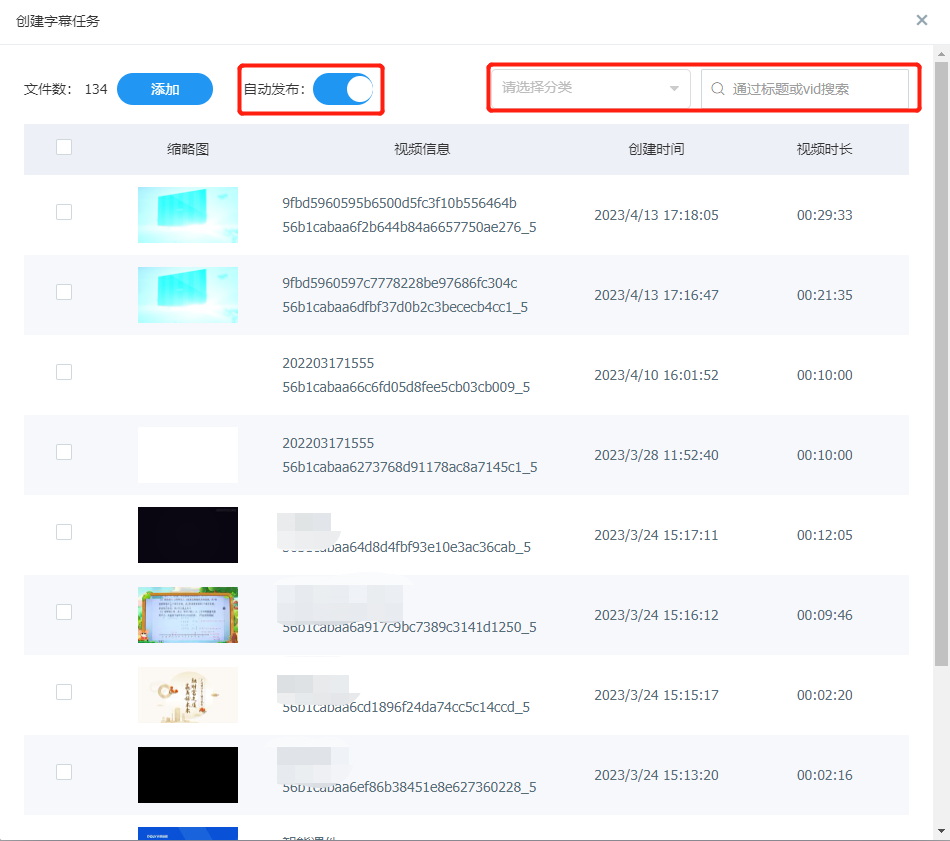
Create Subtitle Task
After selecting the video, click the Add button and confirm submission to create the subtitle task.
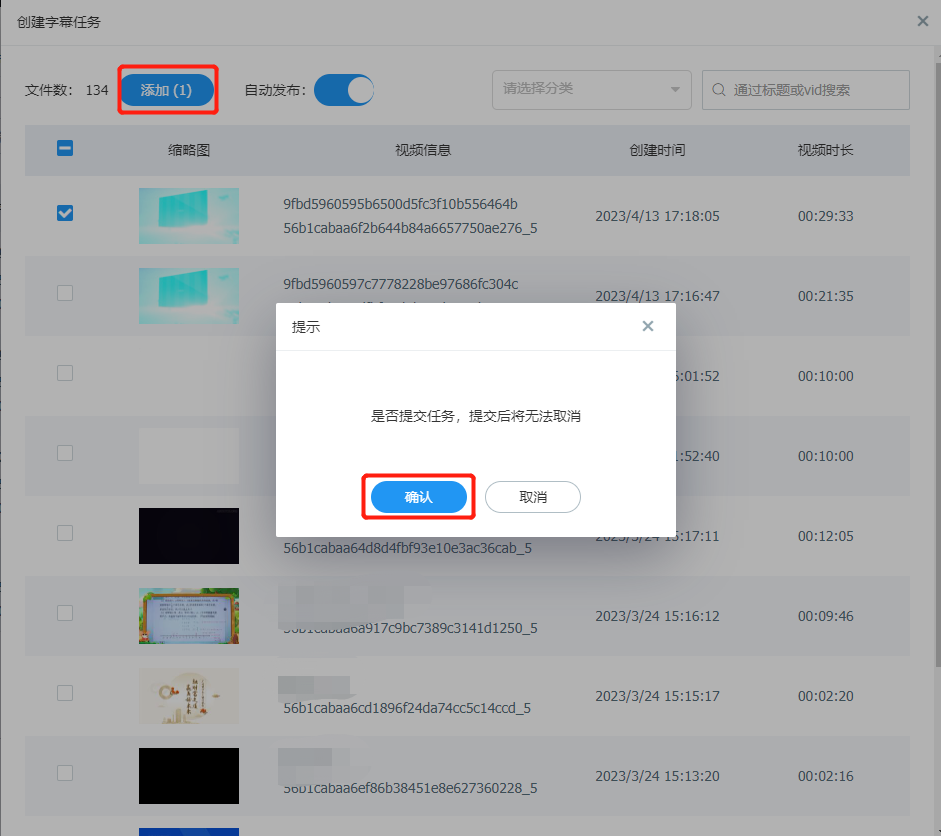
Review Subtitles
Once a subtitle task is created, the system processes the video and outputs a subtitle file. Typically, you can preview the subtitle effect by reviewing the subtitle content.
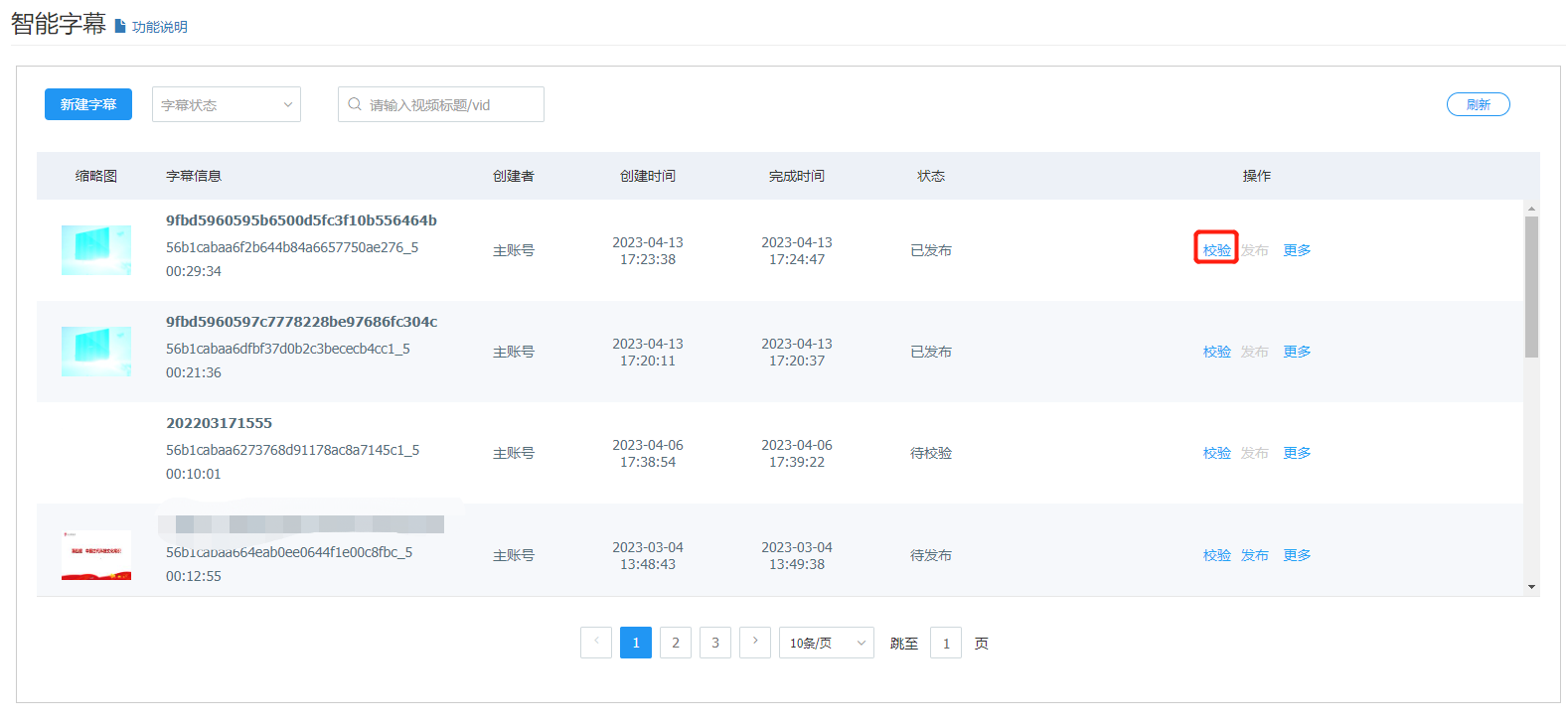
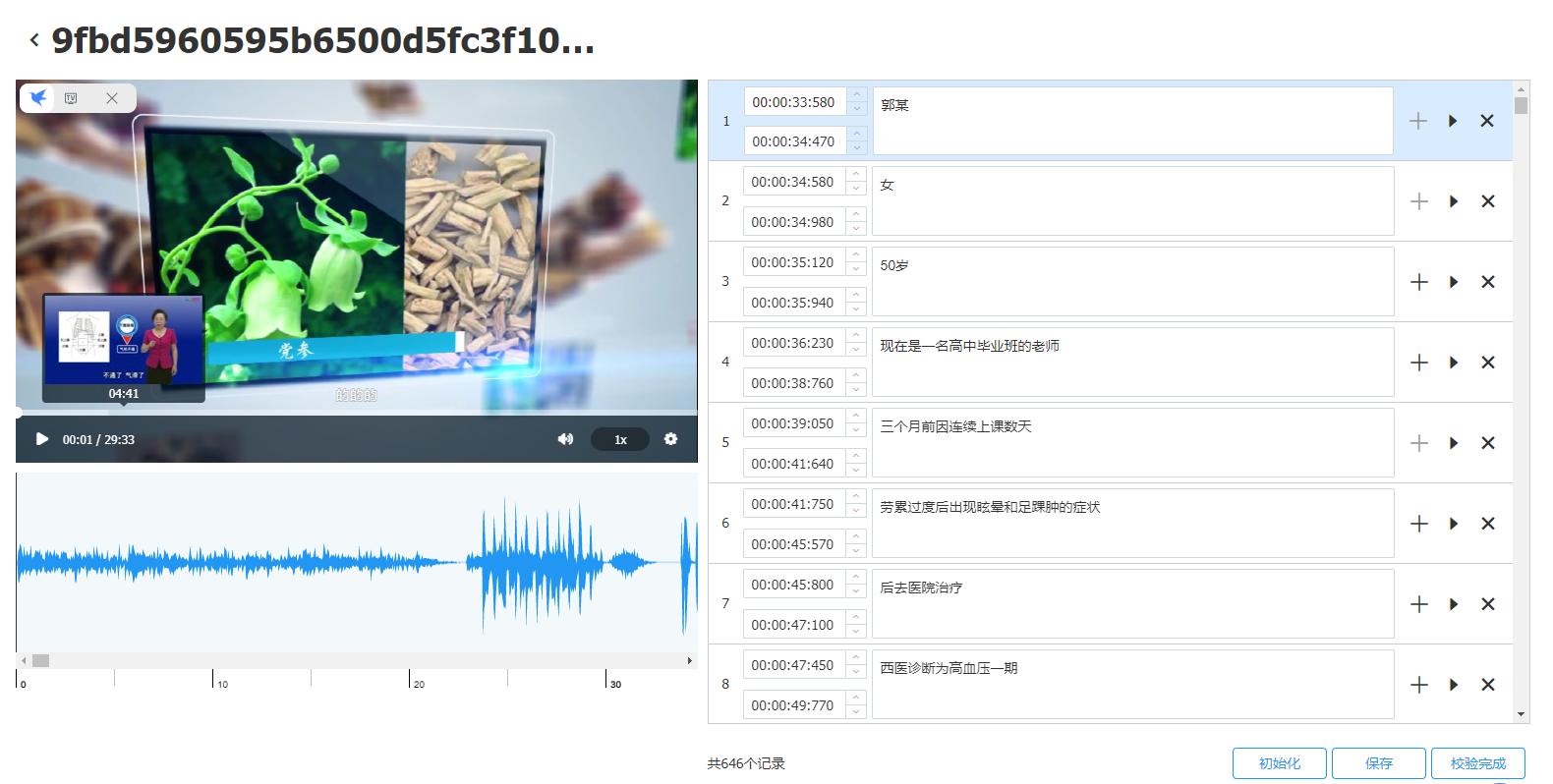
After reviewing, you can view the effect in real time. Click Save to update the current subtitle file.
Once the review is complete, the current subtitles will be published.
Publish Subtitles
Set the subtitle name displayed in the player, then click Upload to complete the setup.
.png)
Notes:
- You can globally enable automatic publishing of smart subtitles in System Settings > Video Settings. When creating subtitles, auto-publish will be set by default.
- If you need to modify subtitle content after publication, you can re-review the subtitle content and republish it.
- If the video contains a large number of specialized terms and the current smart subtitle content is inaccurate, please contact us.
- Currently, only Chinese videos are supported. If you need subtitles for other languages or dialect videos, please contact us.
- The time from creating a subtitle task to automatic publication is generally within 5 minutes. For videos longer than 60 minutes, the average time is around 10 minutes.
