


playSafe IP Whitelist
1. Feature Overview
Polyv video encryption technology uses advanced digital encryption to convert video content into unrecognizable encrypted streams, effectively preventing hackers and unauthorized users from stealing or tampering with video content. During the encrypted playback process, a Playsafe Token (playback credential) is required to play encrypted videos. For details, refer to Get Video Playback Credential. After setting up an IP whitelist, only the IP addresses you specify can obtain the Token through this interface. Other IPs will be blocked from requesting this interface to obtain the Token, thereby ensuring your video security.
2. Use Cases
The IP whitelist restricts access to the Get Video Playback Credential interface, greatly enhancing video security. It is recommended that all users who employ video encryption configure an IP whitelist.
3. Scope of Use
- Primary Account — Supports viewing and modification
- Sub-account (Admin) — Supports viewing and modification
4. Operation Steps
Go to Cloud Video On-Demand Console >> Settings >> Encryption Settings
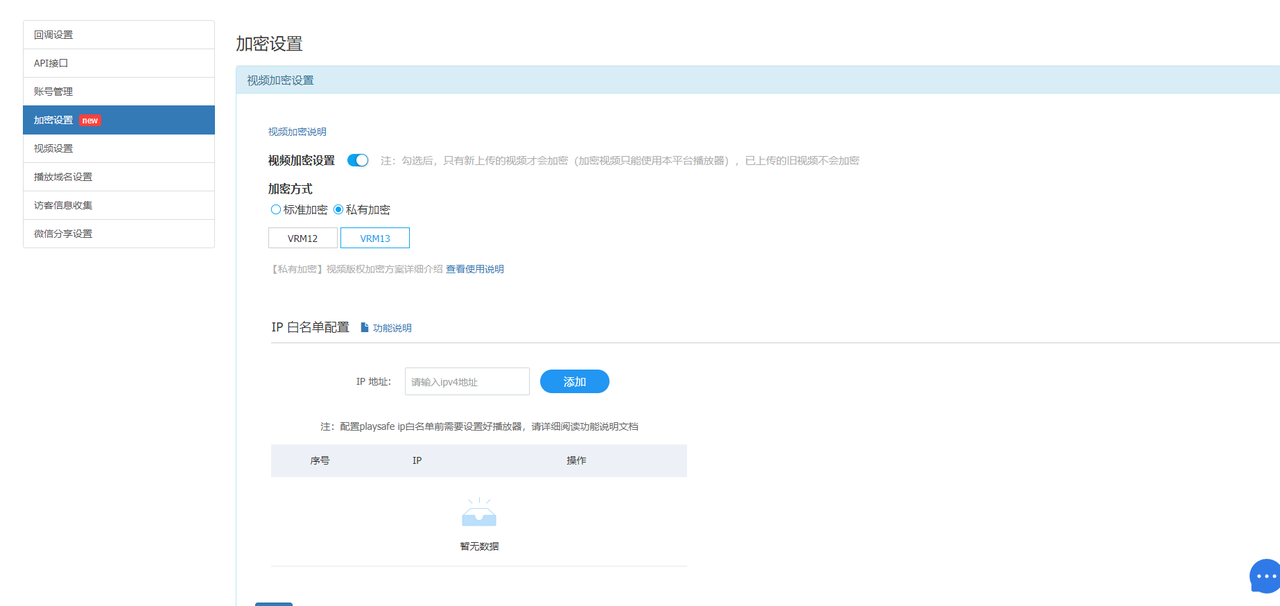
Enter your business server's fixed IP address in the IP address input box, then click the Add button (Note: Currently only IPv4 addresses are supported; IPv6 support will be added in the future).
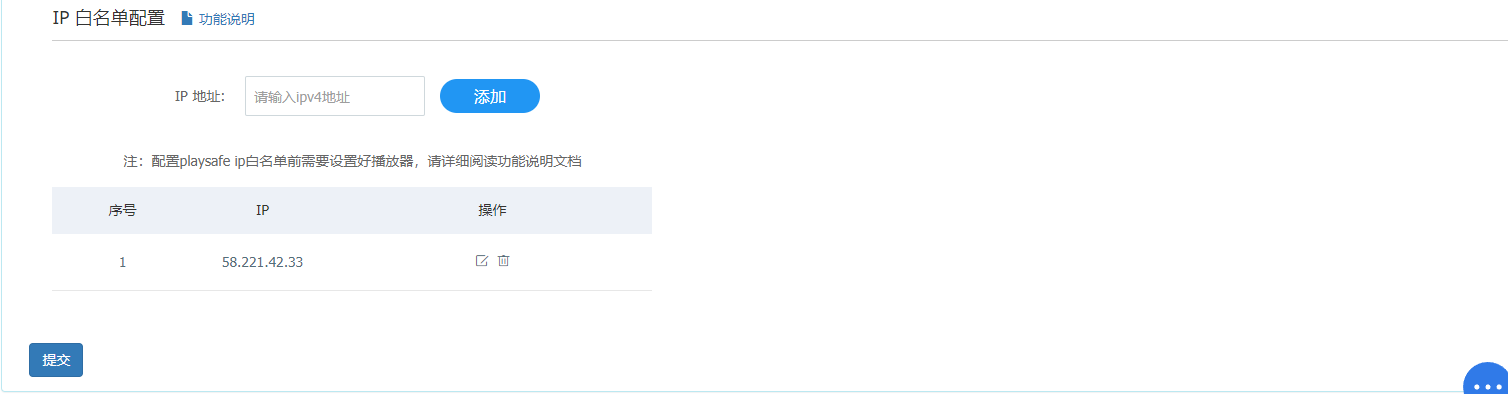
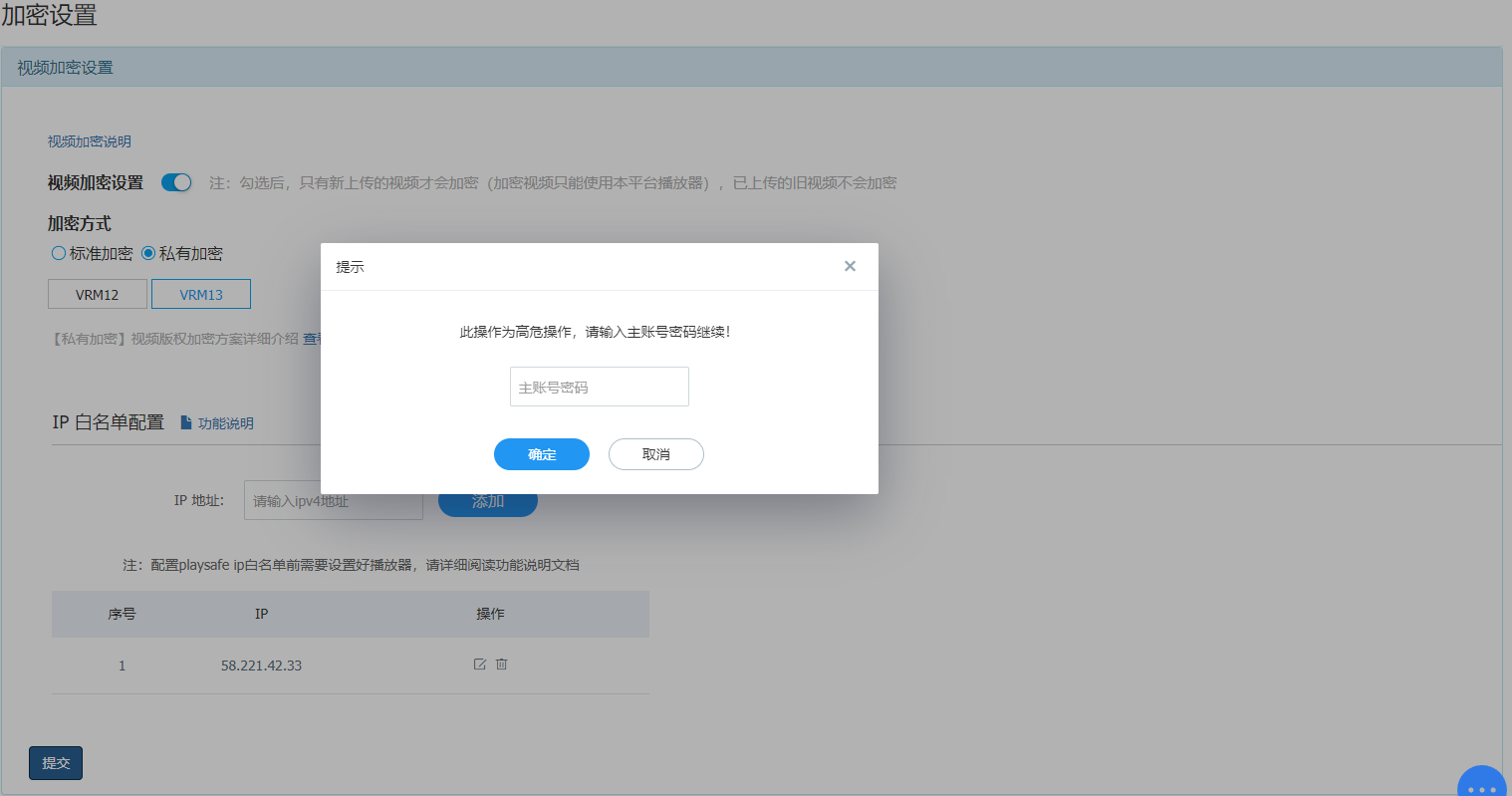
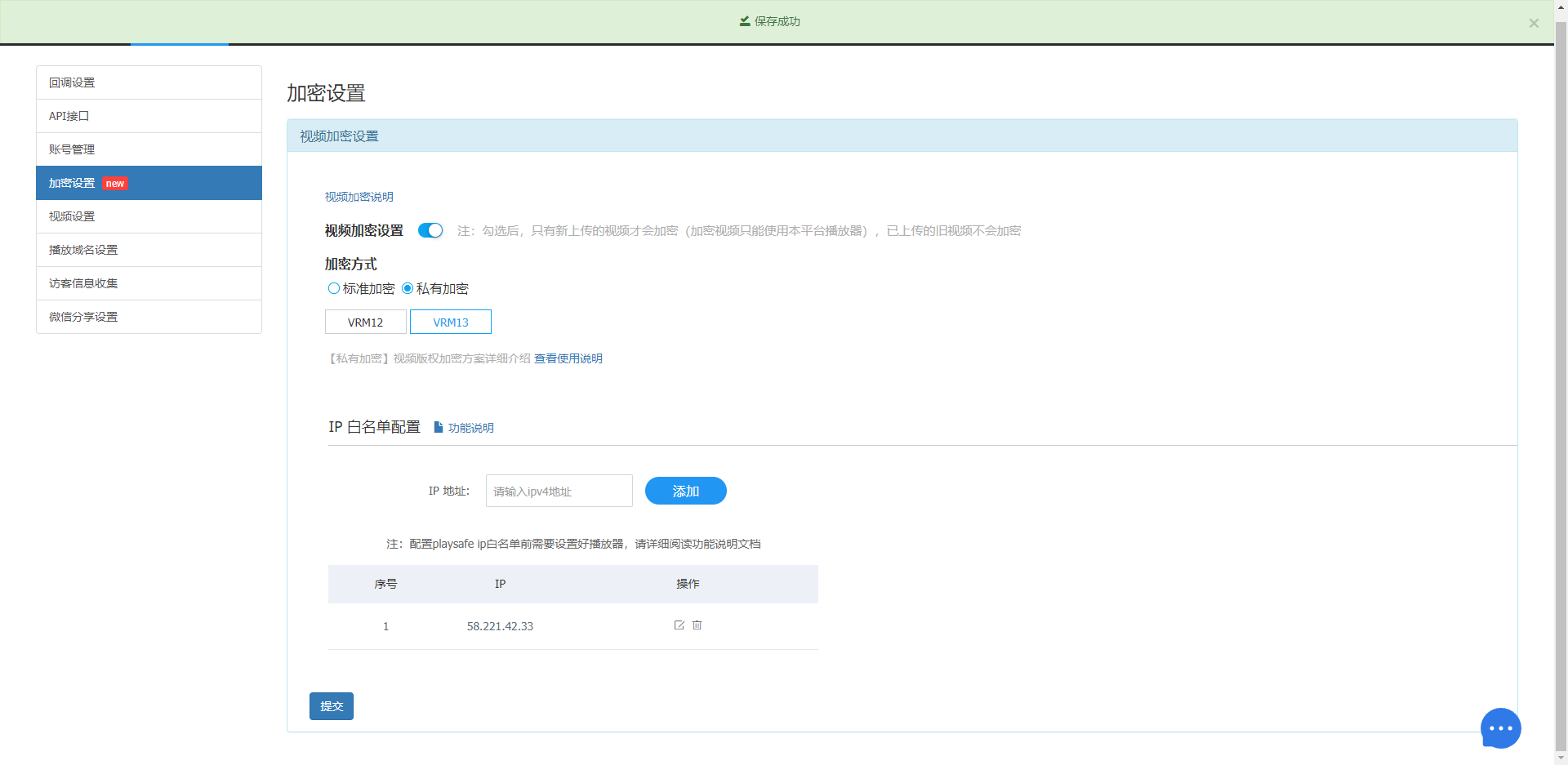
After clicking Add, the IP address you added will appear in the list below. In the action column, you can modify or delete the IP address. Click Submit and enter the login password of the primary account (or sub-account). The settings will take effect only after the correct password is entered.
5. Important Notes
- The maximum number of IP addresses is 10.
- IP addresses take effect immediately after submission.
- The minimum mobile SDK version required is 2.17.0. You must force an upgrade of the SDK version; otherwise, videos cannot be played on mobile devices.
- For player-side settings, refer to Best Practices for Copyright Protection.
