Chat Room
Updated: 2026-08-17 11:27:00
1. Feature Overview
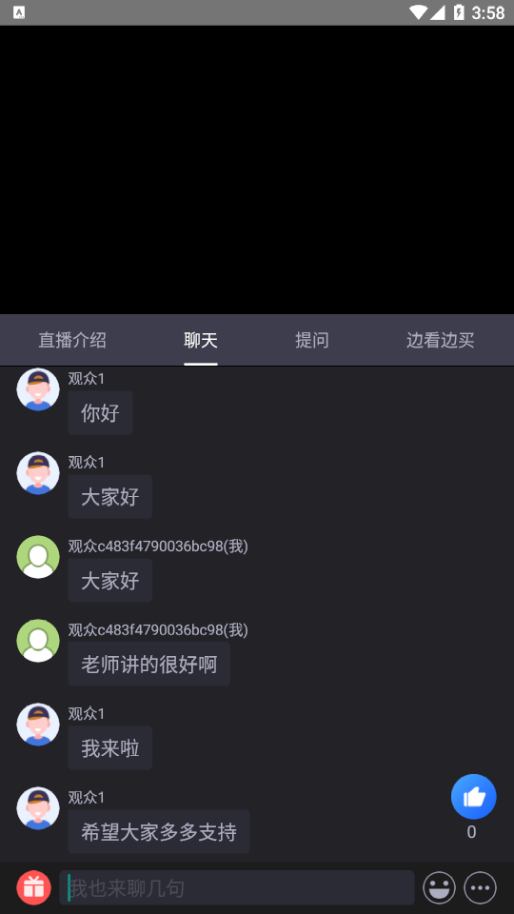
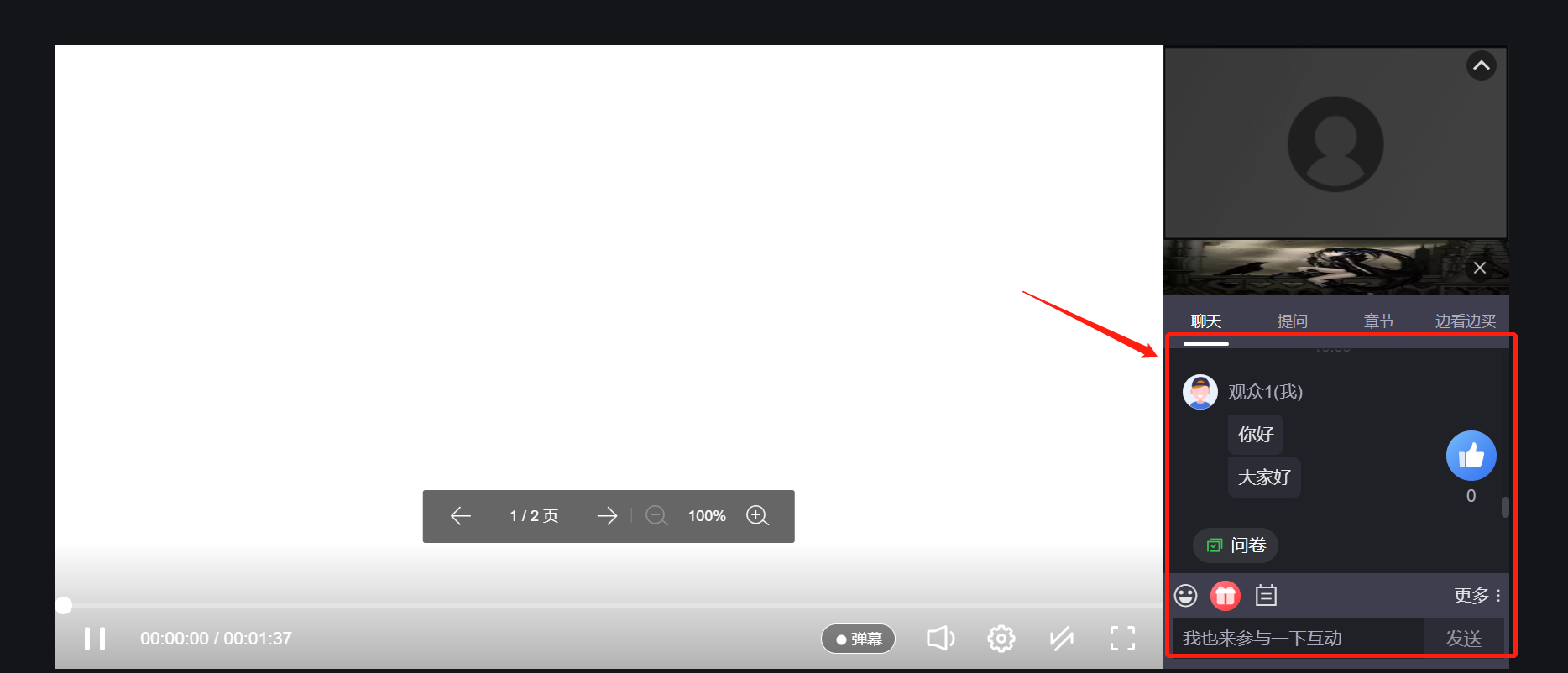
2. End-Side Mockups
3. Supported Message Types
4. Business Scope of the Chat Room
- Interactive features (Check-in, Survey, Announcement, Quiz Card, Lucky Draw, Red Packet, Like, Vote)
- Card Push
- Co-Streaming (Request to go on stage, Go off stage, Open microphone, Modify microphone status, Instructor permission settings, etc.)
- PPT, Whiteboard operations
- Switch main/secondary screen, End class, Switch instructor and co-streamer main position
- Live text & image broadcast (Create, Delete, Pin, Update text & image posts)
- Q&A (Reply to Q&A, Delete Q&A)
- Seminar group events (Interactive classroom) (Join group, End group, Set group leader, Request teacher help, Cancel teacher help, etc.)
5. End-Side Support
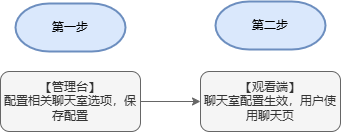
6. Backend Feature Settings
(1) Viewer Speaking & Interaction
- Viewer Speaking (When enabled, viewers can speak in the chat room)
- Quote Reply (When enabled, viewers can quickly quote and reply to messages in the chat room)
- Send Images in Public Chat (When enabled, viewers can send images in the public chat room)
- Ask a Question (When enabled, viewers can ask questions (visible only to the presenter and teaching assistant))
- Send Images in Questions (When enabled, viewers can send images in the question area)
- Q&A (When enabled, viewers can initiate Q&A (will be publicly displayed on the viewing page after approval by the presenter/teaching assistant))
- Like (When enabled, the like function will be displayed)
- Translation (When enabled, chat messages support language translation (Chinese and English only))
- View Presenter/Teaching Assistant/Guest Only (When enabled, viewers can only see messages from the presenter, guest, and teaching assistant)
- Display Online Viewer Count (When enabled, the online viewer count will be displayed on the viewer end)
(2) Message Effects
- Entry Effect (When enabled, the system automatically sends a custom message when a user enters the live room)
- Purchase Conversion Effect (When enabled, the system automatically sends a custom message when a user clicks on a product or places an order)
- Interaction Activity Effect (When enabled, the system sends a custom message when a user checks in successfully or sends a tip)
(3) Presenter/Teaching Assistant/Guest Management
- Pin Message to Screen (When enabled, supports displaying chat messages as pop-ups in the live stream)
- Remind (When enabled, presenters, guests, and teaching assistants can remind each other (this feature is only supported for client and web broadcasting))
- Classroom Incentive (When enabled, presenters, guests, and teaching assistants can like students during co-streaming or chat to enhance viewer engagement and fun)
- Like Message Prompt (When enabled, when a viewer likes, a prompt is added in the chat room: "Viewer XX thinks the host is doing great")
- Attendance List (When enabled, after configuring the whitelist on the "Viewing Restrictions" page, the attendance and absence lists can be viewed in the live room)
- Display Online Count for Presenter End (When enabled, the online count will be displayed on the presenter end)
(4) Others
- Custom Message (When enabled, allows customizing the chat message sending style. Only supported via SDK integration; not supported on the presenter end)
- Collect Survey on Stream End (When enabled, the survey will be automatically collected when the live stream ends)
- Stop Quiz Card on Stream End (When enabled, the quiz card interaction will automatically stop when the live stream ends)