


Overview
Product Introduction
The Player SDK is a key component of POLYV's cloud video service. Based on POLYV's powerful backend capabilities and video processing technology, it provides users with simple, fast, secure, and stable video playback services. The Player SDK is deeply integrated with POLYV's cloud video business, offering features such as encrypted playback, screen recording prevention, quality and route switching, embedded ads, three-panel teaching, trial viewing, and data statistics. It covers a variety of application scenarios, allowing users to focus on their business development while enjoying an ultra-fast, high-definition playback experience.
This document introduces the Web Player for POLYV's cloud video-on-demand service. By providing a simple and convenient embedding method along with flexible interfaces, it helps developers quickly integrate with their own web applications to implement video playback functionality.
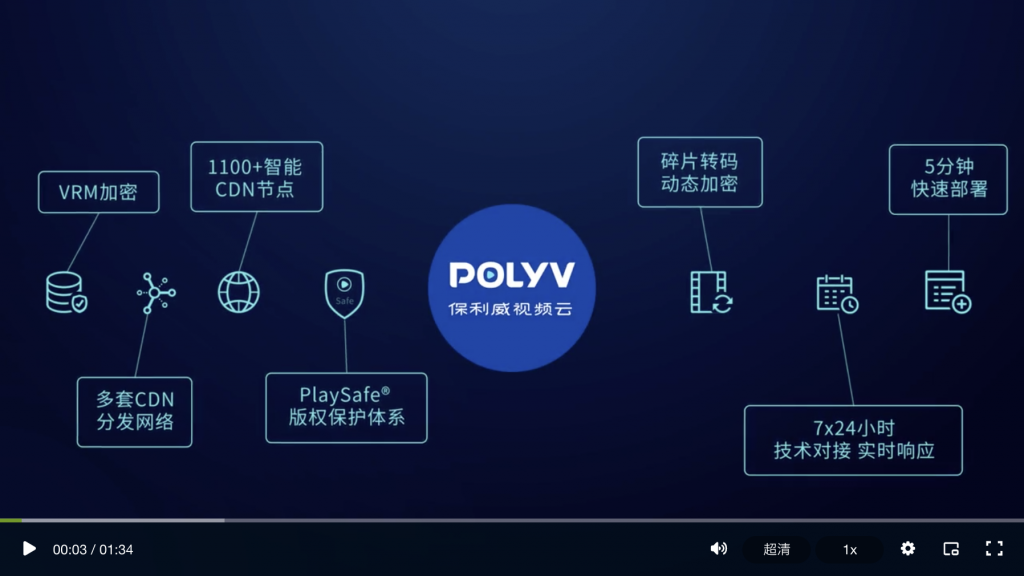
Core Advantages
- Simple and Easy to Integrate: With a unified embedding code, videos can be played using only the video ID, enabling rapid integration with your own business.
- Rich Features: In addition to basic playback functions, the player integrates commonly used video-related business features, significantly reducing the development workload for users.
- Industry-Leading Video Copyright Protection System: Provides comprehensive security for videos at multiple levels, including video encryption, anti-theft streaming, and anti-recording. For details, see: PlaySafe Video Copyright Protection System.
- Cloud-Client Integration: Encryption on the cloud and decryption on the client ensure video security. Data collected on the client and analyzed on the cloud supports business operations.
- Full Terminal Compatibility: Smart switching between PC H5, Flash, and mobile H5 players, adapting to almost all terminal devices and browsers.
Feature List
| Feature | Description |
|---|---|
| Format and Encoding | Supports MP4, HLS (M3U8), FLV, POLYV's proprietary encrypted video format, and MP3 audio format. Supports H.264 video encoding and AAC audio encoding. |
| Player Skin | The Web Player includes multiple complete skin UIs, which can be selected and customized in the VOD management backend: Player > Skin Settings. |
| Cover Image | Supports setting a cover image before video playback. |
| URL Playback | In addition to playing videos via the VOD-provided vid method, supports URL-based playback of local and network videos. Supported file formats depend on the current browser. |
| Playback Control | Supports preloading, autoplay, play/pause, progress dragging, fullscreen playback, loop playback, and video switching. |
| Volume Adjustment | Supports real-time adjustment of system volume. |
| Quality Switching | Supports switching between multiple quality streams after video transcoding. The player has a built-in automatic retry mechanism; if playback fails for one quality, it attempts to switch to another. |
| Multi-Route Switching | Supports switching between multiple CDN routes. The player has a built-in automatic retry mechanism; if playback fails on one CDN route, it attempts to switch to another. |
| Speed Playback | Supports switching video playback speed from 0x to 3x. |
| Audio/Video Switching | If the account has enabled additional audio transcoding, supports switching between video and audio modes. |
| Resume Playback | Continues playback from the point where it last ended. |
| Player Logo | Supports setting a custom player logo for brand exposure. |
| Intro/Outro Playback | Supports setting image or video intros and outros. |
| Embedded Ads | Supports embedding intro, outro, pause, and popup ads. |
| Image/Text Promotion | Supports embedding image and text promotion links. |
| Video Trial Viewing | Supports trial viewing; playback stops after reaching the set preview duration. |
| Sub-Video Playback | Plays a segment of a video (without creating a new video). |
| Watch Password | Supports requiring a correct password to watch the video. |
| Playback Domain Verification | Supports setting a whitelist or blacklist for playback domains. |
| Authorized Playback | Supports the player requesting a custom authorization interface; playback is only allowed upon successful authorization. |
| Watermark | Supports displaying set text content irregularly over the video for anti-recording, information prompts, etc. |
| Encrypted Video Playback | Supports playing encrypted videos after VOD transcoding and segment encryption. |
| Browser Screen Recording Prevention | Automatically stops playback when detecting screen recording by the browser itself or third-party browser plugins. |
| Video Markers | Supports adding marker information to videos and displaying corresponding marks on the player progress bar, helping viewers quickly locate important content. |
| Bilingual Subtitles | Supports custom styling for uploaded subtitle files and displaying bilingual subtitles. |
| Danmaku (Bullet Comments) | Supports sending and displaying danmaku messages. |
| Quiz Pop-ups | Supports popping up quiz questions during playback. |
| Three-Panel Courseware | Supports three-panel display of video, courseware (PPT, PDF format), and courseware outline. |
| Viewer Information Collection | Supports setting an information registration form; viewers must register before continuing to watch the video. |
| Custom Right-Click Menu | Supports customizing the player's right-click menu options, supporting both link and function types. |
| Video Screenshot | Supports capturing any frame of the video playback screen. |
| Picture-in-Picture | Supports the video "popping out" of the browser and floating on top of the screen. |
| One-Click Sharing | Supports one-click sharing to social platforms like WeChat and Weibo. |
| Internationalization | Supports Chinese and English. |
| VR Video Playback | Supports playing VR videos. |
| Statistics | Supports reporting viewing behavior data, viewable in the management backend. |
