Audience Information Settings and Statistics
Updated: 2023-12-09 15:34:06
The Polyv Web Player supports setting audience information parameters. Once configured, the audience information will be attached to the viewing logs reported by the player, allowing users to view specific audience members' video-watching activity through the management console's statistics page or server-side API.
1. Audience Information Settings
The following code example demonstrates how to set audience information parameters in the player:
<div id="player"></div>
<script src="//player.polyv.net/resp/vod-player/latest/player.js"></script>
<script>
var player = polyvPlayer({
    wrap: '#player',
    width: 800,
    height: 533,
    vid: '88083abbf5bcf1356e05d39666be527a_8',
    viewerInfo: {
        viewerId: '1555313336634', // 观众ID
        viewerName: 'polyv', // 观众昵称
        viewerAvatar: 'https://my.domain.com/user/avatar.png', // 观众头像URL
        viewerExtraInfo1:'', // 自定义额外信息字段1
        viewerExtraInfo2:'', // 自定义额外信息字段2
        viewerExtraInfo3:'' // 自定义额外信息字段3
     }
});
</script>
viewerinfo Parameter Field Description
| Name | Type | Description |
|---|---|---|
| viewerId | String | Audience ID |
| viewerName | String | Audience nickname |
| viewerAvatar | String | Audience avatar image URL |
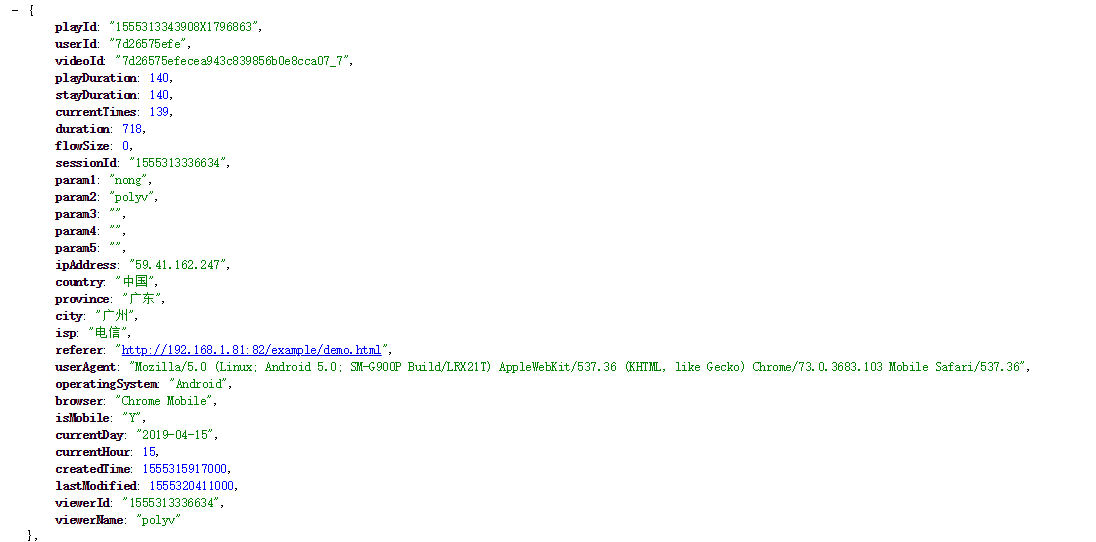
| viewerExtraInfo1 | String | Custom extra information field 1, corresponds to the param3 field in viewing logs |
| viewerExtraInfo2 | String | Custom extra information field 2, corresponds to the param4 field in viewing logs |
| viewerExtraInfo3 | String | Custom extra information field 3, corresponds to the param5 field in viewing logs |
2. Viewing Statistics
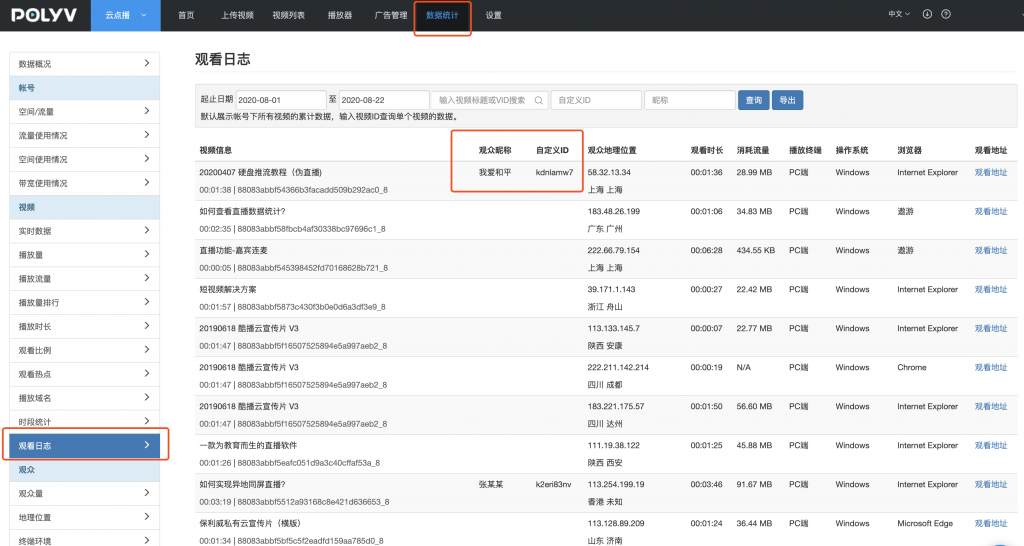
1. Via the Management Console
Viewing Logs:
Advanced Analytics:
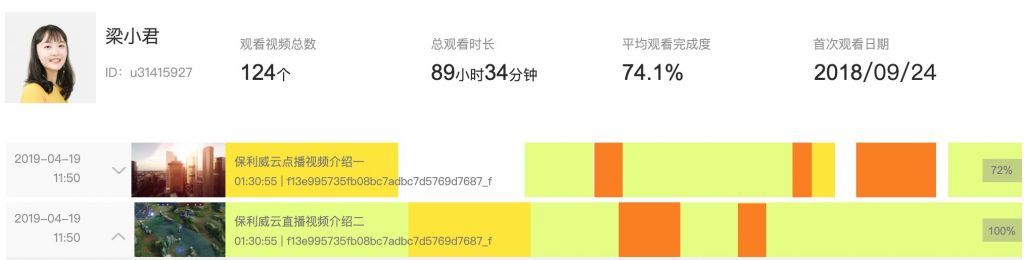
For a detailed introduction to the video advanced analytics feature, please click here.
2. Via Server-Side API
Users can call the Get Video Logs API to obtain information such as viewerId and viewerName from each viewing record returned by the API, enabling them to track audience members' video-watching activity.