Virtual Background
Updated: 2026-08-17 11:27:00
I. Feature Overview
Feature Info |
Description |
|---|---|
| Feature Name | Virtual Background |
| Feature Description | Virtual background is a feature that uses image processing technology to separate the person from the background in a live stream and replace it with a custom background. It can replace the real background with a virtual image in real time. |
| Purpose | Protect privacy, enhance visual effects, create atmosphere, match backgrounds, improve viewer experience, overcome environmental limitations, etc. |
| Use Cases | Various seminars |
| Operation Path | 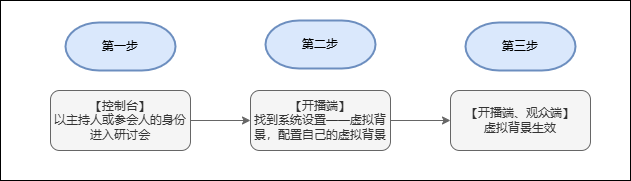 |
| Notes | 1. Ensure this feature is enabled; contact sales to activate it. 2. Web platform system and configuration requirements are as follows: 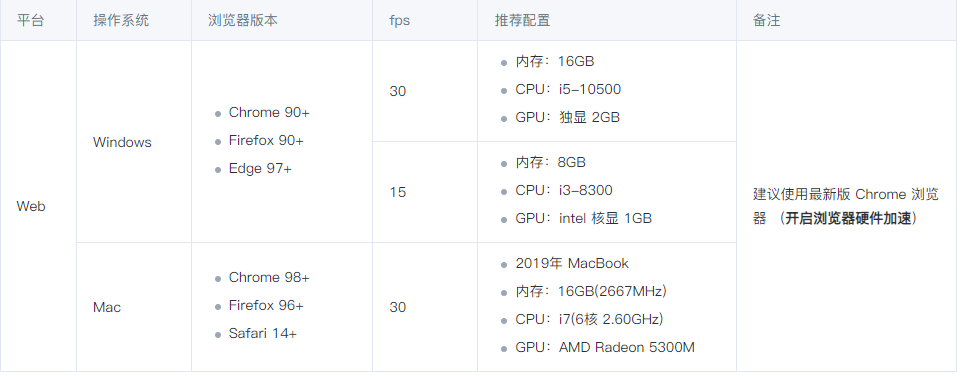 |
II. Operation Steps
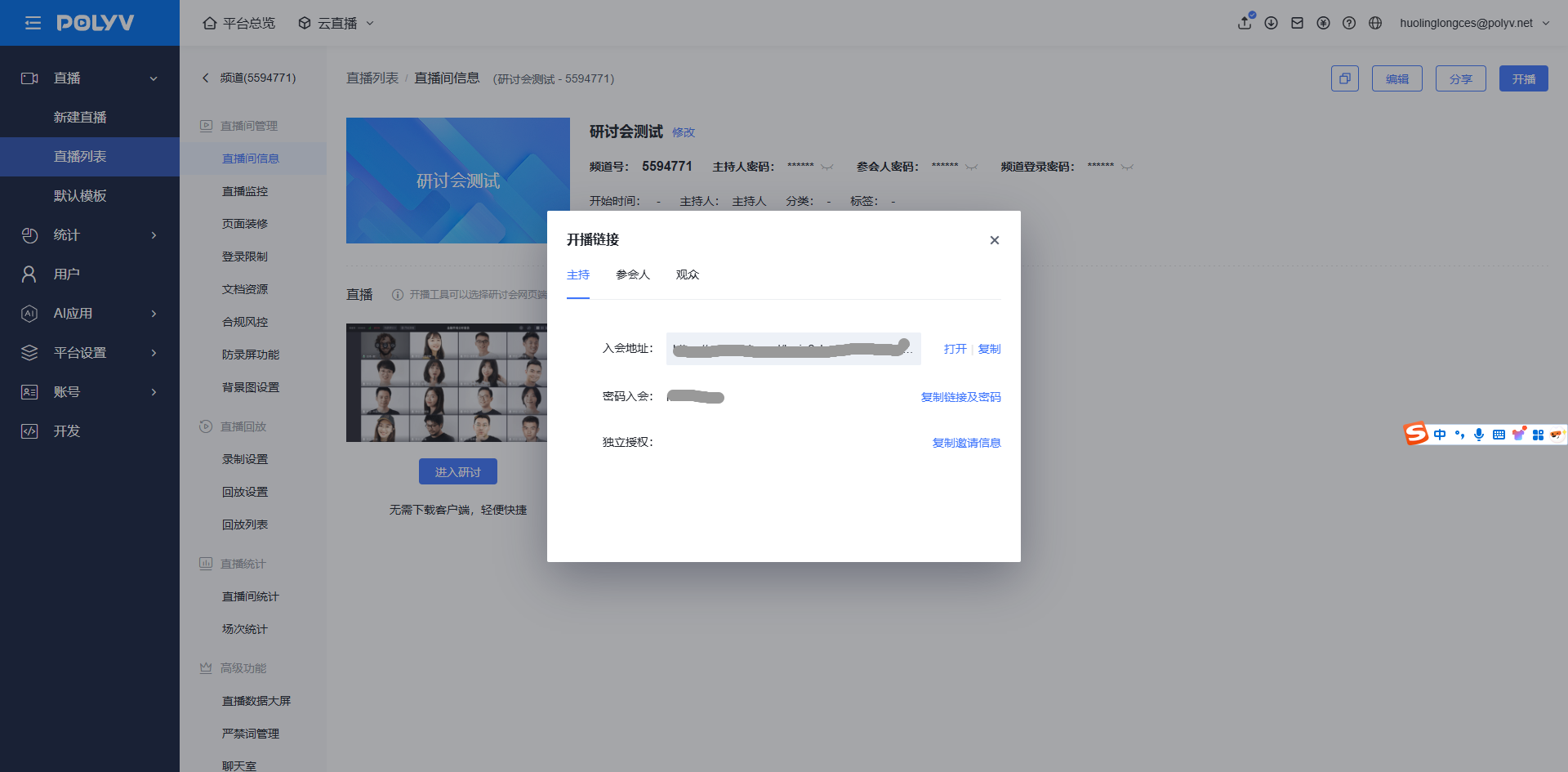
Step 1: Enter the seminar management backend, open the live stream link popup, and join the seminar as a host or participant.
Step 2: Locate the top-right corner — System Settings — Virtual Background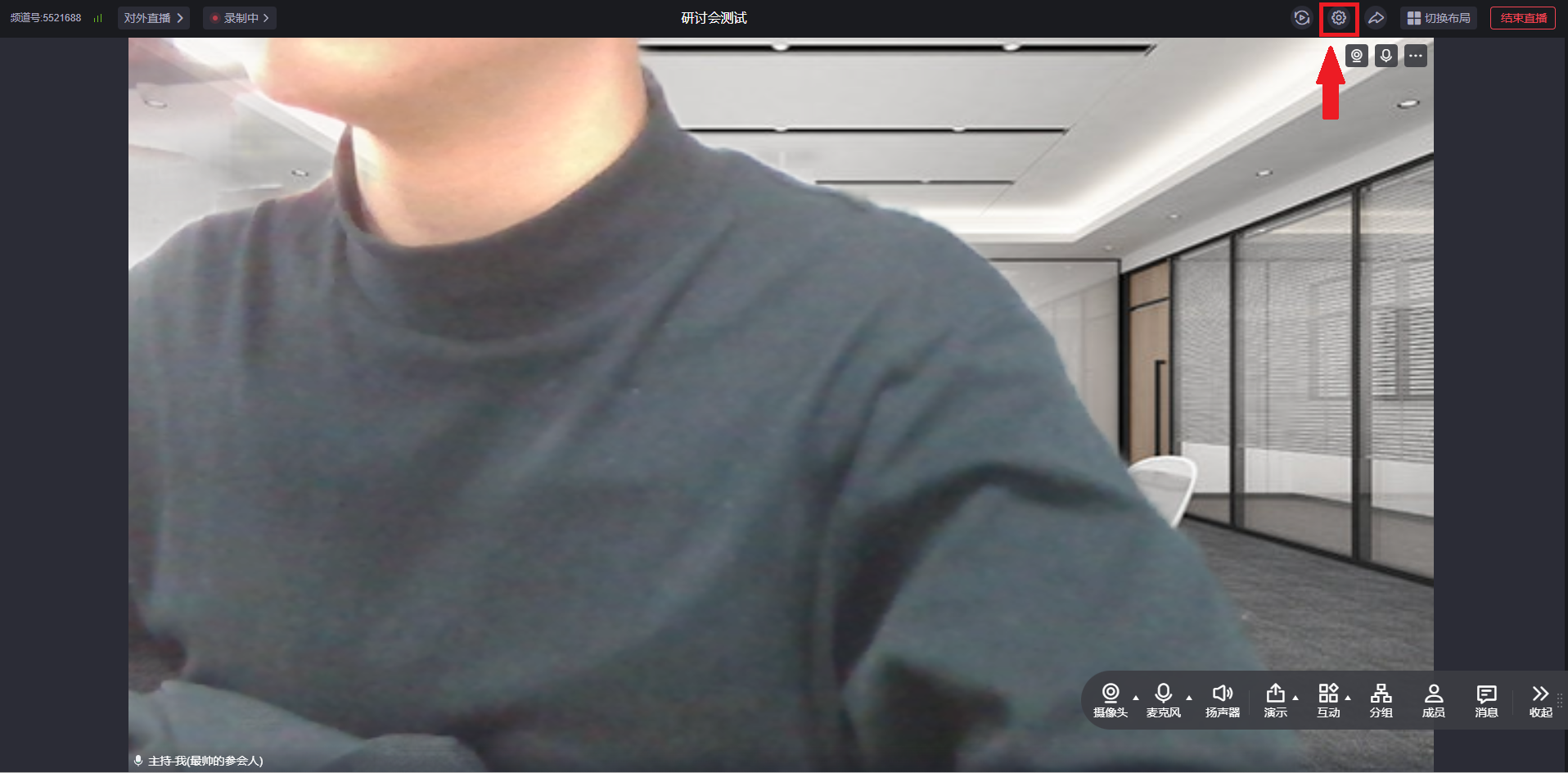
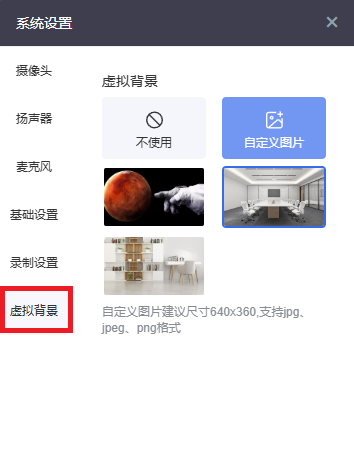
Step 3: You can upload a custom background image or select an existing background image as the virtual background.
III. Effect Display
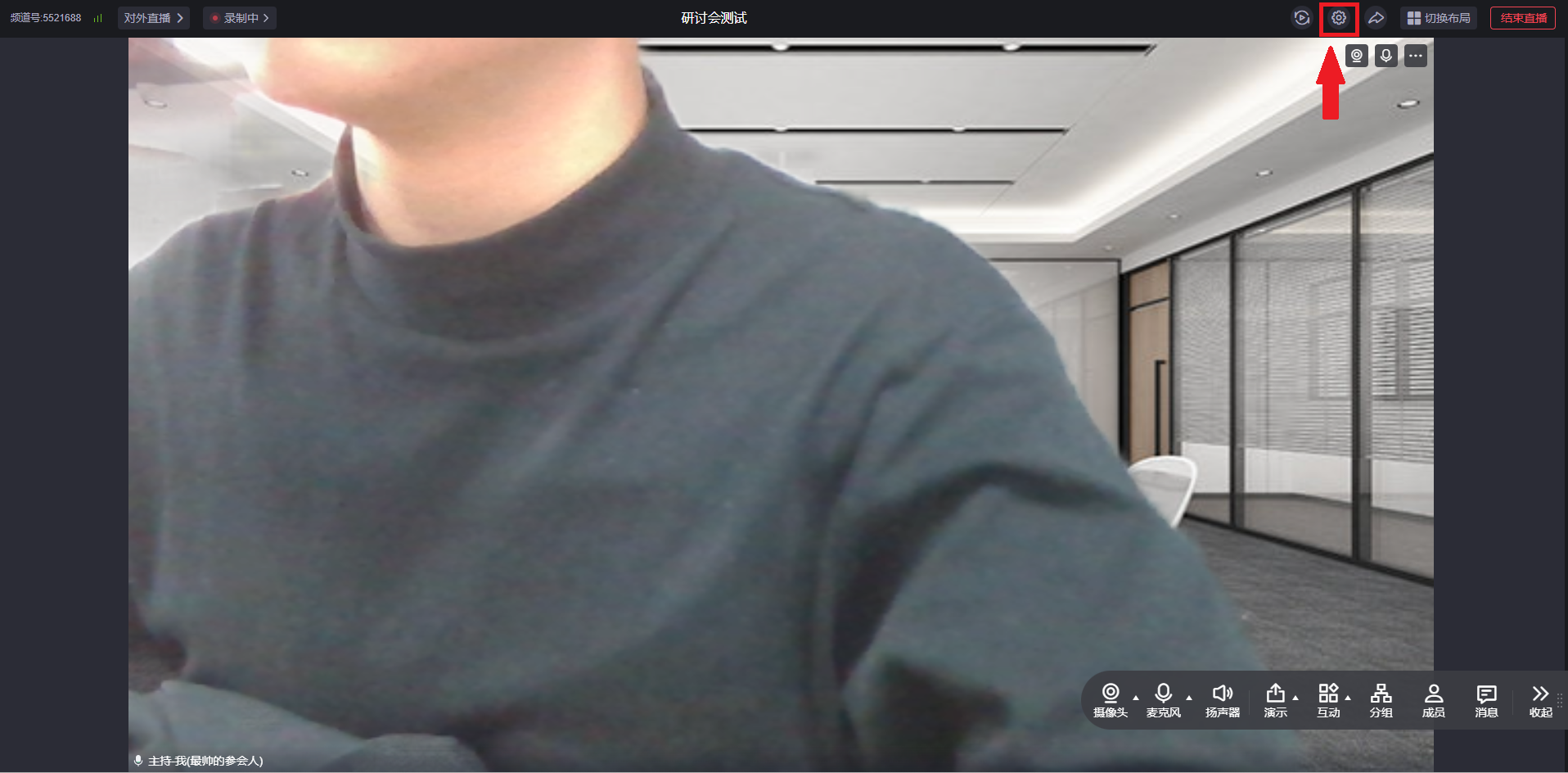
Web Display
Mobile Display
<img src="https://liveimages.videocc.net/help_doc/173e7567-f045-4a4d-9eee-3435f43a4680.jpg"" alt="" width="40%">