


Virtual Background
Updated: 2024-06-21 18:34:41
1. Feature Description
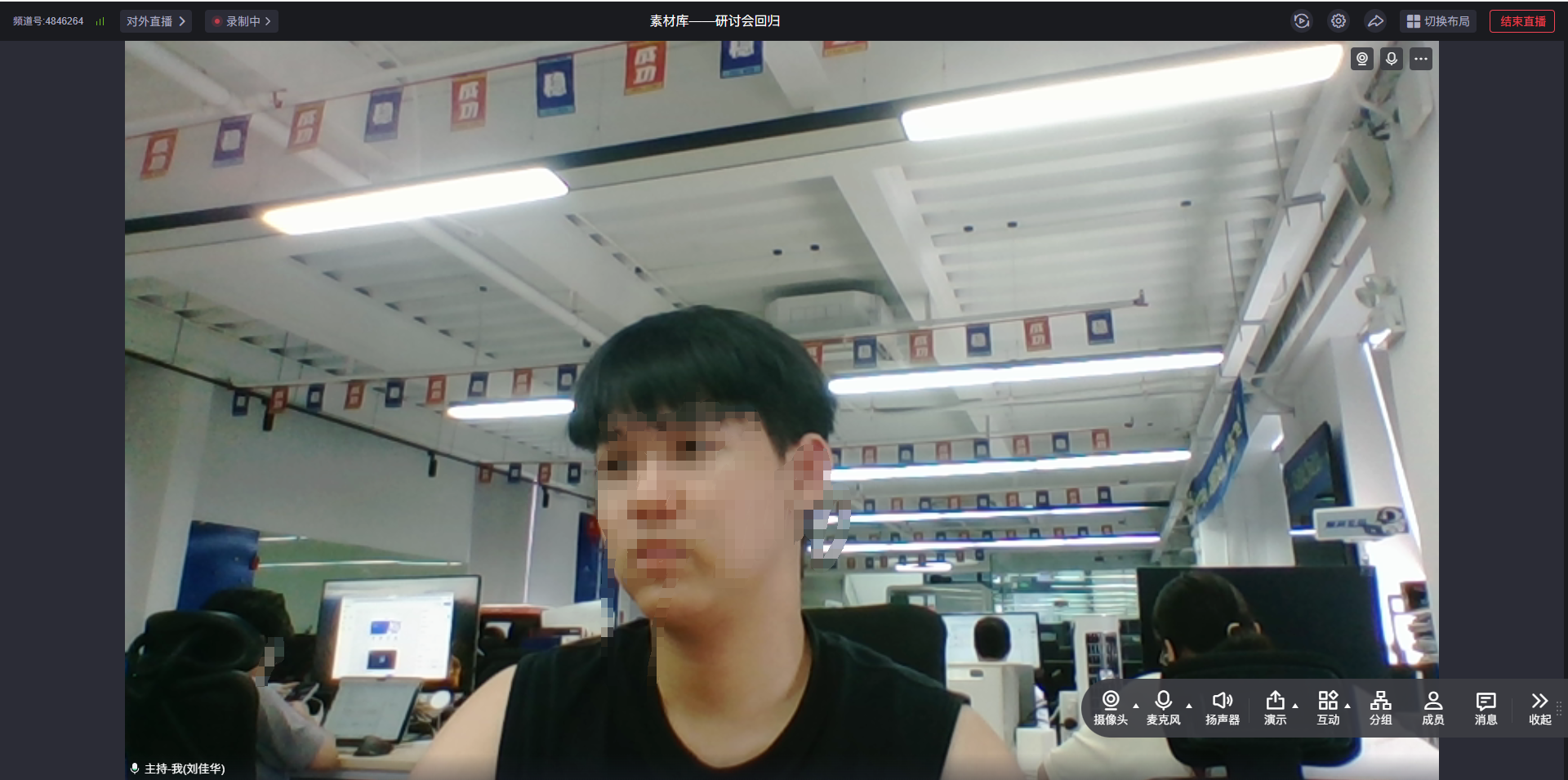
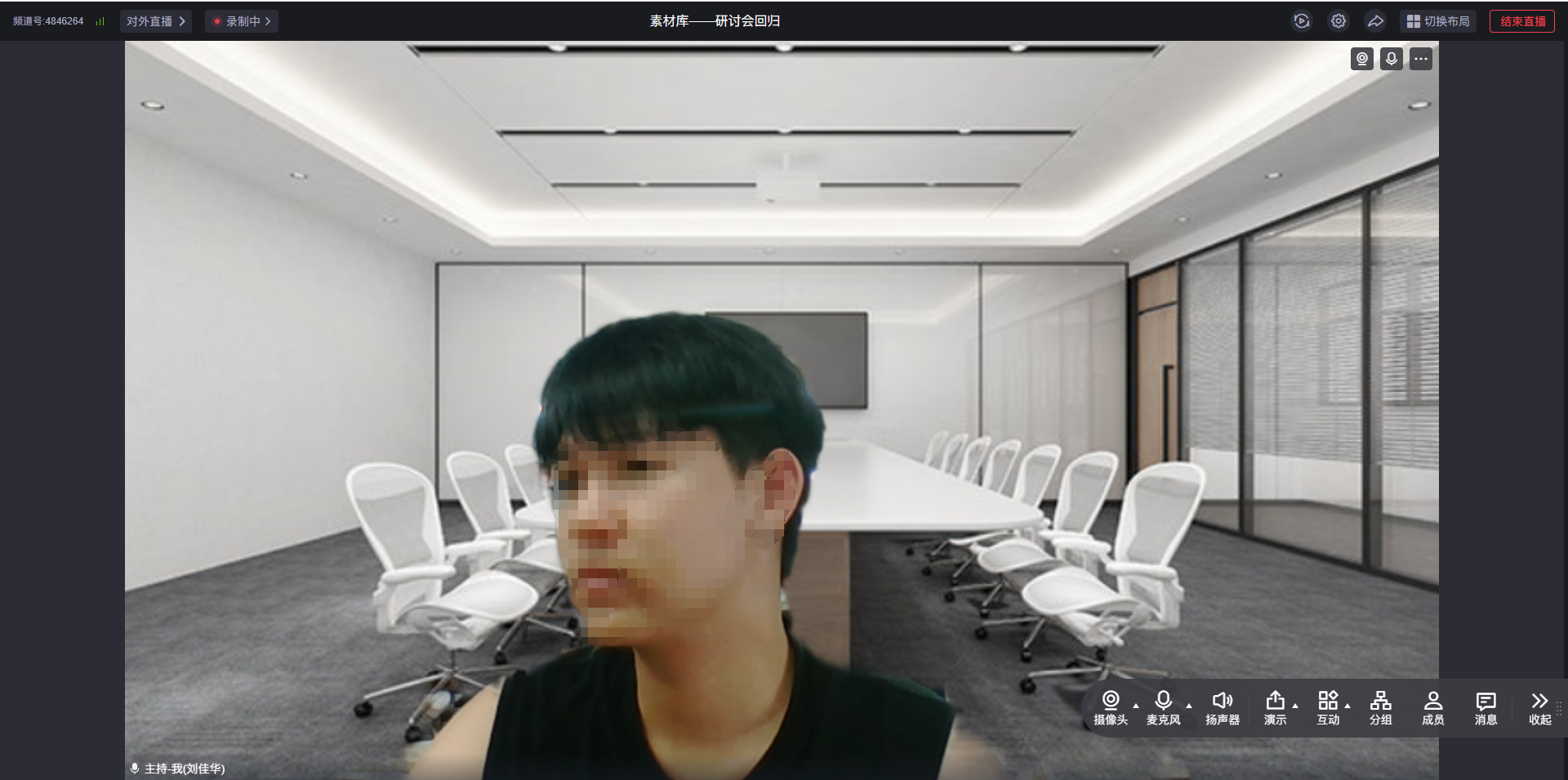
This article explains how to implement the virtual background feature during a call. The feature is demonstrated below:
| Original Camera | Background Image |
|---|---|
 |
 |
2. Prerequisites
Ensure the feature is enabled. Contact sales to activate it.
TRTC Web SDK version >= 5.2.0.
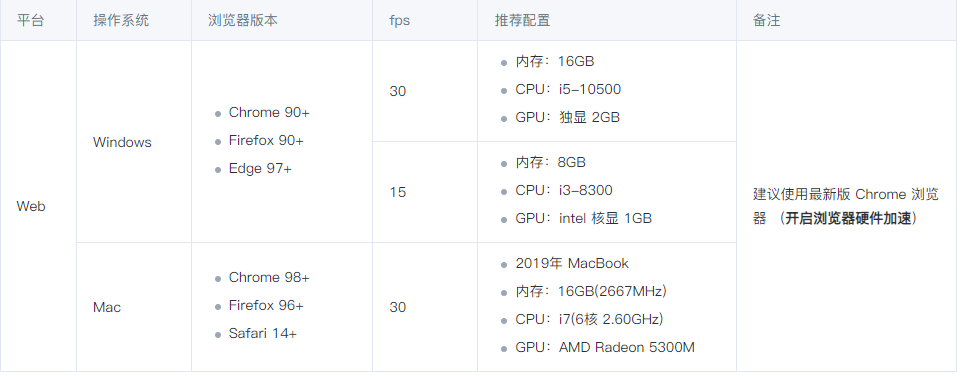
Web platform system and configuration requirements are as follows:
3. Steps
1. Import and Register the Plugin
import { VirtualBackground } from 'trtc-sdk-v5/plugins/video-effect/virtual-background';

let trtc = TRTC.create({ plugins: [VirtualBackground] });
2. Enable the Local Camera
await trtc.startLocalVideo();
3. Enable the Virtual Background Plugin
await trtc.startPlugin('VirtualBackground', {
  sdkAppId: 123123,
  userId: 'userID_123',
  userSig: 'your_userSig'
});
4. Update Parameters as Needed
// 改为图片背景
await trtc.updatePlugin('VirtualBackground', {
  type: 'image',
  src: 'https://picsum.photos/seed/picsum/200/300'
});
5. Disable the Virtual Background
await trtc.stopPlugin('VirtualBackground');
4. API Description
trtc.startPlugin('VirtualBackground', options)
Used to enable the virtual background.
| Name | Type | Attributes | Description |
|---|---|---|---|
| sdkAppId | number | Required | Current application ID |
| userId | string | Required | Current user ID |
| userSig | string | Required | UserSig corresponding to the user ID |
| type | string | Optional | imageImage backgroundblurBlur background (default) |
| src | string | Required when type is image |
Image URL, e.g., https://picsum.photos/seed/picsum/200/300 |
| onError | (event) => {} | Optional | Callback for errors during execution. event.extraCode=10000003: Long rendering time. event.extraCode=10000006: Insufficient browser feature support, may cause lag. Recommended handling methods can be found in FAQ |
Example:
await trtc.startPlugin('VirtualBackground', {
  sdkAppId: 123123,
  userId: 'userID_123',
  userSig: 'your_userSig',
  type: 'image',
  src: 'https://picsum.photos/seed/picsum/200/300'
});
trtc.updatePlugin('VirtualBackground', options)
Modifies virtual background parameters.
options
| Name | Type | Attributes | Description |
|---|---|---|---|
| type | string | Optional | imageImage backgroundblurBlur background (default) |
| src | string | Required when type is image |
Image URL, e.g., https://picsum.photos/seed/picsum/200/300 |
Example:
await trtc.updatePlugin('VirtualBackground', {
  type: 'blur'
});
trtc.stopPlugin('VirtualBackground')
Disables the virtual background.
5. FAQ
1. The image is upside down and laggy when running the Demo in Chrome?
This plugin uses GPU acceleration. You need to enable hardware acceleration mode in your browser settings. Copy chrome://settings/system to the browser address bar and turn on hardware acceleration mode.
2. High latency and long rendering time prompt due to insufficient device performance?
You can reduce the video resolution or frame rate by listening to events.
function onError(event) {
    const { extraCode } = event;
    if (extraCode === 10000003 || extraCode === 10000006) {
        // 降低分辨率帧率
        await trtc.updateLocalVideo({
            option: {
                profile: '480p_2'
            },
        });
        // await trtc.stopPlugin('VirtualBackground'); // 或者关闭插件
   }
}

await trtc.startPlugin('VirtualBackground', {
    ...// 其他参数
    onError,
});
