Login Restrictions
Updated: 2026-08-17 11:27:00
I. Feature Overview
Feature Info |
Description |
|---|---|
| Feature Name | Login Restrictions |
| Feature Description | Login restrictions are a feature in webinars used to limit host or participant access. By setting different encryption methods and access conditions, administrators can flexibly manage how participants join the session, ensuring only authorized users can enter the live room. Login restrictions include keys, passwords, whitelists, and custom authorization. |
| Purpose | Ensure privacy and security, strictly limit attendees |
| Use Cases | Internal company meetings, private events, invitation-only meetings, executive seminars, etc. |
| Operation Path |
II. Usage Instructions
- First, enter the webinar management backend and locate the Login Restrictions button.
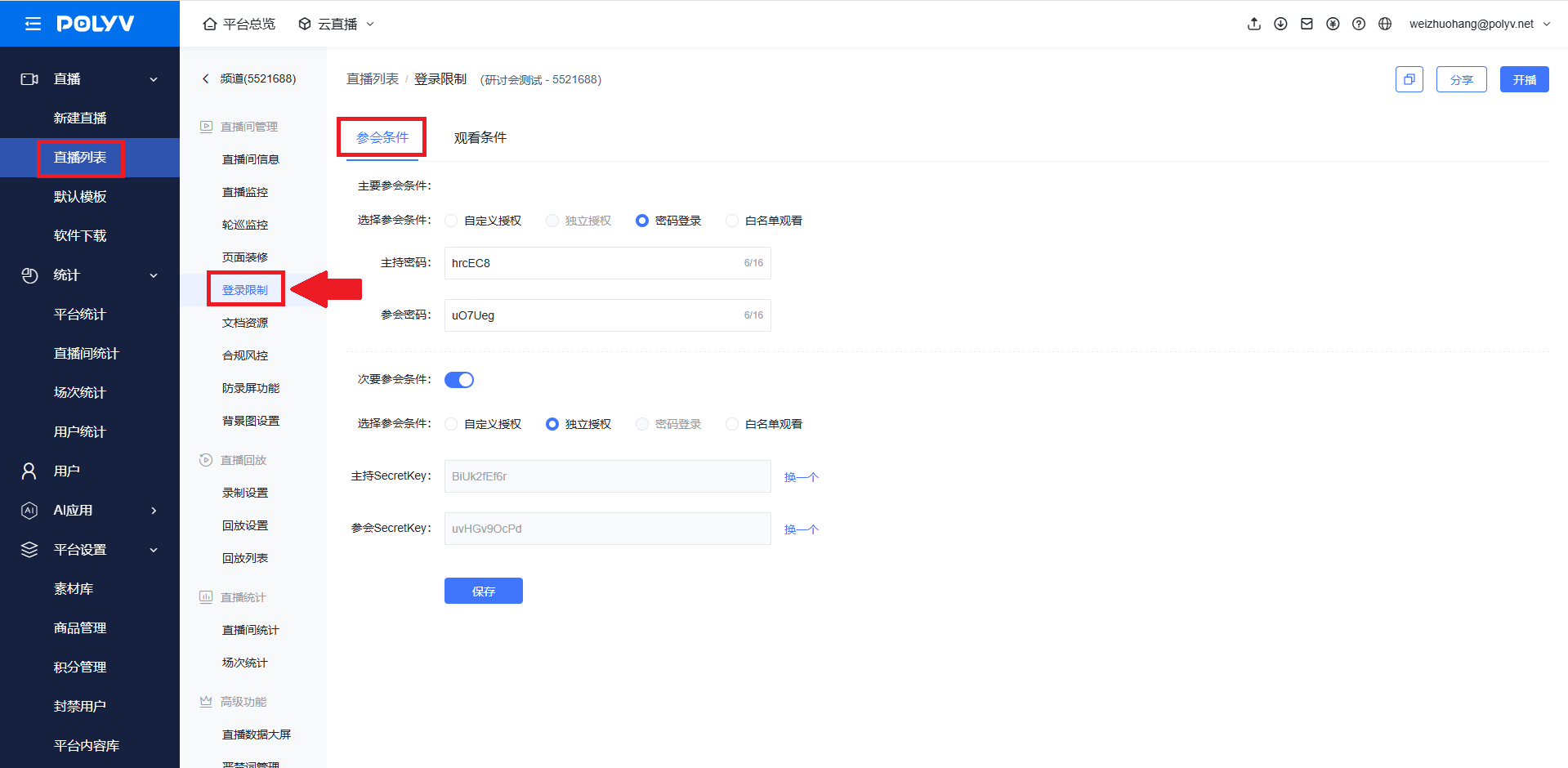
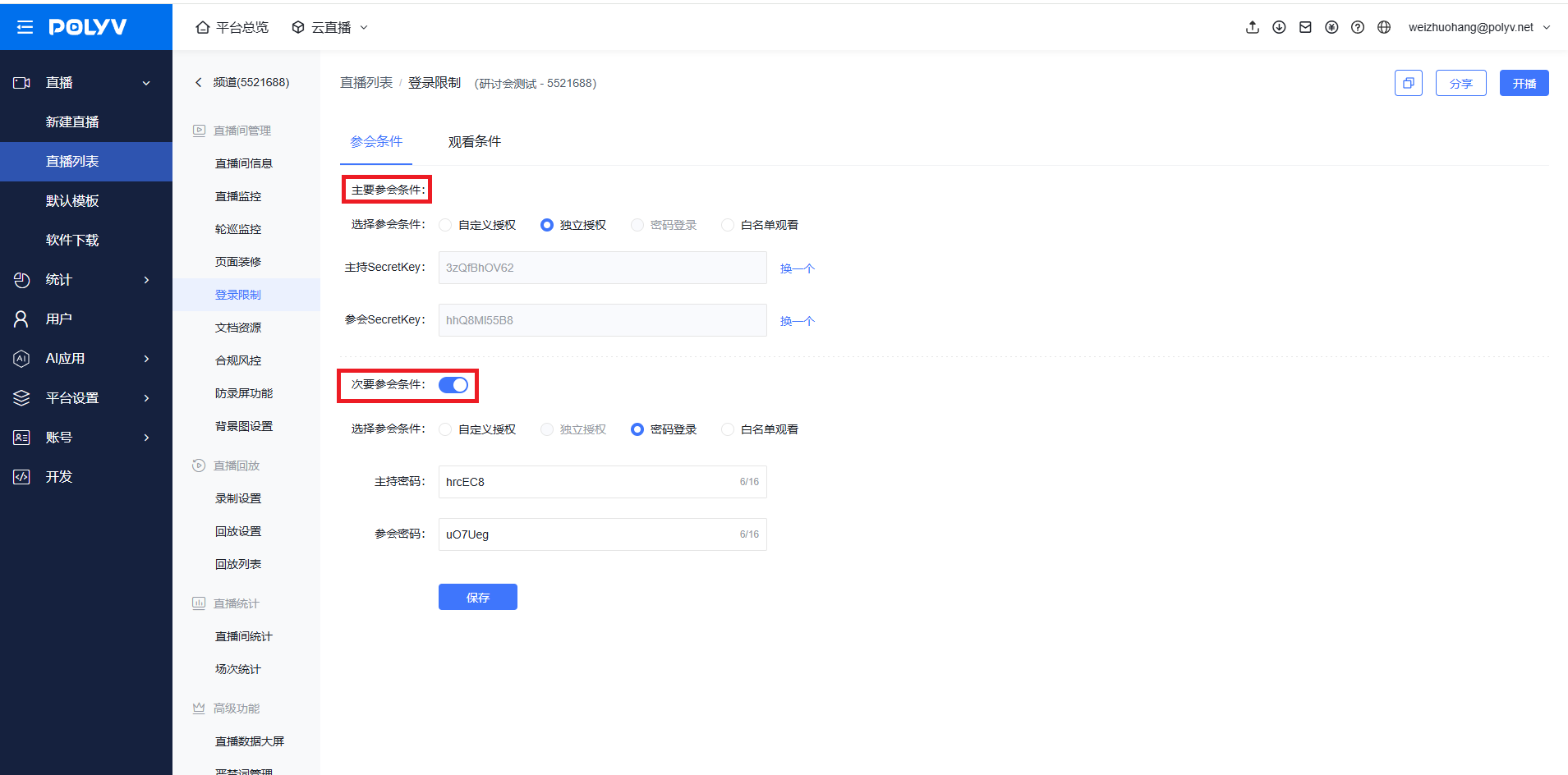
- Here, you can select primary and secondary access conditions. The primary and secondary access conditions refer to two login methods; either one can be used to log in.
Custom Authorization: Includes two keys and a customizable callback URL.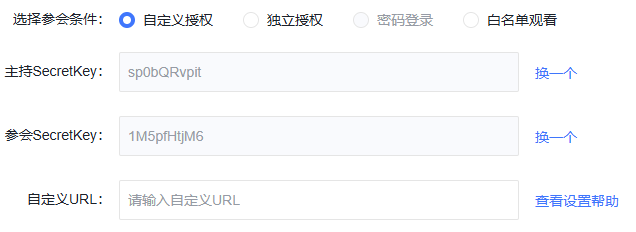
Independent Authorization: Compared to custom authorization, there is no customizable callback URL.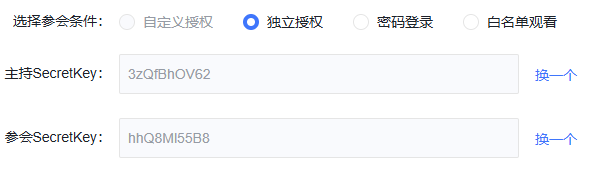
Password Login: Log in to the broadcast page using a password.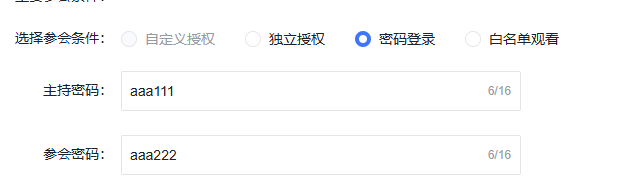
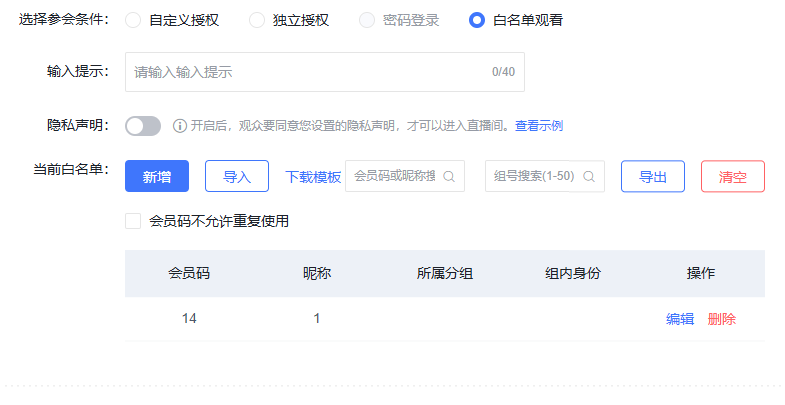
Whitelist Viewing: Add users to the whitelist for access.