Background Image Settings
Updated: 2026-08-17 11:27:00
1. Feature Overview
Feature Info |
Description |
|---|---|
| Feature Name | Background Image Settings |
| Feature Description | Set a background image behind the co-hosting window on the viewer page for the audience to see |
| Purpose | Enhance visual effects, create scenes, build atmosphere |
| Use Cases | Conference discussions, entertainment interactions, education and training |
| Operation Path | 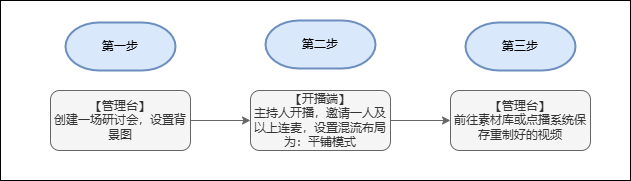 |
| Notes | The number of people in the co-hosting window depends on the actual number; the effect image is for reference only. |
2. Usage Process
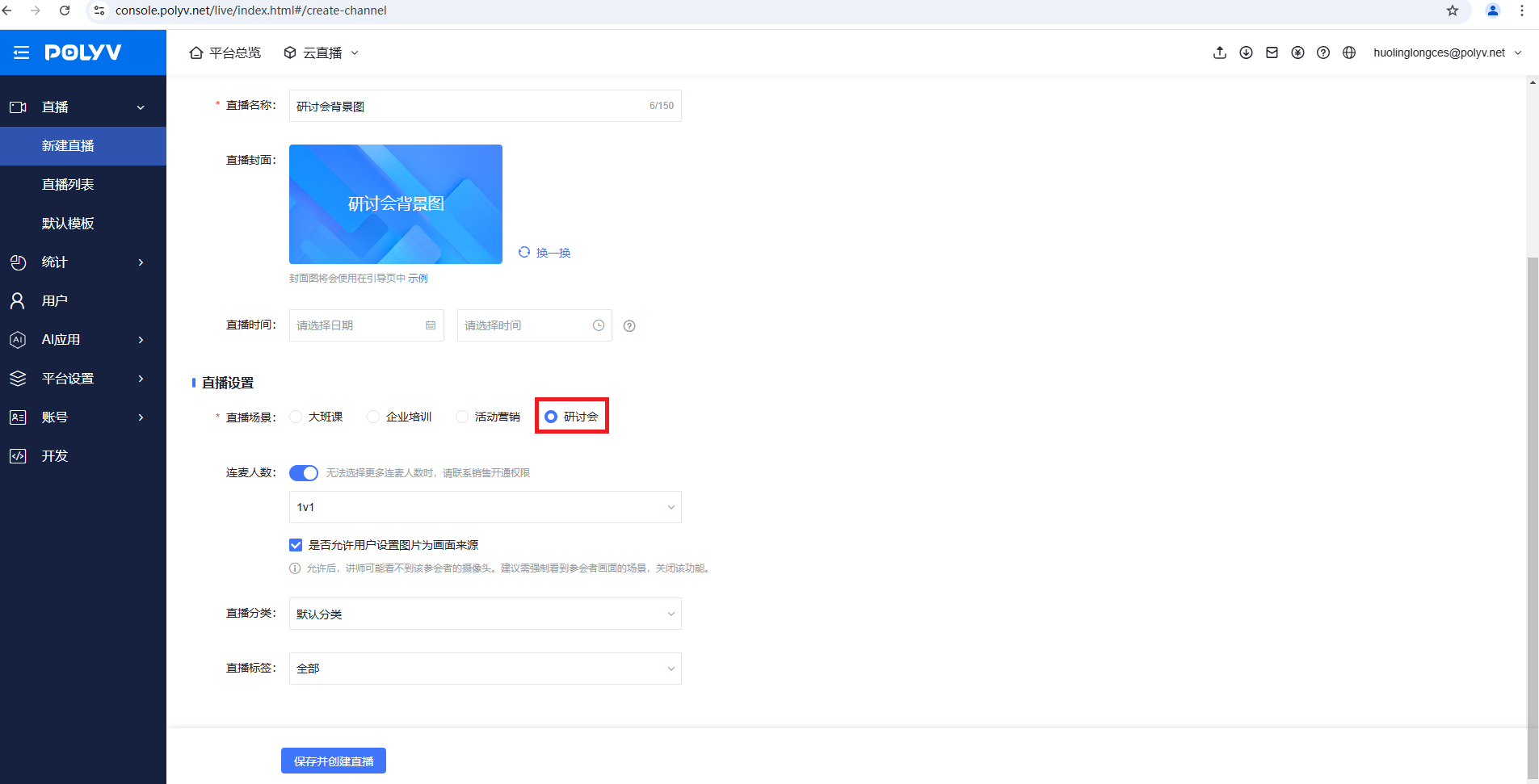
- First, create a webinar live room
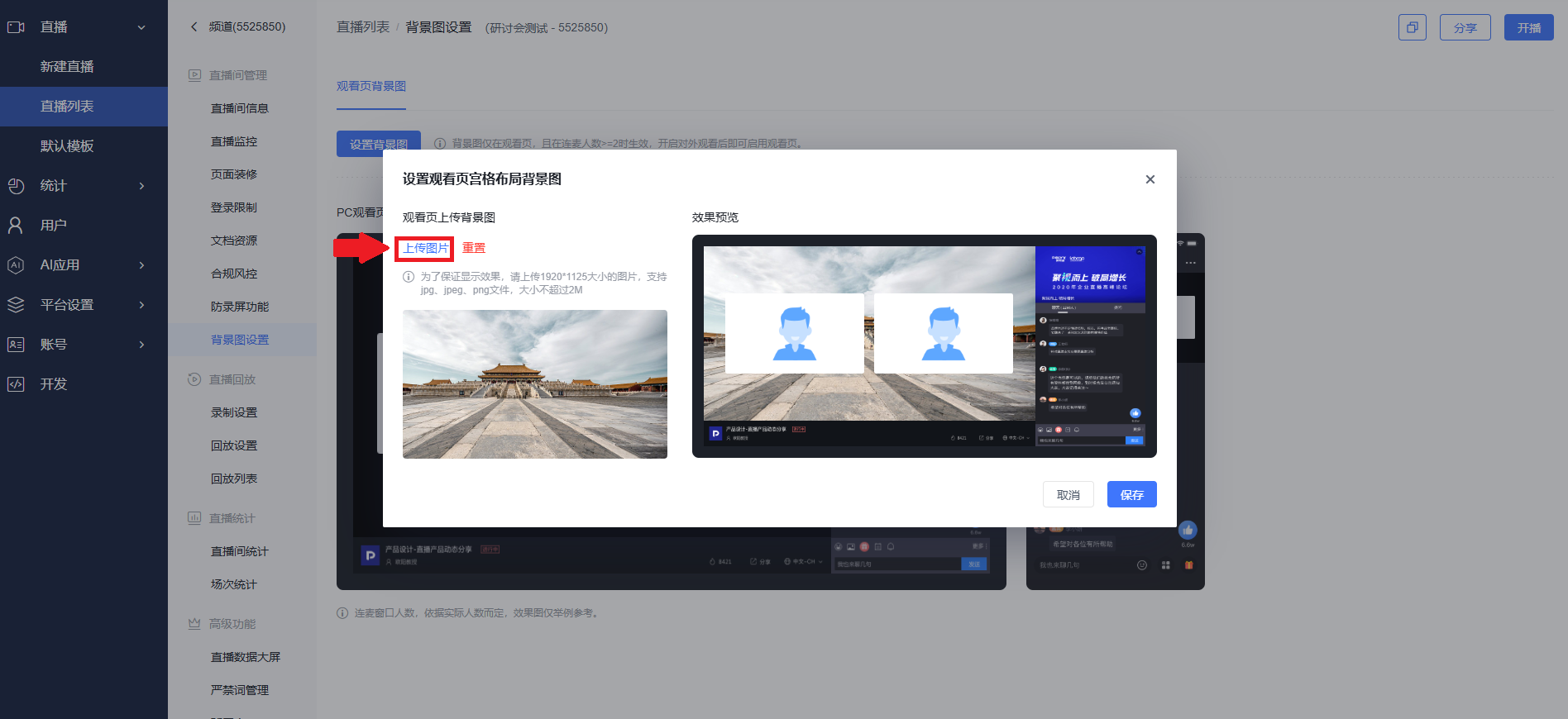
- Enter the webinar backend and find the background image settings
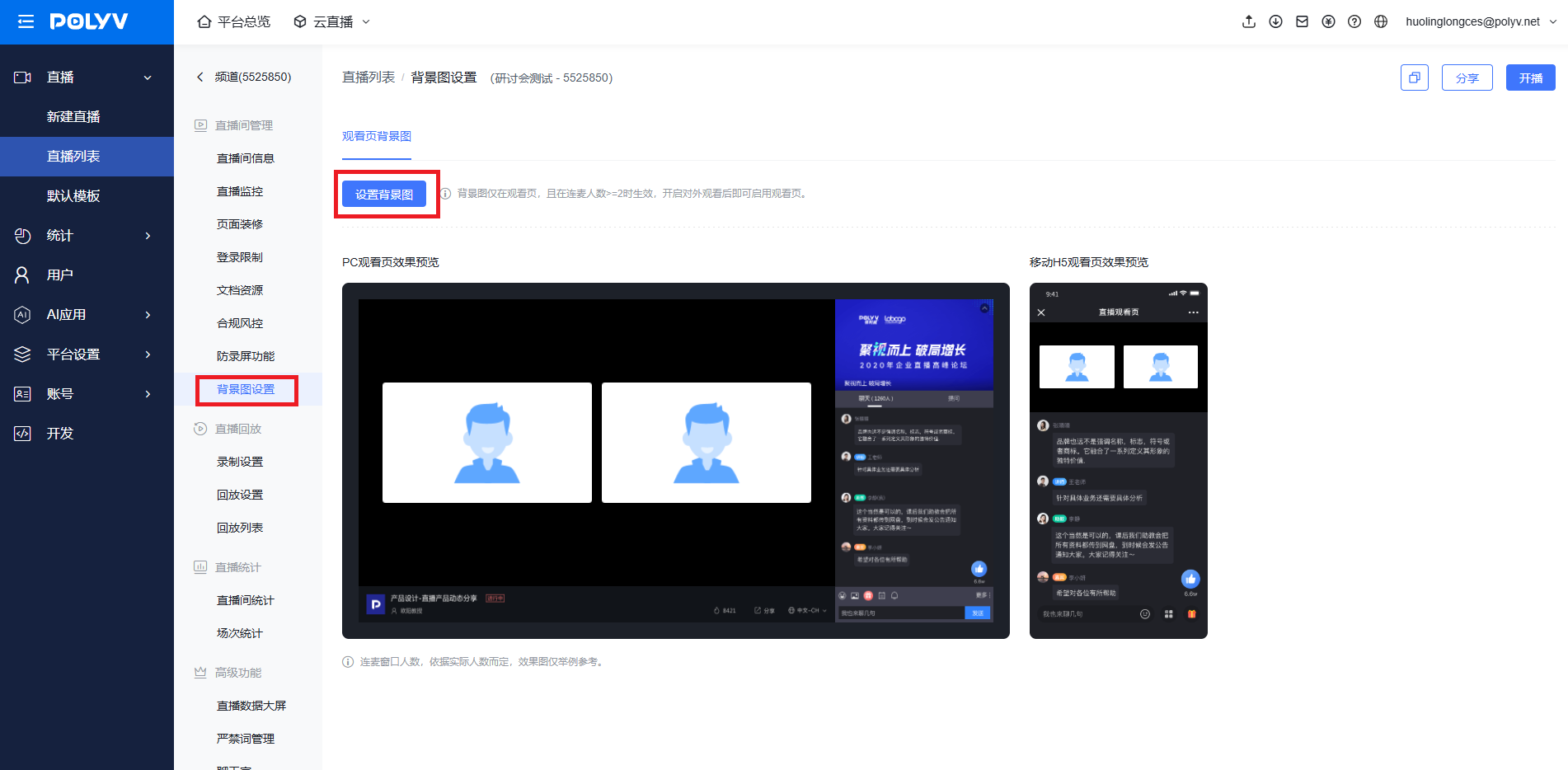
- Click the "Set Background Image" button, upload an image as the grid layout background for the viewer page, then click Save
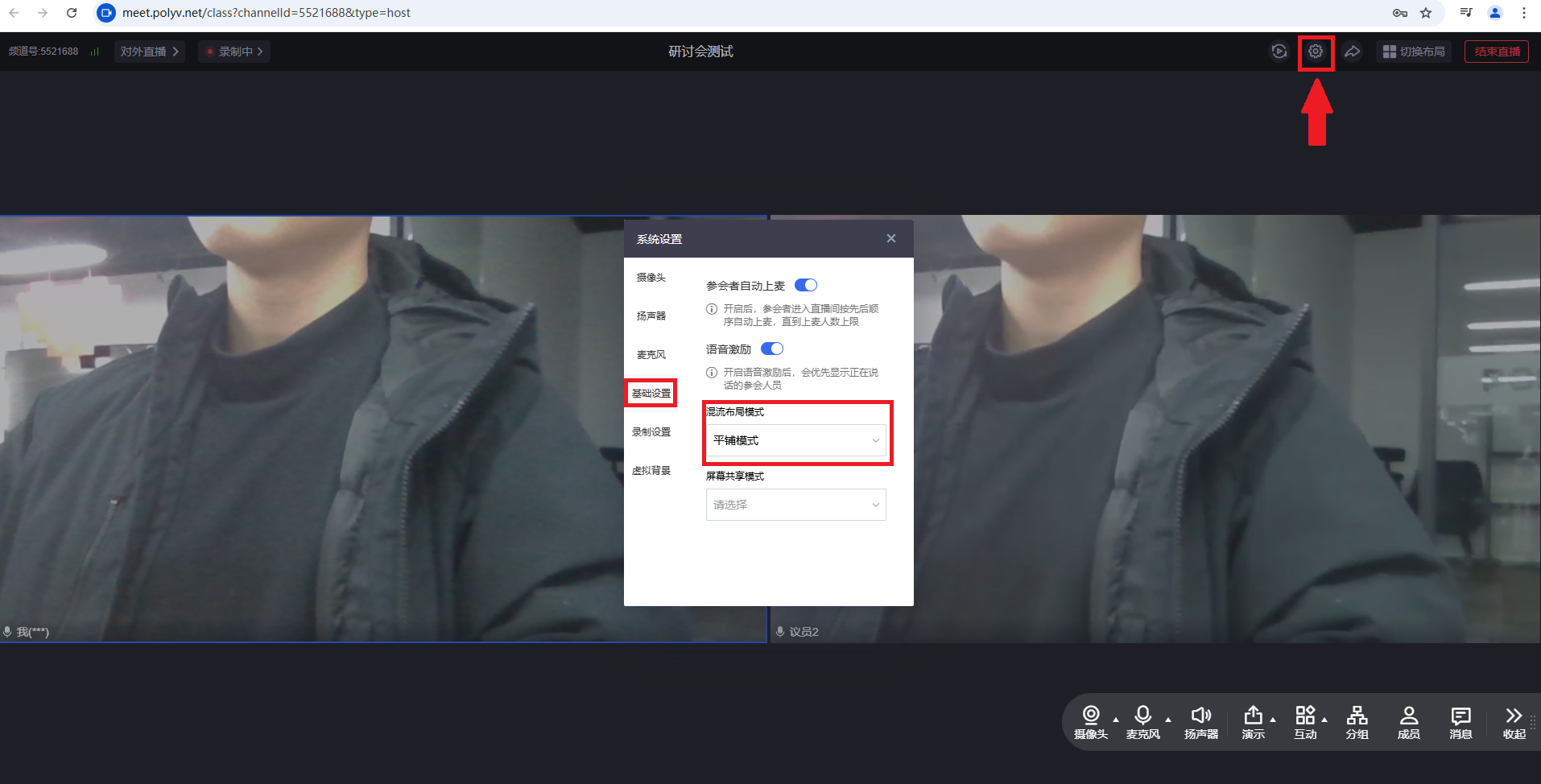
- After the host starts streaming, open system settings and set the mixed-stream layout mode to: "Tile Mode"
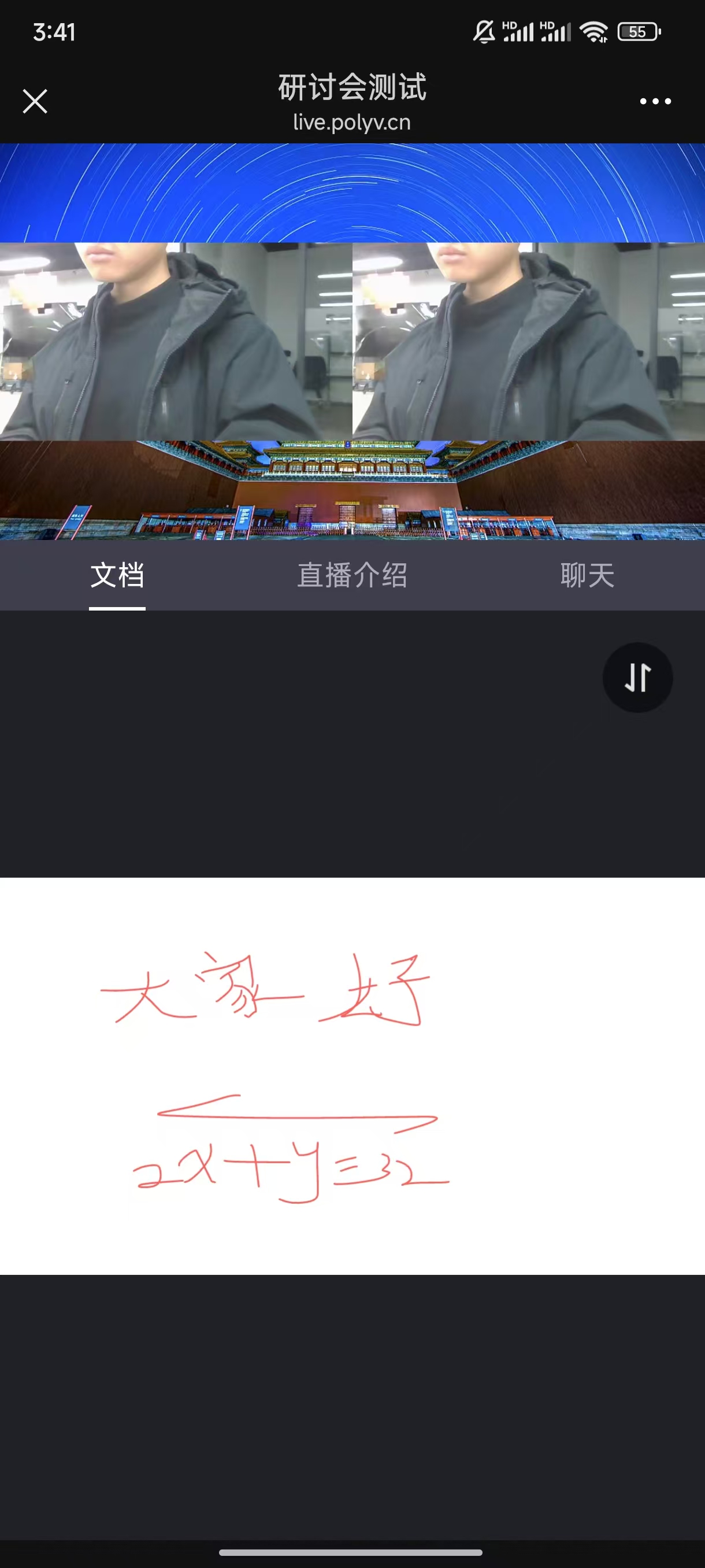
- After the setup is complete, the background image will appear on the viewer page
a. Web viewer effect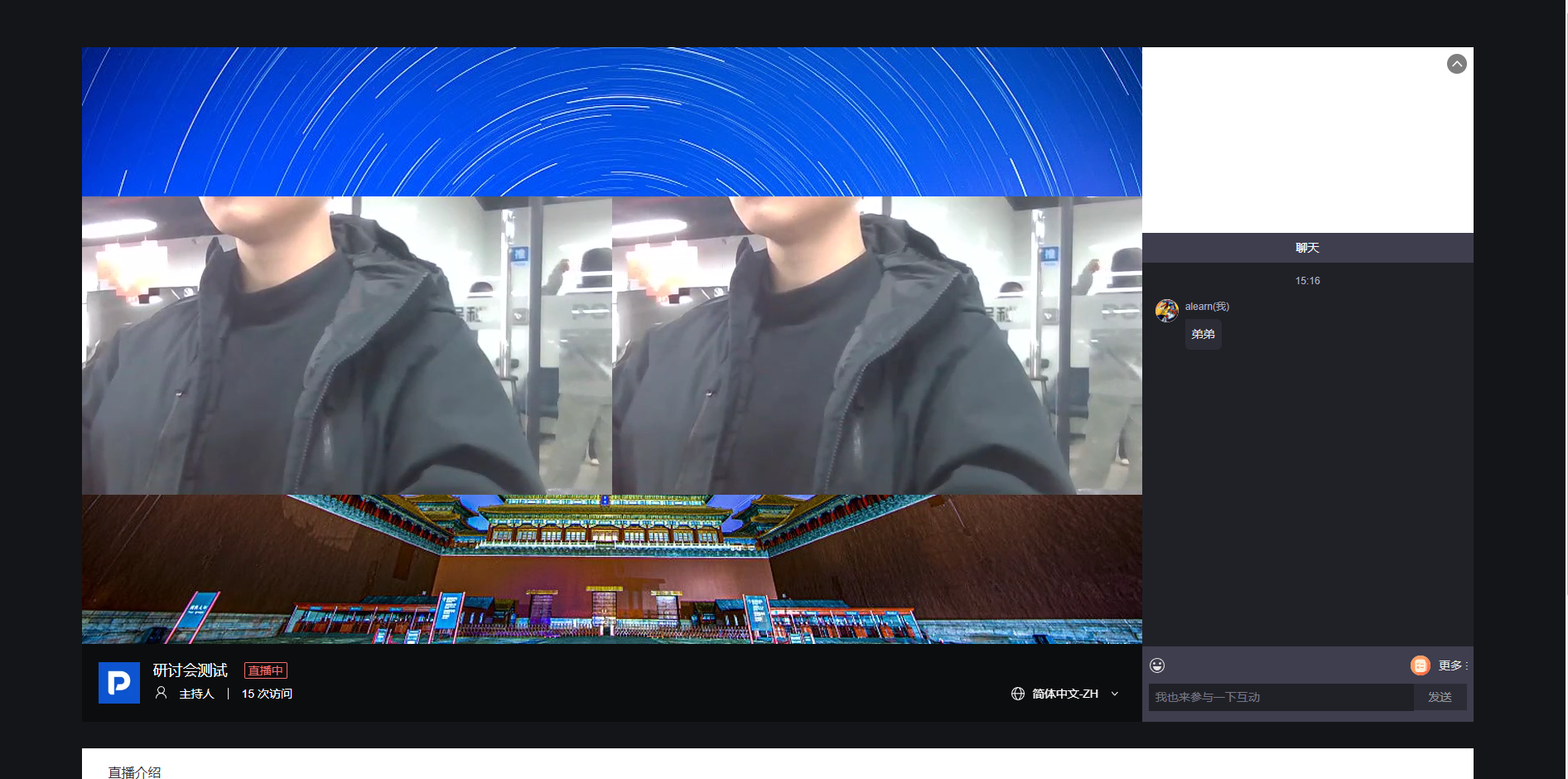 b. Mobile viewer effect