


Audience System - Guest Login
This document applies only to customers conducting secondary development using the Watch Page SDK and the accompanying Live Watch Page Open Source Project.
1. Solution Overview
This solution is relatively complex. We strongly recommend prioritizing the User System - Guest Login solution.
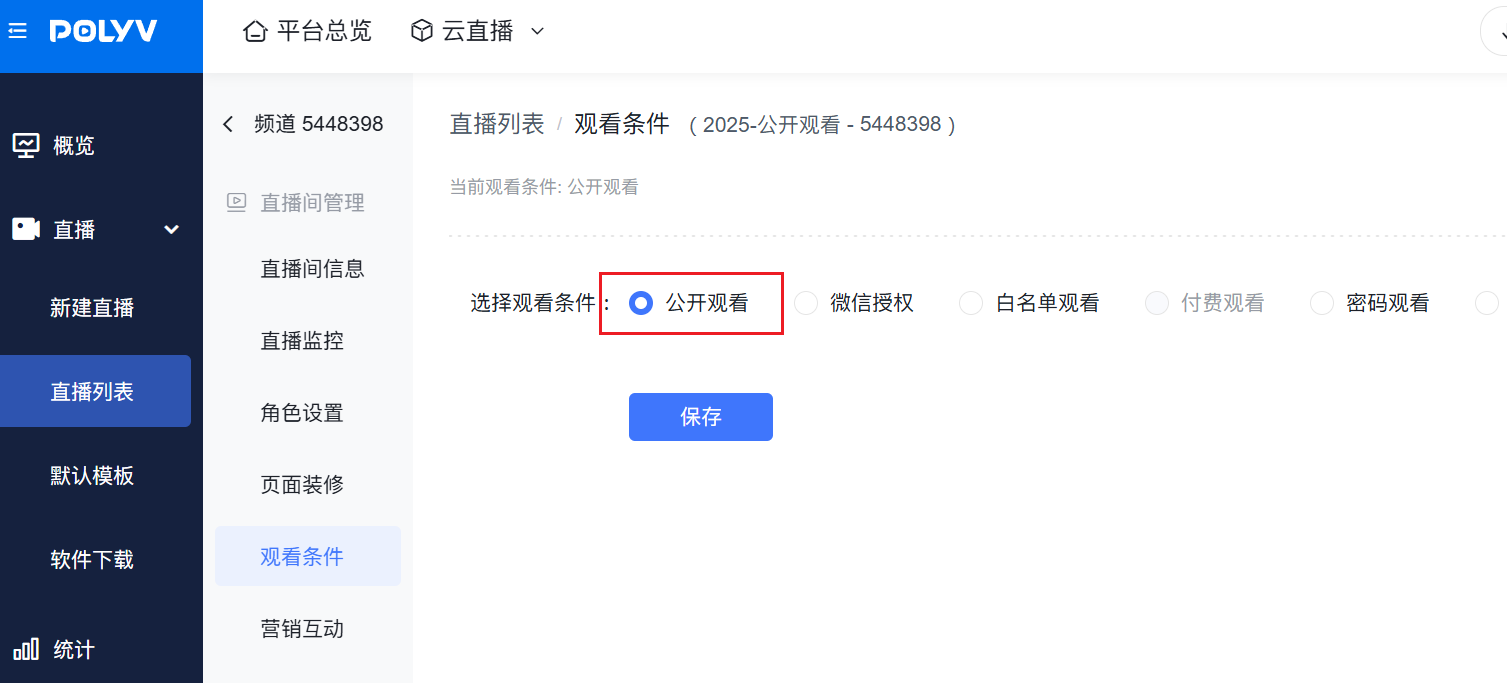
- Under the audience system, you can use the Polyv platform's unconditional viewing/public viewing conditions to allow everyone to access the live stream and authorize them as guest identities. For details, please first understand Viewing Restrictions.
- After authorization via viewing conditions, it is recommended to proceed with guest registration/login using the Watch Page SDK - Authorization Verification method.
Important Notes:
- Under the audience system, the live watch page itself does not support guest functionality. Additional development on your platform is required to implement the corresponding guest features.
- Viewers authorized through viewing restrictions are considered regular users by the Polyv platform. They will not be restricted from chatting or participating in interactions.
- Regardless of subsequent "registration/login," Polyv treats them as two separate viewers with different user IDs. The behavior of the "guest" after viewing restriction authorization will be recorded in Polyv's backend statistics.
2. Detailed Steps
Note: This scenario involves first entering the watch page via viewing conditions, then logging in using Watch Page SDK - Authorization Verification. For specific code screenshots, refer to the 2.9.0 version of the Live Watch Page Open Source Project.
1. Enable Public Viewing Conditions
2. Implement Guest Login as a User
Prerequisite: You need to use your own platform capabilities to distinguish between "guests" and "users."
The click interception logic related to the live watch page is unified in the src/hooks/business/use-interrupt-user-click/use-interrupt-user-click.ts file.
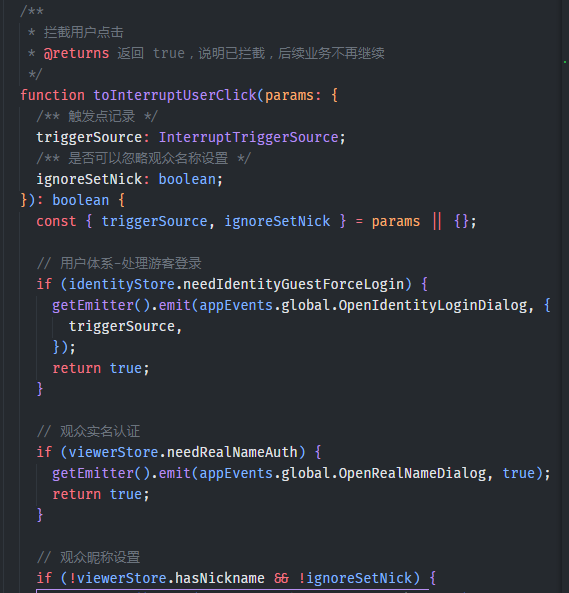
In the toInterruptUserClick method, you can determine if the current user is a "guest" and then integrate the Watch Page SDK - Authorization Verification to implement the "guest login" logic. It is recommended to reload the current page after completing the authorization to ensure the user can use the watch page functions normally.
