


Obtain API Keys
Updated: 2024-12-13 14:06:58
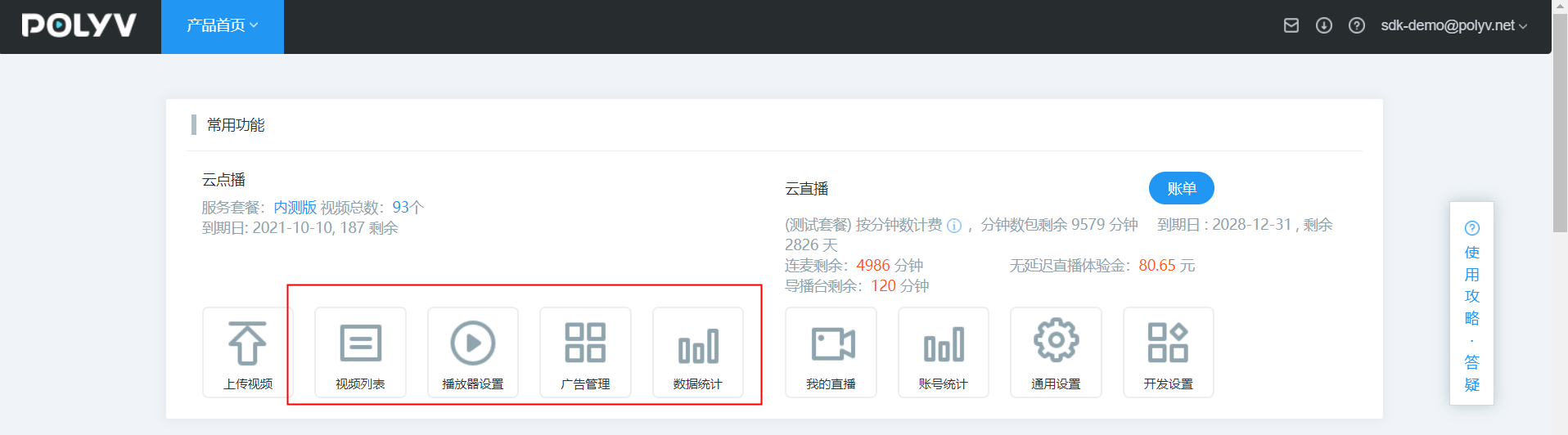
- Go to the Polyv official website to register a Polyv account, log in to the system, and click any cloud video-on-demand feature menu.
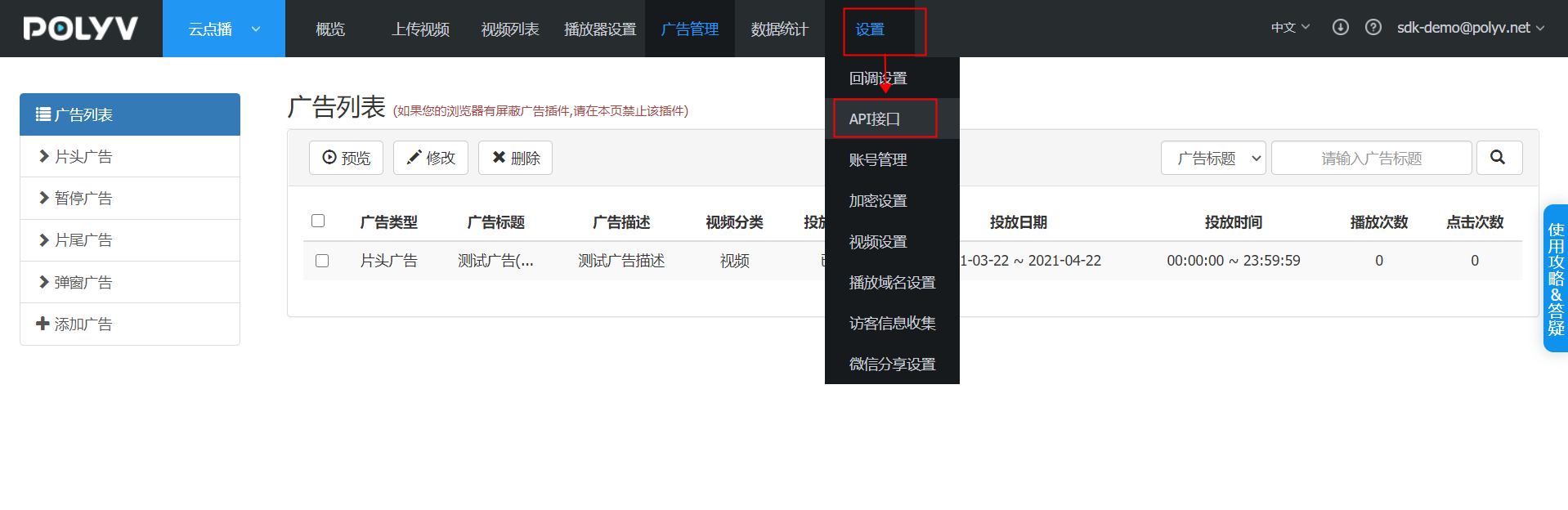
- Enter the cloud video-on-demand backend, navigate to the API Interface page via Settings -> API Interface, and obtain the key signing information (userid, writetoken, readtoken, secretkey).
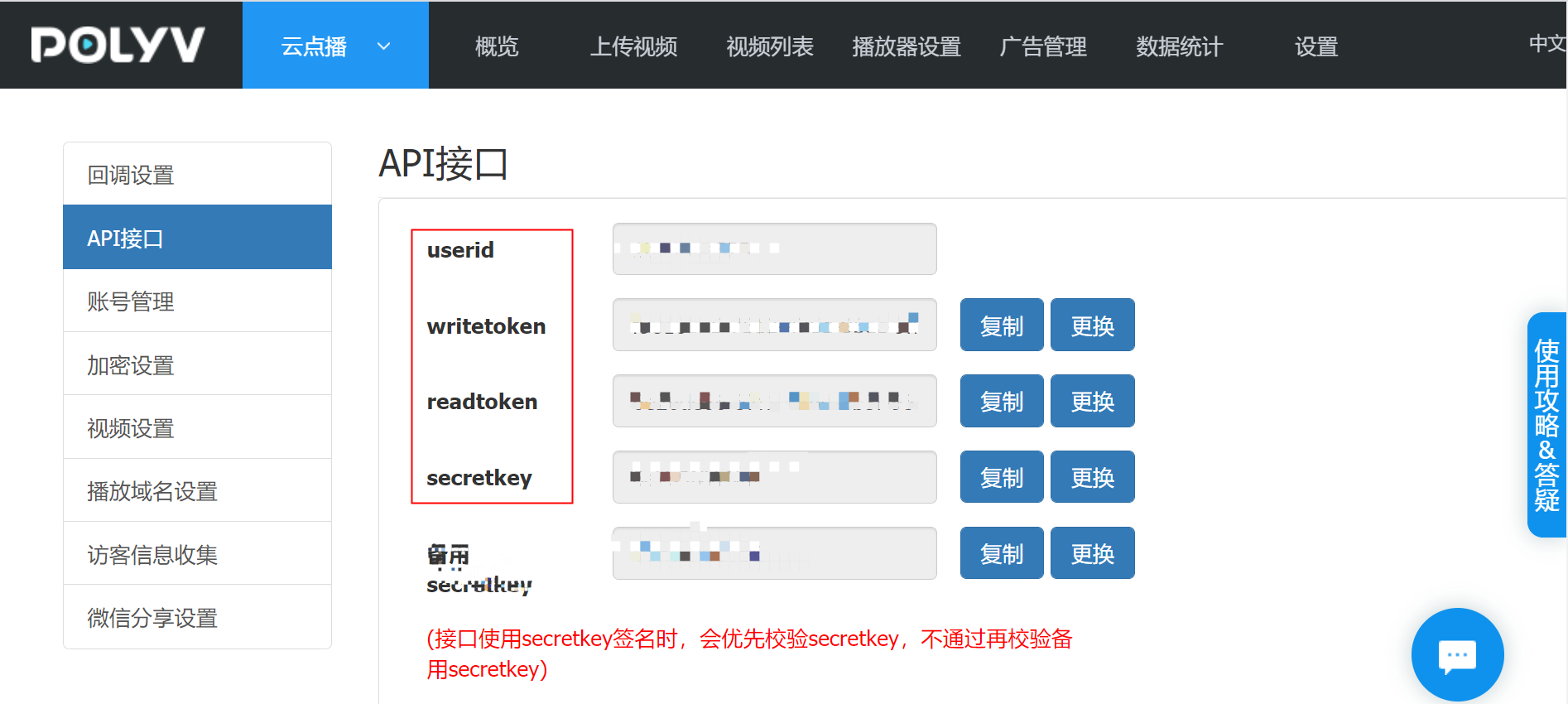
Description of each parameter:
- userid: Used for identity verification during communication between your server and the Polyv server.
- readtoken: Read key, used to read data from the Polyv server.
- writetoken: Write key, used to write data to the Polyv server.
- secretkey: Required when calling the Polyv API interface for signed access.
