


Live Streaming Mini Program Development (Video Playback Only)
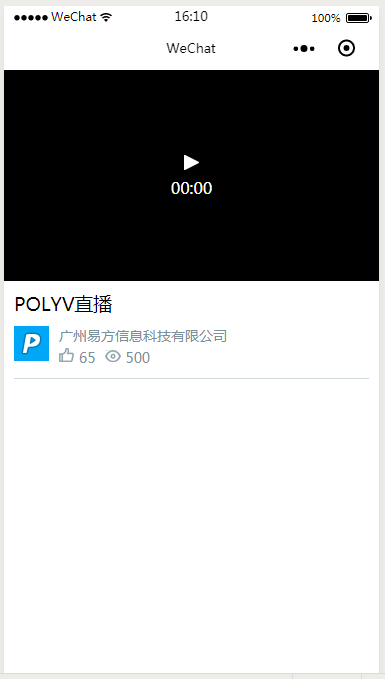
Playback Interface
Pre-development Preparation
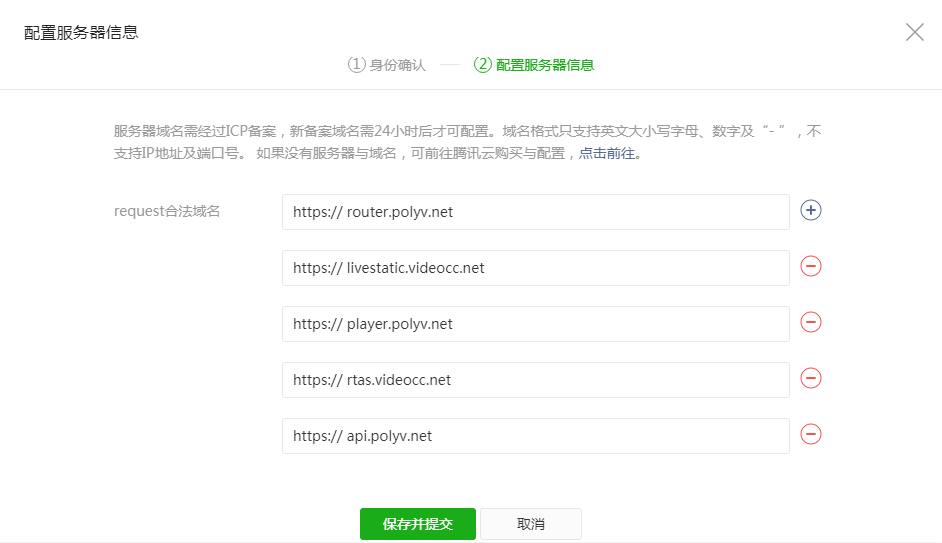
- In the WeChat Developer backend for the mini program, go to Settings - Development Settings - Server Domain Names and configure the [request legal domain names].
Start Development
1. Get Channel Live Streaming Playback URL
index.wxml
<view class="video-box">
    <live-player id="polyvLiveVideo" class="vp-v" src="{{video.src}}" autoplay></live-player>
</view>
index.js
//引用polyvlive.js
import PolyvLive from '../../utils/polyvlive.min.js';

// 设置频道信息
// 直播后台开发设置 - 开发者信息 userId(账号ID)
const liveUid = "xxx";
// 频道号
const liveVid = "xxx";

const polyvLive = new PolyvLive();

polyvLive.getVideo({
    uid: liveUid,
    vid: liveVid,
    // 日志统计: 场次ID
    forceSessionId: true,
    // 日志统计
    statistics: {
        // 观众账号
        param1: Date.now(),
        // 观众昵称
        param2: 'polyv'
    },
    success: (videoInfo) => {
        // 调用getVideo回调
    },
    onApiStatus: (status)=>{
        // 直播状态回调
    }
});

polyvLive.getLatestLiveUrl((videoInfo)=>{
    this.setPlayerSrc(videoInfo);
});

setPlayerSrc(videoInfo) {
    this.setData({
        video: {
            src: videoInfo.flvSrc,
            poster: videoInfo.poster
        }
    });
}
Option Description
uid
Type: String Description: Live streaming backend development settings - Developer information userId (Account ID)
vid
Type: String Description: Live streaming channel ID
forceSessionId
Type: Boolean Description: Whether the log statistics include the session ID
statistics
Type: object Description: Playback log parameters. Values can be set and the corresponding field names will be displayed in the live streaming backend viewing log query as follows:
| Optional Parameter | Description |
|---|---|
| param1 | Viewer account |
| param2 | Viewer nickname |
success(videoInfo)
Type: Function Description: Triggered when video information is successfully retrieved Parameter: videoInfo Parameter Type: object Parameter Description:
| Parameter | Parameter Description |
|---|---|
| src | Video m3u8 playback URL. After successful retrieval, set it as the src of the video component |
| flvSrc | Video flv playback URL. After successful retrieval, set it as the src of the live-player component |
| poster | Video cover image |
| title | Video title |
| waitImage | Warm-up image/warm-up video. The image/video type is determined by the suffix of the returned link |
| logoImage | Logo image URL |
| logoHref | Logo click redirect link |
| logoPosition | Logo position in the player |
| logoOpacity | Logo opacity |
onApiStatus(status)
Type: Function Description: Get the live streaming/ended status of the video Parameter: status Parameter Type: String Parameter Description:
| Parameter | Parameter Description |
|---|---|
| live | Live streaming is in progress |
| end | Live streaming has ended |
3. Destroy the Player
//页面处理函数
onUnload() {
    polyvLive.destroy();
}
Notes
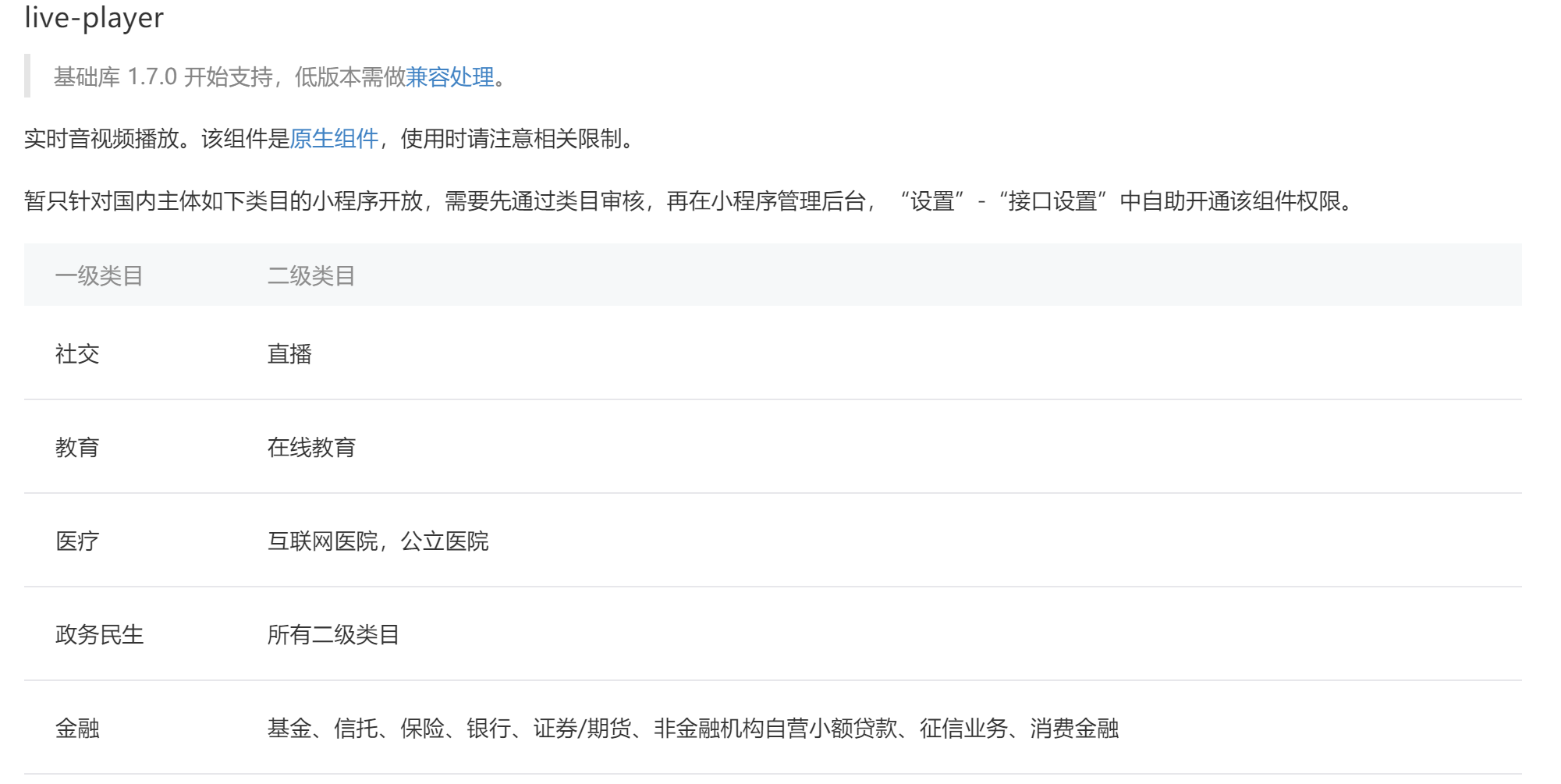
Using the live-player component has category restrictions. You need to pass the category review first.
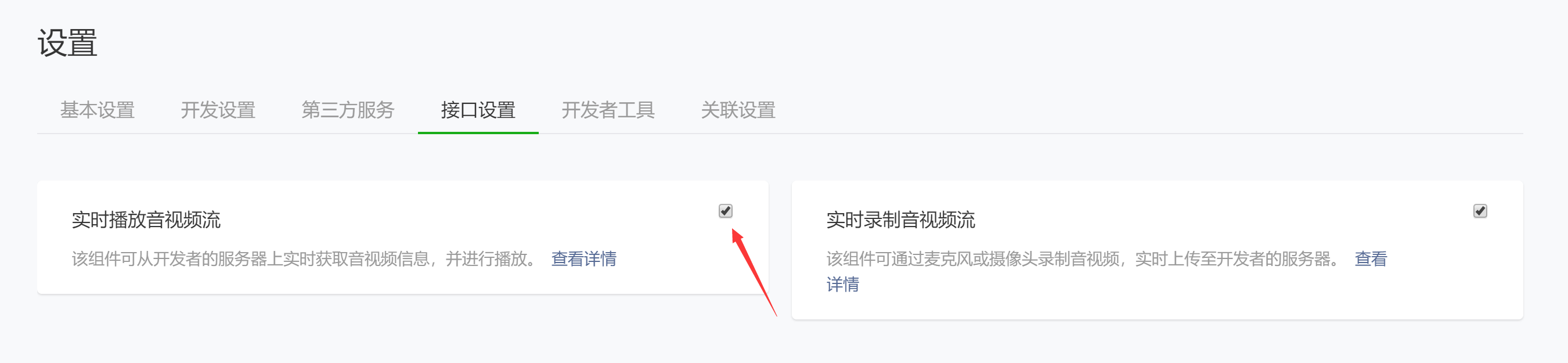
 Then, in the mini program management backend, go to "Settings" - "Interface Settings" to self-service enable the component permissions.
The SDK uses the live-player component by default and uses the flv stream URL.
setPlayerSrc(videoInfo) {
    this.setData({
      video: {
        src: videoInfo.flvSrc, // videoInfo.flvSrc返回flv地址
        poster: videoInfo.poster
      }
    });
  }
If the mini program component used is video, you need to set the playback URL to m3u8.
<view class="video-wrap">
    <view class="video-box">
        <video id="polyvLiveVideo" class="vp-v" src="{{video.src}}" controls autoplay></video>
    </view>
</view>
setPlayerSrc(videoInfo) {
    this.setData({
      video: {
        src: videoInfo.src, // videoInfo.src返回m3u8地址
        poster: videoInfo.poster
      }
    });
  }
