


Polyv Cloud Live Mini Program Player Plugin
The Polyv Cloud Live Mini Program Player Plugin provides an out-of-the-box live streaming player, offering robust support for customers to quickly integrate live streaming capabilities into their Mini Programs.
Prerequisites
- Register a WeChat Mini Program. The verified entity must be a non-personal entity based in Mainland China; personal entities will not be able to access live streaming services.
- Note: Ensure your Mini Program has the E-commerce Platform or Online Video Course category, otherwise this plugin cannot be used (see Qualification Requirements for Applying Categories and WeChat Mini Program Related Documentation).
| Mini Program Live Streaming Scenario | Requirement |
|---|---|
| Online courses, training, educational institutions, etc. | Education - Online Video Course category |
| E-commerce live selling, live shopping guides, etc. | E-commerce Platform - E-commerce Platform category |
During integration, in addition to this document, please also refer to the official Mini Program Plugin Usage Guide.
If the category requirements are not met, it is recommended to use the Mini Program Live Streaming Custom Component.
Quick Integration
1. Add the Plugin
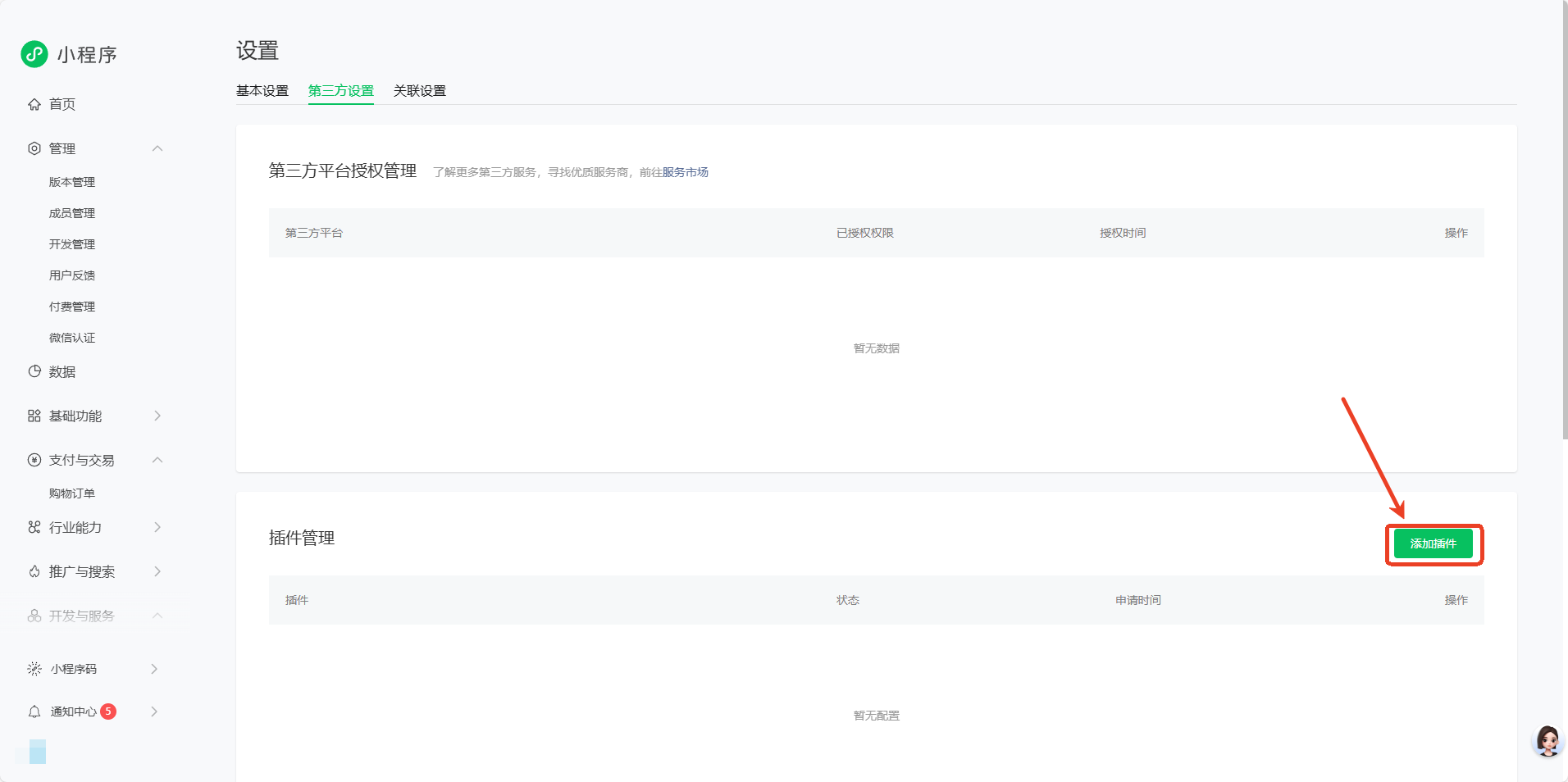
In the Mini Program management console, navigate to "Settings - Third-party Settings - Plugin Management" and add the plugin:
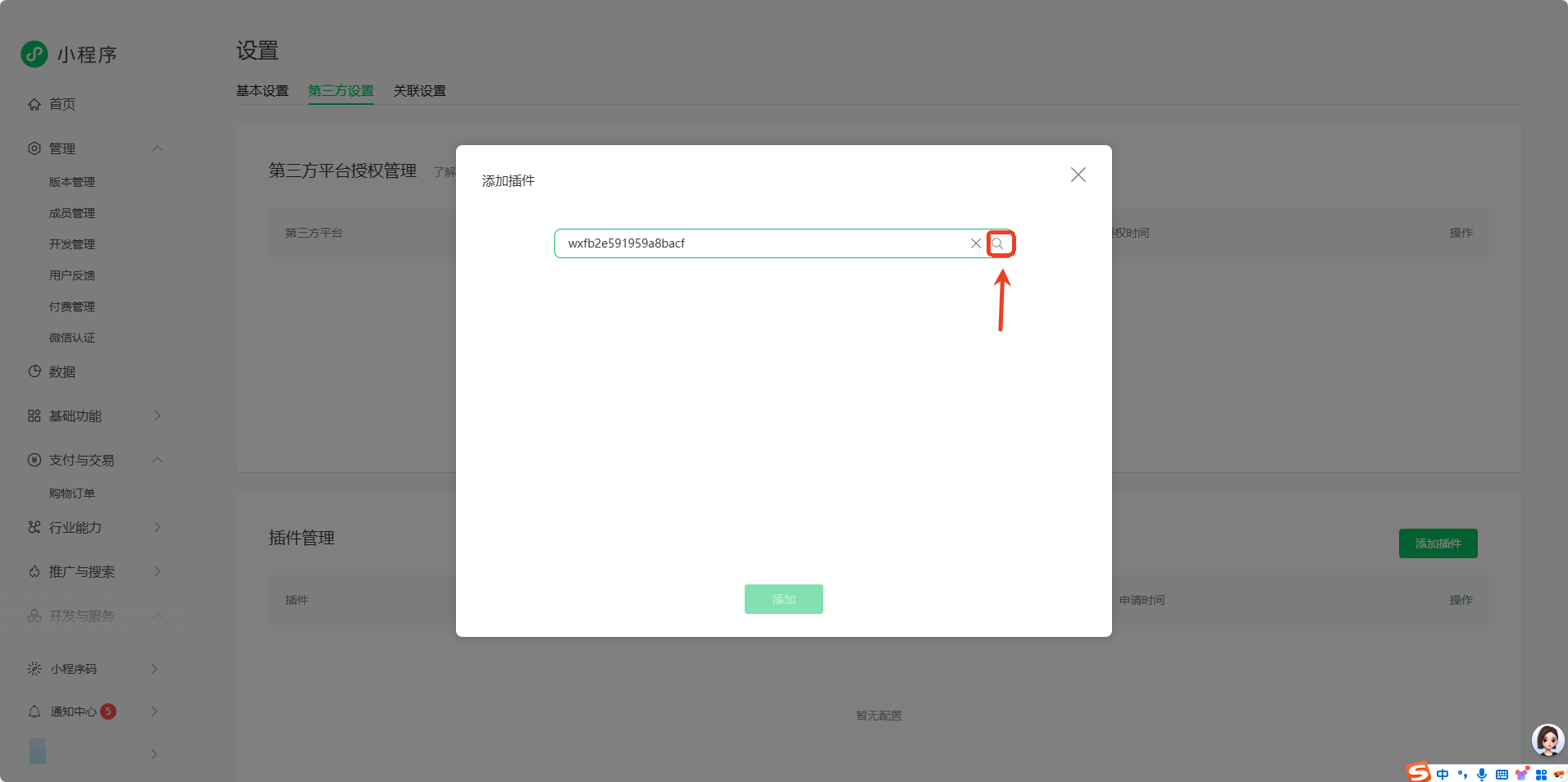
Search using the plugin AppID or plugin name in the search bar (the relevant category is required).
- Plugin AppID:
wxfb2e591959a8bacf - Plugin Name:
Polyv观看
2. Configure the Plugin
2.1 Declare the Plugin in app.json
{
  "plugins": {
    "polyv-live-player": {
      "version": "1.0.2",
      "provider": "wxfb2e591959a8bacf"
    }
  }
}
2.2 Import the Component in the Page's json
{
  "usingComponents": {
    "polyv-live-player": "plugin://polyv-live-player/live-player"
  }
}
3. Basic Usage Example
3.1 Page Structure (WXML)
<!-- pages/live/live.wxml -->
<view class="container">
  <polyv-live-player
    config="{{playerConfig}}"
    bind:videoPlay="onVideoPlay"
  />
</view>
3.2 Page Logic (JS)
// pages/live/live.js
Page({
  data: {
    playerConfig: {
      // 鉴权设置
      auth: {
        appId: '',
        sign: '',
        timestamp: xxx
      },
      // 账户信息
      uid: '',
      // 频道信息
      cid: '',
      // 统计信息
      statistics: {
        param1: '',
        param2: ''
      }
    }
  },

  onLoad() {
    console.log('直播页面加载完成');
  },

  // 播放器事件处理
  onVideoPlay() {
    console.log('视频播放事件');
  }
});
Configuration Parameters
This plugin uses the same configuration parameters as the custom component. For detailed parameter descriptions, please refer to:
- Parameter Configuration Documentation - Complete parameter list and type descriptions
- Event Listening Documentation - Player event descriptions
- API Documentation - Player interface methods
Extended Features
This plugin only provides video playback capabilities. To implement the following features, please refer to the WeChat Watch Mini Program SDK:
- Live streaming introduction page
- Chat room functionality
- Live co-hosting functionality
- More interactive features
