


Video Marquee – A New Content Protection (Anti-Screen Recording) Tool
Online education has become incredibly popular today. However, video copyright issues remain a major challenge for most online educators. Screen recording is the hardest aspect to prevent in video piracy. How to protect content has become a widespread concern.
Recently, POLYV has developed a video feature tailored for online education clients to enhance content protection—the Video Marquee feature.
By using the interface provided by POLYV, clients can set text to move irregularly across the video. For example, clients can retrieve a visitor's ID via code and display it as a marquee on top of the video. This significantly increases the cost of screen recording for pirates and strongly deters them.
The marquee feature allows clients to customize its appearance according to personal preferences, ensuring content protection without compromising the viewer's experience or the video's overall aesthetics.
So, how do you set up the marquee? Simply log in to the channel ID Login Portal and select Channel Playback Restrictions.
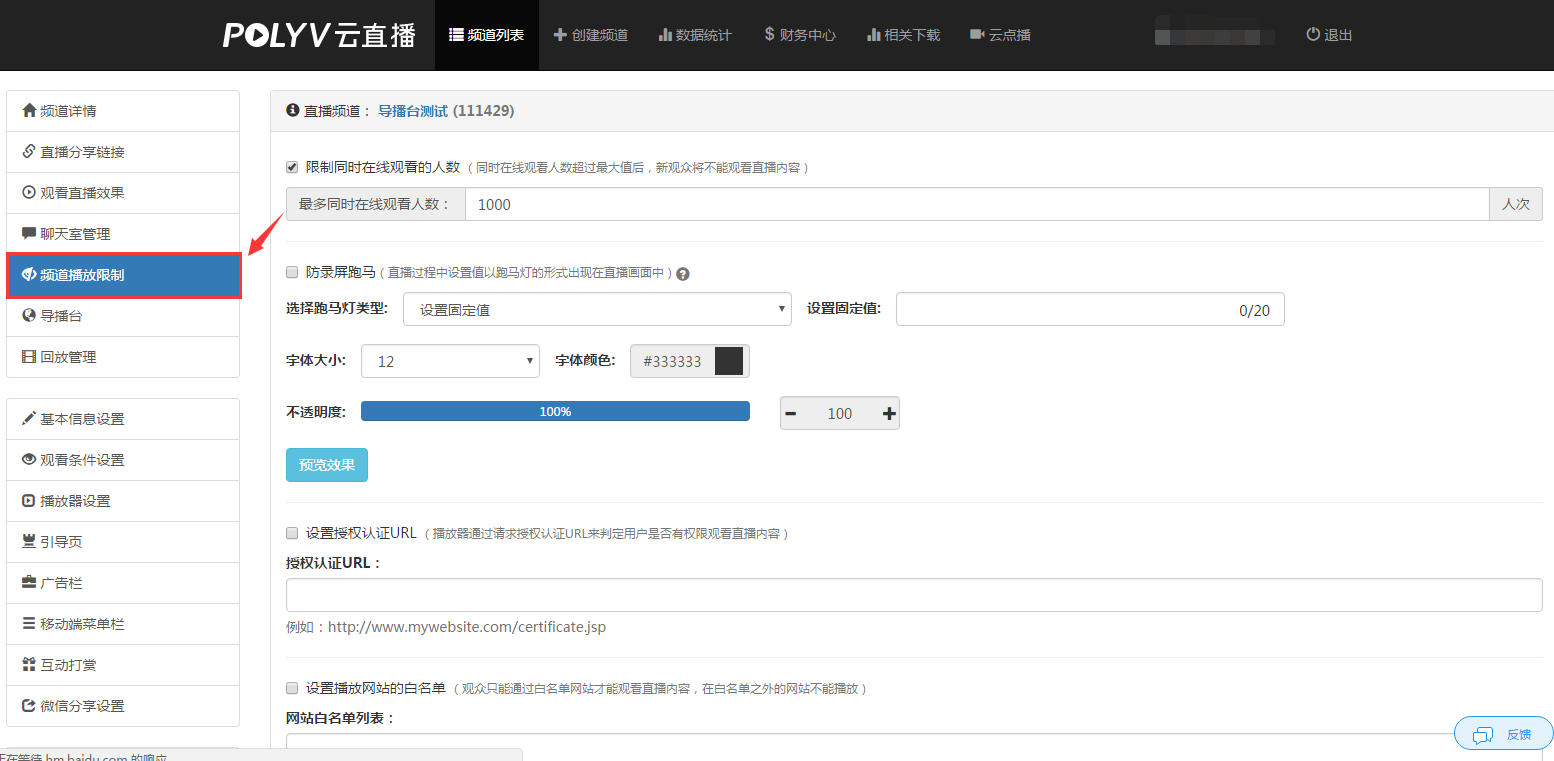
There are three modes for the video marquee:
- Set Fixed Value
- By Authorized Username
- URL Custom Settings
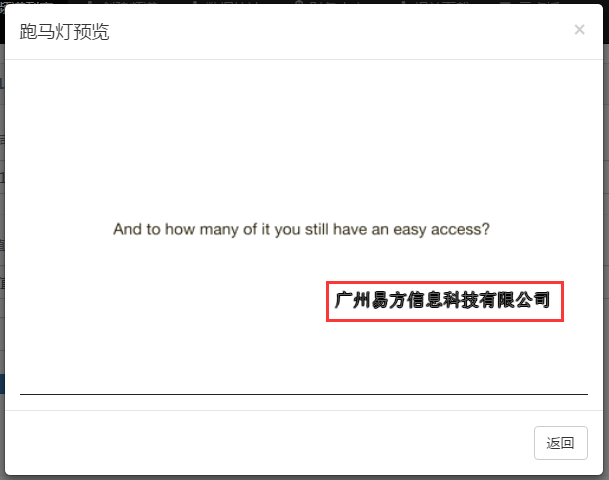
Set Fixed Value
Enter a fixed value to display constant content in the marquee, which can enhance viewers' brand recognition.
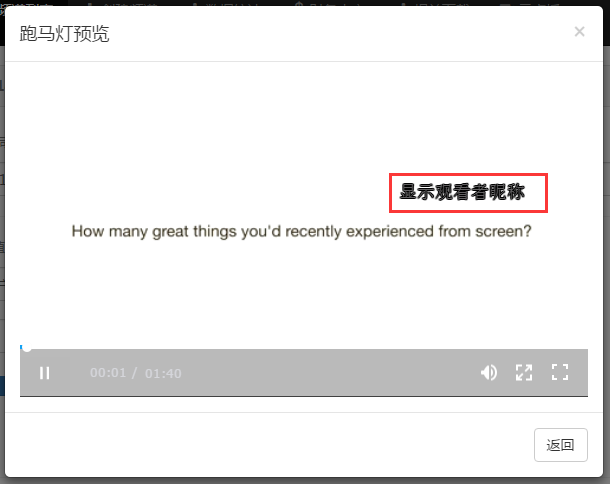
By Authorized Username
Display the marquee based on whitelist viewing verification information or custom authorized viewer names, enabling traceability of video pirates.
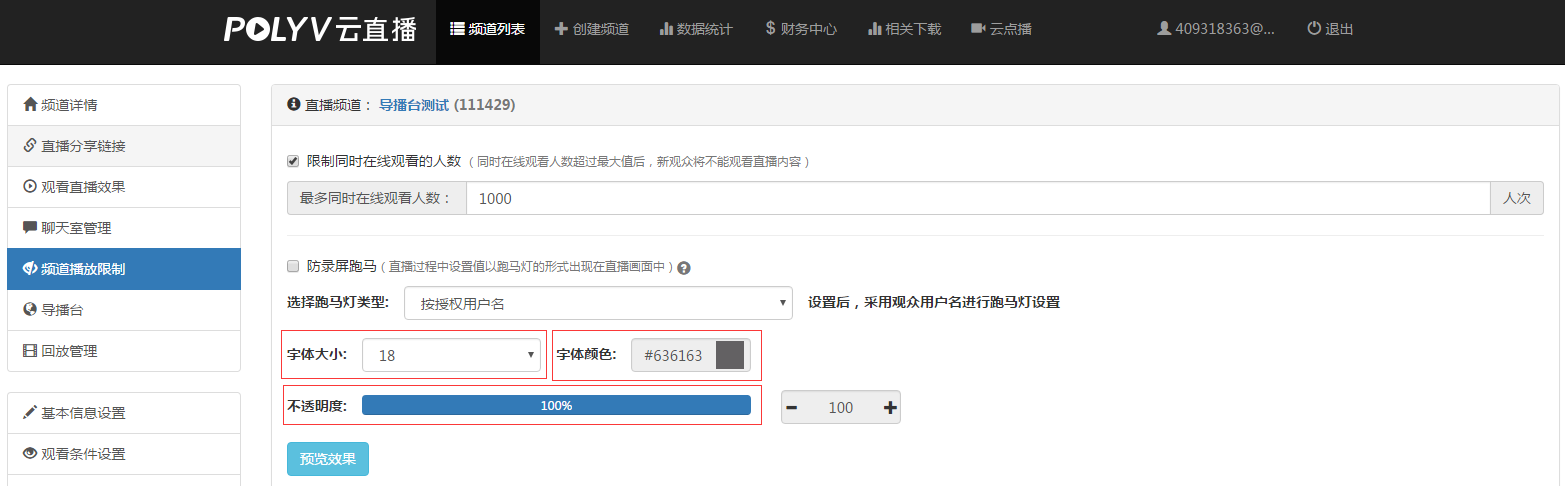
For the above two modes, you can also modify the marquee style in the backend, such as font size, font color, and opacity.
If neither of the above modes meets your marquee needs and you have technical development capabilities, you can choose URL Custom Settings to call our interface and set the marquee style to your satisfaction.
