


Remastered Courseware Task Result Callback Notification
Purpose
For cloud classroom courseware remastering, when a remastering result is available, a callback notification will be sent to the configured callback URL (e.g., if "Callback Failure Records" is checked in the SaaS backend, a callback will also be triggered upon remastering failure).
Details
After setting the interface URL, if the courseware remastering for a playback video succeeds, the live streaming system will submit the relevant parameters via GET to the user-defined callback interface for notification, for example:
Remastering Success Callback Parameter Description
| Parameter | Type | Description |
|---|---|---|
| channelId | String | Channel ID |
| userId | String | User ID |
| title | String | Name of the playback corresponding to the remastering |
| startTime | Long | Start time of the playback corresponding to the remastering, format yyyyMMddHHmmss |
| duration | Integer | Duration, in seconds |
| remainDay | String | Remaining validity period of the remastering |
| sessionId | String | Session ID |
| videoId | String | Recording file ID / playback video ID |
| url | String | Download URL for the remastered video, with anti-leech protection, valid for 24 hours |
| sign | String | Signature, generated by the rule md5(AppSecret+timestamp), where AppSecret is the secret key of the live streaming system |
| timestamp | Long | 13-digit timestamp |
| recordFileType | String | Video file type, only populated when a video is added from temporary files to the playback list complete: Complete playback part: Auto recording_segment merge: Manual merge clip: Clip smart-clip: Smart clip |
| status | String | Interface processing result, success for success, error for failure |
Remastering Failure Callback Parameters
| Parameter | Type | Description |
|---|---|---|
| status | String | Interface processing result, success for success, error for failure |
| code | String | Error code unknown: Unknown exception |
| userId | String | POLYV user ID, consistent with the POLYV official website. Retrieval path: Official website -> Login -> Live Streaming (Development Settings) |
| sessionId | String | Session ID |
| channelId | String | Channel ID |
| videoId | String | Recording file ID / playback video ID |
| sign | String | Encrypted string for verification, generated by the rule md5(AppSecret+timestamp), where AppSecret is the secret key of the live streaming system |
| timestamp | Long | Current 13-digit millisecond timestamp |
How to Configure
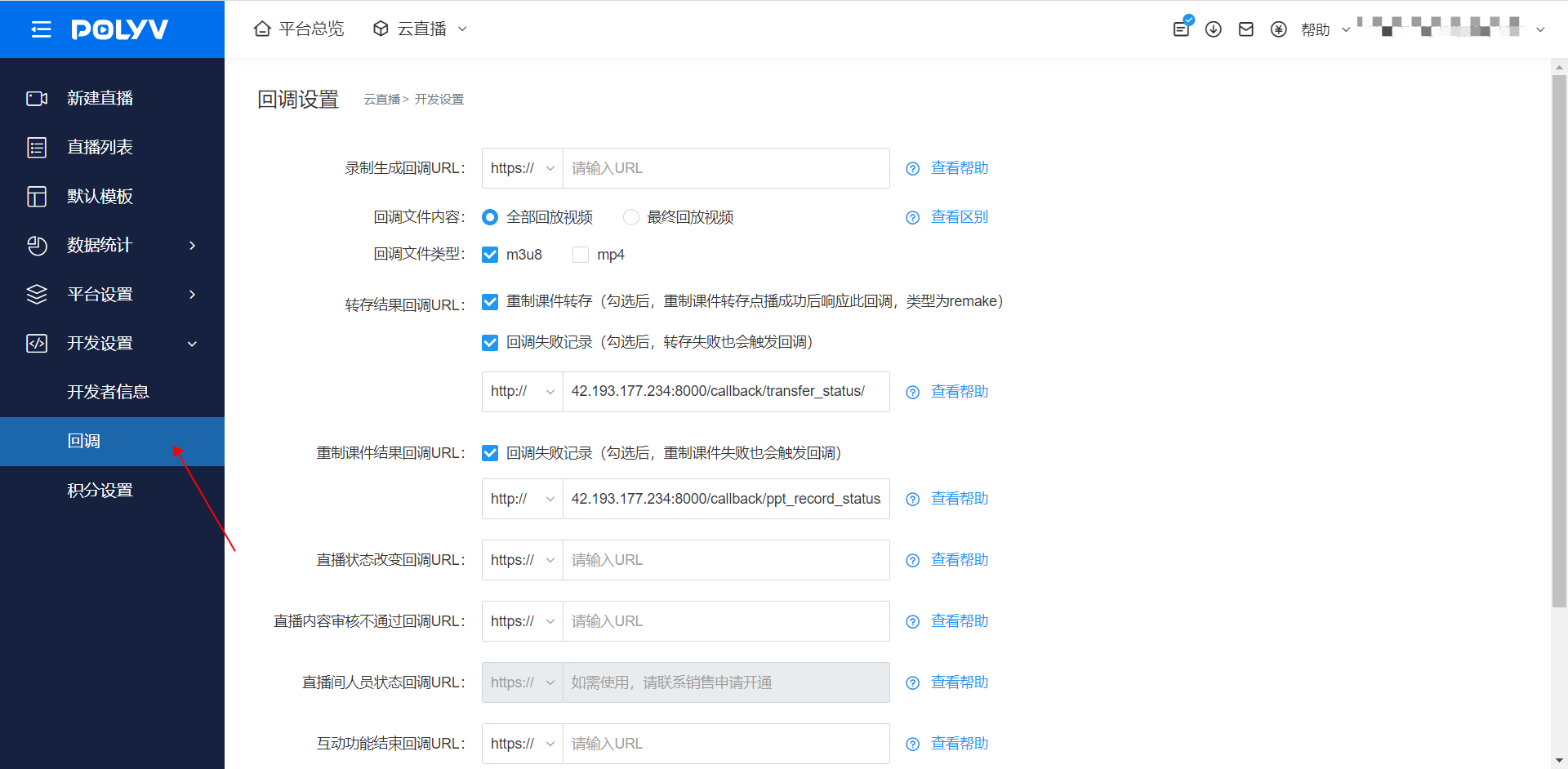
Prerequisite: The account must have the courseware remastering feature enabled. If this feature is not enabled, the remastering result callback URL will not appear in the callback settings.
Configure via the backend:
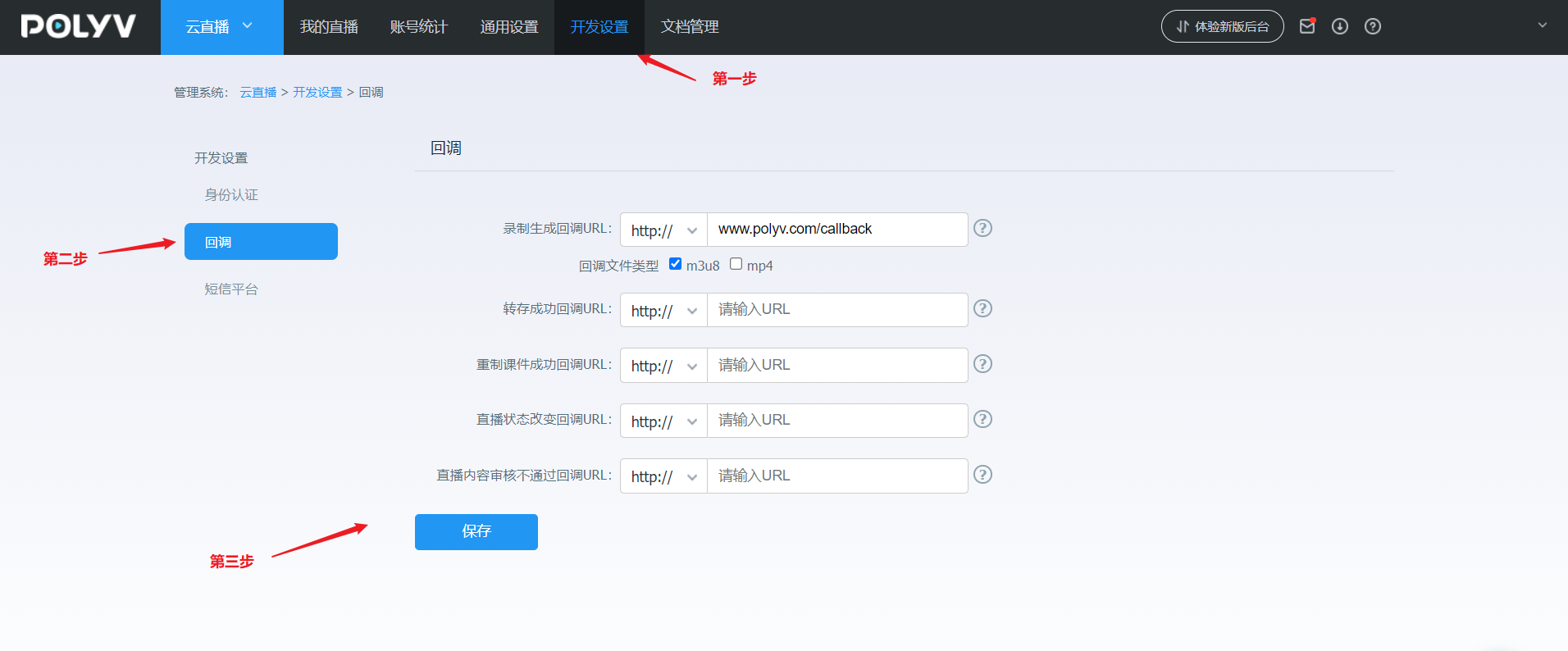
Log in to your account - Go to [Cloud Live Streaming] - Click [Development Settings] - Click [Callback Settings] - Find the Remastered Courseware Result Callback URL
Note: The "Callback Failure Records" checkbox, if checked, will also trigger a callback notification upon remastering failure.
Note: The submitted interface URL must start with http:// or https://
Backend Configuration Reference Images
New backend configuration:
Old backend configuration:
If the corresponding settings cannot be found, it may be due to insufficient account permissions. For assistance, please contact the online customer service in the bottom right corner.
