


Live Content Moderation Callback Notification
Purpose
Triggered when content in a channel under your account violates rules (e.g., pornography, violence, politics). The system sends relevant information about the violating channel back to you.
Details
After setting the callback URL, if content in a channel under your account violates rules, the live streaming system will submit the following parameters via GET to your custom callback URL for notification: channelId (channel ID), imageUrl (image URL), scene (violation type), rate (probability of the result belonging to that type), etc. For example:
http://abc.com/test.do?channelId=123456&imageUrl=http://xxxx/xxx/xxx.jpg&scene=porn&rate=90.0
Callback Parameter Description
| Parameter Name | Type | Description |
|---|---|---|
| channelId | String | Channel ID |
| userId | String | Account ID |
| imageUrl | String | Screenshot of the violating live stream. Note: The image is a temporary URL; please process it promptly. |
| scene | String | Violation type, e.g., porn. See Violation Types for details. |
| detail | String | Specific reason for the violation (may be empty). |
| rate | String | Probability of the result belonging to this type, ranging from [0.00-100.00]. A higher value indicates a higher likelihood of belonging to this type. |
| violationTime | Integer | Violation time (in seconds), a relative time calculated from the start of the live stream. For example, a value of 120 means the content may be violating around 2 minutes after the stream starts. |
| violationItems | String | Specific violation items, formatted as a JSON string (may be empty). Example: [{"item":"xx","score":80.0,"reason":"xxx","type":"religion"}]. See Violation Items for parameter details. |
Violation Types
| Value | Meaning |
|---|---|
| porn | Pornography |
| terrorism | Terrorism and political violence |
| illegal | Illegal activities |
| abuse | Abuse |
| polity | Political content |
| sexy | Sexy content |
| violence | Violence and gore |
| pyramid_scheme | Pyramid schemes |
| gambling | Gambling |
| fraud | Fraud |
| medical_exaggeration | Exaggerated claims for health products/medications/medical devices |
| investment_fraud | Recommending stocks or other financial products to induce user investment |
| religion | Religious content |
| unknown | Unknown |
Violation Items
| Parameter Name | Type | Description |
|---|---|---|
| item | String | Violation item |
| score | Integer | Moderation score, ranging from [0.00-100.00]. A higher value indicates a higher likelihood of violation. |
| reason | String | Reason for the violation |
| type | String | Violation type. See Violation Types for details. |
How to Set Up
Set up via the backend:
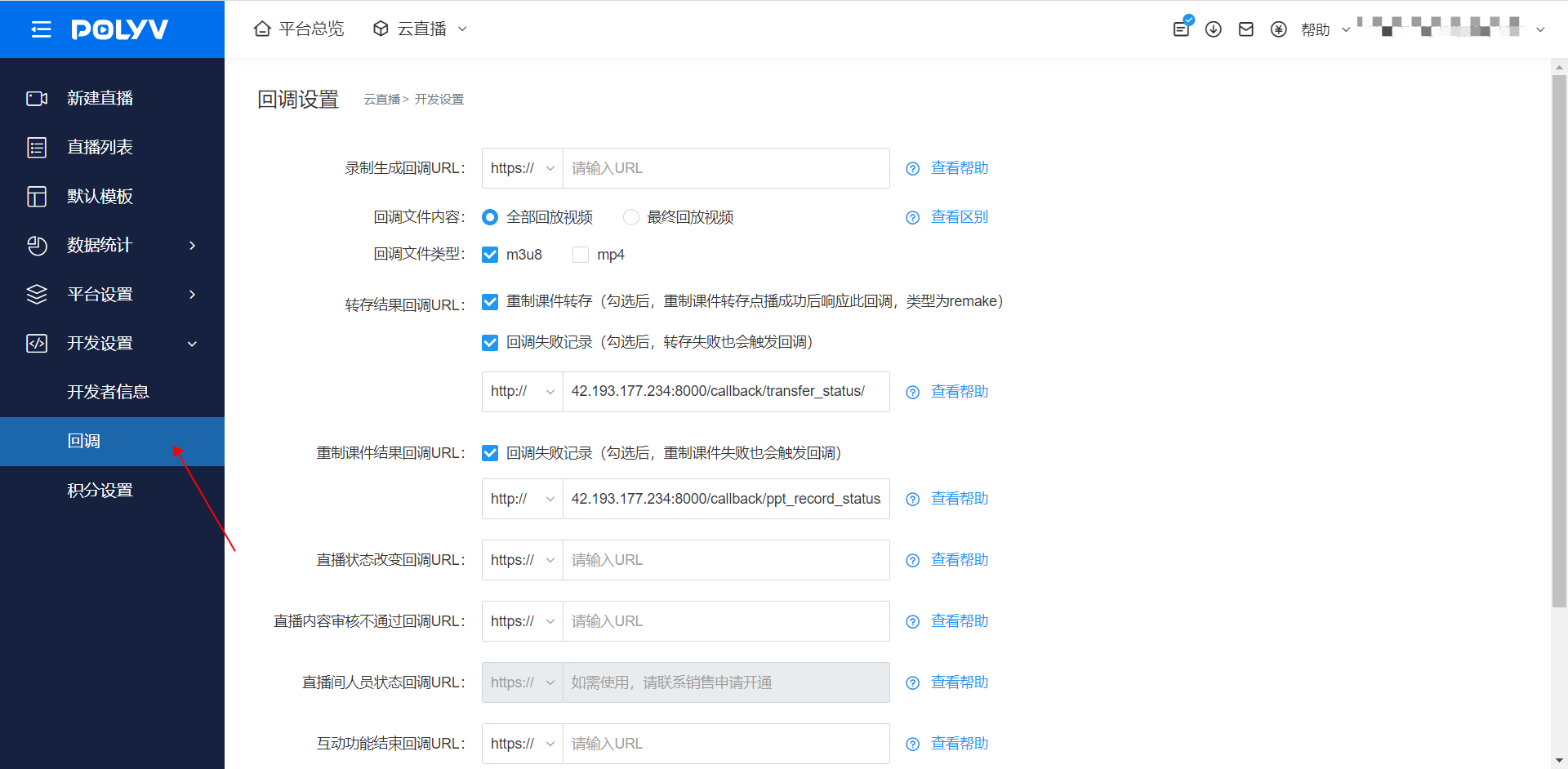
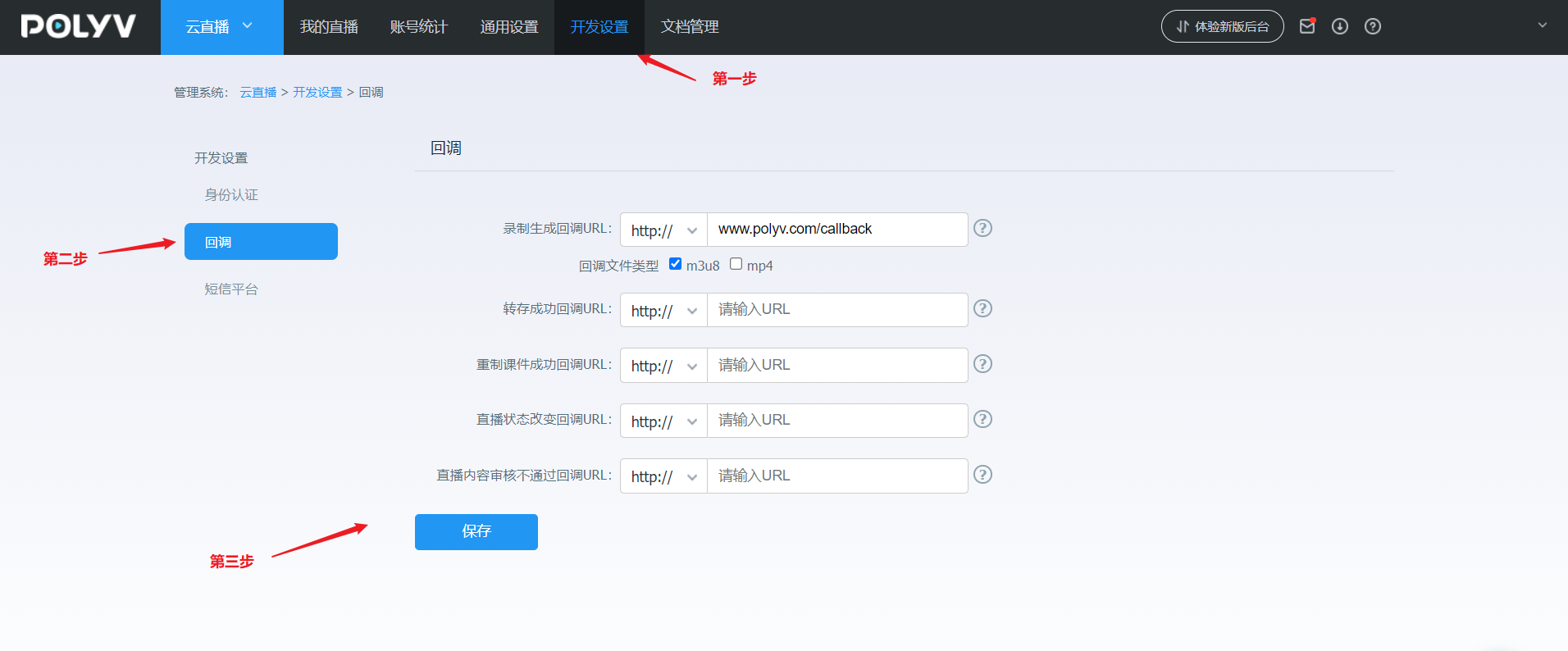
Log in to your account - Go to [Cloud Live Streaming] - Click [Developer Settings] - Click [Callback Settings] - Live Content Moderation Failure Callback URL
Note: The submitted callback URL must start with http:// or https://.
Backend Setup Reference Images
New backend setup:
Old backend setup:
If you cannot find the corresponding setting, it may be due to insufficient account permissions. For assistance, please contact the online customer service in the bottom right corner.

