


Registration Submission and Audit Result Callback Notification
Purpose
After a viewer submits registration information or an administrator audits the registration, a callback notification will be sent to the configured interface address.
Details
After setting the interface address, when a viewer's registration information is successfully stored, or when an administrator performs an audit operation in the Polyv backend, the live streaming system will submit relevant parameters via POST to the user-defined callback interface for notification.
Callback Parameter Description
| Parameter | Type | Description |
|---|---|---|
| type | String | Event type submit_application: Registration submission audit_result: Audit result |
| channelId | String | Channel ID |
| timestamp | Long | 13-digit timestamp |
| viewerId | String | Unique viewer identifier |
| nickname | String | Viewer nickname |
| data | String | JSON-formatted string containing all registration form fields, format as {"fieldId":"value"} |
| status | String | Audit status (only included in audit_result callback) pass: Approved reject: Rejected |
| operator | String | Operator userId (only included in audit_result callback) |
| sign | String | Encrypted string for verification, generated by rule md5(AppSecret+timestamp), AppSecret is the live streaming system secret key |
Callback Example
Registration Submission Callback Example:
{
    "type": "submit_application",
    "channelId": "123456",
    "timestamp": 1557976774000,
    "viewerId": "viewer123",
    "nickname": "张三",
    "data": "{\"4486753\": \"表单内容\"}",
    "sign": "xxdxxxxx"
}
Audit Result Callback Example:
{
    "type": "audit_result",
    "channelId": "123456",
    "timestamp": 1557976774000,
    "viewerId": "viewer123",
    "nickname": "张三",
    "data": "{\"4486753\": \"表单内容\"}",
    "status": "pass",
    "operator": "userId",
    "sign": "xxdxxxxx"
}
How to Configure
Configure via the backend:
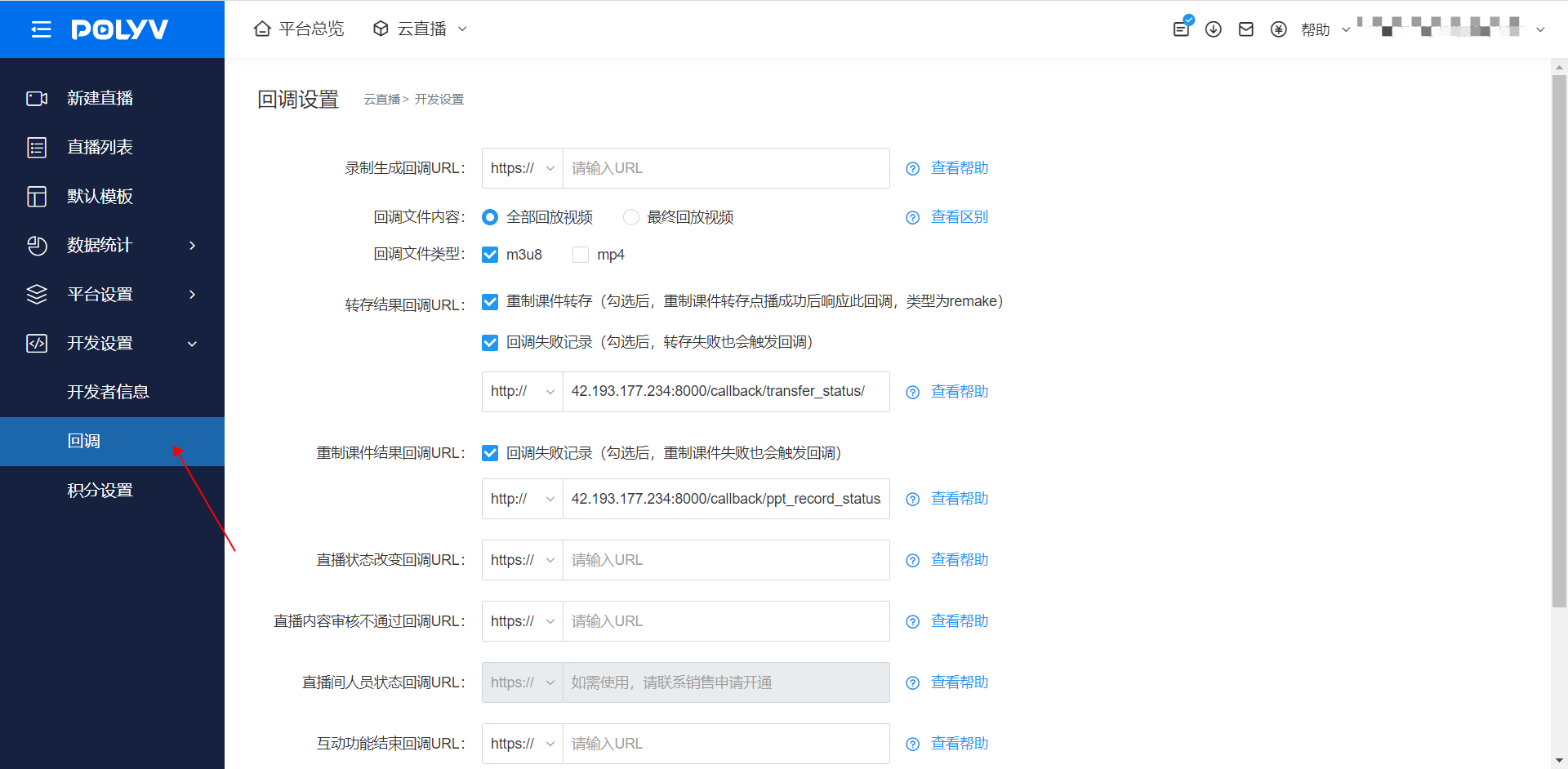
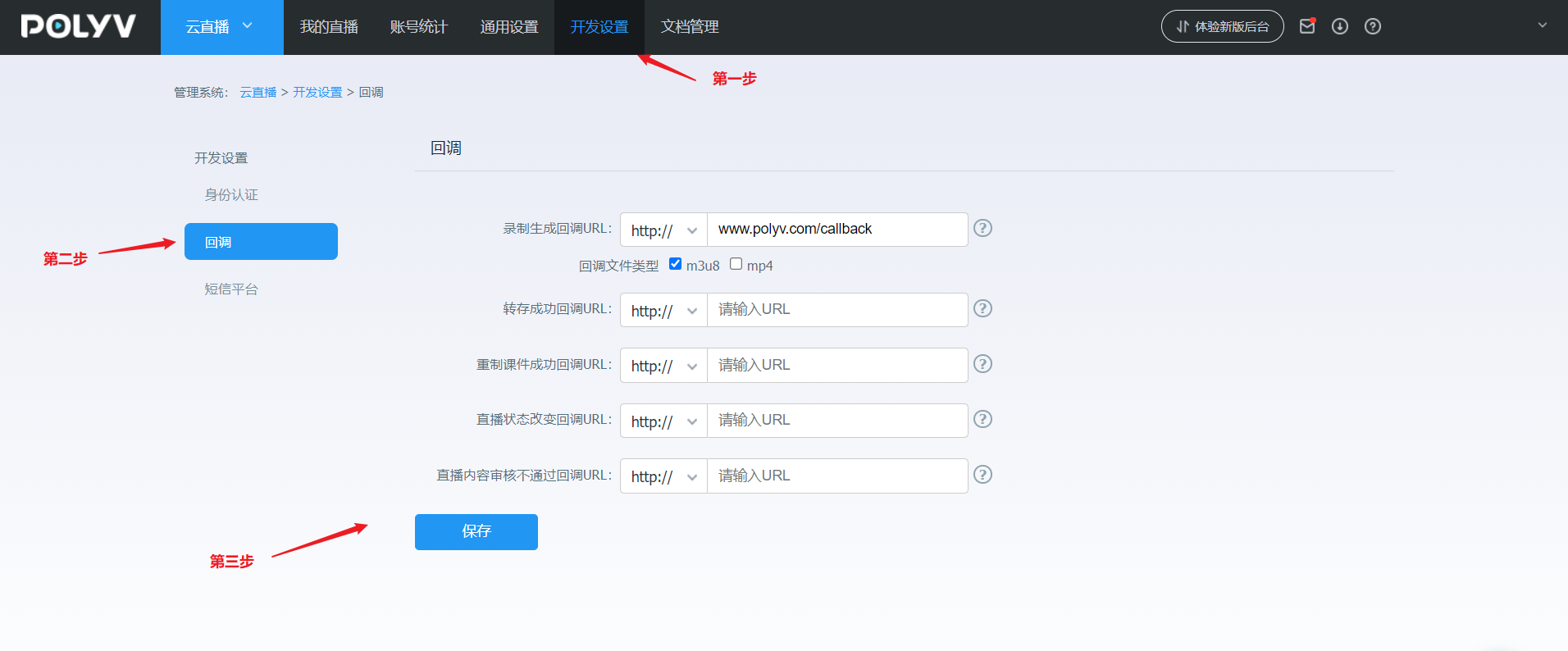
Log in to your account - Go to [Cloud Live] - Click [Development Settings] - Click [Callback Settings] - Registration Callback URL
Note: The submitted interface address must start with http:// or https://
Backend Configuration Reference Images
New backend configuration:
Legacy backend configuration:
If you cannot find the corresponding setting, it may be due to insufficient account permissions. For assistance, please contact the online customer service at the bottom right corner.
