


Player Authorized Playback
Use Case
After a student logs into the website and enters the live video playback page, the player carries the student's information to request an authorization verification URL. The interface determines whether the student is allowed to play the current video. If playback is not permitted, the player displays a relevant error message and the video cannot be played. This is used for verifying student playback permissions.
Backend Settings
Setting Method 1: Set Authorization Verification URL for a Single Channel
Channel Settings --> Player Management --> Playback Restrictions --> Authorization Verification URL
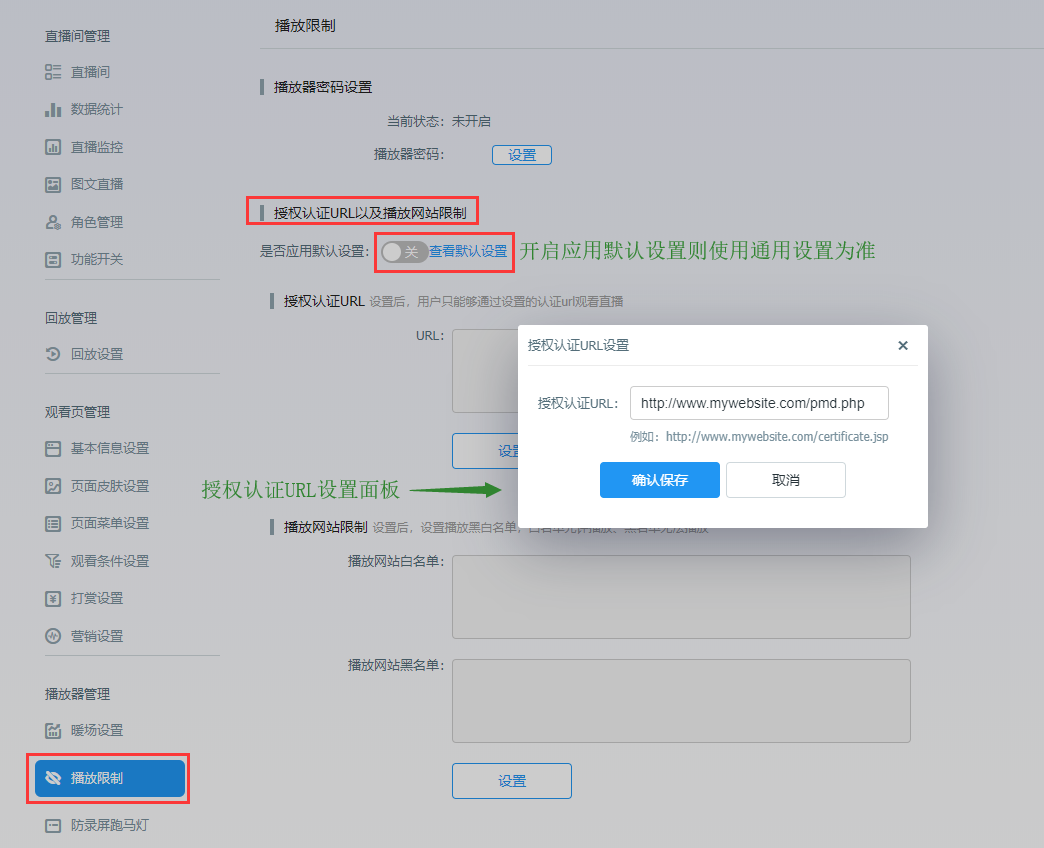
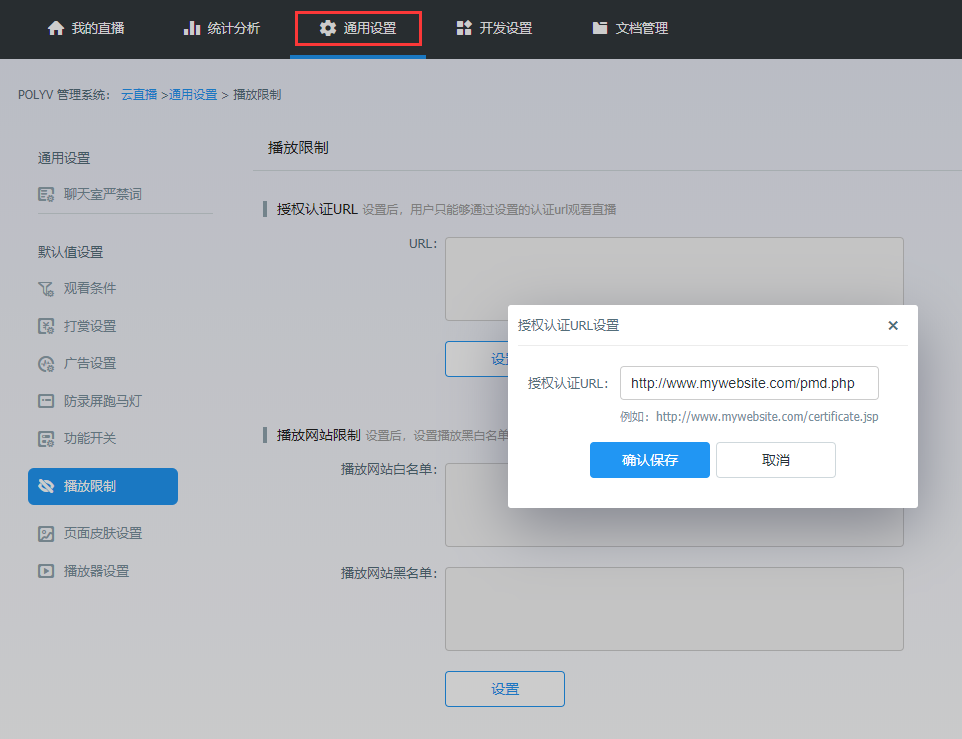
Setting Method 2: Set Authorization Verification URL Globally, Apply Default Settings to All Channels Under the Account
General Settings --> Playback Restrictions --> Authorization Verification URL
Parameter Description
Parameters for the Player's Request to the Authorization Verification URL:
| Parameter Name | Parameter Description |
|---|---|
| vid | Channel ID |
| code | Custom parameter in flashvars, default is empty |
| t | Timestamp |
| v | Random number to bypass cache; on mobile, this field is _ |
| callback | Callback function; on mobile, the request uses JSONP |
var player = polyvObject(".player").livePlayer({
    width: '100%',
    height: '100%',
    uid: 'e3wx706i3v',
    vid: '101043',
    flashvars: {
      code: 'polyv'
    }
});
Example Request:
http://www.mywebsite.com/pmd.php?vid=101043&code=polyv&t=1555569549636&v=867
Callback Parameters for the Authorization Verification URL Interface
| Parameter Name | Value Range | Parameter Description |
|---|---|---|
| status | Number | Whether playback is allowed: 1 for normal playback, 2 for prohibited playback |
| username | String | Content displayed in the marquee, can be "" |
| sign | String | Authorization verification sign |
| show | String | Whether to display the marquee: on to show, off to hide |
| message | String | Custom error message, optional |
MD5 Calculation Rule for the sign Value: Perform MD5 on vid (vid is the channel ID), username, code, status, s (s is the abbreviation for show mentioned above), and t (t is the timestamp parameter from the player's request to the authorization URL)
let sign = MD5(`vid=${vid}&username=${username}&code=${code}&status=${status}&s=${show}&t=${t}`);
PHP Example Code
<?php
$status = 1;
$username = "test";
$show= "on";
$vid = $_GET["vid"];
$code = $_GET["code"];
$time = $_GET["t"];

//客户网站后台对学员身份做判断,若授权不通过不允许播放器去播视频,可以自定义提示信息,将提示信息传给POLYV播放器,让播放器显示出来
$message="该学员不是付费会员,请购买套餐后再刷新页面播放";

$md5=md5("vid=".$vid."&username=".$username."&code=".$code."&status=".$status."&s=".$show."&t=".$time);
$callback = isset($_GET["callback"])?$_GET["callback"]:null; //未提交callback时则设为空

$array = Array("status"=>$status,"username"=>$username,"show"=>$show,"sign"=>$md5,"message"=>$message);
$validateJson = json_encode($array);

if($callback != null){
    echo $callback."(".$validateJson.")";
} else{
    echo $validateJson;
}
?>
※Note: To facilitate the use of the marquee feature, the live marquee function has been moved separately. Please click Video Marquee – New Screen Recording Prevention Tool for settings. Currently, the authorization verification interface still requires submitting related operations; empty parameters must also be submitted.
Important Notes
- A
crossdomain.xmlfile must be added under the domain where the JSON address is saved.crossdomain.xml:
Example
Example URL: http://demo.ipolyv.cn/chenwb/test30/login.php
Example Code Download: zbsqrz
