


Overview of the Small Class Web Teaching Interface
Updated: 2024-10-21 09:33:43
Polyv's Small Class Web Teaching Interface is an interactive live teaching product characterized by ease of use, strong interactivity, easy integration, and support for thousands of concurrent users. It enables real-time viewing with no latency, allowing students to go on/off stage and interact with the teacher. It supports various content presentation methods such as PPT animated documents, screen sharing, and whiteboard writing. It also supports awarding trophies to boost student engagement, as well as interactive tools like granting pens, answer cards, and check-ins. See the table below:
| Module | Feature | Supported |
|---|---|---|
| Live Mic | Auto on-stage / Manual on-stage | ✔️ |
| Student raise hand to go on stage | ✔️ | |
| Documents | Interactive blackboard | ✔️ |
| Collaborative pen | ✔️ | |
| Document teaching | ✔️ | |
| Screen sharing | ✔️ | |
| Interaction | Trophy incentive | ✔️ |
| Answer card | ✔️ | |
| Check-in | ✔️ | |
| Timer | ✔️ | |
| Member List | Kick out | ✔️ |
| Mute | ✔️ | |
| Manage camera/microphone | ✔️ | |
| Control on/off stage | ✔️ | |
| Chat Room | Text, emoji, images | ✔️ |
| Supported End | PC-web | ✔️ |
| Mobile | Coming soon |
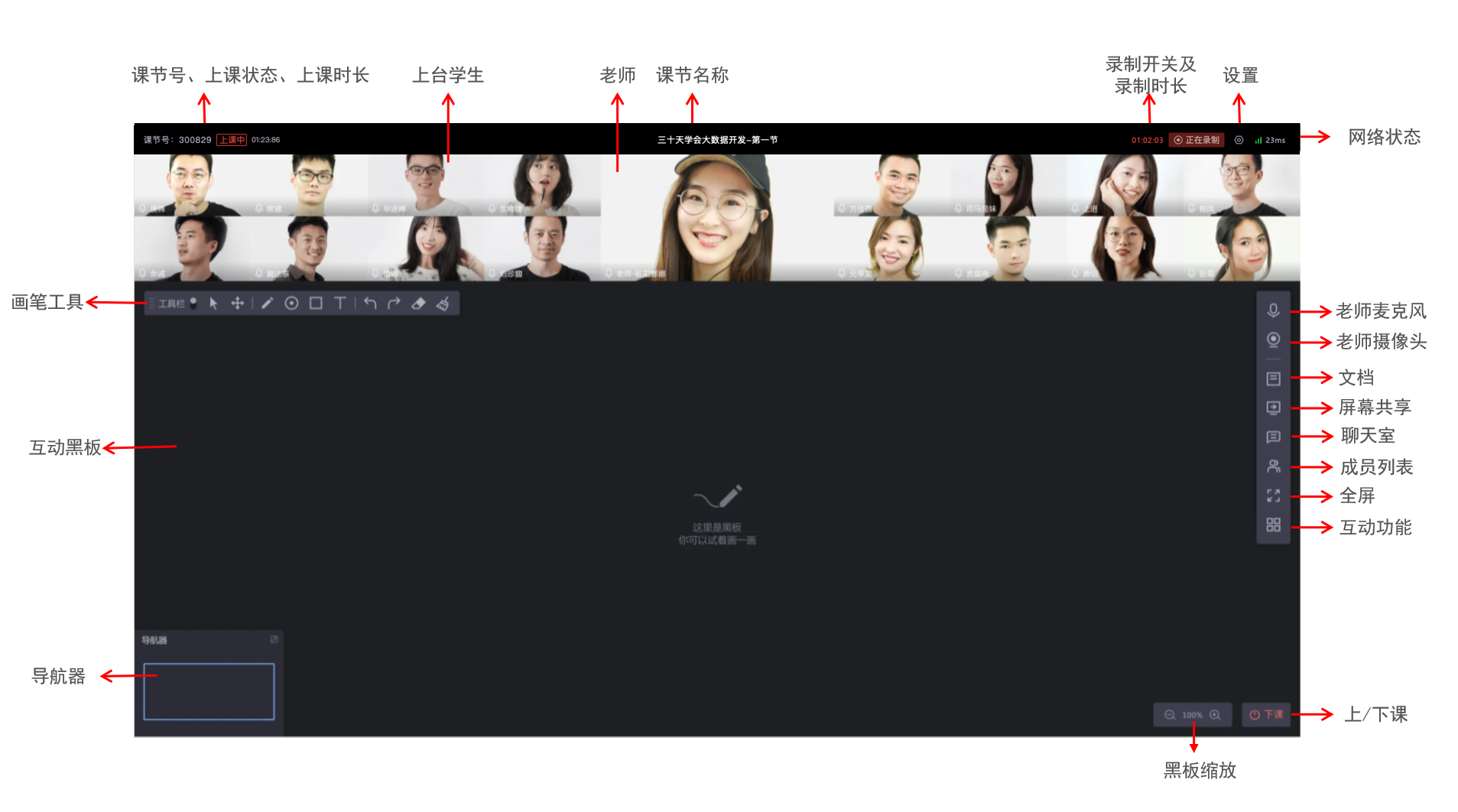
Teacher Overview
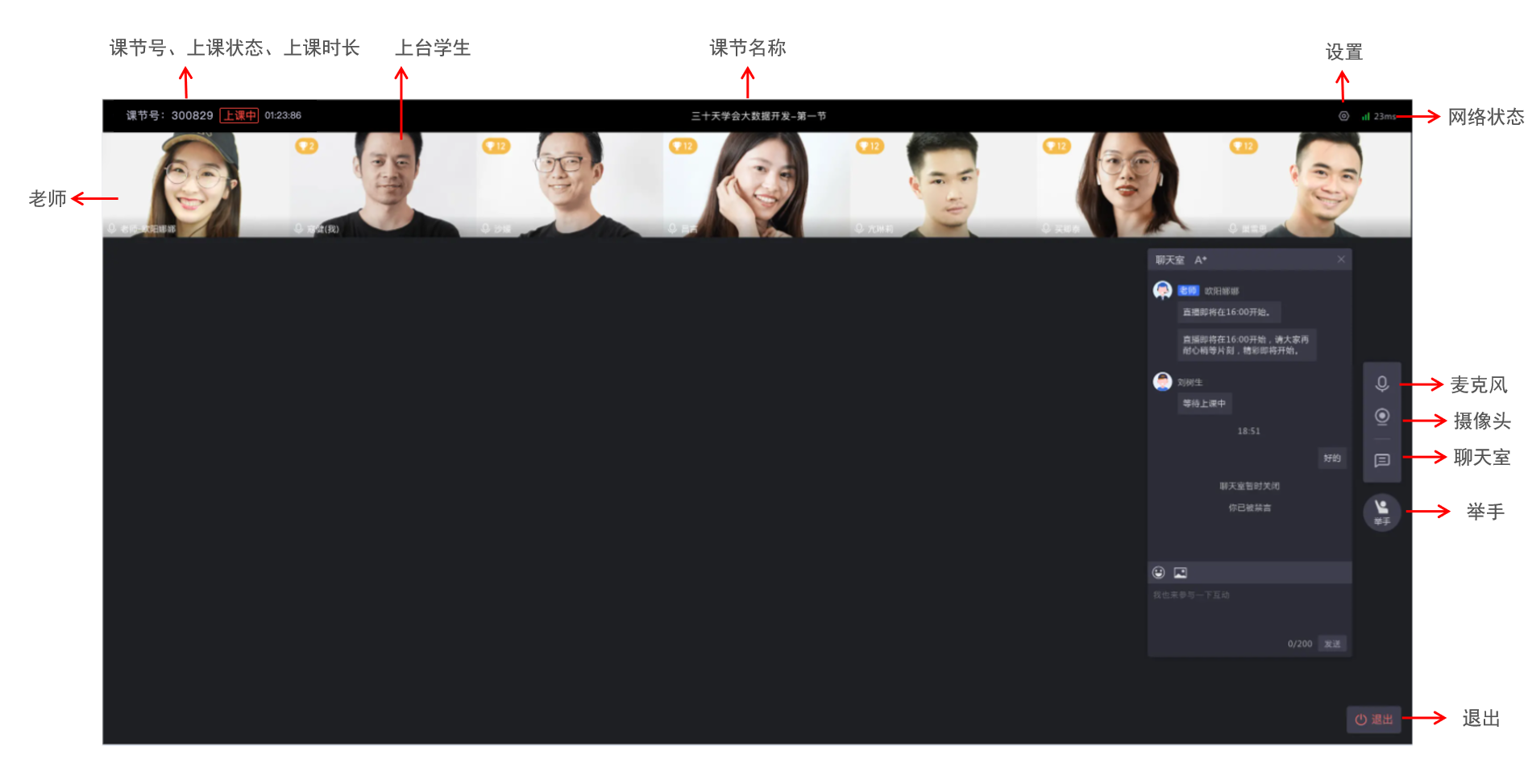
Student Overview
Recommended Usage Environment
- When using WIFI or mobile network, ensure stable signal within the broadcast venue. Live streaming is affected by uplink bandwidth; uplink bandwidth should be at least 2Mbps, with 4Mbps or higher recommended. Bandwidth test address: https://www.speedtest.cn;
- Avoid using public networks when possible, as crowded networks can cause congestion, leading to packet loss, high latency, and audio/video stuttering.
- Telecom broadband is recommended; avoid small ISPs (e.g., Topway, Great Wall Broadband).
