


Quick Start Example
Prerequisites for Example Code Integration
Before integrating the Polyv Live Streaming API, ensure the B-end has the following environment ready:
Java environment installed.
The example code supports JDK 1.8 or higher.
Obtain credentials
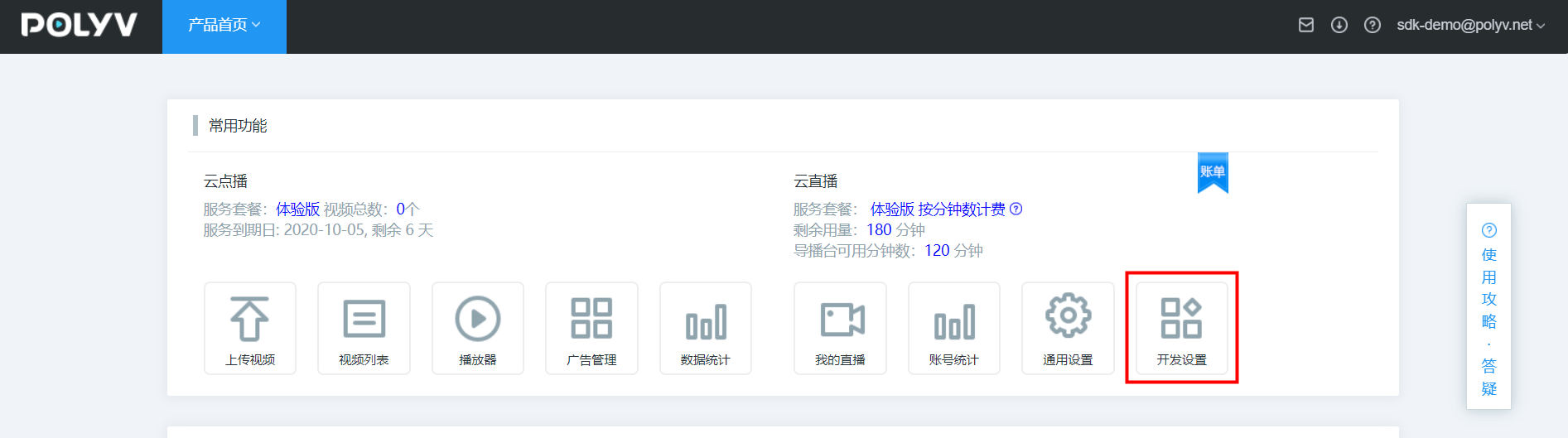
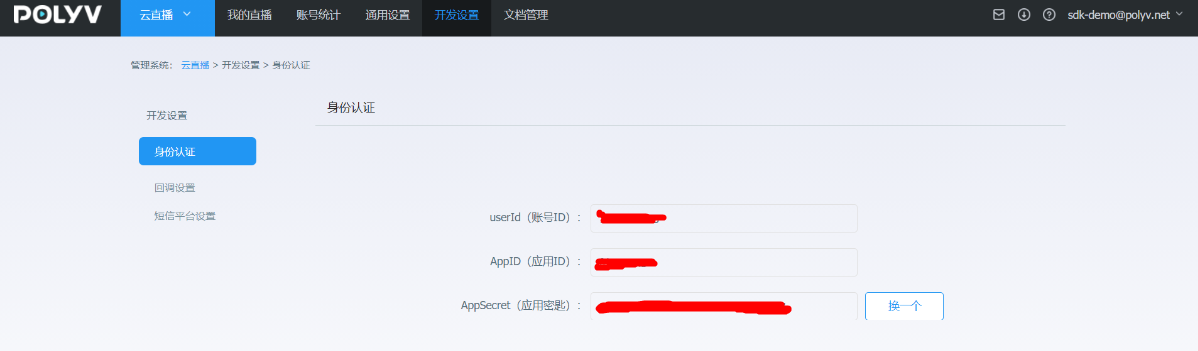
Register a Polyv account on the Polyv official website and obtain access key information (UserId, AppId, AppSecret).
1. Message Protocol
1.1 Protocol
HTTP 1.0/1.1
1.2 Header
- Method: POST
Content-Type = application/json;charset=UTF-8
Accept = application/json;charset=UTF-8
- Method: GET
Content-Type = application/json;charset=UTF-8
Accept = application/json;charset=UTF-8
2. Add Maven Dependency
Add the following dependency to the project's POM file:
    <properties>
        <maven.compiler.source>8</maven.compiler.source>
        <maven.compiler.target>8</maven.compiler.target>
        <httpclient.version>4.5.13</httpclient.version>
        <slf4j.version>1.7.30</slf4j.version>
        <lombok.version>1.18.16</lombok.version>
        <fastjson.version>1.2.70</fastjson.version>
        <junit.version>4.12</junit.version>
    </properties>

    <dependencies>
        <!-- 基本工具 -->
        <dependency>
            <groupId>org.apache.httpcomponents</groupId>
            <artifactId>httpclient</artifactId>
            <version>${httpclient.version}</version>
        </dependency>
        <dependency>
            <groupId>org.apache.httpcomponents</groupId>
            <artifactId>httpmime</artifactId>
            <version>${httpclient.version}</version>
        </dependency>
        <dependency>
            <groupId>org.slf4j</groupId>
            <artifactId>slf4j-api</artifactId>
            <version>${slf4j.version}</version>
        </dependency>
        <dependency>
            <groupId>org.slf4j</groupId>
            <artifactId>slf4j-simple</artifactId>
            <version>${slf4j.version}</version>
        </dependency>
        <dependency>
            <groupId>junit</groupId>
            <artifactId>junit</artifactId>
            <version>${junit.version}</version>
            <scope>test</scope>
        </dependency>
    </dependencies>
3. System Base Code
For the quick integration base code, please download the relevant dependency source code. Click here to download the source code. After downloading, add it to your own source code project. The HttpUtil.java and LiveSignUtil.java files used in the test cases are included in the downloaded package.
4. Execute Test Code
The test modifies the live channel category name based on the channel category ID. The unit test code is as follows:
package net.polyv.live.account;

import net.polyv.LiveBaseTest;
import net.polyv.util.HttpUtil;
import net.polyv.util.LiveSignUtil;
import org.junit.Test;
import org.slf4j.Logger;
import org.slf4j.LoggerFactory;

import java.io.IOException;
import java.security.NoSuchAlgorithmException;
import java.util.HashMap;
import java.util.Map;

public class AccountTest extends LiveBaseTest {

    private static final Logger log = LoggerFactory.getLogger(AccountTest.class);
    /**
     * 修改直播频道分类名称
     * @throws IOException
     */
    @Test
    public void testUpdateCategoryName() throws IOException, NoSuchAlgorithmException {
        //公共参数,填写自己的实际参数
        String appId=super.appId;
        String appSecret=super.appSecret;
        String userId = super.userId;
        String timestamp=String.valueOf(System.currentTimeMillis());
        //业务参数
        String url = "http://api.polyv.net/small-class/xx/xx";
        String categoryId = "345134";
        String categoryName = "分类234";

        //http 调用逻辑
        Map<String,String> requestMap = new HashMap<>();
        requestMap.put("appId", appId);
        requestMap.put("timestamp",timestamp);
        requestMap.put("categoryId",categoryId);
        requestMap.put("categoryName",categoryName);
        requestMap.put("sign",LiveSignUtil.getSign(requestMap, appSecret));
        String response = HttpUtil.postFormBody(url, requestMap);
        log.info("测试修改直播频道分类名称,返回值:{}",response);
        //do somethings

    }
}
After executing the code, the console should output the following key information, indicating successful integration:
测试修改直播频道分类名称接口返回值:{"code":200,"status":"success","message":"","data":""}
