


Activating SMS Verification Process (Alibaba Cloud)
Alibaba Cloud SMS Service New User Guide
1. Register a Corporate Account with the SMS Service Provider
a. Click here to go to the Alibaba Cloud registration page. Fill in the member name and login password to complete the registration.
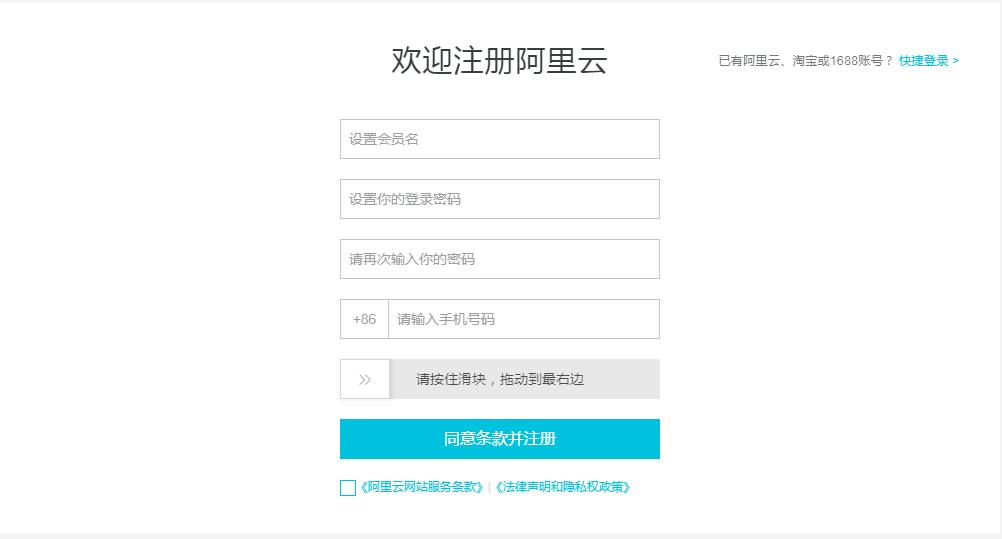
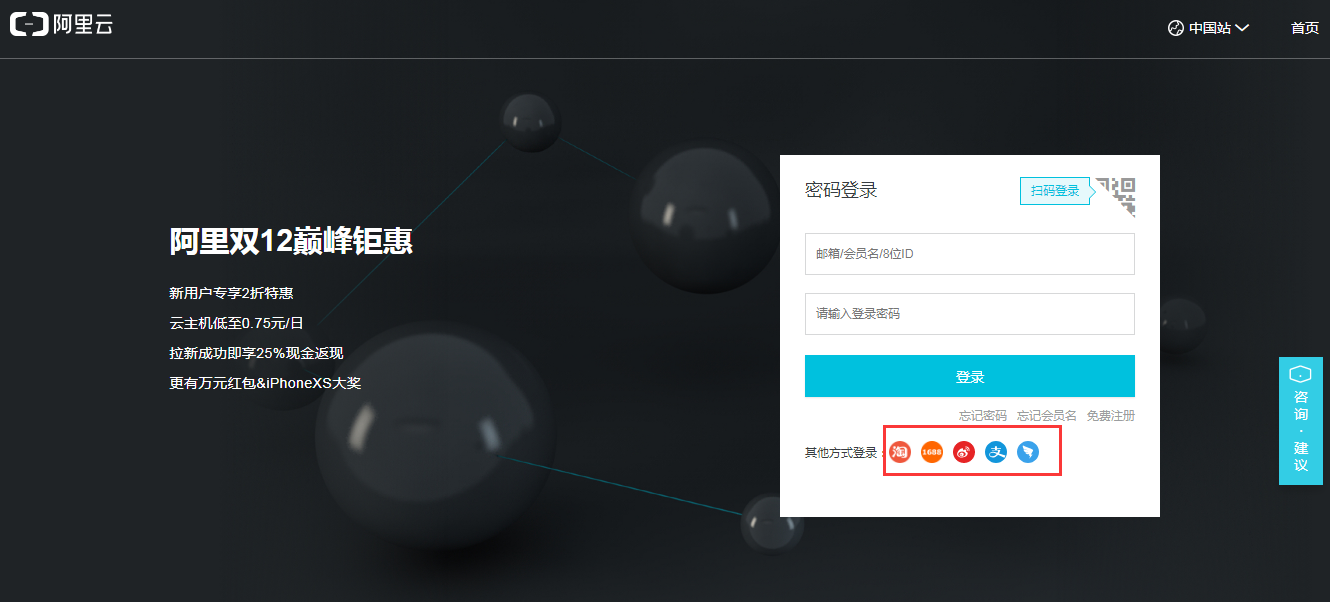
b. You can also click "Quick Login" in the upper right corner to log in using other accounts such as Alibaba Cloud or Taobao.
2. Complete Real-Name Authentication
a. Click here to go to the real-name authentication page. If you have already completed real-name verification, you can skip this step.
b. How to authenticate?
- How to choose a real-name authentication method?
- How can individual users complete real-name authentication?
- How can enterprises complete real-name authentication?
- How can public institutions, schools, government agencies, and social organizations complete real-name authentication?
3. Activate SMS Service
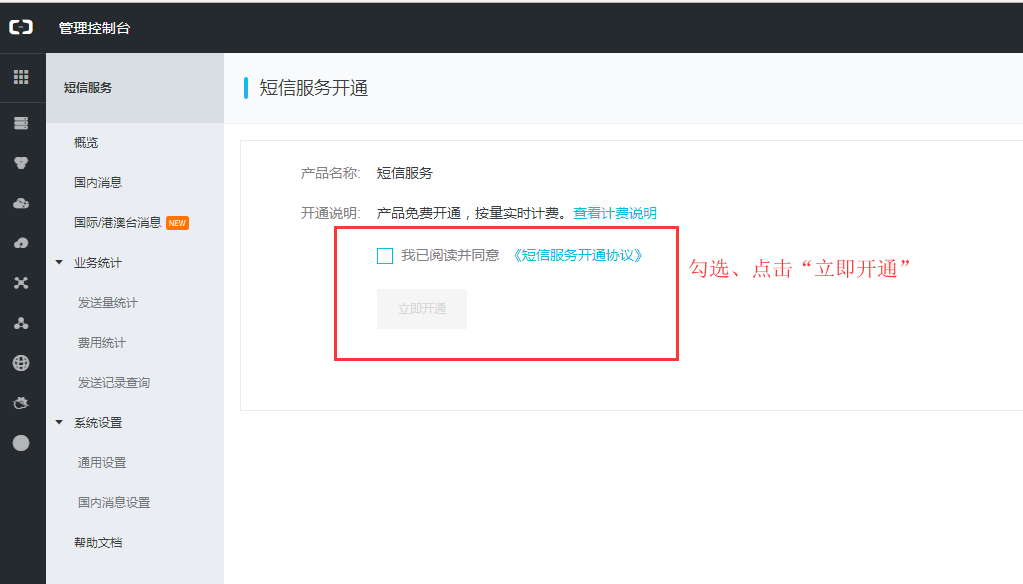
a. Click here to go to the SMS service activation page, check the agreement, and click "Activate Now".
4. Create AccessKey
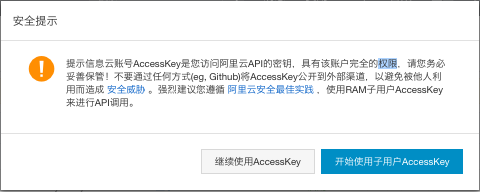
a. Path: Management Console --> AccessKey --> Select "Continue using AccessKey" or "Start using sub-user AccessKey".
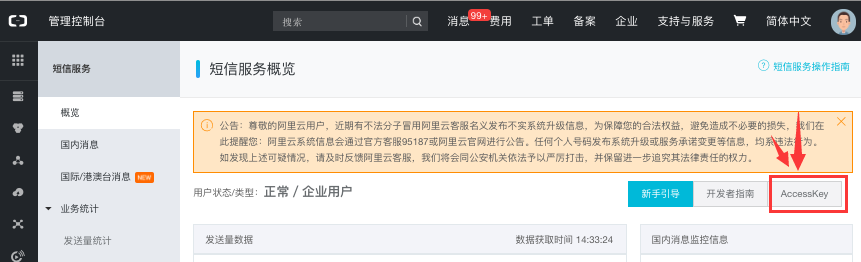
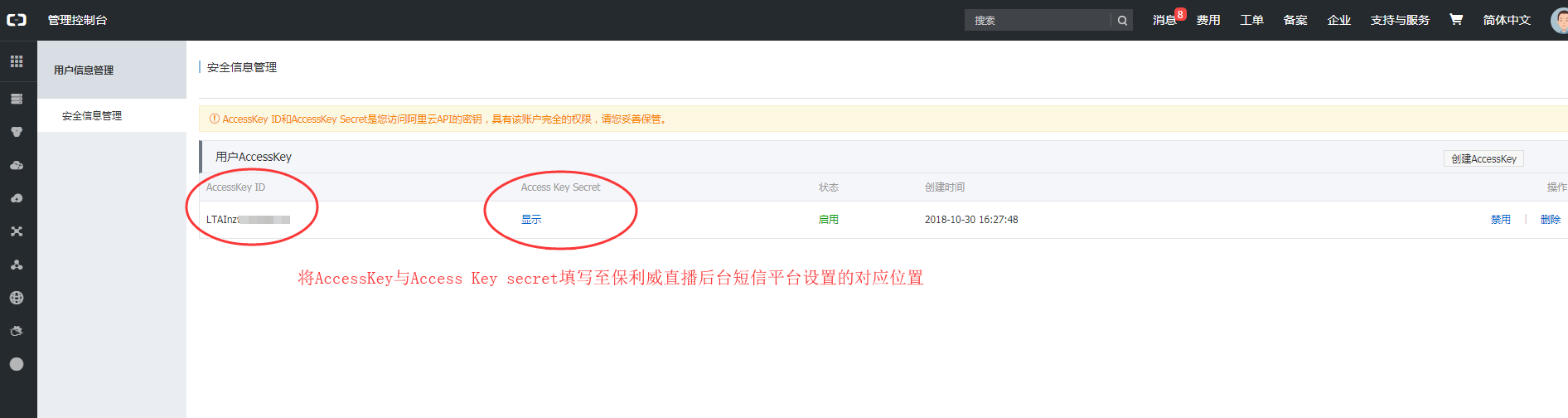
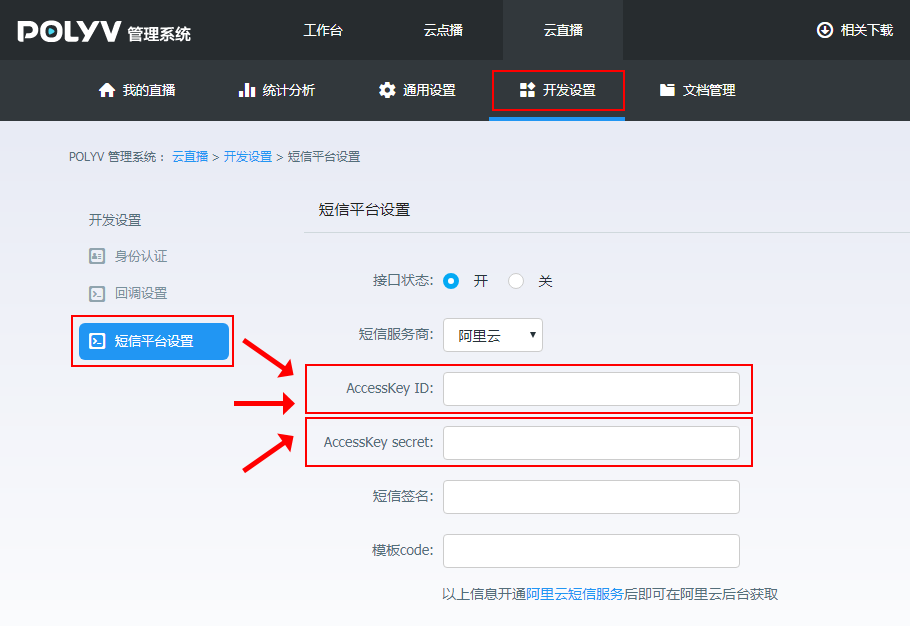
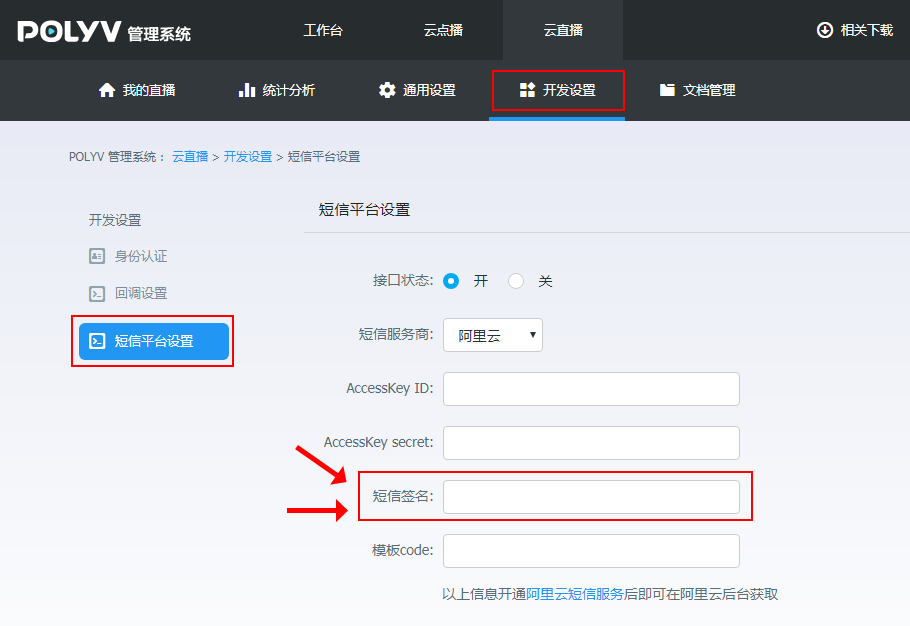
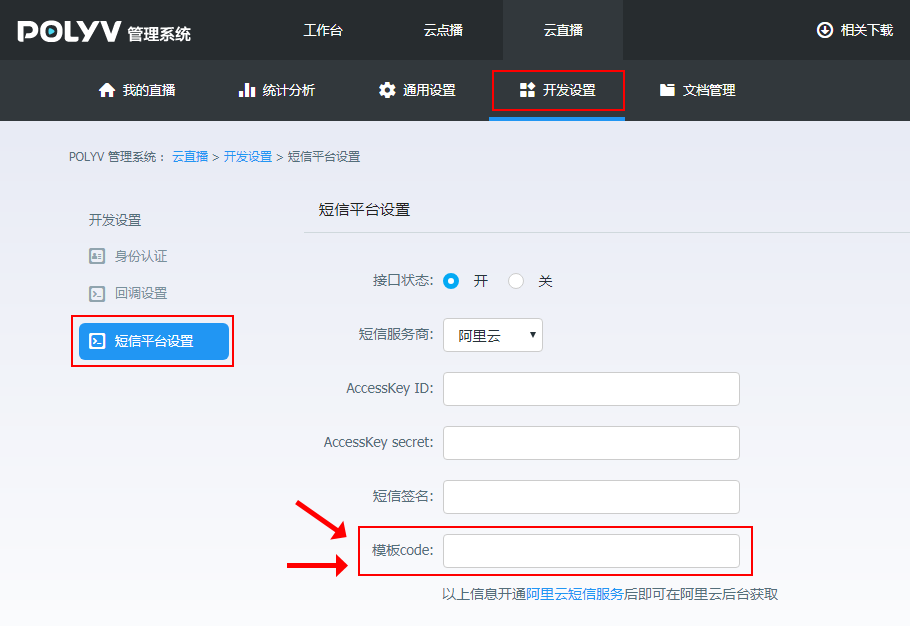
b. Click "Create AccessKey", then fill in the AccessKey ID and AccessKey Secret in the Polyv Live Backend under "AccessKey ID" and "AccessKey Secret". Path: Development Settings --> SMS Platform Settings
5. Create Signature and Template
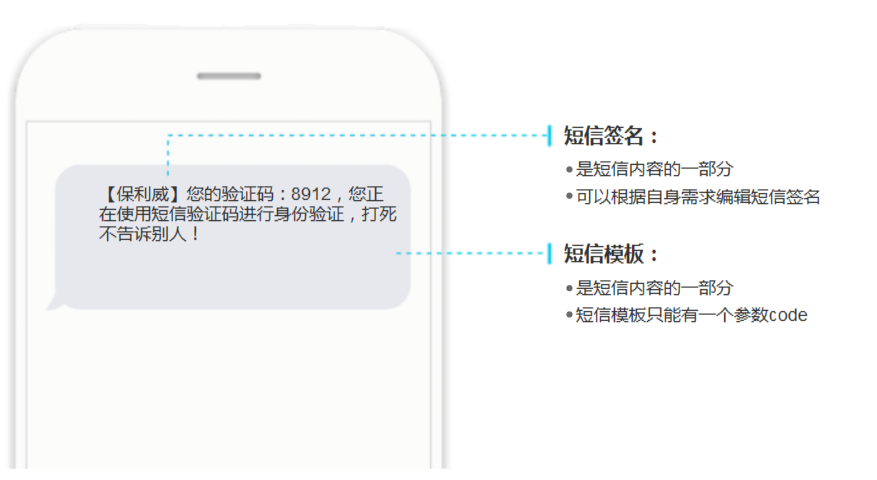
a. What are "SMS Signature" and "SMS Template"?
b. Path to create a signature: SMS Service Console --> Domestic Messages --> Signature Management --> Add Template
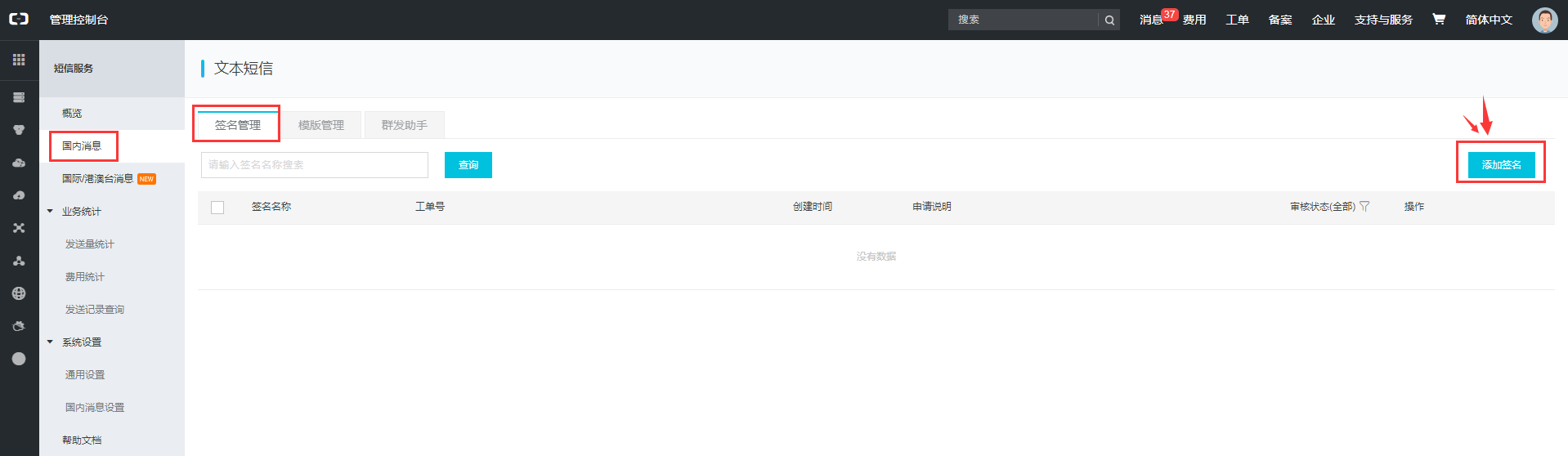
c. Click "Add Signature", fill in the "Signature", select the "Signature Purpose", choose whether to have "Three Certificates in One", upload the supporting documents, and click "Confirm". The added signature will then appear in Signature Management.
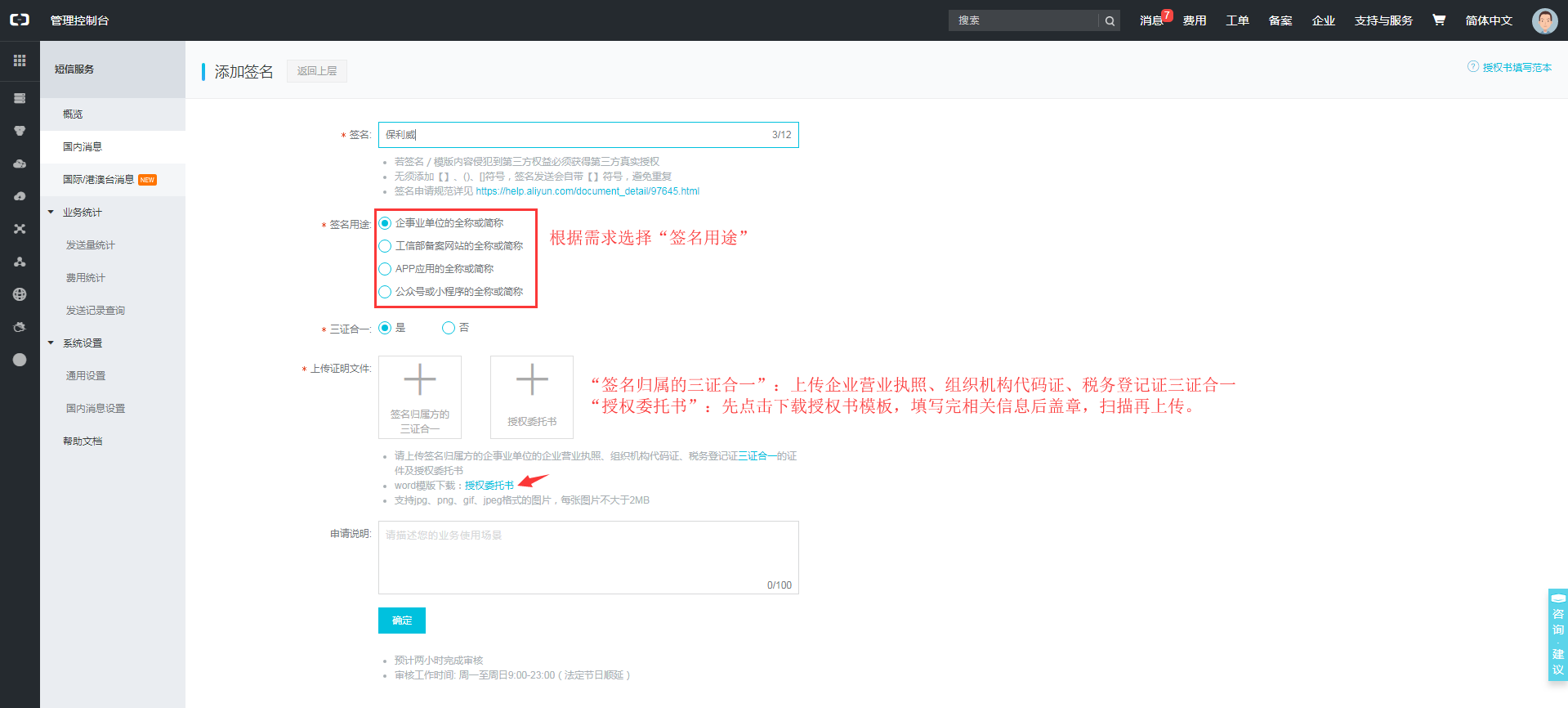
The added signature will be reviewed within 2 hours. The "Review Status" will show whether the review has passed. If it fails the review, you can click "Reason" under "Actions" to see why it was not approved.

d. Fill in the approved signature in the Live Backend under "SMS Signature". Path: Development Settings --> SMS Platform Settings --> SMS Signature
签名.png)
e. Path to create a template: SMS Service Console --> Domestic Messages --> Template Management --> Add Template
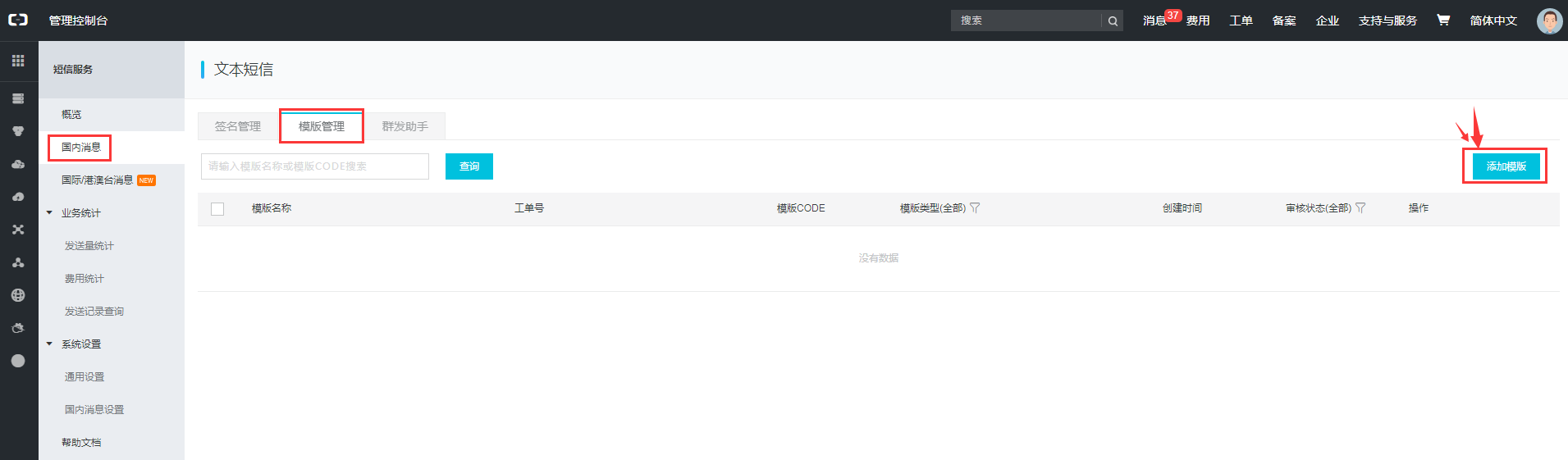
f. Click "Add Template", select the "Template Type", fill in the "Template Name", "Template Content", and "Application Description".
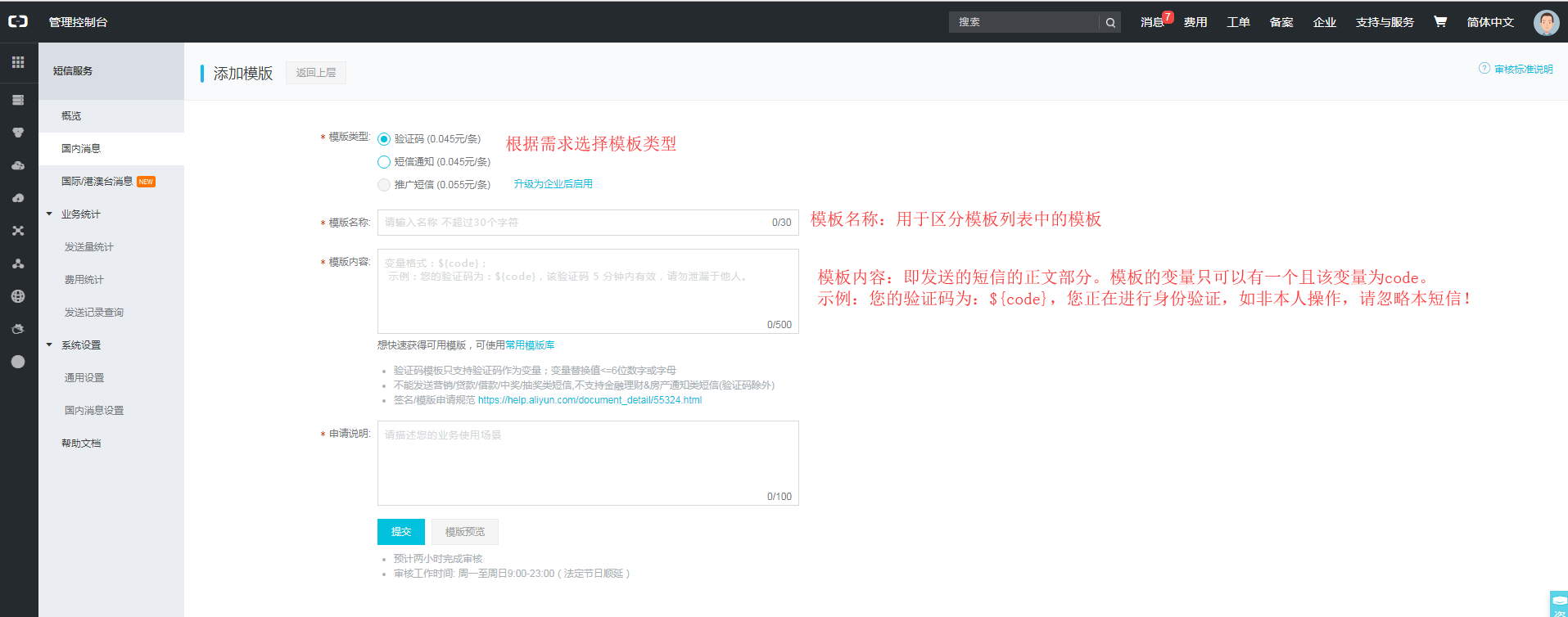
g. After submission, the template will be reviewed within 2 hours. The status of a successfully reviewed template will be "Approved".
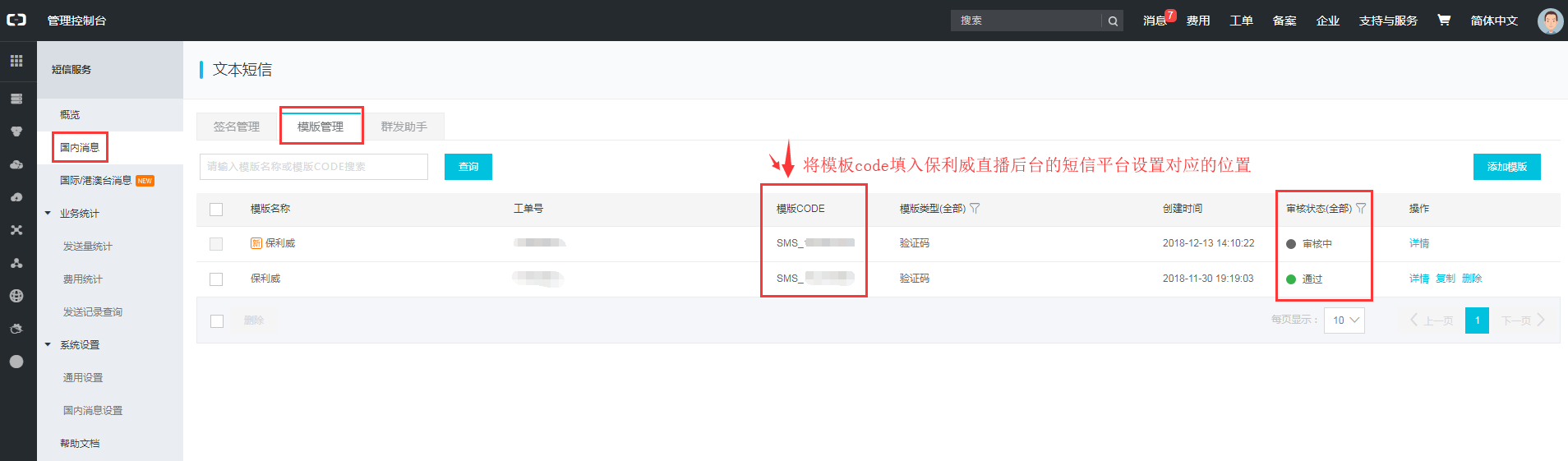
Fill in the approved template code in the Live Backend under "Template Code". Path: Development Settings --> SMS Platform Settings --> Template Code
6. Bind Phone Number
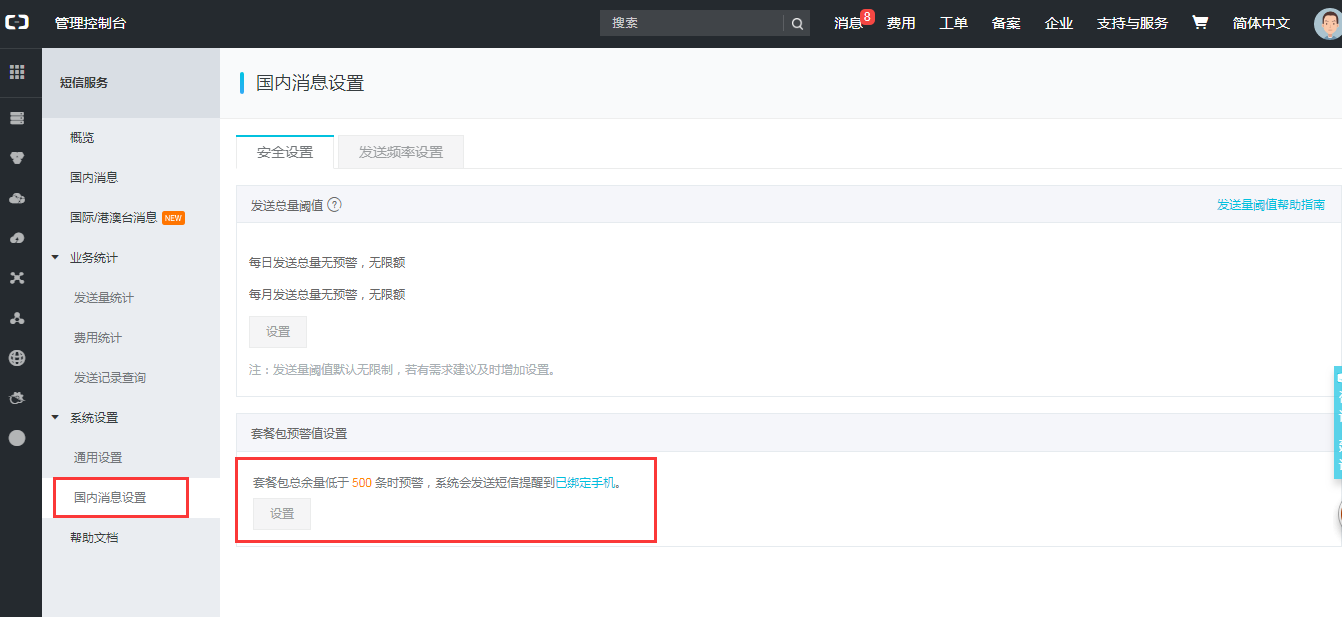
a. Path: Management Console --> Domestic Message Settings --> Bind Phone Number b. Why bind a phone number? When the remaining SMS count in the package reaches the warning threshold, the Alibaba Cloud platform will notify the bound phone number.
By completing the above 6 steps, you can finish the SMS platform settings in the Polyv Live Backend. After setup, you can enable the SMS verification toggle for phone numbers and test whether it works on the viewing page.
