Live Streaming Methods
Updated: 2022-05-24 14:25:56
I. Feature Path
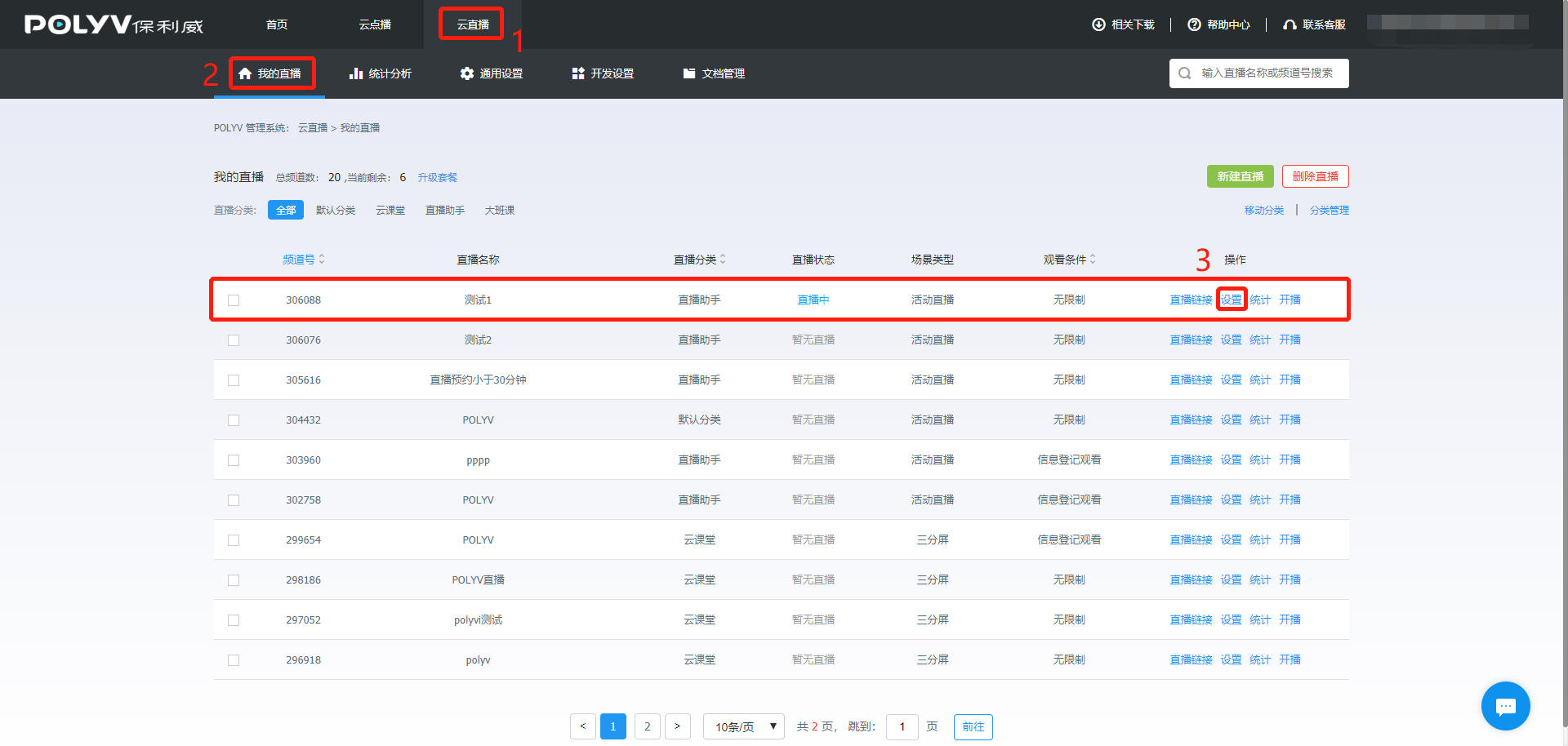
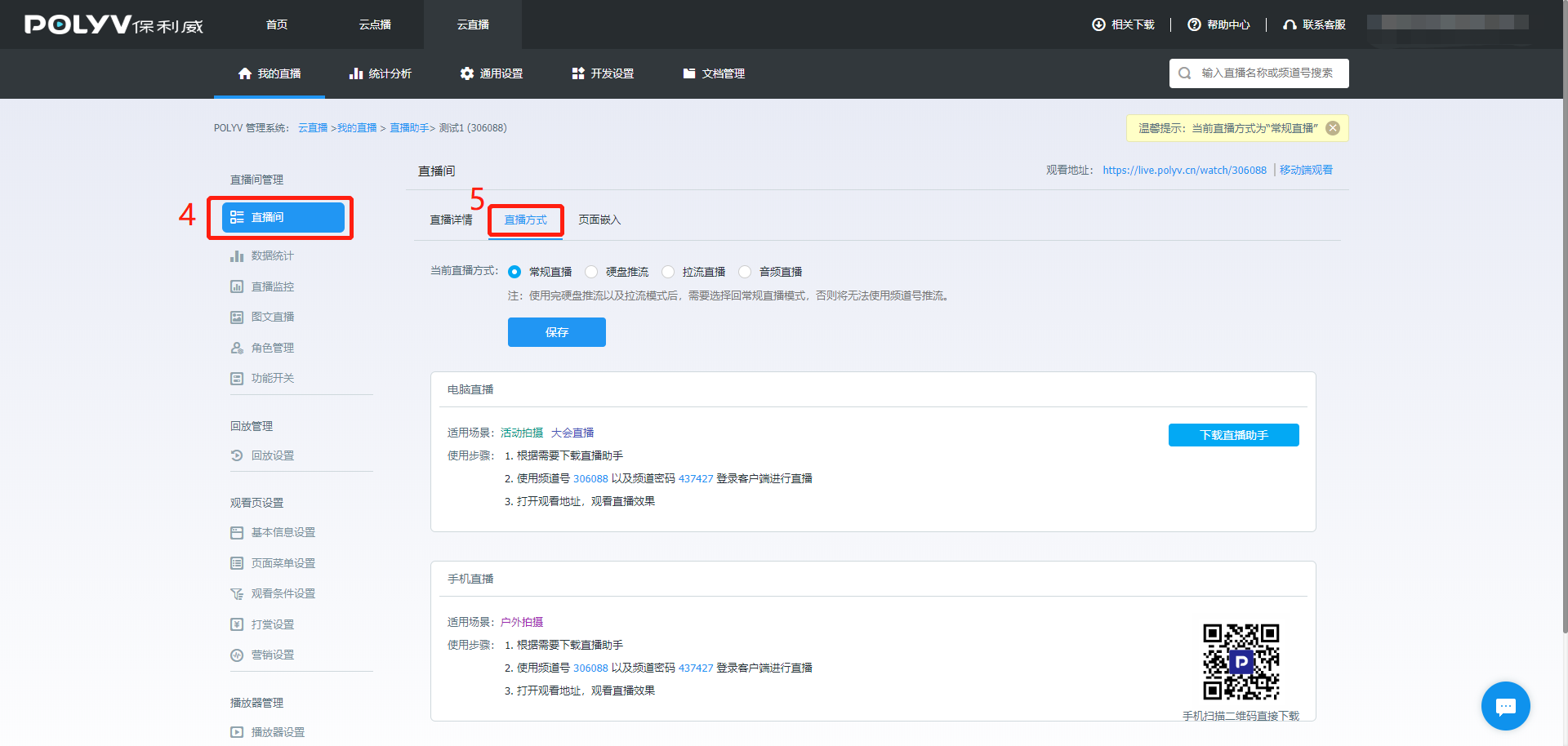
我的直播 -> 频道设置 -> 直播间 -> 直播方式
II. Feature Description
Enter the live streaming method interface, with regular live streaming selected by default. The live streaming methods include Regular Live Streaming, Hard Disk Live Streaming, Pull Stream Live Streaming, and Audio Live Streaming.
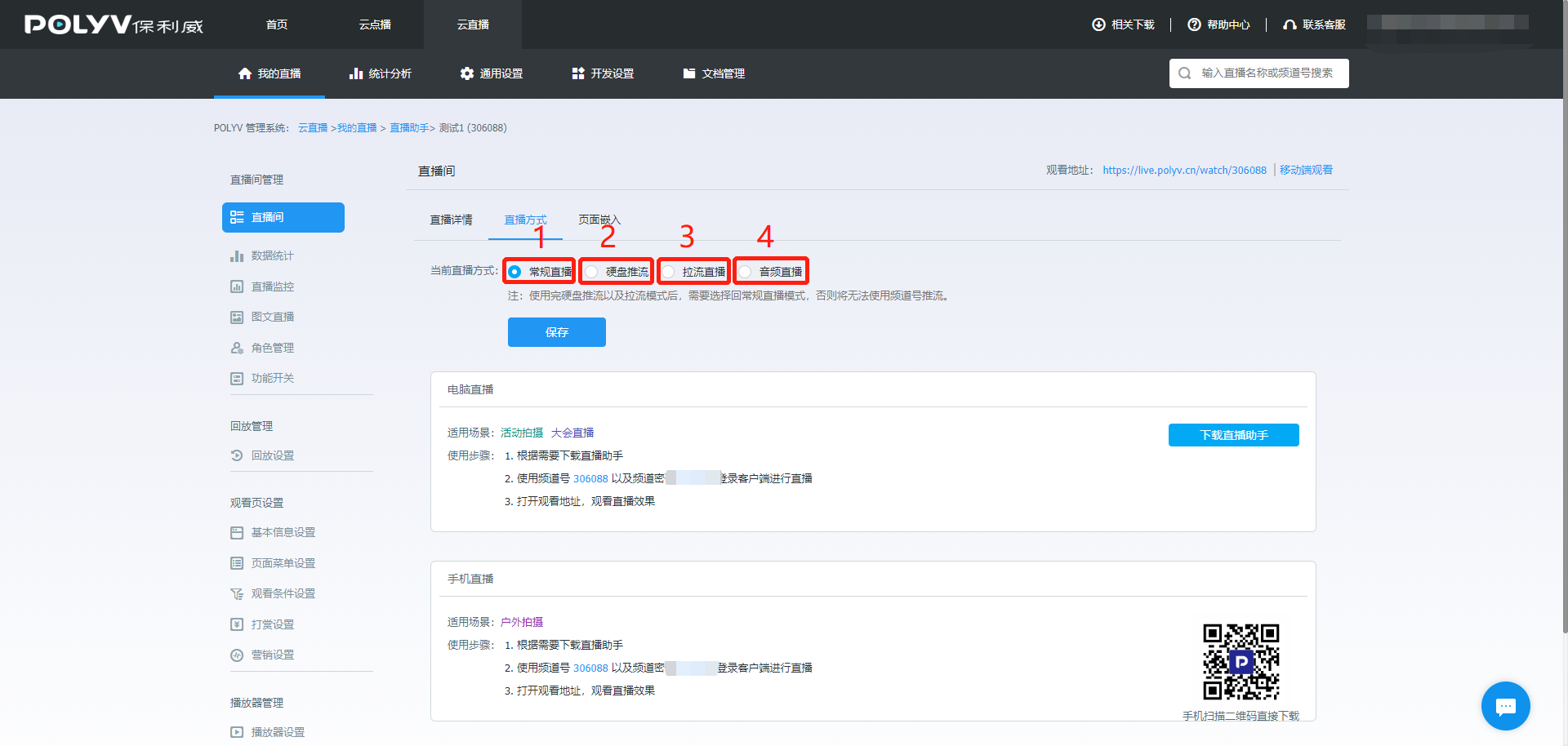
- Regular Live Streaming: The most frequently used live streaming method for video.
- Hard Disk Push Streaming: Using the hard disk push streaming function, you can convert on-demand videos into live streams, with playback effects consistent with client push streaming.
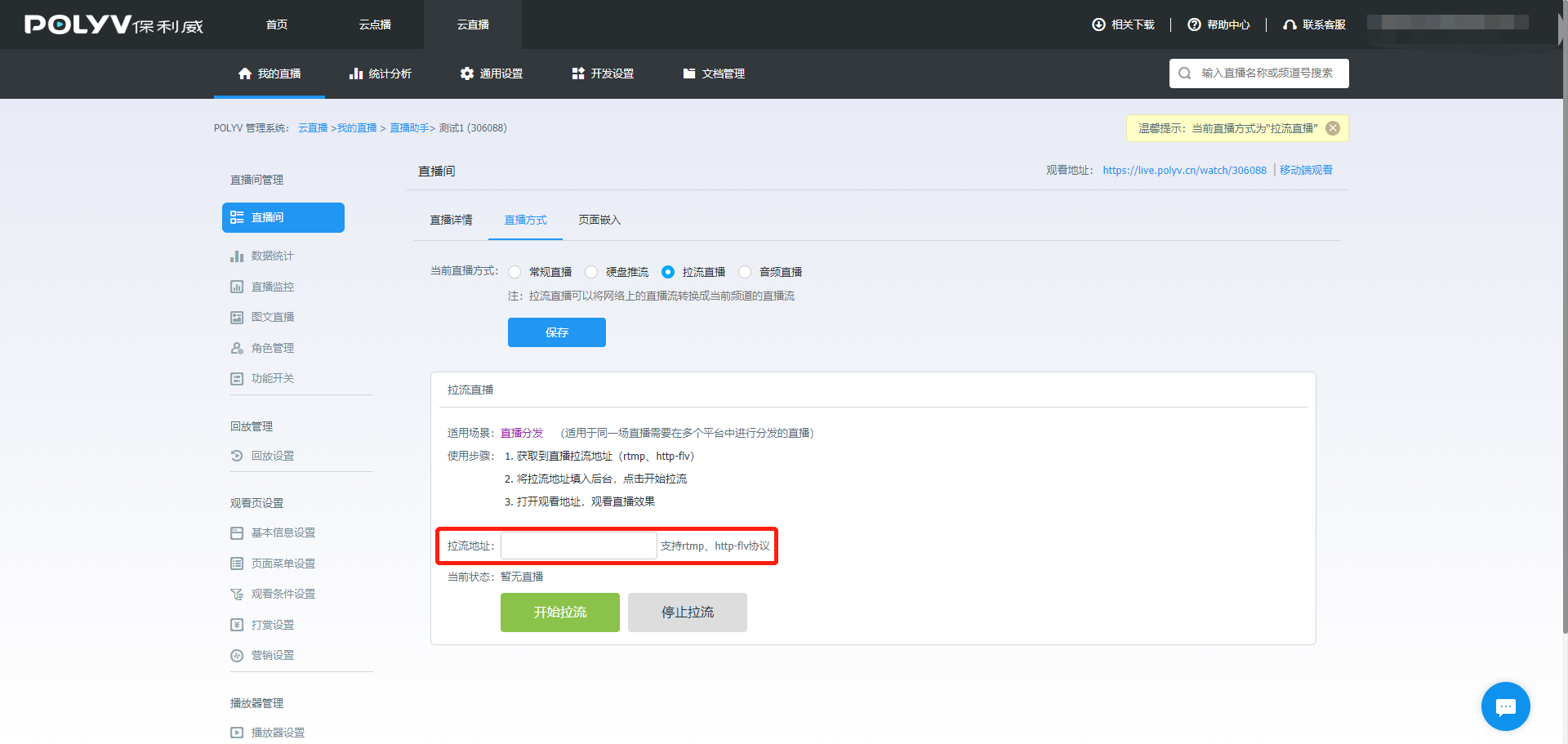
- Pull Stream Live Streaming: Pull stream live streaming can convert a live stream into the current channel's live stream, which can then be viewed on the channel's watch page.
- Audio Live Streaming
III. Usage Steps
- Regular Live Streaming: Open the live streaming assistant and push the stream.
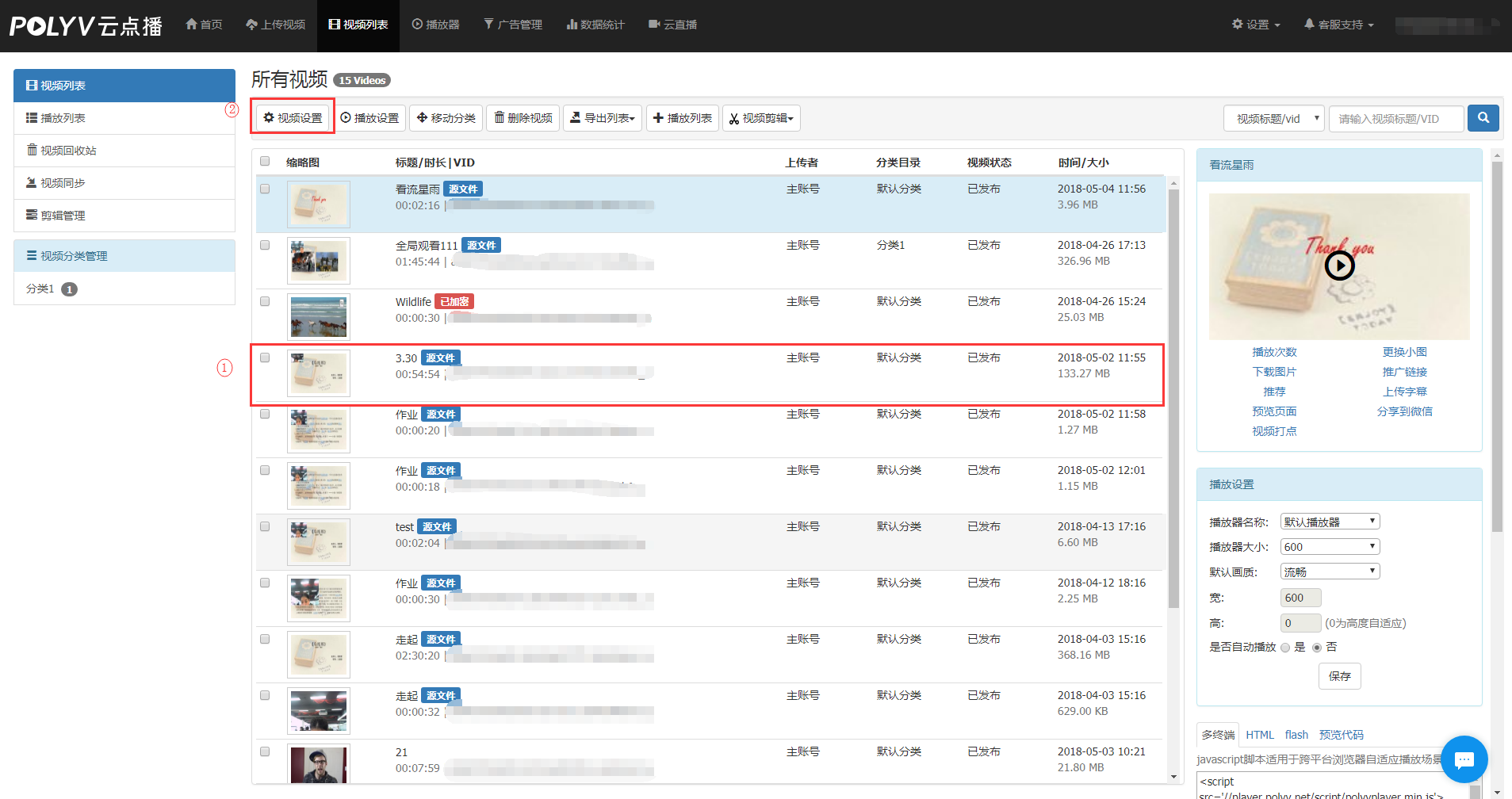
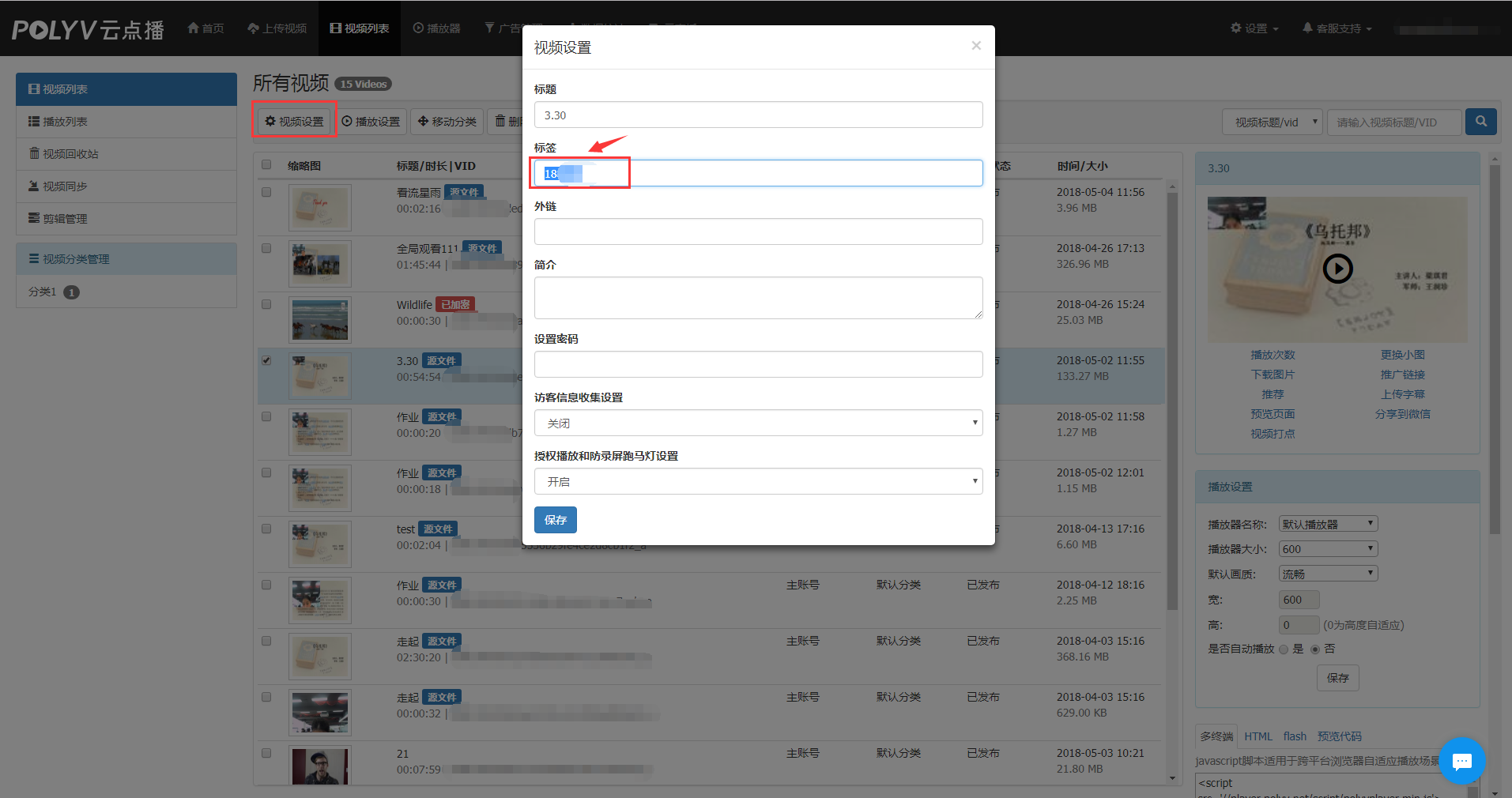
- Hard Disk Push Streaming: Cloud VOD -> Video List -> Find the corresponding video -> Video Settings -> Change the tag to the live channel ID -> Cloud Live -> Set the live channel ID -> Live Streaming Method -> Hard Disk Push Streaming -> Select Video -> Set Time
Select a video in VOD and configure it.
Change the tag to the live channel ID.
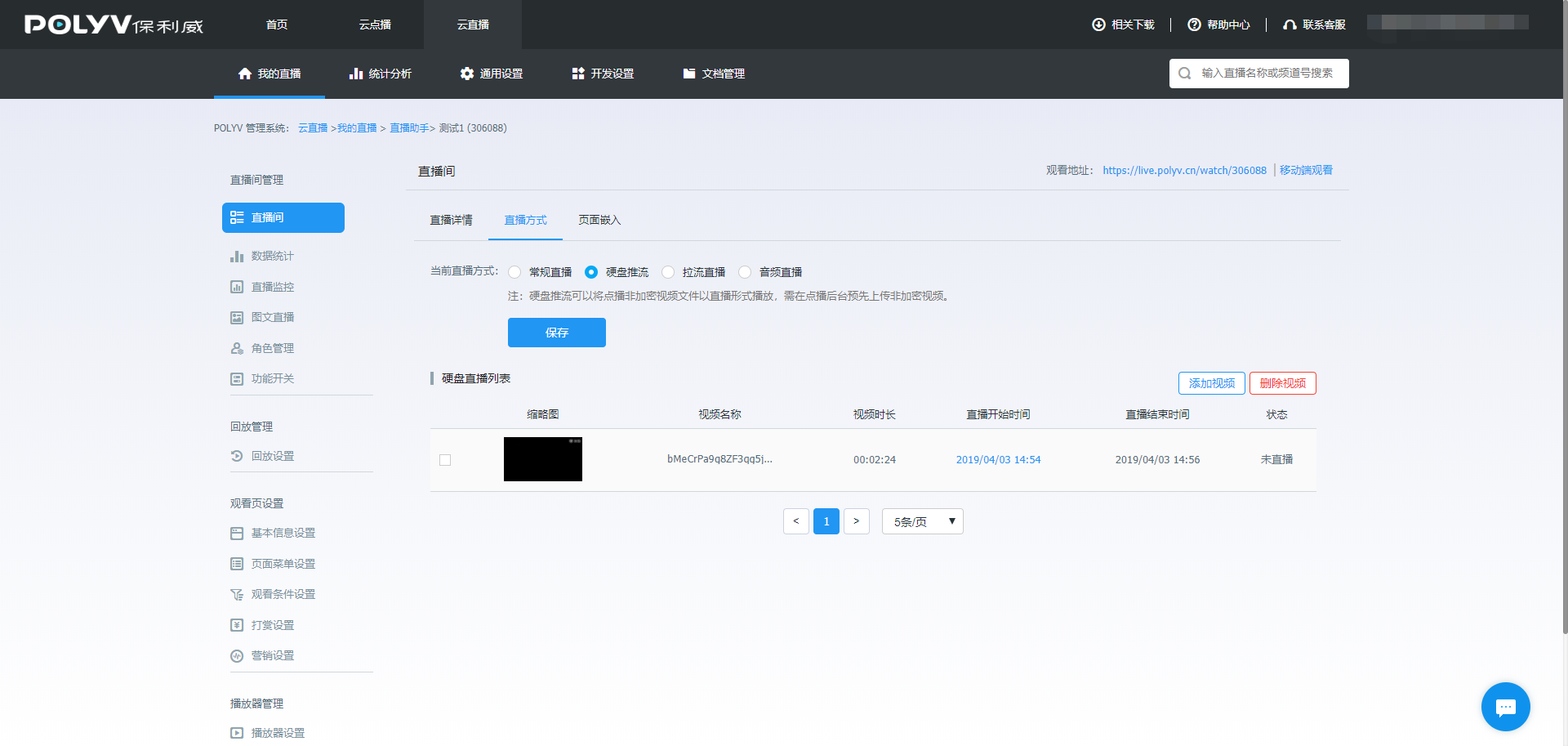
The video with the modified tag will appear in Hard Disk Push Streaming.
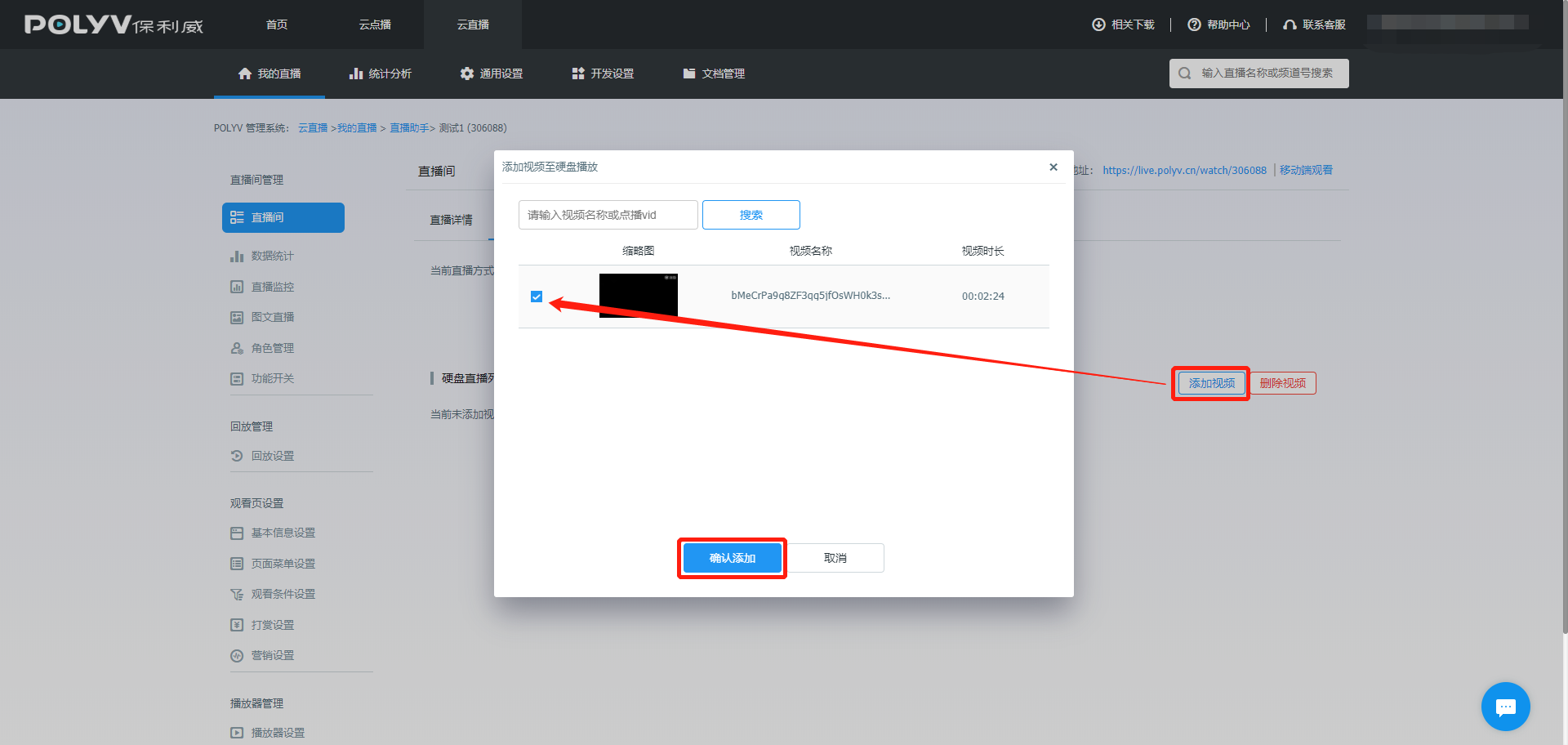
Add the push stream video in Hard Disk Push Streaming.
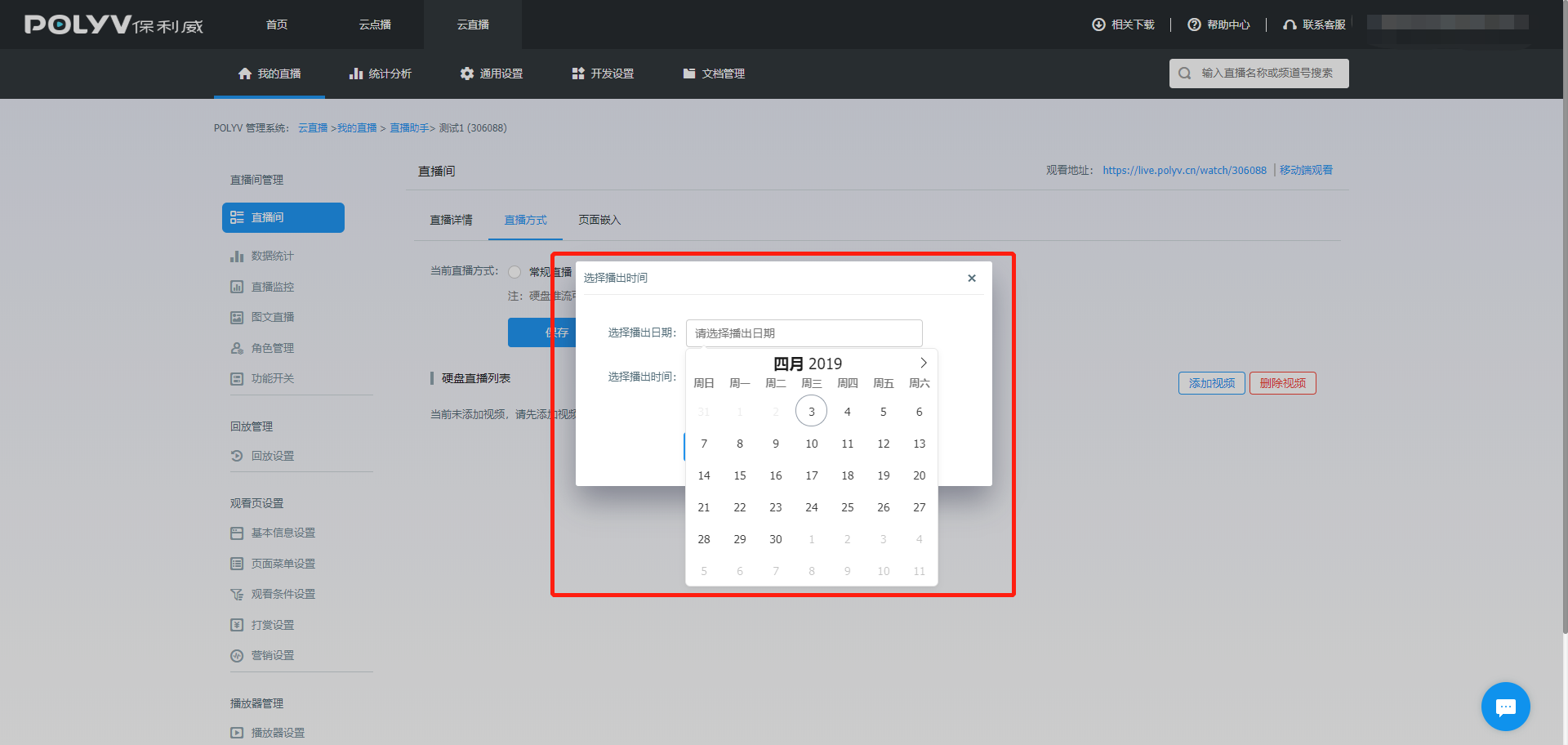
Set the push stream date.
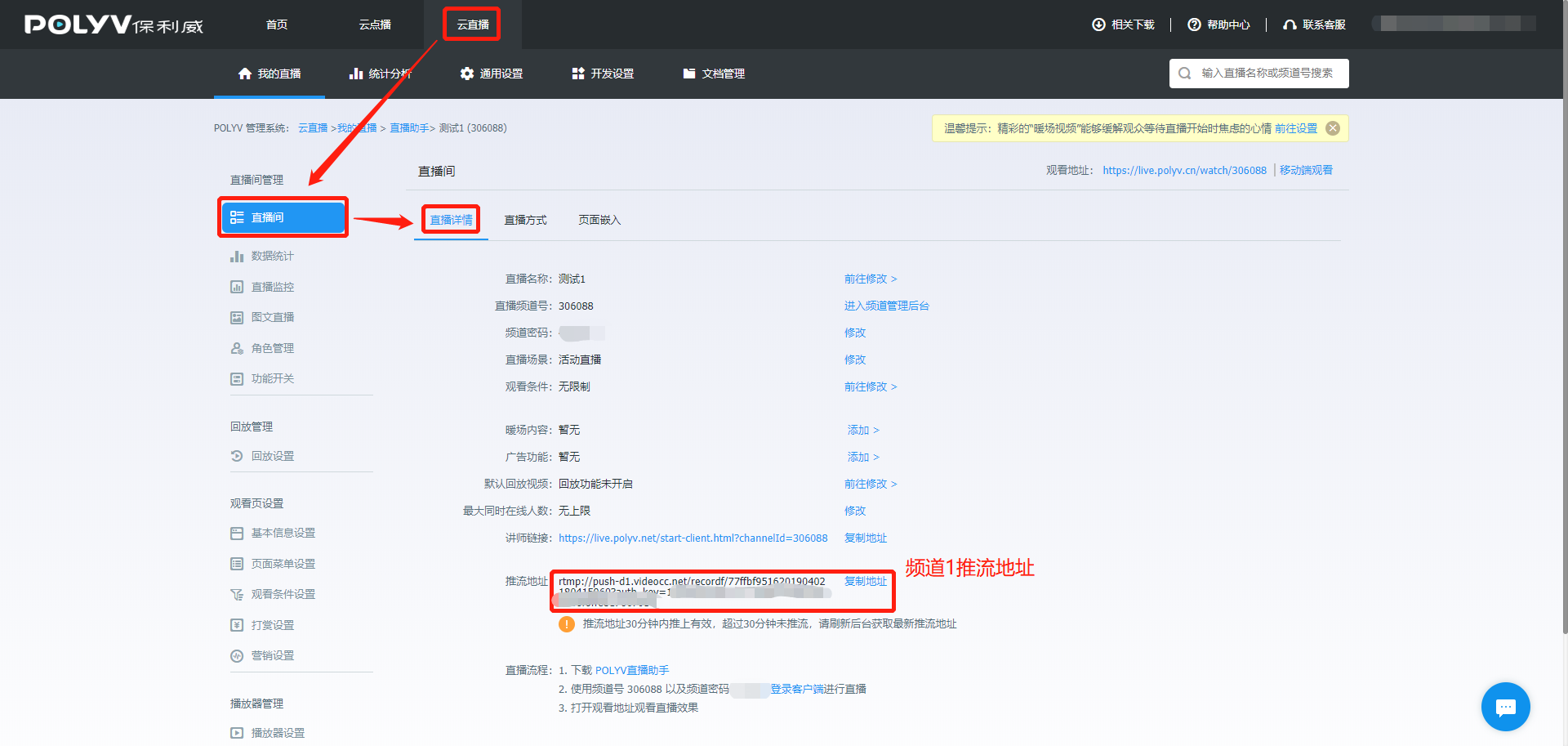
- Pull Stream Live Streaming: Use the live streaming assistant to push stream to Channel 1 -> Find the push stream address of Channel 1 -> Copy the push stream address of Channel 1 into the pull stream address of Channel 2's live streaming method.
Push stream address of Channel 1
Copy the push stream address of Channel 1 into the pull stream address of Channel 2's live streaming method.