


Cloud Classroom Live PPT External Embedding Feature
1. Streaming via Cloud Classroom
Download Link: http://soft.polyv.net/soft/PolyvClassSetup.exe
2. Embedding the Player in a Page
<script src="https://player.polyv.net/livescript/liveplayer.js"></script>
<div id='player'></div>

<script type="text/javascript">
var userinfo = {
    "userId":"1498632408308",
    "userName":"广州观众/89716",
    "pic":"//livestatic.videocc.net/assets/wimages/missing_face.png",
    "roomName":"117164",
    "userType":"slice"
};
var player = polyvObject('#player').livePlayer({
    'width':'498',
    'height':'409',
    'uid':'dee7bbf1a0',
    'vid':'117164',
    'userInfo':userinfo
});
</script>
Parameter Description:
| Parameter | Value | Description | Required |
|---|---|---|---|
| width | 100% | Player width | Yes |
| height | 400 | Player height | Yes |
| uid | e3wx706i3v | Customer ID | Yes |
| vid | 124681 | Channel number | Yes |
| userInfo | Object | User information | Yes |
userInfo is defined by the customer, all fields are required, described as follows:
| Parameter | Value | Description |
|---|---|---|
| userID | 1498632408308 | User ID |
| userName | Guangzhou Viewer/89716 | User nickname |
| pic | http://... | Image URL |
| roomName | 124681 | Room name/Channel number |
| userType | slice | User type |
3. Playback Enablement: Parameters, API
1. Live/Playback Feature:
Add the parameter isAutoChange:true in the live player, and enable the replay switch in the live streaming backend.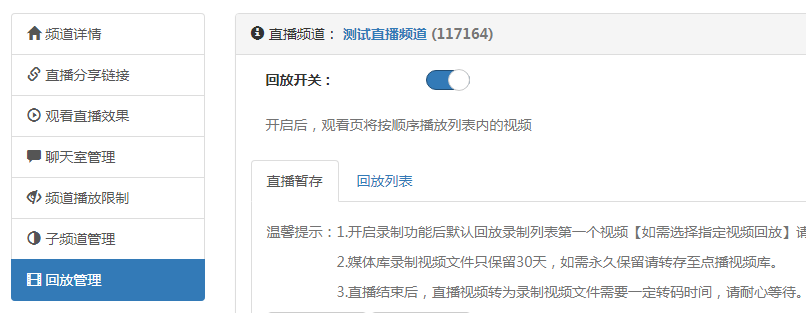
Description: After setting this parameter and enabling replay in the backend, the player will determine if there is no ongoing live stream but has a replay video, then play the replay video. If a live stream is ongoing, it plays the live video. The player automatically retrieves the corresponding replay PPT data.
2. Playback Feature:
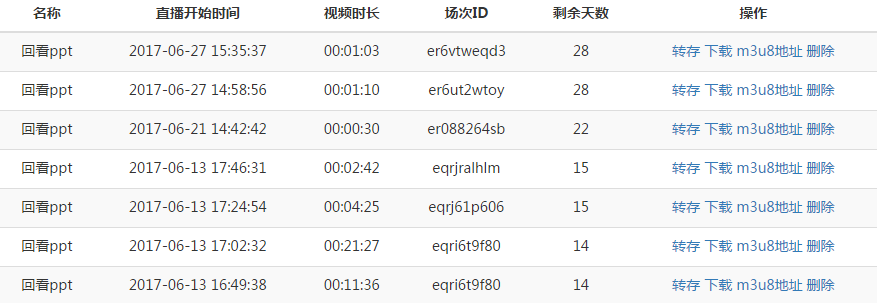
Add two parameters in the live player: vodsrc and pptSessionId.
Parameter Description:
vodsrc: Replay video URLpptSessionId: PPT playback session ID
The player plays the replay video and requests the corresponding PPT data based on the set replay video URL and PPT session ID.
3. Playback Switching API: j2s_changeVideo(url, sessionId)
Parameter Description:
url: Replay video URL (optional, can be the temporarily stored m3u8 URL from the replay management)sessionId: Playback session ID
Usage:
function  s2j_onOver(){
player.j2s_changeVideo("http://rflive.videocc.net/e3wx706i3v20170613163138075/recordf.e3wx706i3v20170613163138075_20170627145856.m3u8","er6ut2wtoy");
}
