Polyv / Ad-Free Video
Combine video with marketing to promote products and generate revenue.
Graphic promotion links serve as the primary conversion channel for video marketing, boosting sales by +35%.
During video playback, a "Buy Now" image appears in the top-right corner of the player. Clicking the image redirects to a purchase page. Both the image and the redirect URL are customizable, as shown below: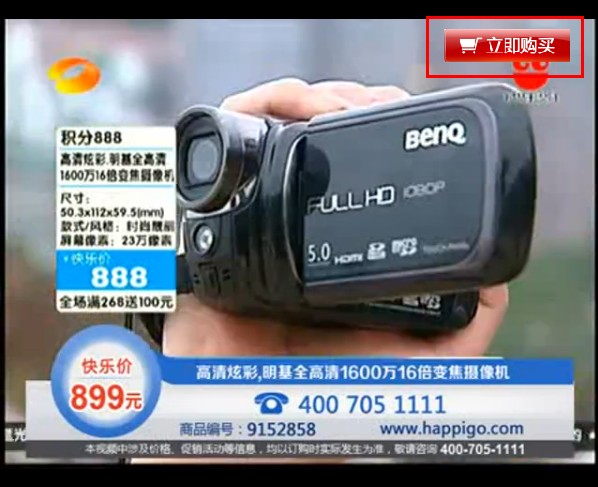
Live demo: http://v.polyv.net/view/38649a4f83c4307158b0ef379c89da3a_3.html
How to Set a Text External Link
Log in to your Polyv account and go to the backend: http://v.polyv.net/uc/user/login. After uploading a video, follow these steps: Video Management → Latest Videos / Content Categories → Select the video → Promotion Link (small window on the right)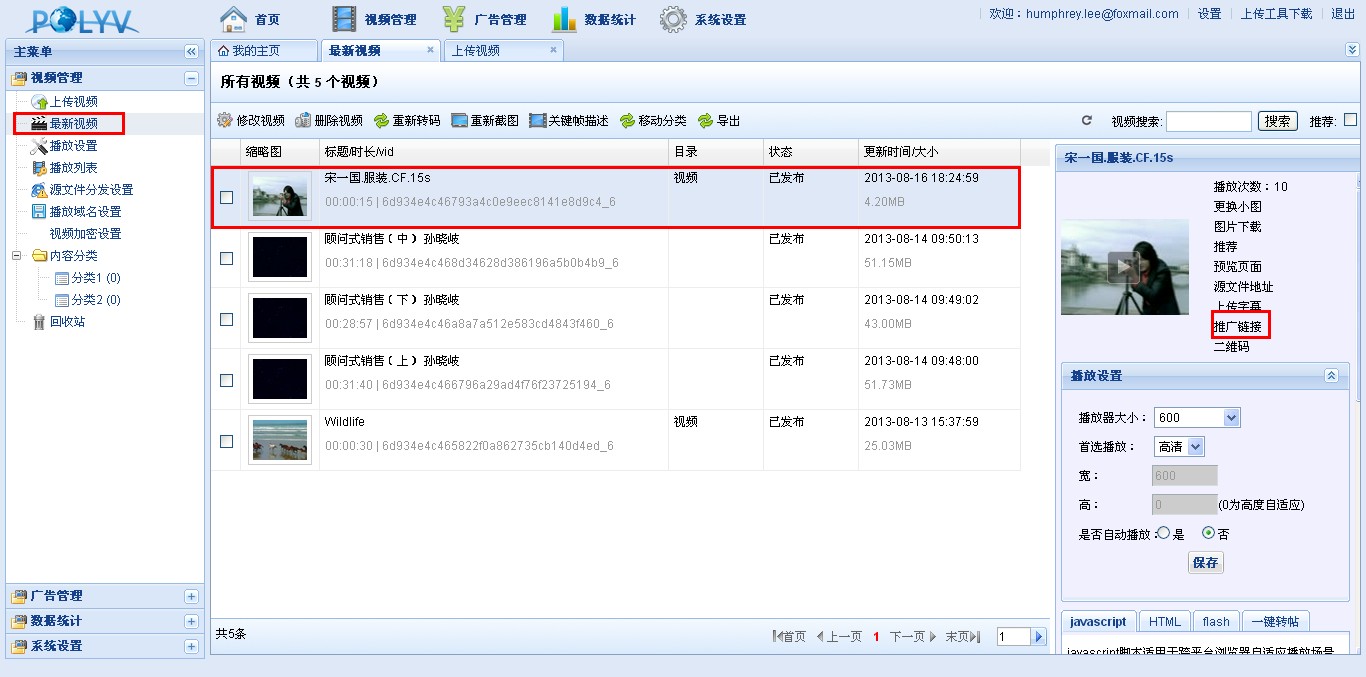
In the pop-up window, configure the settings: fill in the link content (the URL the image redirects to), select "Image" as the display type, and upload an image, as shown below: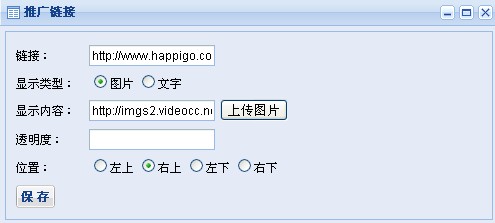
After setting up the graphic promotion, click "Save". Use the system-generated URL to play the video, as shown below: