


Using Polyv to Implement Educational Video Preview and Purchase
Scenario
You need to place a video tutorial on your website. Users are only allowed to watch for 5 minutes. After that, a message appears requiring registration and purchase to continue watching. Clicking it redirects to the login/purchase link.
Principle
Use the Polyv player's `watchEndTime` parameter to limit playback time.
Then, use the player's playback end event to trigger `s2j_onPlayOver`, hide the player, and display an image guiding users to register or purchase.
Implementation Method
Copy the video code from the Polyv video management backend.
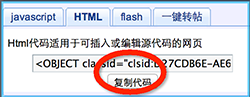
Paste it into your website in source mode. Modify the `flashvars` parameter's value by adding `watchEndTime=10`. For 5 minutes, set it to `watchEndTime=300`.
Create an image of 640x340 pixels (matching the video player size). After the preview time ends, it will be displayed over the player to prompt users to purchase.
Here is the image used:

Before playback, it is not needed yet. Use a hidden layer with a link to purchase or register.
<span id="buylink"><a href="http://pay.polyv.net/purchase.htm?packageId=12"><img alt="" src="/uploads/allimg/130911/1-13091110350RR.png" /></a></span>
Finally, just two lines of JavaScript are needed:
function s2j_onPlayOver()
{
    //alert("Playback ended");
        document.getElementById("buylink").style.display = "block";
    document.getElementById("player").style.display = "none";
}
Final Effect
